Do these 3 things before closing this tab:
1Repair Windows errors before they cause bigger problems2Fix the driver behind crashes, sound loss and screen glitches3Clear out junk files and repair common Windows errorsWhen an Apple Arcade game will not download, remains stuck installing, or closes immediately, work out which stage is failing before deleting anything. First confirm that the Apple Account has an active Apple Arcade subscription, that the game is offered in your country or region, and that the device and operating-system version support that title. For connection problems, check Apple’s System Status, your network, VPN or security software, software updates, automatic date and time, and a second network. Then use the platform-specific recovery sequence for iPhone or iPad, Mac, or Apple TV.
Restarting and updating are low-risk first steps. Deleting and redownloading is a later step because data stored locally in the game or app may be lost.
As an Amazon Associate I earn from qualifying purchases.
Identify the failure stage first
The right fix depends on what you can see. A missing Arcade tab is an account, region, or compatibility problem; a spinning download button points to service or network access; an app that opens and closes needs platform troubleshooting; and a game that downloads but refuses to start may have lost subscription entitlement or require a controller.
The Tool Desk
Outbyte PC Repair FREERepair Windows errors before they cause bigger problemsFix Now →Outbyte Driver Updater FREEScan for outdated or missing drivers - takes under a minuteDriver Scan →| What you observe | Most useful first checks | Risk of the first checks |
|---|---|---|
| The Arcade tab or a particular game is missing | Media & Purchases Apple Account, active subscription, country or region, device and operating-system compatibility | Low |
| The download button spins, pauses, or says it cannot connect | Apple System Status, a normal website, VPN or security software, cellular-data permission, updates, automatic date and time, another network | Low |
| A game that used to be installed has disappeared | Search the Apple Games app or App Store and redownload it | Low |
| The game opens and then closes, or never opens | Use the iPhone/iPad or Mac escalation sequence for your device | Low until deletion is attempted |
| The game is on Apple TV but cannot be played | Read the game page for controller requirements and connect the required accessory | Low |
| A downloaded game reports that access is unavailable | Check that the Apple Arcade subscription is still active and that you are using the same Apple Account | Low |
Check the prerequisites before changing anything
Active Apple Arcade access
Apple Arcade titles are subscription access, not permanent purchases. A game can remain on your device after a cancellation, but it cannot be played while the subscription is inactive. Resubscribing with the same Apple Account restores access; Apple cautions that some gameplay data may not be supported after a long gap.
#1 Best Overall

- RGB Cool Lightning Bolt & Long Battery Life: Switch controller with lightening bolt style and 9-color LED looks really cool; 4 light modes: solid lights, breathing lights, RGB strobe led light and led off; Fully charged: 3-4 hours, Runtime: 10-15 hours
- Widly Compatible & One-key Pairing/Wake Up: The switch pro controller is compatible with Switch/Lite/OLED/PC Windows 7/8/10 (only wrok for pc under wired connection); 2 pairing ways; Support one key to wake up your switch console
- Programmable Button & 3 Speeds Turbo: Switch controllers has simplify complex skill operations with M1/M2 key; Support single and multiple mapping; 3 adjustable burst: 5 shots/s, 12 shots/s and 20 shots/s; Programming and Turbo will maximize game play
- Sensitive Motion Control & 4-Level Nice Vibration: 6-axis gyro sensor help you react quickly, enhance experience in sports games; Buttons and joysticks are responsive, no lag; Dual vibration motors with 4-level feedback: Strong, Medium, Weak and None
- Great Gift For All People: This cool switch controller will be great gifts for women, men, girl, boy, family and friends; Packing list: 1 X Wireless switch controller, 1 X Type-C cable, 1 X Detailed user manual, 1 X Cool gift box
The correct Apple Account
Confirm the account used for Media & Purchases, not merely the account currently signed into another Apple service. If the wrong account is active, the Arcade tab, subscription, and previously obtained titles may not line up.
Country or region and catalogue availability
Apple says Arcade availability and features vary by country or region. A title can therefore be unavailable even when Apple Arcade itself works for someone in another location.
Device and operating-system compatibility
Hardware and software support are title-specific. Not every Arcade game runs on Mac or Apple TV, so check the game’s listing and the installed operating-system version before treating a missing or unplayable title as a download failure.
Recommended Free Tools
Rank #2

- Hall Effect Joystick Update.
- Compatible with Switch/Switch 2, Windows, Apple, Android, Steam Deck, and Raspberry Pi.
- Compatible with iPhone, iPad, macOS and Apple TV now. (Officially Supported)
- Full-featured retro controller- clickable joysticks, rumble vibration, motion controls, wireless Bluetooth, rechargeable battery, home and screenshot Buttons and a USB-C connector
- Perfect classic d-pad.
When the download will not start or is stuck
Use this order for a download button that spins, pauses, or reports that it cannot connect. These checks address service reachability and device configuration before you risk deleting an installation.
- Check Apple System Status. Apple Support’s first instruction is, “Check Apple’s System Status page.” If an Apple service is having an incident, local changes will not repair the download; retry after the service recovers.
- Test ordinary internet access. Open a normal website on the same device. If that fails, repair the Wi-Fi or cellular connection before troubleshooting Arcade.
- Temporarily review VPN and third-party security software. A VPN, filtering profile, firewall, or security app can prevent the connection required by the App Store or Arcade. Follow that product’s own safe pause or allow-list procedure, then retry.
- Check cellular-data permission on iPhone or iPad. If you are not on Wi-Fi, make sure cellular data is enabled for the relevant store or game activity. A disabled permission can look like an Arcade outage.
- Install available software updates. Update the device when Apple or the game provides an update. A stale operating system can block a newer title or its store connection.
- Set date and time automatically. Incorrect device time can interfere with secure service connections. Turn on the system’s automatic date-and-time setting, then try again.
- Try another network. A different Wi-Fi network or a personal hotspot separates a local router, DNS, or filtering problem from an Apple-service problem.
- Only then consider reinstalling. Deletion is platform-specific and can remove locally stored game data, so use the restart, update, and account checks below first.
iPhone and iPad: Apple’s launch-failure sequence
Use the following escalation when an Arcade game opens and closes, hangs at launch, or remains unusable after it has downloaded. Perform each step in order and test the game before moving on.
- Force-close the game, then reopen it. Remove the unresponsive game from the app switcher and launch it again. This clears a single stuck process without removing its stored data.
- Restart the iPhone or iPad. A full restart reloads system services that the game depends on. After the device returns to the Home Screen, open the game before changing anything else.
- Check for a game update in the App Store. Install an update if one is offered. If no game update is available, update iOS or iPadOS instead, then retry.
- Delete and redownload as the final step. Apple’s documented instruction is, “Delete the app, then re-download it.” Deleting may lose data stored in the app, so use this step only after the lower-risk actions and only when you accept that risk. Redownload the title while signed into the Apple Account that holds the active subscription.
If the title is no longer visible
Search for the game in the Apple Games app or the App Store and download it again. Apple notes that subscription Arcade games do not appear in ordinary purchase history, so the absence of a purchase-history entry does not prove that the title was never available to you.
Rank #3
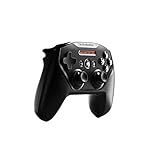
- Official licensed Wireless Connectivity
- Built-in Rechargeable Battery – Rechargeable battery allows for 50+ hours of play on a single charge
- Play Thousands of Games – Compatible with thousands of titles across the App Store and Arcade
- Tactile D-Pad Buttons – The arrow buttons have been upgraded with a tactile click for fast and responsive feedback
- Clickable Joysticks – Clickable L3/R3 buttons allow for more input options across a variety of games
If the download works on Wi-Fi but not cellular
Recheck cellular-data permission for the store or game activity, then test the same account on Wi-Fi. If Wi-Fi succeeds while cellular fails, the device setting or cellular network is the likely boundary; do not delete the game until that distinction is clear.
Mac: quit, update, verify, then reinstall
Mac troubleshooting has a similar escalation, with an additional compatibility check because Arcade catalogues are not identical across Apple devices.
- Quit the game. Close it normally. If it is unresponsive, use the Mac’s force-quit command to end that process.
- Restart the Mac. Launch the game again after the restart and check whether the failure was limited to the earlier session.
- Install the game’s App Store update. Then install any available macOS update. Updating both sides prevents a game build from being paired with an unsupported system component.
- Verify compatibility. Confirm that the game supports the installed macOS version and that the title is offered on Mac. A title that is available on iPhone or iPad is not automatically available on Mac.
- Delete and reinstall only if necessary. Reinstall after the earlier steps fail. Data stored in the app may be lost when it is deleted, so treat this as the final Mac step rather than the first response to a launch crash.
When a Mac download is available but launch still fails
Separate entitlement from compatibility. An active subscription and a successful download establish access to the service, but they do not make every title compatible with every macOS release. Recheck the game listing and installed macOS version before repeating the download.
Rank #4

- Wide Compatibility - The 1000Hz wireless gamepad controller works seamlessly with PC /Laptop (Windows 7 8 10 11, Xbox Games on PC, Not for Win XP), Android 8.0+ (cellphone, tablet, Smart TV, Samsung TV), for Apple / iOS 13 Above (iPhone, iPad), Mac, MacOS, Switch (Switch, Switch 2), Steam OS/Steam Deck, Tesla (Tesla Model 3 & Model Y) & Xbox Games on PC. Connectivity modes: 1. Wired, 2.Bluetooth Dongle (Not 2.4G), 3. Bluetooth wireless
- Dual Hall Effect Joysticks and Triggers - Experience unparalleled precision and durability with Hall Effect Controller joysticks and triggers. Enjoy no drifting, no dead zones, and precise control with joysticks that offer an extended lifespan. The triggers provide glitch-free, responsive performance, reducing wear and tear, making this gaming controller ideal for competitive gaming
- Ultra-Sensitive Response - The Rechargeable Wireless Gaming Controller achieves 1000H Hz in wired mode & Bluetooth Dongle mode, ensuring precise and prompt responses for seamless gaming, minimizing input lag for a competitive edge.
- 4-Level Vibration & Gyro in Switch - From intense rumble at 100% to a gentle buzz at 30%, the abxylute gaming controller allows you to find the perfect level of immersion for every gaming session. Gyroscope can be available in Switch games, and motion sensing. 【Notice】One-Year after sales warranty.
- Dual Turbo Modes & Long-lasting Gameplay - Customize turbo feature to any button, allowing you to unleash rapid-fire attacks with just a single press. Free your fingers and dominate your opponents effortlessly. The rechargeable wireless PC controller features a powerful 600mAh rechargeable battery, delivering up to 18 hours of continuous gameplay on a single charge. This ensures that you can enjoy uninterrupted gaming sessions with your controller for PC
Apple TV: download and controller checks
Start the download
In the Arcade app, select the game and choose Get. The game icon appears on the Home Screen with a progress indicator while it downloads. If the icon never appears, return to the network and service checks rather than repeatedly selecting the button.
Read the game page for input requirements
Apple says, “Most games in Apple Arcade require a third-party Bluetooth® game controller or other accessory (sold separately).” The individual game page indicates whether a controller is optional or required. A completed download can therefore be healthy while play fails because the required accessory is not connected.
Distinguish an input problem from a launch problem
- If the game opens but asks for a controller, follow the requirement shown on its game page and connect a compatible Bluetooth controller or other listed accessory.
- If the game does not appear on Apple TV at all, verify that the title supports Apple TV; Apple’s catalogue is not identical across devices.
- If the download cannot begin, return to Apple System Status, network, account, subscription, region, and software checks.
When a downloaded game suddenly says you cannot play
Subscription entitlement changed
Downloaded files do not preserve play access after an Apple Arcade cancellation. Confirm the subscription status and sign in with the same Apple Account used for the subscription. Resubscribe with that account to regain access. If the account was inactive for a long period, some gameplay data may no longer be supported.
Best Value

- MODERNIZED DESIGN — Experience the modernized design of the XBOX Wireless Controller with sculpted surfaces and updated geometry that enhances comfort and control during long gaming sessions.
- PRECISION PERFORMANCE — Stay on target with a hybrid D-pad and textured grips on triggers, bumpers, and back case for improved accuracy and handling.
- SHARE BUTTON: Seamlessly capture and share content such as screenshots, recordings, and more with the new Share button.
- VERSATILE CONNECTIVITY — Connect via USB-C for plug-and-play on console and PC, or quickly pair and switch between supported devices with XBOX Wireless and Bluetooth support.
- BUILT-IN AUDIO SUPPORT — Plug in compatible headsets using the 3.5mm audio jack for direct voice chat and immersive in-game sound.
The title is unavailable on this device
Availability can differ by device even within the same subscription. A title obtained on iPhone or iPad may not have a Mac or Apple TV version. Check the platform listing before attempting another reinstall.
The title is unavailable in your region
Regional availability can change what appears in Arcade and which games can be downloaded. If another person sees a title that you cannot find, compare country or region and the Apple Account used for Media & Purchases before treating the difference as a technical fault.
A practical decision path
- Cannot see Arcade or the game: verify Media & Purchases account, active subscription, region, and device support.
- Cannot connect or the download is paused: check System Status, ordinary internet access, VPN or security software, cellular permission where relevant, updates, automatic time, and another network.
- Previously installed game is missing: find it in Apple Games or the App Store and redownload it; do not rely on ordinary purchase history.
- Game launches and closes: follow the iPhone/iPad or Mac sequence, reserving deletion for last.
- Apple TV game opens but will not accept input: inspect the game page for a required third-party Bluetooth controller or accessory.
- Game is downloaded but access is denied: restore the active subscription with the original Apple Account and recheck platform and regional availability.
What not to do
- Do not begin by deleting the game when a service outage or account mismatch could be responsible.
- Do not assume that a game listed for iPhone or iPad must also run on Mac or Apple TV.
- Do not use ordinary purchase history as the sole test for whether you previously had an Arcade title.
- Do not interpret a successful download as proof that a subscription is still active.
- Do not assume Apple TV launch trouble is a download failure until you have checked the controller requirement shown on the game page.
When to stop troubleshooting locally
If System Status is normal, another network produces the same result, the correct Apple Account has an active subscription, the title is offered in your region and on your device, and the platform’s restart and update sequence has failed, the remaining failure is no longer explained by a basic connection or installation issue. Record the device model, operating-system version, game name, failure stage, and the steps already completed before contacting Apple Support. That information lets support distinguish entitlement, catalogue availability, service connection, and app-crash cases without asking you to repeat every low-risk check.
Free tools Windows power users keep installed
One-click scans. No signup required.
Quick Recap
Product prices and availability are accurate as of the date/time indicated and are subject to change. Any price and availability information displayed on Amazon at the time of purchase will apply.

