Short answer: the Acer Swift Spin 14 AI is a genuine 360-degree Windows 11 convertible that can work as a conventional laptop, tent, stand or tablet. Acer’s 2026 claims reach 23–26 hours of video playback and 16.5 hours of web browsing, while an independent Snapdragon X2 Elite review measured 17 hours 18 minutes of video playback. It is fast enough for office work and many on-device AI tasks, but the Intel and Snapdragon versions are different products in important ways.
Before buying, match the exact regional SKU to your software, graphics workload, battery-test method, USB-C standard and stylus bundle. Those details determine whether a particular Swift Spin 14 AI is a good fit.
As an Amazon Associate I earn from qualifying purchases.
What the Acer Swift Spin 14 AI is
The Swift Spin 14 AI is a 14-inch Windows 11 2-in-1 laptop with a hinge that rotates through 360 degrees. You can leave it in the normal laptop position for typing, fold it into tent mode for presentations or video calls, use stand mode with the keyboard behind the screen, or fold it completely into tablet mode. Acer describes the intended uses as “Switch between laptop mode for typing, tent mode for presentations, or tablet mode for drawing.”
Free tools Windows power users keep installed
One-click scans. No signup required.
Acer sells both Intel and Qualcomm Snapdragon families under the Swift Spin 14 AI name. Processor, memory, storage, display, battery capacity, wireless hardware and included accessories can vary by country and by configuration. A specification listed for one market should not be assumed to apply to every unit carrying the same family name.
#1 Best Overall

- Performance Has a New Benchmark - Unleash your potential with the Snapdragon X2 Elite, delivering ultra-premium performance, blazing AI processing power, and multi-day battery life. By combining the industry-leading Qualcomm Hexagon NPU with an efficient chip design, this platform optimizes workloads to provide faster responsiveness, reduced latency, and a new standard in power-efficient graphics and productivity.
- The Fastest, Most Intelligent Windows PCs Ever - Transform your everyday workflow with natural, intuitive AI assistance built right in. As a Copilot+ PC, it enhances your creativity with Cocreator, letting you generate captivating images with ease. Live Captions help break language barriers, and with Recall, you can quickly find documents, emails, photos, and more — simply by describing how you remember them.
- Built on Brilliant AI Foundations - The Acer Swift Spin 14 AI harnesses the industry-leading Qualcomm AI Engine with an integrated Qualcomm Hexagon NPU, delivering transformative experiences for creativity, video conferencing, security, and productivity assistants. The Qualcomm AI Engine supports Windows Studio Effects and many other AI-accelerated applications and experiences, to make possibilities endless.
- Tap, Swipe, and Create - Immerse yourself in a world of vibrant visuals. Enjoy stunning clarity, rich 100% sRGB colors, and sharp detail on the 14" WUXGA ultra-high-resolution touchscreen glare-resistant display with up to 120Hz refresh rate – acting as a panoramic playground for entertainment, artistic expression, and engaging AI experiences that dazzle the eye.
- Work Your Way - Precision engineered with a 360° hinge, you can flip into tent mode, fold into tablet mode, and swipe or tap as you go. Includes an Acer Active Stylus (Wacom AES 2.0) to write, sketch, and mark up with precision, with a built-in stylus garage for easy storage.
Battery life: what the published numbers mean
Acer’s figures are laboratory results for named configurations, not a guaranteed runtime for every owner. In 2026, Acer reported up to 26 hours of video playback, 16.5 hours of web browsing and 14 hours in MobileMark 30 for an Intel SFSP14-I51T equipped with a 71Wh battery. For a Snapdragon SFSP14-Q51T with a 65Wh battery, Acer reported up to 23 hours of video playback and 16.5 hours of web browsing.
| Configuration and source | Video playback | Web browsing | Other test | How to read it |
|---|---|---|---|---|
| Intel SFSP14-I51T, Acer 2026, 71Wh | Up to 26 hours | Up to 16.5 hours | 14 hours MobileMark 30 | Manufacturer test claim under specified conditions |
| Snapdragon SFSP14-Q51T, Acer 2026, 65Wh | Up to 23 hours | Up to 16.5 hours | Not stated | Manufacturer test claim under specified conditions |
| Snapdragon X2 Elite model, ITPro/TechRadar 2026 review | 17 hours 18 minutes | Not stated | Independent video rundown | A real-world comparison point for that reviewed unit |
The independent 17-hour-18-minute result is lower than Acer’s maximum playback claim, which is normal because test brightness, video encoding, wireless activity, background processes and power settings differ. Acer also says processor, RAM, storage, screen, resolution, applications, power settings and operating conditions affect endurance. Treat 23–26 hours as excellent potential for light playback, not as an all-day promise during compilation, video editing or sustained AI workloads.
What to expect in ordinary use
- Web, documents, email and streaming should make the Swift Spin 14 AI a strong long-session machine when brightness and performance modes are moderate.
- High screen brightness, many browser tabs, external displays, cloud synchronization and frequent video meetings reduce runtime.
- CPU-heavy exports, local AI inference, gaming and other sustained workloads consume substantially more power than the playback tests.
- Compare only like-for-like results: the 71Wh Intel unit, 65Wh Snapdragon unit and independently tested Snapdragon X2 Elite are not interchangeable battery references.
Is it fast enough for work and AI tasks?
For mainstream productivity, the answer is yes. The Snapdragon X2 Elite model reviewed by ITPro scored 3,218 single-core and 15,116 multi-core in Geekbench 6, and the review described it as powerful enough for productivity work. The Snapdragon configuration advertises up to 80 TOPS of NPU performance for compatible on-device AI features. TOPS is a peak accelerator rating, not a promise that every application will use the NPU or run at that speed.
What’s actually slowing this PC down?
Pick the symptom - the matching free tool is one click away.
Rank #2

- Stunning OLED Display: 14" 2.8K OLED touchscreen offers 100% DCI-P3 color gamut and 120Hz refresh rate for breathtaking clarity.
- Elite Performance: Powered by the Intel Core Ultra 7 256V processor for seamless productivity and light gaming.
- Ultra-Portable Design: Crafted with a premium magnesium-aluminum alloy, this laptop is exceptionally thin and lightweight for travel.
- Massive Storage & Speed: 1TB PCIe Gen4 SSD and 16GB LPDDR5X RAM ensure ultra-fast boot times and smooth application handling.
- Advanced Connectivity: Features Wi-Fi 6E and a comprehensive array of ports including USB4 for high-speed data transfer and charging.
Good workloads for the platform
- Office documents, large web applications, email, research and multitasking.
- Video calls and presentations, including tent or stand mode on a desk.
- Supported Windows AI features that can use the Snapdragon NPU.
- Light photo work, note-taking and general creative tasks that do not depend on a discrete graphics processor.
Where to be cautious
The integrated Adreno GPU is weaker for demanding games and graphics-heavy work than a laptop with a discrete GPU. Expect compromises in modern 3D games, complex 3D scenes, high-resolution effects and GPU-accelerated professional applications. Check the application’s recommended processor and graphics hardware before choosing the Swift Spin 14 AI for a specialist workflow.
Snapdragon models use Windows on ARM. Many mainstream Windows programs work, but compatibility can differ for specialist x86 software, drivers, plug-ins, peripherals and games. Verify that your required tools, security software, printer or scanner drivers and anti-cheat systems support ARM or reliable emulation. Intel versions avoid that particular ARM compatibility question and can be the safer choice for an established Windows workstation setup.
Ports and wireless connectivity
The available port set depends on the market and exact model, but the Swift Spin 14 AI family can include HDMI 2.1, two USB-C ports rated USB4 or Thunderbolt 4, two USB-A ports and a 3.5mm headphone jack. That covers a monitor, keyboard, mouse, storage drive, headset and several legacy accessories without immediately requiring a hub.
Rank #3

- Ready, Set Go!: Say hi to the all-new Swift Go—your AI ready laptop featuring the latest Intel Core Ultra 7 Processor and verified as an Intel Evo Edition thin and light with Windows 11 and Copilot for Windows 11. A visually brilliant 14" WUXGA (1920 x 1200) 100% sRGB touch display and designed in an eye-catching, thin-and-light body with Windows 11 that’s great on the go!
- Indulge Your Eyes: The Swift Go 14-inch WUXGA (1920 x 1200) IPS display with 100% sRGB offers vivid color accuracy, remarkably deep blacks, and ultra-crisp image quality and a touchscreen if you prefer to tap and swipe.
- Next-Gen Performance: Featuring the next-gen Intel Core Ultra 7 processor 155H - with 16 cores and 22 threads-and dedicated Intel ARC graphics – for superior performance where you need it most.
- Intelligent Assistance at Your Fingertips: Create, make, and communicate. This Windows 11 PC powered by an Intel Core Ultra processor powers the AI experiences you need with speed and ease. This Intel Evo Edition laptop is thin, light and equipped with the hardware you need to effortlessly breeze through the most demanding of tasks without a hitch.
- Brand New Ways to Create: With new AI features in Windows 11 editing your stories, photos and videos gets easier. With Intel Core Ultra processors, your creative flow will never be slow. New background removal in Paint makes it easy to switch up the scene.
| Connection | What it is useful for | Configuration note |
|---|---|---|
| HDMI 2.1 | Direct connection to a compatible monitor or television | Listed for the family; confirm the exact output behavior on the regional SKU |
| Two USB-C | Charging, displays, docks, fast storage and modern peripherals | Rated USB4 or Thunderbolt 4 depending on model |
| Two USB-A | Older flash drives, mice, keyboards, printers and other accessories | Useful when moving between older and newer equipment |
| 3.5mm audio | Wired headphones, headsets and speakers | Listed on the family port specification |
| Wi-Fi | Wireless networking | Configurations reach Wi-Fi 7 |
| Bluetooth | Keyboards, mice, headphones and pens or other accessories | Intel listing says Bluetooth 5.4; Snapdragon listing says Bluetooth 6.0 |
A desk setup with several monitors, wired networking and multiple USB devices may still benefit from a USB4 or Thunderbolt 4 dock. Check the dock’s operating-system support and display requirements, and remember that the USB-C label alone does not identify every feature of a particular port.
Quick wins for a faster PC:
Clear out junk files and repair common Windows errorsFree Scan →Fix the driver behind crashes, sound loss and screen glitchesFind Drivers →Tablet mode, tent mode and the hinge
Folding the display all the way back places Windows in tablet orientation and hides the keyboard beneath the screen. Windows can switch automatically when the hardware reports the folded position, although the exact behavior can depend on Windows settings and the installed driver. Tablet mode is practical for reading, scrolling, signing or marking up documents, browsing recipes or reference material, and handwriting notes. Tent mode is useful when the keyboard would be in the way, while stand mode is convenient for watching video or presenting slides from a desk.
- Open the display past 180 degrees and continue rotating it until the back of the screen meets the underside of the laptop.
- Place the folded device on a stable surface with the screen facing up; avoid pressing on the exposed keys.
- Let Windows and the hinge sensor change orientation. If the screen does not rotate, open Windows display settings and verify that rotation lock is off.
- Return to laptop mode by rotating the display back through the hinge before typing.
The hinge gives the Swift Spin 14 AI its flexibility, but it does not turn the computer into a lightweight dedicated tablet. The keyboard remains part of the folded device, and the 14-inch chassis is larger than a typical slate. Use a sleeve or stand that does not put pressure on the keys or hinge when carrying it in tablet form.
Rank #4

- That’s the Power of Acer with Intel Inside: Equipped with a power-efficient Intel Core Ultra 7 processor 255H and ultra-responsive on-package memory, the Swift X 14 handles intensive AI tasks and multitasking smoothly – ensuring responsive performance and all-day battery life for your most ambitious projects.
- Game Changer: Powered by NVIDIA Blackwell, GeForce RTX 5050 Laptop GPUs bring game-changing capabilities to gamers and creators. Equipped with a massive level of 440 AI TOPS horsepower, the RTX 50 Series enables new experiences and next-level graphics fidelity. Multiply performance with NVIDIA DLSS 4, generate images at unprecedented speed, and unleash your creativity with NVIDIA Studio.
- Made for Makers: Every pixel is perfected on a 3K 120Hz OLED Eyesafe display protected by smudge-resistant Corning Gorilla Glass—offering vivid colors and remarkably deep blacks with Certified True Black HDR500. Exceptional Calman Verified color accuracy with the flexibility to switch color profiles on a 16:10 display that’s made for makers. (14.5" 16:10 display has approximately 12.8% more viewing area than a 14" 16:9 display)
- Copilot in Windows - your AI Assistant: Do more, quicker than ever across multiple applications with the centralized generative AI assistance of Copilot in Windows. Accessible with a single touch of the Copilot Key.
- Tactile Precision. Ultra - Durable Control: The large haptic touchpad made from a single slate of Corning Gorilla Glass with MPP 2.5 tilt-enabled stylus support (touchpad only), empowers you to create freely, naturally, and intuitively. Engineered for durability and responsiveness, it delivers physical feedback with each press, enhancing control with customizable haptics for more natural navigation. The included Acer Active Stylus empowers creators, designers, and artists to sketch, write, and create with pinpoint accuracy, ensuring a smooth and intuitive experience.
Does a stylus come in the box?
There is no single answer for the whole product family. Acer’s U.S. Snapdragon page says an Acer Active Stylus is included and identifies a garage for storing it. Acer’s Canadian Intel page says the stylus is sold separately. Therefore, check the exact country, model number and retailer contents before assuming a pen is included.
With a compatible Active Stylus, tablet mode is suited to handwriting, annotations and simple sketching. ITPro described the garaged stylus on its reviewed model as useful for notes and sketching and reported that the hinge changes modes quickly. If the pen is not bundled, include the price and availability of a replacement Acer Active Stylus in your budget; a generic capacitive stylus will not provide the same pen features.
The Tool Desk
Outbyte PC Repair FREERepair Windows errors before they cause bigger problemsFix Now →Outbyte Driver Updater FREEScan for outdated or missing drivers - takes under a minuteDriver Scan →Intel or Snapdragon: which Swift Spin 14 AI should you choose?
| Priority | Usually the better starting point | Why | Check before ordering |
|---|---|---|---|
| Longest advertised playback endurance | Either, based on the named test | Intel is listed at up to 26 hours; Snapdragon at up to 23 hours | Battery size, screen and test method |
| On-device AI acceleration | Snapdragon configuration | Advertises up to 80 TOPS NPU performance | Whether your software uses the NPU |
| Established specialist Windows software | Intel configuration | Avoids the additional Windows-on-ARM compatibility check | Drivers, plug-ins and peripherals still vary |
| Demanding games or 3D graphics | Neither as a gaming-first choice | Integrated graphics are not equivalent to a discrete GPU | Game requirements and expected settings |
| Included pen | U.S. Snapdragon listing | Acer says an Active Stylus is included | Regional SKU; Canadian Intel listing sells it separately |
| Wireless generation | Depends on SKU | Intel listing specifies Bluetooth 5.4; Snapdragon specifies Bluetooth 6.0 | Exact product page and box contents |
Do not select solely by the processor name. Confirm the display resolution and refresh-rate option, because those can alter battery use and visual smoothness; the available configurations are not stated consistently across markets. Also confirm RAM and storage, the USB-C standard, battery capacity and whether your must-have software has an ARM-compatible version.
Best Value
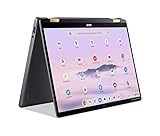
- 14” WUXGA Touch Display, A Touch of Magic: Witness magic on the 14” WUXGA (1920 x 1200) Antimicrobial Gorilla Glass display with touch. See more on the 16:10 narrow bezel display and dive into a whole new visual and audio experience with DTS audio.
- Intel Core Ultra 5 Processor, Unlock New AI experiences: Whether you're working, collaborating, creating or playing, the Intel Core Ultra 5 processor delivers a dedicated engine to help unlock AI experiences on the PC, the next level in immersive graphics, and high-performance low power processing, so you can confidently perform longer while unplugged.
- The Magic of Gemini, Convert handwriting into editable text, simplify jargon-filled content, remove photo distractions, and get questions answered by Gemini
- The Best of Google, in a Laptop, keyboard, a crystal clear 120Hz high-resolution display, and enjoy the freedom of fast Wi-Fi 6E to
- 8GB LPDDR5 Memory and 256GB PCIe Gen 4 SSD
A practical buying and setup checklist
Before purchase
- Record the full model or SKU, not just “Swift Spin 14 AI.”
- Identify whether it is Intel or Snapdragon and verify the operating-system architecture required by your applications.
- Compare battery claims using the same test type; do not compare a MobileMark result with a video-loop result as if they were equal.
- Confirm display resolution, refresh rate, RAM, SSD capacity and battery watt-hours.
- Count the ports you need and check whether the USB-C ports are USB4 or Thunderbolt 4 on that unit.
- Verify the stylus bundle for your country and whether the pen has a storage garage.
- If you work at a desk, price a compatible USB4 or Thunderbolt 4 dock alongside the laptop.
After unboxing
- Install Windows updates and Acer driver or firmware updates before judging battery life or sleep behavior.
- Test each USB-C port with charging, a display and a storage device; ports can have different capabilities even when they look identical.
- Pair your required Bluetooth accessories and test Wi-Fi at your normal work location.
- Fold the hinge through laptop, tent, stand and tablet positions and check that the display orientation changes as expected.
- If a stylus is supplied, charge or pair it as directed, test handwriting in a Windows pen-enabled app and store it in the garage when finished.
- Run your essential work applications, plug-ins, printers and security tools before your return period ends, especially on Snapdragon.
Common limitations and fixes
Battery life is much lower than the headline number
Check brightness, refresh rate, power mode, background synchronization, browser tabs and external displays first. A high-performance mode or sustained CPU/GPU activity is not comparable with Acer’s playback loop. Update firmware and Windows, then repeat a consistent test with the same brightness and wireless settings.
A specialist application or accessory will not work on Snapdragon
Look for an ARM64 build or the vendor’s current compatibility statement. If the problem is a kernel driver, plug-in, anti-cheat component or professional peripheral, emulation may not solve it; an Intel configuration is the lower-risk alternative.
The screen does not rotate in tablet mode
Turn off rotation lock in Windows display settings, install pending chipset and sensor updates, and restart. If orientation still fails, use the device in a fixed position while contacting Acer support with the exact SKU and Windows build.
Recommended Free Tools
The included pen is missing
Compare the box contents with the regional product listing and invoice. U.S. Snapdragon and Canadian Intel descriptions differ, so contact the retailer before buying a replacement. A missing accessory is a configuration or fulfillment issue, not proof that every Swift Spin 14 AI includes a stylus.
Who the Swift Spin 14 AI suits
It is a strong fit for people who want one Windows computer for typing, long periods away from a charger, touch navigation, occasional handwriting and presentations. The combination of 360-degree modes, modern wired ports, Wi-Fi 7 availability and strong productivity performance covers a broad home, school and office workload.
Choose another class of laptop if your priority is high-end gaming, sustained 3D rendering, a discrete professional GPU or guaranteed compatibility with an unusual Windows driver stack. In those cases, graphics hardware and software support matter more than the convertible hinge or headline battery figure.
Quick Recap
Product prices and availability are accurate as of the date/time indicated and are subject to change. Any price and availability information displayed on Amazon at the time of purchase will apply.

