Quick wins for a faster PC:
Scan for outdated or missing drivers - takes under a minuteDriver Scan →Clear out junk files and repair common Windows errorsFree Scan →Declining a game request and resigning from a match are different actions in Words With Friends 2. A decline applies to a new request; to end a match already in progress, open it, tap More (three horizontal lines), then tap Resign or the white-flag icon, as documented by Zynga Player Support.
How do you decline a new game request?
Zynga’s support guidance describes what happens after repeated declines, but does not give a step-by-step button sequence for declining a single incoming request on each platform. Use the controls shown on your current request screen rather than relying on a guessed path.
As an Amazon Associate I earn from qualifying purchases.
How do you resign from a game in progress?
- Open the match you want to end.
- Tap More, shown as three horizontal lines.
- Tap Resign or the white-flag icon.
These are the labels and steps in Zynga’s instructions. Their help article does not establish that every app version or platform places the control identically, so check the current game screen if your layout differs.
Free tools Windows power users keep installed
One-click scans. No signup required.
What happens if you keep declining requests from one player?
Declining several consecutive new game requests from the same person can prompt a message asking whether you want to block that player. Zynga does not publish an exact number of declines that triggers the prompt. According to Zynga Player Support, blocking the player or accepting another request from them stops the popup from appearing. The rule concerns new game requests; rematches and resigned games are excluded.
#1 Best Overall

- Words with Friends Classic Game by Hasbro
- The popular mobile game comes to life!
- Ultimate play pack!
- Great for family game night!
What if you leave an active game idle?
Zynga lists different inactivity periods depending on the opponent type. Its support article says random-opponent games auto-resign after five days without a game action, while non-random-opponent games auto-resign after eleven days. It separately says the server performs auto-resignation on the sixth day for random opponents and the twelfth day for non-random opponents following the last action. These are the inactivity periods and server action days as described by Zynga, not interchangeable counts.
| Opponent type | Inactive period before auto-resignation | Server auto-resignation day after last action |
|---|---|---|
| Random opponent | Five days | Sixth day |
| Non-random opponent | Eleven days | Twelfth day |
Both timers are stated in Zynga’s resignation guidance.
Quick Recap
Best Value

- SCRABBLE CARD GAME: Slam is a little different than the traditional game of Scrabble. Slam is very fast-paced and everyone can play at once
- THE PLAY: Choose a 4 letter word to start play then deal out the remaining cards as evenly as possible. When everyone is ready - the action begins. Any player can play 1 letter card on top of the cards on the table to make a new word. For example: "CAKE" becomes "BAKE" which is turned into "BIKE" then switched to "LIKE" and so on
- THE WIN: Players continue placing cards as quickly as possible forming new words until someone plays their last card for the win
- TRAVEL SIZED: It's a card game - of course you can fit it into your carry-on or even a purse
- QUICK GAMEPLAY: Given that game play is very fast paced and goes by quickly, Scrabble Slam works well in between longer gaming campaigns on game night
Rank #4

- FUN FOR EVERYONE – Gather your family and friends with word games for adults and kids, and race against each other to build crossword grids. This anagram game that will drive you bananas.
- MAKES A GREAT GIFT – Bananagrams will make a thoughtful gift as family games for adults and children for your friends or family members. It is perfect for both boys and girls.
- GREAT FOR TRAVEL – Bananagrams comes in a fun banana-shaped case. This game doesn’t take much space like other family board games and brings tons of fun while traveling.
- PLEASE NOTE – Contains small parts, not for children under 3 years. Offering family games for kids and adults, or anyone 7 years and up. 1-8 players.
- ENTERTAINING AND EDUCATIONAL – While this game is easy to play, Bananagrams is also educational. Teach your kids how to spell words and have fun at the same time with letter games.
Rank #3
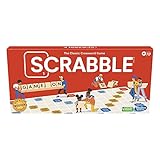
- CLASSIC CROSSWORD GAME: Get family and friends together for a fun game night with the Scrabble board game! Put letters together, build words, and earn the most points to win
- WOODEN TILES AND RACKS: This edition of the Scrabble game features 100 wooden letter tiles and wooden tile racks. The textured gameboard helps tiles stay on the board
- RACK UP THE POINTS: Scrabble letters are worth points, and premium squares on the gameboard multiply the score. Surprise opponents with 2-letter words, challenge their choices, and strategize to win
- GAME FOR 2-4 PLAYERS: Go for classic Scrabble gameplay in a head-to-head face-off, or mix things up and play in teams. The game guide offers expert tips, and other ways to play this classic word game
- FUN FAMILY GAME: Do you remember playing Scrabble when you were a kid? Introduce this fun game to your kids and grandkids! Connect over a classic board game and create memories for generations to come
Rank #2

- The Original and Authentic Version of the Sensational Party Game
- Get ready for the award-winning fast-paced word game that gives family game night a rush of excitement as players compete to beat the timer!
- HOW TO PLAY - Choose a card with a category, press the timer, and shout out words related to the category that start with a certain letter. Once the related word is announced, press the corresponding letter tab.
- Take it on the go and great to play anywhere - the portable Tapple wheel stores all of the category cards for easy carry and storage.
- Includes 1 Tapple wheel with built-in timer, 36 cards (144 categories), rules
Product prices and availability are accurate as of the date/time indicated and are subject to change. Any price and availability information displayed on Amazon at the time of purchase will apply.
What’s actually slowing this PC down?
Pick the symptom - the matching free tool is one click away.




