For fast, deliberately rough screens that help a team agree on structure, consider Balsamiq. For a shared workflow that can move from wireframes into interface design and handoff, consider Figma. For prototypes with detailed interaction behavior, consider Axure RP. If cloud or self-hosted deployment is central to the decision, evaluate Penpot. The right choice depends on how much fidelity and interaction you need, who must collaborate, where the software runs, and the cost of the seats and plans you actually require.
What to compare before choosing wireframing software
A wireframe communicates interface structure and user flow before a team commits to visual polish or implementation. Some projects need only a quick layout for discussion; others need a prototype that demonstrates behavior. Compare tools against these practical questions:


As an Amazon Associate I earn from qualifying purchases.
- Who needs to create layouts? Consider whether designers and non-designers can express and revise a screen quickly.
- How much behavior must the prototype show? A sequence of linked screens is different from a prototype with detailed interactions.
- How will reviewers participate? Check whether stakeholders need editing access, commenting, or only viewing.
- Where must the work be hosted? Cloud access and self-hosting have different deployment and administration implications.
- What is the real team cost? Count the required editor roles, projects, and plan limits rather than comparing one headline price in isolation.
The comparison below reflects capabilities and prices shown on vendor pages accessed in 2026; it is not an independent performance test or a universal ranking.
At-a-glance comparison
| Tool | Good fit | Documented distinction | Displayed pricing evidence |
|---|---|---|---|
| Figma | Teams moving from rough layouts toward interface design, prototypes, and handoff | Wireframing, collaboration, prototyping, and handoff | Professional plan: $16/month for a Full seat, $12/month for a Dev seat, and $3/month for a Collab seat. Check the current billing cadence and terms. |
| Balsamiq | Early product discussions focused on structure before visual polish | Drag-and-drop and AI-assisted wireframing, clickable prototypes, exports, and reviewer collaboration; reviewers can view or comment without editing | Cloud rates shown with annual billing: Starter $16/editor/month, Teams $24/editor/month, Enterprise $35/editor/month. Plans have different project limits. |
| Axure RP | Work requiring realistic interactions, detailed behavior, or functional prototypes | Wireframes, diagrams, documentation, and functional prototypes without code; Team adds co-authoring and revision history | RP 11: Pro $29/user/month and Team $49/user/month; Enterprise is quote-based. Check current billing terms. |
| Penpot | Teams weighing open-source tooling, cloud use, or self-hosting | Cloud and self-host options, with design and collaboration capabilities listed on its pricing page | The official page displays a free Professional cloud tier and a free self-hosted Professional option, alongside paid plans and limits. Check live terms. |
Which tool fits each workflow?
Figma: a shared path from wireframe to handoff
Figma is worth considering when wireframes are an early stage of a broader collaborative interface-design process. Its product pages describe wireframing alongside collaboration, prototyping, and handoff. Its pricing uses distinct seat types, so the relevant comparison is the mix of Full, Dev, and Collab seats your team needs—not simply one price multiplied by every participant. See Figma’s wireframing features and current pricing and seat details.
#1 Best Overall
Balsamiq: keep early conversations focused on structure
Balsamiq is positioned around low-fidelity wireframes and early alignment. That focus can suit discussions where a deliberately rough screen helps people assess layout and flow without treating visual polish as settled. Its product information describes drag-and-drop and AI-assisted wireframing, clickable prototypes, and exports. The Cloud pricing page also distinguishes editors from reviewers, who can view or comment without editing. Check the Balsamiq product page and Cloud pricing and project limits.
Axure RP: when interaction detail matters
Axure RP is the clearest fit among these options when the deliverable must demonstrate more than screen arrangement: its product page describes functional prototypes, as well as wireframes, diagrams, and documentation, without code. The pricing page distinguishes Pro from Team; Team is the edition associated with co-authoring and revision history. Review the Axure wireframing and prototyping capabilities and RP editions and pricing.
Penpot: include deployment in the decision
Penpot deserves consideration when open-source tooling or the choice between cloud use and self-hosting matters to the organization. Those deployment options make administration part of the decision, not just editor features. Its pricing page lists cloud and self-hosted options, including free Professional offerings, and describes plan limits. Confirm current details on Penpot’s pricing page.
How to compare costs fairly
The displayed prices below were reported on official vendor pages accessed in 2026. They can change, and their billing bases are not identical. Treat them as a prompt to check current terms—not as guaranteed quotes.
- Figma: Professional rates displayed were $16/month for a Full seat, $12/month for a Dev seat, and $3/month for a Collab seat. The pricing page separates seat types; confirm billing cadence and the roles your collaborators need.
- Balsamiq Cloud: Rates displayed with annual billing were $16/editor/month for Starter, $24/editor/month for Teams, and $35/editor/month for Enterprise. Project limits differ by plan, so compare capacity as well as editor count.
- Axure RP 11: Rates displayed were $29/user/month for Pro and $49/user/month for Team. Enterprise pricing is quote-based; confirm current billing terms and whether Team’s collaboration features are necessary.
- Penpot: Its page displays free Professional cloud and self-hosted options, plus paid plans and limits. The pricing page should be checked for the exact terms relevant to your deployment.
For a useful estimate, identify who must edit, who only needs to review, how many projects the team requires, and whether self-hosting creates administration work. Then compare the plan that covers those needs. A low entry price may not describe the cost of the roles or limits a particular team needs.
A practical decision path
- Start with the deliverable. If the goal is agreement on rough structure, investigate Balsamiq. If the work must progress into a broader design and handoff workflow, investigate Figma. If detailed behavior is essential, investigate Axure RP.
- Map participation. List editors, developers, and reviewers separately. Check which roles can view, comment, co-author, or edit in the plans under consideration.
- Set the deployment requirement. If self-hosting is a requirement or a strong preference, examine Penpot’s self-hosted offering and the administrative implications alongside cloud tools.
- Price the actual configuration. Use the live vendor pages to verify rates, billing cadence, seat definitions, project limits, and plan terms for your intended use.
- Decide how much fidelity to introduce. Keep the wireframe as rough as the decision requires; move toward interaction detail only when it helps answer a product question.
What this comparison can—and cannot—tell you
These four products illustrate different parts of the category: broad design environments and focused wireframing or prototyping tools can serve different stages of the same workflow. The UK Competition and Markets Authority’s 2023 phase 1 merger decision names Figma, Axure, and Penpot among all-in-one screen-design software suppliers, and Balsamiq among point tools. That is market context, not an endorsement, current feature audit, or ranking. Vendor descriptions establish what vendors say their products offer; they do not establish which tool is fastest or best for every team.
Quick Recap
Best Value
Rank #4
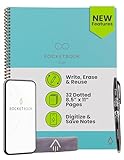
- New and Improved Core: Features premium reusable paper, with improved pen to paper feel, spiral binding and sleekly re-designed, scratch-resistant cover. Grid layout pages now include Smart Titles and Smart Tags to name and organize files efficiently.Create, Digitize, Erase, Re-Create: Capture ideas with the included Pilot Frixion Pen, digitize effortlessly using the Rocketbook app, store in your preferred cloud service. When done, simply wipe the pages clean with a damp cloth and start fresh.
- App-Enabled for Digital Organization: Scan and upload your written work directly to cloud platforms like Google Drive, Dropbox, OneNote, etc. and access your notes from anywhere. Use Smart Titles and Smart Tags to name and organize files efficiently.
- Write, Digitize, Erase, and Re-Write: Write notes with the included Pilot Frixion Pen, digitize effortlessly using the Rocketbook app, store in your preferred cloud service. When done, simply wipe the pages clean with a damp cloth and start fresh.
- Portable and Versatile Sizes: Available in two sizes—Letter (8.5 x 11 inches) and Executive (6 x 8.8 inches)—the Rocketbook Core is compact enough to fit into backpacks, purses, or briefcases. This notebook offers portability and versatility.
- Reusability: Designed with sustainability in mind, Rocketbook notebooks help reduce paper waste with a reusable alternative. Enjoy a paper-like notebook that can be used repeatedly, allowing you to save work and erase everything else.
Product prices and availability are accurate as of the date/time indicated and are subject to change. Any price and availability information displayed on Amazon at the time of purchase will apply.
Do these 3 things before closing this tab:
1Fix the driver behind crashes, sound loss and screen glitches2Clear out junk files and repair common Windows errors3Scan for outdated or missing drivers - takes under a minute



