Windows Errors? Fix Them Before They Spread
Repair common Windows errors and clear accumulated junk for a smoother, more stable PC - no reinstall needed.Free scan · no reinstallOutdated Drivers Are Slowing You Down
One free scan finds every outdated or missing driver and matches the right update for your exact hardware.Free scan · exact hardware matchIf Windows Security says “Local Security Authority protection is off,” first check whether LSA protection is actually disabled. A stale warning can remain after protection is enabled: Microsoft documented a Defender platform issue that caused this behavior on some Windows 11 systems in 2023. The fix depends on your Windows version, whether the PC is managed by an organization, and whether the setting or only the notification is wrong.
What LSA protection does—and what the warning means
The Local Security Authority (LSA) validates local and remote sign-ins and enforces local security policies. Its process, LSASS, handles credentials. Microsoft says added LSA protection prevents nonprotected processes from reading LSA memory or injecting code, adding safeguards for credentials LSA stores and manages. As Microsoft Learn puts it, “This feature provides added security for the credentials that LSA stores and manages.” Microsoft Learn: Configure added LSA protection
As an Amazon Associate I earn from qualifying purchases.
The Windows Security message is a reason to check the protection state, not proof by itself that the feature is off. Microsoft documented a particular false-warning case, but that historical issue does not establish that every current warning is stale.
Check the state before changing anything
-
Open Windows Security and check the Local Security Authority protection setting. Note whether it is enabled or disabled; do not assume the notification alone reflects the current state.
#1 Best Overall
 YOGOTEU Fingerprint Reader,USB Fingerprint Key Reader Advanced Security Access Window Hello Fingerprint Reader for Windows10/11 Laptops Computer
- USB Fingerprint Key Reader suitable for Windows10/11 Hello features.
- 360 Degrees Detection:Fingerprints can be read from any angle in 360Degrees, set up to 10 Fingerprint IDs.
- 0.05 seconds:Fingerprints authenticated within 0.05seconds. Logins faster and more secure.
- With intelligent learning algorithm, detection and authentication is faster and more secure.
- Advanced Protections:Safely protect your logins and data with Fingerprint Security Device.
-
If you have just enabled protection or changed its configuration, restart Windows. Microsoft requires a restart for configuration changes to take effect.
-
If the setting is enabled after restarting but the warning remains, update Windows and the Microsoft Defender antimalware platform, then restart and check again. Do not change registry or policy settings merely to dismiss a notification when protection is already enabled.
Rank #2
Sale![FIDO U2F Security Key, Thetis [Aluminum Folding Design] Universal Two Factor Authentication USB (Type A) for Extra Protection in Windows/Linux/Mac OS, Gmail, Facebook, Dropbox, SalesForce, GitHub](https://m.media-amazon.com/images/I/414cv-4SxrL._SL160_.jpg) FIDO U2F Security Key, Thetis [Aluminum Folding Design] Universal Two Factor Authentication USB (Type A) for Extra Protection in Windows/Linux/Mac OS, Gmail, Facebook, Dropbox, SalesForce, GitHub
FIDO U2F Security Key, Thetis [Aluminum Folding Design] Universal Two Factor Authentication USB (Type A) for Extra Protection in Windows/Linux/Mac OS, Gmail, Facebook, Dropbox, SalesForce, GitHub- Protect Online Account - Offer a strong factor authentication to your online account. Never lose your accounts through password theft, phishing, hacking or keylogging scams.
- Universal Compatibility - The Thetis U2F key can be used on any websites which support U2F protocol with the latest Chrome installed on your Windows, Mac OS or Linux. (Important Note: Not compatible with any email clients including Apple Mail, Mozilla Thunderbird or Microsoft Outlook)
- FIDO-U2f-Certified - Safety is our priority. Certified by world's largest Ecosystem for Standards-based, interoperable Authentication. Only support U2F protocol (No UAF or OTP). Provide low-cost and simple solution with high security.
- Extremly Durable - Designed with a 360° rotating metal cover that shields the USB connector when not in use. Also, crafted from a durable aluminum alloy to protect the Key from drops, bumps and scratches.
- Portable Design - Compact, ultra-portable design allows you to take your FIDO key anywhere you need it.
-
If the device is managed by your employer or school, check with its administrator before changing policy or registry values. Organization settings may control the feature.
Special offer. See more information about Outbyte and uninstall instructions. Please review EULA and Privacy policy.
Enable LSA protection on an individual PC
Microsoft documents registry configuration and Local Group Policy for individual devices on Windows 11 version 22H2 and later. These are configuration routes, not a requirement to edit the registry whenever the warning appears. If the PC is managed, use the organization’s approved process instead.
Rank #3

- Ultra-Compact FIDO2 Security Key - Plug-and-stay or carry on a keychain. This USB-A hardware security key offers portable, always-on protection for desktop and mobile use. (Item Size: 0.75 X 0.74 IN x 0.25 IN)
- USB-A Hardware Key for All Devices - Works with USB-A ports on PC, Mac, Android, and other laptop/notebook device. Enables secure, cross-platform login with FIDO2.0 passkey support.
- FIDO Certified Security Key - Meets FIDO and FIDO2 standards. Works with Google, Microsoft, GitHub, Dropbox, and more. Please check service compatibility before purchase.
- Passwordless Login with Passkey - Supports passkey login via WebAuthn and CTAP2. Enjoy password-free sign-ins where supported. Not all websites or services currently support passkeys.
- Advanced Multi-Factor Authentication - Offers 200 FIDO2 passkey slots and 50 OATH-TOTP slots. Strong, flexible 2FA/MFA support across various apps and authentication platforms.
Registry configuration
Microsoft’s documented registry location is HKEY_LOCAL_MACHINESYSTEMCurrentControlSetControlLsa. The RunAsPPL value controls the UEFI behavior:
| RunAsPPL value | Effect | Version qualification |
|---|---|---|
1 |
Enables protection with a UEFI variable (UEFI lock). | Microsoft documents this configuration in its LSA protection guide. |
2 |
Enables protection without a UEFI variable (no UEFI lock). | Enforced only on Windows 11 version 22H2 and later. |
Restart after configuration. With UEFI lock, the setting is stored in firmware, so changing the registry or policy alone cannot remove it; Microsoft documents a separate opt-out process. Without UEFI lock, the setting is not stored in a UEFI variable. Microsoft says this no-lock configuration is applied by default on devices with a new Windows 11 version 22H2-or-later installation. See Microsoft’s configuration and opt-out guidance
Rank #4

- Point 1 【WINDOWS HELLO COMPATIBLE】 Works with Windows 10 and Windows 11 Windows Hello as a Windows Hello fingerprint reader. This fingerprint reader for Windows 11 supports one-touch fingerprint login to replace passwords, for quick unlock of laptops and desktops.
- Point 2 【PLUG & PLAY, NO DRIVERS REQUIRED】 This plug and play USB fingerprint reader works as a usb fingerprint reader windows 11 dongle. Insert it into any USB port for recognition without extra software or drivers. Its slim compact shape will not block adjacent USB slots on your PC, suitable as a fingerprint reader for pc.
- Point 3 【360° FAST FINGERPRINT SCANNING】 This fingerprint scanner features a 360° all-angle sensor for steady fingerprint matching. The biometric sensor can store multiple fingerprints at the same time, matching the use of multi-user shared desktop and laptop computers.
- Point 4 【ENCRYPTED BIOMETRIC SECURITY】 This fingerprint reader has a built-in encryption chip. The chip blocks unauthorized access to PC login accounts, personal files and stored data. It adds password-free security for fingerprint login on Windows devices.
- Point 5 【PORTABLE FOR WINDOWS DEVICES】 This lightweight biometric finger print device fits home, office and travel scenarios. It works with most Windows laptops, desktops and all-in-one PCs, for convenient unlock when you carry computers outside.
Do not infer that all Windows 11 PCs have protection enabled automatically. Microsoft’s automatic-enablement conditions are Windows 11 version 22H2 or later, a new installation rather than an upgrade, enterprise join, and HVCI capability.
Local Group Policy
On Windows 11 version 22H2 and later, Microsoft also documents configuring the setting through Local Group Policy. The exact policy path and configuration details are in Microsoft’s LSA protection guide. Apply the setting through policy, then restart; avoid layering policy and registry changes without a reason.
Best Value
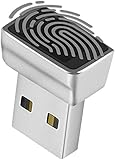
- Support Windows 10 / 11 Hello Biometric Authentication: Plug and play with updated Windows OS, provides instant access for Windows computers. Tasks such as login, sign in or unlock can be accomplished with a touch of a finger, no need to remember usernames and passwords
- Up to 5 Fingerprint Registration: Allow family members, close friends, or colleagues to gain access to a single computer. 360° all direction fingerprint registering for better accuracy and faster response.
- Paralleled Software Support: With Smart ID Encryption, encrypting your files has never been so easy. You can specify a folder as an encrypted zone, once a file is copied into the folder, it automatically be encrypted.
- Gets Smarter Over Time: With each fingerprint registry, the scanned data is added to the profile of the enrolled finger. So, the more you use it, the more accurate it gets. Allowing faster access.
- All You Need in a Nano Formfactor: Small and lightweight, takes up no space. Drop it in your pocket and you wouldn't even notice a thing.
Account for compatibility and device management
Some LSA plug-ins and drivers that do not meet signing requirements may fail to load when protection is enabled. Microsoft recommends auditing compatibility and testing before broad deployment; audit mode is enabled by default on Windows 11 version 22H2 and later. If this is a work or school device, administrators can configure protection through domain Group Policy or Intune, so users should not override managed settings themselves. Microsoft’s guidance for configuration and compatibility
If protection is on but Windows Security still warns
Microsoft documented a historical issue involving Microsoft Defender antimalware platform KB5007651 version 1.0.2302.21002. On Windows 11 versions 21H2 and 22H2, it could show “Local Security protection is off. Your device may be vulnerable” and repeatedly request a restart even after users enabled protection. The issue was resolved in Defender platform KB5007651 version 1.0.2303.27001. Microsoft said Windows updates released March 14, 2023—KB5023706 and KB5023698—did not cause that specific issue. Microsoft release-health notice reproduced on Microsoft Q&A
For that historical issue, Microsoft’s documented workaround was to enable LSA protection, restart at least once, dismiss repeat warnings, and verify status in Event Viewer. The notice said, “Important: Currently, we do not recommend any other workaround for this issue.” That instruction applied to the specific 2023 incident; it is not a general fix for every current warning. Check current Windows and Defender platform update status rather than assuming an older incident explains a present-day alert.
The Tool Desk
Outbyte Driver Updater FREEScan for outdated or missing drivers - takes under a minuteDriver Scan →Outbyte PC Repair FREERepair Windows errors before they cause bigger problemsFix Now →Quick Recap
Choose the next step based on what you find
- Setting is off: If your Windows version and device policy support it, enable protection using the appropriate Microsoft-documented route and restart.
- Setting is on, warning persists: Check for updates, restart, and verify the status rather than repeatedly toggling the setting.
- Managed PC or compatibility problem: Contact the administrator; LSA plug-ins or drivers may need compatibility review, and managed policy may control the configuration.
Product prices and availability are accurate as of the date/time indicated and are subject to change. Any price and availability information displayed on Amazon at the time of purchase will apply.




