The Tool Desk
Outbyte PC Repair FREEClear out junk files and repair common Windows errorsFree Scan →Outbyte Driver Updater FREEFix the driver behind crashes, sound loss and screen glitchesFind Drivers →A blinking TV light does not have one universal meaning. It can signal a status or a problem, and the interpretation depends on the television’s make and exact model. Check the model’s manual or official support page before treating a color or number of flashes as a fault code. If your TV will not turn on, start with its physical power button and power connection; if the light keeps blinking after those checks, contact the manufacturer or a qualified repair provider.
What a blinking TV light can—and cannot—tell you
The indicator is a status light, not a universal diagnosis. Sony says indicator colors and behavior vary by model, so a red blink on one television does not necessarily mean the same thing on another. Do not infer that a particular board or component has failed from a blink count unless the documentation for your exact model identifies that code. Sony’s indicator guidance explains the model-specific nature of the signals.
As an Amazon Associate I earn from qualifying purchases.
A steady light can be normal too. Samsung says its red standby light is normally on when the TV is off and connected to power, and off when the TV is in use or has no power. LG notes that a TV’s standby light may be off when the Power Indicator setting is disabled. Whether the screen is black and whether the TV responds to a button press help distinguish these states. Samsung’s power guidance and LG’s standby-light guidance describe these behaviors; your model may differ.
How to troubleshoot a blinking standby light
1. Check whether the TV responds to its own power button
Find the physical power button using the TV’s manual; its location varies by model. Try it once while facing the screen. If the TV turns on from the set but not from the remote, the remote is a likely cause. Check that its batteries are seated correctly and replace them only with the type specified for that remote. Samsung’s remote troubleshooting guidance recommends checking the remote and its batteries.
#1 Best Overall

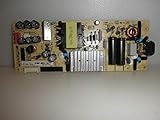
- TV Power Supply Board TV7001-ZC02-01 E021M425-J,Compatible for ONN,E021M509-B2, E021M509-A2, LT-75MAW605, LT-70MCT300, E021M425-J3
- Resolve startup failure and unresponsive standby light issues brought by aged power boards, match wiring ports to fit target television equipment perfectly
- Reduce screen flickering and unexpected shutdown incidents that appear during daily video playback, output steady current to the TV’s internal circuit components
- Fix abnormal power cut-off caused by aging internal circuit elements after long running hours, ease frequent restart troubles when watching programs
- Feature consistent wiring layout aligned with standard assemblies, help maintenance workers finish component swapping without modifying internal wiring
If the TV does not respond to either the remote or its physical button, move on to the power connection rather than assuming the remote is the problem.
2. Check the outlet and power connections
- Make sure the power cord is firmly connected to the TV and the wall outlet. If your setup uses a connection box, check its power connection too.
- Confirm the outlet works. LG suggests testing it with a small appliance; Samsung recommends trying a known-working outlet.
- If a power strip or surge protector is in the path, bypass it only if safe and practical, and follow the instructions for your TV model.
Samsung’s Levant support guidance specifies disconnecting the TV and One Connect Box for 30 seconds, then reconnecting them directly to a known-working outlet without a surge protector. That is Samsung’s procedure for the cited setup, not a universal reset interval. See Samsung’s instructions.
Rank #2

- [Compatibility Coverage]: This power supply board works seamlessly with multiple TV models including E021M509-B2, E021M509-A2, LT-75MAW605, LT-70MCT300 and E021M425-J3, saving you time on finding the right match for your TV.
- [Stable Power Delivery]: It provides consistent and reliable power to your TV, ensuring no sudden shutdowns or screen flickering while you’re watching movies or playing games.
- [Easy Installation]: Designed with a user-friendly structure, it fits perfectly into the designated slot of compatible TVs, allowing you to replace the old board without complicated tools.
- [Durable Construction]: Made of robust materials that resist daily wear and tear, this board maintains long-term performance to keep your TV running smoothly for an extended period.
- [Precise Component Matching]: Each electronic component on the board is precisely calibrated to meet the original TV’s power requirements, avoiding compatibility issues or damage to your device.
Sony’s U.S. support article specifies unplugging the TV for two minutes as part of its troubleshooting. Follow that timing only when it applies to your model and its official guidance; do not combine brand-specific reset instructions into a single rule. Sony’s red-blinking-light instructions provide the model-support context.
Recommended Free Tools
3. Look up the indicator for your exact model
Record the light’s color and pattern, then search the manufacturer’s official support site or manual using the TV’s exact model number. Check whether the documentation refers to a standby indicator, power indicator, or another lamp. Do not use blink counts from a different model or brand as a substitute: Sony explicitly warns that indicator meanings vary by model.
Rank #3

- TV7001-ZC02-01 E021M425-I2fit for Onn Haier 70" Power Supply Board, TV Replacement Power Board Supply for E021M425-J3, E021M509-B2,E021M509-A2 TV7001-ZC02-0ar
- Wide Compatibility TV Power Supply Board: Direct replacement for 70” Onn & Haier TVs. OEM# TV7001-ZC02-01, interchangeable with E021M425-I2/J3, E021M509-B2/A2, plug-and-play with no wiring changes.
- 2-in-1 Stable Power & Backlight Driver: Supports AC 100-240V wide input. Fix TV issues like no power, flickering backlight, black screen, auto shutoff and abnormal standby efficiently.
- Premium Heat-Resistant Electronic Components Equipped with thick aluminum heat sinks, high-temp capacitors and surge protection fuses. Reinforced PCB prevents short circuits and lowers operating heat.
- Simple DIY Installation & Quality Warranty No soldering needed for quick replacement. Comes with 180-day warranty; feel free to contact us for compatibility and installation guidance.
4. Arrange service if the light keeps blinking
If the TV still will not turn on after the applicable basic checks, stop short of opening it or replacing internal parts based on a guessed blink code. Samsung’s guidance says persistent blinking after reconnecting to a known-working outlet indicates something is wrong with the TV; LG and Sony also direct users to service or repair when their troubleshooting does not resolve the problem. Contact your manufacturer’s support team or a qualified repair provider. Samsung, LG, and Sony provide their respective next steps.
Quick Recap
Best Value

- 58R6E3 Main Board Power Supply 280868 280867 290317
- DIRECT REPLACEMENT: This board serves as a direct substitute, restoring full TV functionality when the original fails.
- COMBINED FUNCTIONALITY: Integrates both main board and power supply functions into a single replacement component.
- We have local stores in 43 cities and can deliver to you as soon as possible.
Quick reference: light state and next step
| What you see | What to do |
|---|---|
| Steady light while the TV is off | May be normal standby behavior. Check your model’s manual if unsure. |
| No light | Could reflect a disabled indicator setting or a power issue. Check the model guidance and power connection. |
| Blinking light, TV responds to its physical button | Check the remote and its model-specific batteries. |
| Blinking light, TV does not respond | Check the outlet and connections, then consult the exact model’s official indicator guidance. |
| Still blinking after applicable power checks | Contact manufacturer support or qualified repair; do not guess at internal parts. |
Product prices and availability are accurate as of the date/time indicated and are subject to change. Any price and availability information displayed on Amazon at the time of purchase will apply.




