Do these 3 things before closing this tab:
1Clear out junk files and repair common Windows errors2Scan for outdated or missing drivers - takes under a minute3Repair Windows errors before they cause bigger problemsHumanoid robot hands struggle with delicate objects because gentle grasping is a feedback-control problem, not just a matter of closing fingers carefully. The hand must sense contact and slipping, adjust force as the object moves, and do so with compact hardware that can coordinate many joints. Engineers combine tactile sensing, compliant mechanisms and force-feedback control to make that possible, but successful laboratory demonstrations do not yet establish reliable handling of arbitrary fragile objects in everyday settings.
Why is it hard for a robot hand to grip gently?
The hand must manage changing contacts
A robot may see where an object is without knowing whether its fingertips have secured it, whether it is beginning to slip, or how much pressure it can tolerate. As fingers close or reposition, contact points change. A multifingered hand must coordinate many joints through these changing interactions, creating a more complex control problem than closing a simple two-finger gripper.
As an Amazon Associate I earn from qualifying purchases.
A 2022 survey of multifingered robotic manipulation describes the challenge in terms of high-dimensional states and actions, frequent shifts between interaction modes, and difficulty transferring methods between hands with different structures, actuators and degrees of freedom. The authors conclude: “There are still many challenges for the design, control, and application of multifingered robotic dexterous hands.” Frontiers in Neurorobotics, 2022.
Recommended Free Tools
The hardware has to fit many competing needs
A compact hand needs space for joints, tendons or linkages, motors and sensors. The same design must balance weight, payload, precision and durability. A hand optimized to lift heavier objects may face different trade-offs from one designed to make gentle, precise contact. Integrating distributed sensors and accurate actuators into limited space is itself a design challenge.
#1 Best Overall

- Optimized AI Arm Kit for LeRobot & Hugging Face Projects – The SO-ARM101 is an upgraded low-cost robotic arm servo motor kit designed for AI robotics enthusiasts and developers. Fully compatible with LeRobot and Hugging Face frameworks, it supports imitation learning and reinforcement learning, making it ideal for real-world robotics applications. (3D-printed parts not included.)
- Enhanced Wiring & Performance – Compared to the SO-ARM100, the SO-ARM101 features improved wiring to prevent disconnection at joint 3 and eliminates range-of-motion limitations. The leader arm uses optimized gear ratio motors for smoother performance—no external gearboxes required
- Real-Time Leader-Follower Functionality – New real-time tracking allows the leader arm to follow the follower arm, enabling human intervention and correction during reinforcement learning (RL) training. Perfect for hands-on AI robotics development and research
- Open-Source, DIY-Friendly & Nvidia-Compatible – Developed by TheRobotStudio, this open-source AI Arm kit integrates seamlessly with the LeRobot platform, offering PyTorch-based datasets, simulation, training, and deployment tools. Fully compatible with Nvidia Jetson edge devices, including reComputer Mini J4012 Orin NX 16 GB
- Comprehensive Learning Resources – Includes detailed open-source assembly and calibration guides, testing tutorials, and deployment instructions. From wiring to AI training, get everything you need to start building, teaching, and optimizing your robotic arm for grasping and placing tasks
Objects and contact conditions vary
Objects differ in shape, stiffness, friction and fragility. A fixed finger-closing path cannot anticipate every surface or contact condition. Vision can be insufficient when a finger blocks the view or when the important change is happening at the point of touch. To handle an uncertain object, a robot needs feedback that lets it respond to what its fingers detect during the grasp.
How do robot hands know how hard to grip?
Tactile sensors detect contact and slipping
Tactile sensors measure interactions at fingertips or other contact surfaces. Depending on the system, that information can help estimate grasp stability, regulate force, guide fingertip motion or detect slip. The practical test is not simply whether a hand has sensors: the controller needs to use their readings to change what the hand does.
Rank #2

- 1.The internal edge of the claw adopts wave design, which makes the clamping more stable.
- 2.Symmetric gripping, easy to judge the object position
- 3.Equipped with strong-torque and burn-resistant servo, claw can grab item weighing up to 500g
- 4.Multiple M2 and M3 holes in the end of claw to support DIY extension
- 5.Limited posts can prevent hands from pinching
A 2026 review of work published from January 2020 through December 2025 emphasizes active contact regulation: a robot should respond to signals such as slipping and respect force limits, rather than collecting tactile data only for passive sensor fusion. Springer Nature, 2026.
Feedback lets the hand adjust its grip
In a feedback loop, the hand senses contact, estimates what is happening, and adjusts its action. If an object starts to slide, the controller might change the grip; if contact is firmer than intended, it can reduce force. How well this works depends on the sensors, controller, hand mechanics and task—not on touch sensing alone.
Rank #3

- Build your own awesome, wearable mechanical hand that you operate with your own fingers.
- No motors, no batteries — just the power of air pressure, water, and your own hands!
- Hydraulic pistons enable the mechanical fingers to open and close and grip objects with enough force to lift them. Every finger joint can be adjusted to different angles for precision movement.
- Three configurations: right hand, left hand, and claw-like; adjustable to fit virtually any human hand.
- Learn how pneumatic and hydraulic systems are used in industrial robots such as automobile components..2021 The Toy Association's STEAM Toy Of The Year Winner
How do engineers make a hand adapt to fragile objects?
Use compliance and underactuation to accommodate shape
A compliant hand can deform slightly as it meets an object, helping its fingers conform to surfaces that are not perfectly known in advance. Underactuation means fewer actuators drive more joints, often through tendons or linkages; this can produce adaptable, coordinated motion without independently controlling every joint.
One research example is the tendon-driven Pisa/IIT SoftHand, whose compliant mechanical synergies help it conform to objects. Its relatively simple actuation was paired with high-resolution tactile sensing at each fingertip. This is a trade-off, not a universal design rule: compliance can help accommodate variation, while greater independent finger control may be useful when a task demands precise positioning.
Rank #4
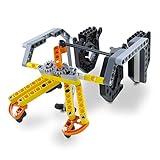
- SUPER STEM EXTENSION: The Gripper Building Kit turns Dash into a productive member of any kid’s imaginative construction site. The arms grip and lift, making it possible for Dash to transport precious cargo
Regulate force using fingertip feedback
Ford and colleagues reported a system using the Pisa/IIT SoftHand, five TacTip fingertip sensors and tactile feedback to make gentle, stable grasps and respond to external disturbances. Their 2023 study tested 43 objects with varying geometries and stiffnesses and included a human-to-robot handover application. The authors note that “In modern robotics, robust and reliable grasping and manipulation remain unsolved research problems.” Ford et al., 2023.
The result shows what a particular hand, sensing arrangement and controller achieved in a research evaluation. It does not establish that humanoid hands can reliably pick up every fragile object, or work safely in unstructured household settings.
Best Value
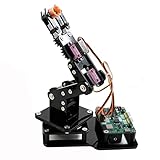
- Fun Robot Building Kit with High Extensibility: The SIYEENOVE 4DOF ESP32 smart robotic arm kit provides all the necessary hardware for you to enjoy the process of building it yourself. It integrates 4 MG90S servos to deliver 4 degrees of freedom (4DOF), allowing the claw to flexibly pick up lightweight objects. The pre-programmed ESP32-C3 control board means you can start using it right away — no code upload required.
- Dual-Mode Control: Joystick & Web App — Enjoy flexible control with two included joysticks or via a web-based interface. Simply press the right joystick button to switch between joystick mode and Web App mode — no app installation needed. (Note: batteries are not included.)
- Motion Record & Loop Playback with joystick: Record your motion sequence step by step — capture one action at a time, building a custom routine with each press. Then, play back the entire sequence in a seamless loop. With simple code modifications, you can easily chage the recording motion capacity. Perfect for learning, demonstration, and automation.
- Ideal STEM Learning Tool for Coding & Robotics: This educational robot arm kit supports both Arduino and MicroPython programming, making it perfect for beginners and experienced makers alike. It helps develop hands-on skills in electronics, robotics, and coding — great for teens, students, and DIY enthusiasts.
- Expandable & Open-Source Platform: With open-source code, detailed tutorials, and expandable hardware support, this ESP32-C3 robot arm grows with your skills. Perfect for classroom projects, robotics competitions, or creative home labs.
Design the hand, sensing and control as one system
Mechanics, sensors and control influence one another. A sensor is useful only if it can detect a relevant event and the controller can respond in time; a controller must account for how that hand’s actuators and joints behave. The 2026 review identifies long-term reliability, maintenance, safety evidence, recovery strategies and stronger benchmarks as remaining concerns for deployment.
Independent reader supportYour contribution helps us test, update, and keep practical guides available for everyone.How should you compare approaches to gentle grasping?
No single approach is established as the winner by the cited studies and reviews. To assess a system, look at what it senses, how it moves, and what its evidence actually covers.
Quick Recap
- Contact sensing: What does the hand measure—force, pressure, tactile images or slip cues? Where are sensors placed, and do their readings change the controller’s actions?
- Mechanics and actuation: How well can the hand conform to varied shapes, and how independently can it position and control each finger?
- Task evidence: Which object shapes and stiffnesses were tested? Did the evaluation include disturbances, fragile objects or handovers? A result applies to the tasks and setup actually evaluated.
- Performance and reliability: Look for evidence about precision, efficiency, robustness, safety, success rate, adaptation and operation over time. Reviews call for more standardized comparisons on these dimensions.
- Transfer to other hands and settings: Does the design or controller work across different hardware and task conditions, or is it specific to one hand and evaluation?
Product prices and availability are accurate as of the date/time indicated and are subject to change. Any price and availability information displayed on Amazon at the time of purchase will apply.




