The TVs most likely to have Chromecast built in are those running Google TV or Android TV. Google’s setup guidance says Google Cast is turned on automatically when you set up either platform. Some other brands, including LG and Vizio in Google’s setup examples, also offer Google Cast through their own setup flows. Google does not publish a model-by-model list, so you still need to confirm support for the exact television you plan to buy. If a TV has an HDMI port but no built-in Cast, Chromecast with Google TV is a separate device that can add Google TV and Cast to it.
What “Chromecast built-in” means today
Google now uses the term Google Cast for the technology that Chromecast built-in once described. Its current TV setup page describes televisions that “work with Google Cast.” For a buyer, the practical question is whether a specific television can appear as a Cast destination for a supported app or for Chrome on the home network.
As an Amazon Associate I earn from qualifying purchases.
Google’s setup guidance states: “Google Cast is automatically turned on when you set up Android TV or Google TV devices.” Other compatible brands may instead show an activation step, a terms-acceptance screen during setup, a settings dashboard entry, or a prompt the first time a Cast session starts. Those setup locations tell you where to look. They do not prove that every model from that brand supports Cast.
What’s actually slowing this PC down?
Pick the symptom - the matching free tool is one click away.
Which TVs qualify
Three situations cover most televisions you will encounter. The table below separates them by what you need to verify before buying.
#1 Best Overall

- Google TV Smart OS: The entertainment you love, all on one screen. Google TV offers a wide range of smart features and a vast library of content, all in one intuitive platform.
- Full HD 1080p Resolution: The combination of Full HD 1080p resolution and HDR10 provides crisp images, vibrant colors, and enhanced contrast, delivering a truly immersive and captivating viewing experience.
- Google Assistant Voice Remote: Control your entertainment effortlessly with Google Assistant, offering hands-free navigation and voice commands all with just a simple voice remote.
- Chromecast Built-in: Seamless streaming and casting with Chromecast, allowing you to wirelessly connect and enjoy your favorite content from your phone, tablet, or computer directly to Google TV.
- Connections: HDMI 1.4*2, USB 2.0*2, AV-in*1, Optical-out*1, LAN*1; Bluetooth 5 and WI-FI 5.
| Category | Cast status in Google’s current guidance | What to verify before you buy |
|---|---|---|
| Android TV or Google TV | Cast is turned on automatically during setup. | The full model code and the market or country the unit was sold in. |
| Other brands with a Google Cast setup path (Google’s examples name LG and Vizio) | Support varies by model. LG’s setup may show a Google Cast button in Home Hub. Vizio’s setup may include Cast in its terms. | An explicit Google Cast or Chromecast built-in statement in the product listing, the manufacturer’s support page, or the manual for that exact model. |
| TV with HDMI but no Cast | Not built in. | Whether you want to add Chromecast with Google TV as a separate HDMI device. |
Google’s directory of manufacturers that make Google TV devices lists Hisense, Philips, Sony, and TCL. That listing confirms a link to the Google TV platform only. It is not a Cast compatibility catalogue, and it does not confirm that every current model from those brands supports Cast in every region.
Checklist before choosing a TV
- Platform: Look for explicit Google TV or Android TV identification in the listing, then match it to the full model code.
- Market: Confirm the regional model. The same product name can have different specifications in different countries.
- Cast statement: For non-Google TV brands, look for a written Google Cast or Chromecast built-in statement for that model.
- Network: Your casting device and the TV must be on the same Wi-Fi network.
- App support: You need a current Chromecast-enabled app or the Chrome browser on the sending device.
- Resolution: Check the screen’s native resolution. A streaming device cannot push a higher resolution than the display supports.
When comparing two televisions, use each model’s confirmed Cast support, its platform and app experience, screen resolution, and regional availability. Brand names alone do not establish which set is better for casting.
Rank #2

- 1080p High-Definition - Watch TV in crisp, clear 1080p Full HD resolution and experience a brilliant picture with the VIZIO D-Series..Voltage : 120V.Viewable Area : 39.5''. Standby Power : <0.5W
- Full Array LED Backlight - Evenly distributed LEDs across the screen’s backlight deliver superior light uniformity and picture performance.
- IQ Picture Processor - Delivers superior picture processing, faster navigation, and quicker load times to get to your favorite content faster.
- V-Gaming Engine Automatically optimizes picture mode for gaming and makes next-gen console gameplay more responsive with Auto Game Mode, Variable Refresh Rate with AMD Freesync, D-Series lowest input lag, and newly added gaming menu.
- SmartCast - With intuitive navigation, enjoy instant access to the best selection of apps from top-tier streaming services like Netflix, Disney+, YouTube, HBO Max and many more right out of the box.
How to cast from a phone, tablet, or computer
- Connect the sending device and the TV to the same Wi-Fi network.
- Open the video, music, or photo in a Chromecast-enabled app, or open the content in Chrome.
- Select the Cast control in the app or browser, then choose your TV from the list.
- Check the Cast icon. Google’s instructions say it changes color when the connection is active.
If your TV does not show up as a Cast destination
- Enable the Google Cast system app: On the TV, open the system apps list and check that the Google Cast app is enabled. If it is disabled, turn it on.
- Restart the TV: Power the television off and back on, then wait for it to reconnect to the network.
- Confirm the network: Verify that the phone, tablet, or computer is on the same Wi-Fi network as the TV, not a guest or separate band network.
- Update the app: Make sure the casting app or Chrome is current.
If the television is a model that Google’s guidance does not confirm for Cast, the issue may be the model rather than your setup. Check the manufacturer’s support page for that exact model.
If your TV has no built-in Cast: the Chromecast with Google TV option
Chromecast with Google TV is an HDMI streaming device. It gives a television that has an HDMI input a Google TV interface and Google Cast support. It does not make the TV’s own smart platform Cast-enabled, and you do not need it if your television already has working Cast.
Rank #3
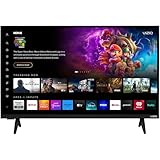
- Vivid Visuals: The V-Series 32” smart TV features a full array of LED backlighting, delivering superior high-definition picture quality. Enjoy vibrant colors and sharp details, making every scene come to life.
- Apple AirPlay and Chromecast built-in: Seamlessly stream, control, and share your preferred movies, shows, music, photos, and more from your devices directly to your TV with Airplay 2 and Google Cast
- Advanced Connectivity with WiFi 5: Stay connected with WiFi 5 dual-band technology on your 32-inch Smart TV. Enjoy faster and more reliable streaming, ensuring you can watch your favorite shows without buffering interruptions.
- Free Access to Vizio WatchFree+: Unlock a world of free entertainment with Vizio WatchFree+, offering hundreds of channels and movies without subscription fees, providing endless viewing options for the whole family.
- Bluetooth Compatible: Enhance your audio experience with integrated Bluetooth compatibility. Pair your smart TV with wireless headphones or speakers to enjoy high-quality sound without the clutter of cords.
Google specifies two models with different maximum video resolutions:
| Model | Maximum video resolution (per Google’s specifications) | Limit to keep in mind |
|---|---|---|
| Chromecast with Google TV (HD) | Up to 1080p | The actual output is limited by the television, the streaming device, and the content. |
| Chromecast with Google TV (4K) | Up to 4K | The actual output is limited by the television, the streaming device, and the content. |
A 4K device will not deliver 4K on a 1080p display, and a 4K stream may not play at 4K if the content itself is lower resolution.
Rank #4

- 【Google Certified Streaming Experience】Enjoy a reliable 4K streaming experience with the Google-certified KICKPI KP2 TV Stick. Access popular entertainment platforms such as Netflix, YouTube, Prime Video, and Disney+ for movies, shows, music, and more.
- 【Built-in Chromecast for Easy Casting】 Cast videos, photos, music, and compatible apps from your smartphone, tablet, or laptop directly to your TV. Enjoy your favorite content on the big screen with a simple and seamless casting experience.
- 【5000+Apps Via Google Play】Explore more than 5,000 apps through Google Play, covering streaming, entertainment, music, productivity, lifestyle, and more. Customize your TV experience with the content and apps you enjoy.
- 【Immersive 4K Ultra HD Visuals】Experience sharp, detailed 4K Ultra HD visuals through HDMI 2.1, with HDR support for richer colors, enhanced contrast, and greater picture depth. Dolby Atmos gives you an immersive feeling when watching a movie, and the audio surrounds you in three dimensions.
- 【Android 14 for Smarter Entertainment】Powered by Android 14, KICKPI KP2 delivers a smooth and responsive entertainment experience for your home. Its compact, lightweight design makes it easy to carry, set up, and enjoy your favorite content anywhere.
The verdict
Buy a TV that runs Google TV or Android TV and confirm the exact model code and region. Treat other brands as Cast-capable only when the product listing, support page, or manual says so for that model. If the television has no Cast support, Chromecast with Google TV is a practical way to add Google TV and Cast through HDMI.
Recommended Free Tools
Quick Recap
Best Value

- TOTAL IMMERSION, FOR EVERYTHING YOU PLAY: The Bose Dolby Atmos Soundbar features shockingly immersive sound for its size and utilizes proprietary TrueSpace technology so you can feel everything you watch like you're in the theater
- ONLY TRUESPACE ELEVATES IT ALL: Bose TrueSpace technology intelligently analyzes signals other than Dolby Atmos, like stereo or 5.1, and upmixes them to create an immersive multi-channel sound experience
- BIG-TIME TECH FOR A SMALL SOUNDBAR: This compact soundbar speaker features an acoustic architecture that fits five transducers into its small frame, including two that fire upward, for spacious, realistic sound
- ULTRA-CRISP DIALOGUE CLARITY: Never miss out on what your favorite characters are saying, this sound bar for smart tv uses A.I. Dialogue Mode to balance voices and surround sound for ultra-crisp vocal clarity
- STREAMING, ANY WAY YOU WANT: Stream songs and video via Bluetooth, Apple AirPlay 2, Spotify Connect, or Chromecast built-in, if you can get it on your phone, you can hear it through your Bluetooth soundbar
Product prices and availability are accurate as of the date/time indicated and are subject to change. Any price and availability information displayed on Amazon at the time of purchase will apply.




