Quick wins for a faster PC:
Scan for outdated or missing drivers - takes under a minuteDriver Scan →Repair Windows errors before they cause bigger problemsFix Now →A health app designed for teachers can make wellbeing support easier to reach, but it cannot fix excessive workload or substitute for professional care. Look for a tool that fits teachers’ routines, explains its privacy practices, and connects to appropriate support—and assess it as one part of a wider school wellbeing effort.
What can a teacher-focused health app do?
Current offerings illustrate a range of possible features, not a proven or universal checklist. Depending on the service, an app may offer:

As an Amazon Associate I earn from qualifying purchases.
- Mood or wellness check-ins and personal trends.
- Reflection prompts, journaling, or gratitude exercises.
- Short guided practices, such as meditation or stress-management lessons.
- Wellbeing information and links to support organizations.
- Peer discussion or small-group support.
- Access to human medical, safety, or mental health support.
These functions differ substantially. A self-guided meditation app is not equivalent to a service offering access to people, and a tracker does not diagnose or treat a health condition. Treat feature lists as descriptions of what a product offers, not evidence that it improves teachers’ wellbeing.
What does the evidence say about effectiveness?
A 2024 Teacher Tapp report evaluated an app intervention in England involving gratitude journaling, positive affirmation messages, and information about support organizations. It found no statistically significant wellbeing difference between intervention and control groups. Engagement with one activity was limited: 18% of teachers responded to all four gratitude-journaling prompts. The results do not show that every app is ineffective, but they do not establish that these light-touch digital interventions improve wellbeing either. Read the Teacher Tapp report.
#1 Best Overall
For context on need, a 2024 survey of 1,479 teachers nationwide in the United States reported that 59% experienced frequent job-related stress, 60% reported burnout, 22% had difficulty coping, and 19% reported symptoms of depression. These are findings about that survey’s U.S. respondents, reported by Lauren Matlach and Pam Denton in Supporting Teacher Mental Health; they are not universal estimates or evidence that an app changes those outcomes. Read the brief.
How do actual services differ?
These examples are not interchangeable, and descriptions below reflect the providers’ own pages or listings. Confirm current availability, terms, features, and privacy details before choosing.
Rank #2

- 8 1/2 x 11 Teacher Plan Book with Teacher's daily schedule
- Overview planning sheets and Seating plans
- Supplementary data planning sheets
- Instructions for substitute teachers
- Schedule for school events calendar
| Service | What its materials describe | Type of offering |
|---|---|---|
| TeacherBloom | Mood or wellness tracking, reflection on positive moments, monthly insights, and premium options such as journaling and short meditations, according to its listing and product site. | Teacher-targeted app. App Store listing; product site. |
| The GUIDE App | Stress-management micro-learning, meditation, journaling, small-group support, and anonymous use, as described by the provider. | Education-focused app. Education page. |
| Sonder | App-based 24/7 medical, safety, and mental wellbeing support, according to the provider. | Institution-oriented service for education settings, rather than necessarily a self-guided teacher-only app. Education page. |
| BeWell Catalyst | Course content, guided practices, reflection, and institutional deployment on a white-label platform. The provider states that it uses UK GDPR compliance and encryption; verify these claims and the relevant terms during due diligence. | Platform for wellbeing teachers and institutions. Platform page. |
| Headspace for Educators | The Department for Education lists mindfulness and meditation sessions through this resource among staff wellbeing resources. | Resource named in England guidance; that listing does not establish current availability, price, or commercial terms in every region. Department for Education guidance. |
How should an individual teacher assess an app?
- Check the fit. Does it work on your device and in your region? Can you use its activities within the time you realistically have, and are they accessible to you?
- Understand the support model. Is the app self-guided, peer-based, or connected to human support? Know what it can and cannot provide before relying on it.
- Read the privacy policy. Find out what personal or sensitive information is collected, how long it is retained, whether it is shared, and who can see identifiable records. If your employer provides the service, ask whether administrators receive individual records or only aggregate data.
- Separate claims from evidence. Promotional descriptions and testimonials are not independent effectiveness studies. Look for published findings that specify what outcome was measured and in which population.
- Try a low-risk evaluation. Decide what you want the app to help with, such as making support resources easier to find, and review after a set period whether it is practical and useful to you. Do not treat app scores as a diagnosis.
What should a school or district evaluate?
For a school purchase, the question is not only which features an app has, but whether it can be implemented safely and alongside action on workplace conditions. England’s Department for Education describes its Education Staff Wellbeing Charter as a set of commitments supporting the wellbeing and mental health of everyone working in education. The charter is voluntary and applies to England; it encourages schools and colleges to measure wellbeing and take organizational action, rather than endorsing a particular product. Read the charter and guidance.
Free tools Windows power users keep installed
One-click scans. No signup required.
- Define the need. Ask staff what problem they want help addressing. Distinguish needs such as finding support, building a brief reflection habit, or accessing human assistance.
- Review confidentiality and data governance. Ask what information is collected, who controls it, who can access identifiable records, how long data is retained, and what reporting employers receive. Review the current policy and contract rather than relying on vendor slogans.
- Confirm access and escalation. Establish whether the offer is self-guided or includes people who can provide medical, safety, or mental health support. Clarify how urgent concerns are handled.
- Plan for practical use. Check platform and regional availability, accessibility, staff access, time demands, and how the service will be introduced. Avoid assuming that staff will use an app simply because it is available.
- Set a measurement plan. Decide in advance what would count as useful, how staff feedback will be collected, and whether results will be reported in a privacy-preserving way. Separate engagement, such as completed prompts, from wellbeing outcomes.
- Pair the tool with organizational changes. Consider workload, working conditions, staff voice, and access to support. An app should not become a substitute for addressing these issues.
Why an app is only one layer of support
Supporting Teacher Mental Health emphasizes that wellbeing requires ongoing, long-term schoolwide change rather than a short-lived, isolated activity. A wellbeing app may help some teachers find resources or use short reflective practices, but the available intervention findings do not justify treating it as a burnout remedy. It also cannot replace safe working conditions, manageable workload, organizational support, or professional care when needed.
Quick Recap
Best Value

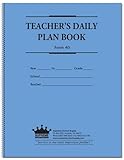
- Weekly lesson planning pages for up to 45 weeks for 7 classes.
- Space for your seating charts.
- Attendance and grades pages for the entire 180-day school year for 7 classes, with up to 35 students per class.
- Extra pages for notes.
- Acid-free archival-quality paper takes pen or pencil.
Rank #4
- teacher notes
- seating charts
- daily programs
- 6-year calendar
Product prices and availability are accurate as of the date/time indicated and are subject to change. Any price and availability information displayed on Amazon at the time of purchase will apply.




