Outdated Drivers Are Slowing You Down
One free scan finds every outdated or missing driver and matches the right update for your exact hardware.Free scan · exact hardware matchPC Slower Than It Used to Be?
A free scan shows the junk files, broken settings and background clutter dragging Windows down - then fixes them in one click.Free scan · Windows 10 & 11Before a humanoid robot handles a tool or operates machinery, assess the hazards of the complete application—not just the robot—and verify that the selected safeguards work in the installed setup. Check the robot, end effector, tool, machine, work area, human access, foreseeable faults, and setup and maintenance tasks. A humanoid shape does not by itself establish that a robot is certified or safe for a particular job.
Start with a task-specific risk assessment
Define what the robot will do, what it will handle, and who could be exposed while it operates or is serviced. The assessment should cover the robot and its full reachable and swept area, the end effector and tool, the machine, the workpiece and materials, the surrounding environment, and the people who may enter or work near the area.
As an Amazon Associate I earn from qualifying purchases.
Include normal operation as well as foreseeable abnormal events and non-routine work. A robot may present different hazards during teaching, programming, setup, testing, adjustment, troubleshooting, jam clearing, and maintenance than during an ordinary production cycle. OSHA identifies work inside a robot’s working envelope during such activities as an accident context.
The Tool Desk
Outbyte PC Repair FREERepair Windows errors before they cause bigger problemsFix Now →Outbyte Driver Updater FREEScan for outdated or missing drivers - takes under a minuteDriver Scan →For each task and condition, identify hazards, who could be exposed and how, the potential severity and likelihood of harm, and ways to eliminate or reduce the risk. OSHA’s Technical Manual describes risk assessment in these terms. The result should guide the safeguards for the application; a generic checklist cannot determine whether a particular installation is safe.
#1 Best Overall

- 【BRILLIANT GIFT IDEA FOR KIDS】It's a big surprise to kids as the robot is up to 15.8 inches in height. With various pioneering ways to play, it can build kids' imagination and creativity. Kids will love this Birthday or Christmas gift!
- 【STEM LEARNING ROBOT】With 10 expressions, 9 flexible joints, and 10 songs, this robot moves more dynamically than typical toys—making playtime more engaging and lifelike. It's a fun way for kids to explore basic programming while building logic, creativity, and coordination!
- 【DIVERSE FUNCTIONS】Gymnastics, storytelling, dance, music, and recording—the Ruko robot enriches childhood with creativity and early artistic exploration. More than just a toy, it’s a fun, engaging friend!
- 【RECHARGEABLE & LONG-LASTING】 Enjoy up to 100 minutes of playtime on a full charge, giving kids plenty of time to play, explore, and have fun without frequent battery changes.
- 【CHARGING REMINDER】For proper charging, please use the original cable included in the package. USB-C to USB-C cables are not supported and will not charge the device. Charge Before Use: No response? Charge for 30 mins first.
Identify hazards across the whole work cell
Consider the interaction of robot motion with tools, machinery, materials, people, and control systems. These are prompts for the assessment, not a claim that every hazard is present in every installation.
- Motion and access: impact, crushing, pinching, falling or loss of balance, and access to the robot’s reachable area or a machine’s hazardous zone.
- Tool and process: sharp edges, heat, pinch points, ejected material, unstable workpieces, or hazards created by the process the tool performs.
- Machinery and startup: moving machine parts, cycles that can start independently of the robot, unexpected startup, and hazards caused by a robot-machine sequence or control fault.
- Energy: electrical hazards and stored pneumatic or hydraulic energy, especially during fault recovery or servicing.
- Controls and environment: control errors, unauthorized access, environmental conditions, and foreseeable human-machine interaction issues.
- Non-routine conditions: faults, protective stops, setup changes, maintenance, and people entering the work area temporarily.
OSHA’s historical robotics guidance also identifies human, control, unauthorized-access, mechanical, environmental, and power-source hazards as areas to consider. The specific hazards and exposures depend on the task and installation.
Rank #2

- 【Humanoid Robot with ESP32】 Powered by ESP32 and 17 intelligent servos, Tonybot smart humanoid robot delivers smooth, dynamic performance. Use the app to easily control it for walking, dancing, kicking, and more. Tonybot can stand up automatically, which is great for playing football and performing gymnastics.
- 【Multimodal Large AI Models】Powered by an AI model module that combines language, voice, and vision models, Tonybot Ultimate Kit unlocks advanced embodied AI functions such as natural conversation and scene understanding. (Ultimate Kit Only)
- 【AI Vision & Voice Interaction】Equipped with an ESP32-S3 vision module and voice interaction module, Tonybot AI robot enables offline face recognition, target tracking, visual line following, voice control, and more. Customize commands and train it to be your AI assistant.
- 【Expandable AI Development with Sensors】 Tonybot robot kit comes with an ultrasonic sensor, IMU sensor, buzzer, and supports modules like dot matrix display, fan, temp/humidity sensors, and WiFi for endless AI-driven development.
- 【3 Programming Options & Comprehensive Tutorials】Tonybot smart AI robot supports Arduino, Python, and Scratch programming, with open-source low-level code and step-by-step tutorials covering everything from beginner learning to advanced humanoid robot development.
Choose safeguards for the combined robot and machine cell
Select risk-reduction measures for the complete application, using applicable current standards, manufacturer information, and the rules that govern the workplace. Depending on the assessment, measures may include fixed or interlocked barriers, presence sensing, safe stopping, speed or force limits, separation, emergency stops, safety-related control functions, and procedures. These options are not interchangeable: each must address the hazards and access routes identified for the actual setup.
What’s actually slowing this PC down?
Pick the symptom - the matching free tool is one click away.
Do not assume that onboard perception or an ordinary motion controller is a safety-rated protective device. Require documented evidence that a function is intended and suitable for the safety role assigned to it, and check how it behaves under foreseeable faults and power or control failure.
Rank #3
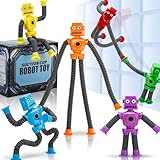
- 6 Fun Robot-Shaped Toys – Includes 6 colorful robots (red, yellow, blue, green, purple, orange) with stretchy pop tube arms & legs for endless bending, twisting, and sticking fun!
- Strong Suction Cup Base – Each robot’s hands and feet have powerful suction cups that securely stick to glass, mirrors, tiles, and smooth surfaces, making them perfect for travel and on-the-go play.
- Sensory & Fidget-Friendly – Helps calm anxiety, improve focus, and relieve stress, making them ideal for autistic kids, ADHD, or anyone who loves fidget toys.
- Perfect Gift & Multi-Use Fun – Great for birthdays, Easter baskets, stocking stuffers, party favors, classroom rewards, or Valentine’s gifts – a hit with kids ages 3-9!
- Safe & Durable – Made from child-safe, non-toxic materials, these stretchy robot toys are BPA-free and designed for long-lasting play.
Check barriers, interlocks, and stop functions as a system
OSHA’s historical guidance describes an interlocked barrier as one example: opening the gate stops automatic operation of the robot and associated machinery, and restarting requires reactivation from outside the barrier. That example does not make an interlocked gate suitable for every application. The safeguard must protect exposed people and access routes, work with the robot and machine controls, and respond as intended when a fault occurs.
Buying a safety component is not the same as designing or validating a safe system. Confirm compatibility, safety performance, wiring and logic, installation, fault response, and validation in the real configuration.
Rank #4

- STEAM Learning Made Fun, Building 4C Skills: Yonbo makes learning a blast, the ideal robot for kids aged 4-12 and up! 🚀 It brings STEAM (Science, Tech, Engineering, Art, Math) to life through fun play. 💡With Yonbo, kids develop essential 4C skills—creativity, critical thinking, communication, collaboration—while having a great time. Forget boring lessons or too much screen time, educational robot Yonbo helps kids learn by doing, thinking and imagining. It’s education, but fun and exciting! 🧠✨
- Your Child’s Emotional Robot Companion: This companion robot Yonbo isn’t just a toy – it’s a friend who gets your kid! 😊 With over 100 facial expressions, tones, and movements, emo robot Yonbo reacts to your child’s feelings in real-time. Happy? It dances! Sad? It shows empathy. It’s more than a robot kids toy – it’s a fun, emotional sidekick that kids can bond with, while parents enjoy knowing their child is in good hands. A robot friend, not a gadget! 💖🤖
- Interactive and Immersive Playtime: Goodbye boring playtime! 👋 Interactive robot Yonbo takes fun to a whole new level by recognizing sight, sound and scenes. Yonbo brings stories to life with immersive, interactive fun. 🎧👀 It sings, tells stories and even lets kids embark on imaginary adventures. With sound, action and facial expressions combined, Yonbo creates a whole new world for kids to explore! It’s not just watch a screen – it’s getting involved, and kids’ creativity has no limits! 🌟🎤
- Personalized Play with Customizable AI: Every kid is unique, and so is Yonbo ai robot! 😎 You can totally customize intelligent robot Yonbo’s personality and behavior, based on your child’s interests and even their MBTI personality type. Customizable robot Yonbo takes on any role with style, making every interaction fun and tailored to your child’s imagination. The adventure is always personal! 🦸♀️🐶
- Parental Peace of Mind with Full Control: Parents, you’re in charge – but you can still let your kid enjoy some independence! 😌 With the Yonbo app, you can set the kids robot toy’s personality, monitor interactions, and even get alerts when something’s up. Whether you’re cooking or working, you can control Yonbo robot remotely, ensuring your child is safe and happy. It’s like having a fun, educational robot assistant who also respects your parenting style. 🛠️👨👩👧👦
Verify the setup before enabling the task
Use the assessment and the manufacturer’s instructions to create checks for the particular installation. Before enabling the task, verify the following:
- The tool or end effector is appropriate for the operation and securely attached.
- The workpiece and materials are stable, and the machine and robot are in the assessed configuration.
- Teaching and operating modes behave as intended, including any mode-dependent speed or access controls required by the design.
- Guards, interlocks, sensing devices, and stop functions operate as designed.
- Opening a guard or activating a protective device produces the intended response from both the robot and associated machinery.
- A protective stop or access event cannot be followed by an unexpected restart; any required reactivation works as designed.
- The robot cannot reach people or hazardous machine zones outside the conditions assessed for the task.
Verify the interaction of the safety functions across the cell rather than checking each device in isolation. Record what was checked and the result so the installed configuration can be compared with later inspections or changes.
Best Value
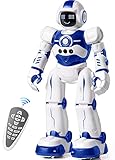
- Remote Control and Hand Gesture Control:This gesture sensing robot not only can be controlled by infrared controller, but also can turn left ,turn right, slide backward, and slide forward according to how your hand gesture commands; Multi function includes auto display and obstacles avoidance as well;The toy robot’s eyes light up with bright blue illuminating LED when it moves;
- Intelligent Programming: This smart robot toy can demonstrating a set of 50 actions inputted by the user.If you switch programming function,this Interactive robot will playback using its moves record feature to repeat the movement one by one as you created like turn left+turn right+walk forward+walk backward+patrol+dance+and many others action mode you selected;
- Premium Material:This Remote Control Robot is made of non-toxic ABS plastic, with flexible multi-joint in shoulder,elbows and thumbs ,and the bottom skating wheels are pretty sturdy to well carry out a various combination of moves;This playful robot really entertain your kids and bring you endless joys;
- Convenient Rechargeable Robot Toy:this RC robot is powered by built-in batteries.Directly connect to USB charging interface like your power bank,plug,computers.Rechargeable way saves your money for batteries and you only recharge the robot about 2 hours, and its playtime is about 60 minutes;
- Ideal Birthday Xmas Gift & Kids Intimate Companion : The infrared control Robot is versatile and vivid can dance,sing,walk,patrol,even can speak.Each robot measures 5.9 x 3.3 x 10.6 inch.
Plan for setup, faults, and maintenance
Document how authorized personnel will teach, program, set up, adjust, troubleshoot, clear jams, recover from faults or protective stops, and maintain the system. For each activity, specify who may do it, how access is controlled, which operating mode and limits apply, and how hazardous energy is isolated before servicing where required.
Train operators and maintenance personnel for their assigned tasks. Establish periodic checks for safety-critical equipment and connections, and keep records of those checks. OSHA’s historical guidance calls for periodic checks of such equipment and connections; follow current local legal requirements and manufacturer instructions for the workplace and system.
Understand which standards and rules apply
Standards scope depends on the intended use and the deployment. The humanoid form factor alone does not determine whether an industrial-robot standard applies.
Do these 3 things before closing this tab:
1Scan for outdated or missing drivers - takes under a minute2Clear out junk files and repair common Windows errors3Fix the driver behind crashes, sound loss and screen glitches| Reference | Scope or status |
|---|---|
| ISO 10218-1:2025, Edition 3 | Published February 2025; requirements for industrial robots considered as partly completed machinery. ISO’s catalogue describes Part 2 as covering integration and applications and notes exclusions that include consumer and service products. |
| ISO 10218-2:2025, Edition 2 | Published February 2025; requirements for industrial robot applications and cells, including integration, commissioning, operation, maintenance, and decommissioning. |
| ANSI/ISO 12100-2012 | Listed by OSHA as a consensus standard on machinery design, risk assessment, and risk reduction. |
| OSHA robotics resources | OSHA states that there are currently no specific OSHA standards for the robotics industry. Its robotics standards page lists consensus standards as guidance, not as OSHA regulations; other workplace requirements may still apply. |
Whether a particular humanoid product or deployment falls within a standard’s scope cannot be determined from the robot’s appearance alone. Consider the manufacturer’s documentation, intended use, workplace context, and jurisdiction, and obtain a qualified standards review. Local requirements vary.
Quick Recap
Product prices and availability are accurate as of the date/time indicated and are subject to change. Any price and availability information displayed on Amazon at the time of purchase will apply.




