Nikon FX is Nikon’s name for its full-frame digital camera format: an image-sensor area of approximately 36 × 24 mm, roughly the size of a 35 mm film frame. Nikon’s smaller DX format is approximately 24 × 16 mm. The difference affects how much of a scene a camera records with a given lens, but FX is a sensor-format label—not a lens-mount designation.
What does Nikon FX format mean?
Nikon explains that “In digital SLR cameras, the camera’s format refers to the size of its image sensor.” In that terminology, FX refers to the larger, full-frame image area, approximately 36 × 24 mm. Those are approximate format dimensions; the active area can vary slightly by camera. For example, Nikon specifies an FX image area of 35.9 × 24.0 mm for the D780.
As an Amazon Associate I earn from qualifying purchases.
DX is Nikon’s smaller format, approximately 24 × 16 mm. The names describe sensor or image area, not the camera’s lens mount. To check whether a particular lens fits and how it will work, you need to consider the camera and lens models as well as the camera’s settings.
Recommended Free Tools
How FX and DX change the angle of view
With the same focal-length lens, a DX camera records a narrower portion of the scene than an FX camera. Nikon UK describes DX as having a 1.5× crop factor relative to FX. For example, Nikon says a 50 mm lens on a DX body gives an angle of view comparable to a 75 mm lens on FX.
#1 Best Overall

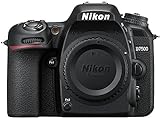
- Class leading image quality, ISO range, image processing and metering equivalent to the award winning D500
- Large 3.2” 922K dot, tilting LCD screen with touch functionality
- 51 point AF system with 15 cross type sensors and group area AF paired with up to 8 fps continuous shooting capability
- 4K Ultra HD and 1080p Full HD video with stereo sound, power aperture control, auto ISO, 4K UHD Time Lapse and more
- Focal length in 35 mm [135] format equivalent to approx; 1.5x that of lenses with FX format angle of view
The lens remains a 50 mm lens: the crop factor does not change its physical focal length. It describes the difference in framing caused by the smaller sensor area. Nikon UK defines crop factor as the ratio between a camera sensor’s size and that of a 35 mm full-frame sensor (36 × 24 mm).
| Format | Approximate sensor/image area | Effect on framing |
|---|---|---|
| FX | 36 × 24 mm; Nikon’s D780 manual gives 35.9 × 24.0 mm for that model | Reference full-frame angle of view |
| DX | 24 × 16 mm | Nikon’s stated 1.5× crop factor gives a narrower angle of view at the same focal length |
Can you use DX and FX lenses across formats?
FX lens on a DX camera
Nikon says an FX lens can be used on a DX body. The smaller sensor records a narrower portion of the image projected by the lens, so the framing is tighter than it would be on FX at the same focal length.
Rank #2
- Class leading image quality, ISO range, image processing and metering equivalent to the award winning D500
- Large 3.2” 922k dot, tilting Lcd screen with touch functionality. Temperature: 0 °c to 40 °c (32 °f to 104 °f) humidity: 85 percentage or less (no condensation)
- 51 point AF system with 15 cross type sensors and group area AF paired with up to 8 fps continuous shooting capability
- 4k ultra hd and 1080p full hd video with stereo sound, power aperture control, auto ISO, 4k UHD time lapse and more
- Built in Wi-Fi and Bluetooth for easy connectivity through the Nikon snap bridge app
DX lens on an FX camera
Nikon’s FX/DX explainer says an FX DSLR automatically selects DX crop mode when a DX lens is attached, recording the center of the sensor image to avoid vignetting. That general guidance is not a guarantee that every Nikon camera handles every lens and setting identically. Nikon’s D780 manual warns that if Auto DX crop is off while FX image area is selected with a DX lens attached, the edges of the image may be eclipsed. Check the manual for the specific camera.
Quick Recap
Rank #3

- 24.1 Megapixel CMOS (APS-C) sensor with is 100–6400 (H: 12800)
- Built-in Wi-Fi and NFC technology
- 9-Point AF system and AI Servo AF
- Optical Viewfinder with approx 95% viewing coverage
- Use the EOS Utility Webcam Beta Software (Mac and Windows) to turn your compatible Canon camera into a high-quality webcam. Compatible Lenses- Canon EF Lenses (including EF-S lenses, excluding EF-M lenses)
What to check when choosing or using an FX camera
- Sensor format: Confirm whether the body is FX or DX; format determines the image area and affects angle of view.
- Lens mount and compatibility: FX does not identify a mount. Check the camera and lens documentation for compatibility.
- Crop behavior: If using a DX lens on an FX body, confirm the camera’s crop-mode setting and what the manual says about image edges.
- Intended framing: Compare angle of view at the focal lengths you plan to use. Format alone does not establish which camera is better or more suitable for your needs.
Sources
Product prices and availability are accurate as of the date/time indicated and are subject to change. Any price and availability information displayed on Amazon at the time of purchase will apply.




