Network admission control (NAC) is the process of checking a user or device against network access policies when it tries to connect, then granting, restricting, isolating, or denying access. A policy may assess identity alone or combine it with information about the device, its configuration, and its security posture. IEEE 802.1X is a common mechanism used to enforce port-based access, but NAC is the broader policy and enforcement approach—not another name for 802.1X.
What does network admission control mean?
NAC determines what access a connecting user or device receives. Depending on the configured rules, a network may allow ordinary access, limit the device to selected resources, place it in an isolation or remediation area, or deny the connection. Which outcomes are available depends on the implementation.
As an Amazon Associate I earn from qualifying purchases.
The term is used in more than one context. Cisco describes NAC broadly as policy enforcement for users and devices connecting to a network. The NIST glossary gives a narrower definition drawn from NIST SP 800-41 Rev. 1: a feature offered by some firewalls that permits access based on user credentials and health checks of a telework client. That glossary wording is a context-specific definition, not the only current use of NAC.
Outdated Drivers Are Slowing You Down
One free scan finds every outdated or missing driver and matches the right update for your exact hardware.Free scan · exact hardware matchWindows Errors? Fix Them Before They Spread
Repair common Windows errors and clear accumulated junk for a smoother, more stable PC - no reinstall needed.Free scan · no reinstallHow does NAC work?
A NAC deployment evaluates a connection request and applies policy through network access infrastructure. In a common IEEE 802.1X design, three roles participate:
#1 Best Overall

- FAST, STABLE CONNECTION: Simply plug in and keep the smart outlet connected to your stable 2.4GHz network. Enhanced WiFi + Bluetooth connection is faster and more stable. Note: Don't support 5G WiFi.
- HAND-FREE VOICE CONTROL: Smart plugs that work with Alexa & Google Home Assistant. Just use simple voice commands to control your devices. Tips: please connect smart plug to the GHome app first—cannot link directly to Alexa/Google Home.
- SCHEDULES & AUTO-OFF TIMER: Easy to set timers and add schedules to connected devices circularly or randomly, making them work as scheduled like auto-off and auto-on.
- APP REMOTE & GROUP CONTROL: Use your smartphone to turn home appliances on and off anytime, anywhere. Set up a group for all outlet timer indoor, control them with just one tap, and manage multiple smart outlet plugs simultaneously.
- CERTIFIED SAFETY & COMPACT DESIGN: This wifi outlet plug combines assured reliability and a small size. It is ETL and FCC certified, rated at 10A, 1200W, and 120V, and its space-saving compact design fits perfectly into any corner of your home.
- Supplicant: software on the connecting endpoint that requests network access.
- Authenticator: a switch or wireless access point that controls the connection and relays authentication exchanges.
- Authentication service: a server that evaluates the request and applies configured authentication and authorization policy. RADIUS is commonly used between network infrastructure and this service.
Microsoft’s NPS planning guidance describes Network Policy Server (NPS) as a RADIUS server that can authenticate and authorize connection requests. In 802.1X, the network device controls a port: protected access is held until the authentication process permits it, while an uncontrolled port carries authentication and key-management traffic. The exact policy and resulting access depend on the deployment’s configuration.
What can NAC check and enforce?
Credentials and identity can be part of an access decision, but policy may also consider endpoint characteristics and security posture. Checks can include operating-system details or whether required security applications and configurations are present. A device that does not meet policy may be restricted, isolated, directed to remediation resources, or blocked; none of those responses is guaranteed by NAC as a category.
Rank #2

- WIDE APPLICATION-- The board can be widely used for controlling industry equipment and electrical appliances, such as lights, air-conditioning or refrigerator at your home.
- REMOTELY CONTROLLING YOUR DEVICES-- You can feel to enjoy the remote controlling of your other devices with the Ethernet controller board. The board has integrated the web server, you can control electrical appliances via opening the page on your devices like computer, pad or smart phone when you are in office.
- WITH 16 CHANNEL RELAY-- This Ethernet controller board comes with 16-channel relay. So, you could control up to 16 devices remotely on LAN or WAN at the same time, meet your different requirements.
- RJ45 INTERFACE-- This module is equipped with RJ45 interface, via RJ45 telecommunications connection for network control. It features high stability and high precision, easy to install and operate.
- UNIQUE CONNECT CONTROL-- The module as server can accept client control when connect to remote server as client.
The NIST NCCoE SP 1800-26 Volume C provides an implementation example involving posture checks and separation of noncompliant machines. It illustrates one possible design rather than a universal NAC requirement.
Free tools Windows power users keep installed
One-click scans. No signup required.
How NAC differs from IEEE 802.1X and ZTNA
| Term | What it describes | Relationship |
|---|---|---|
| Network admission control (NAC) | A policy and enforcement approach that decides what access users or devices receive when connecting to a network. | May combine identity, device context, and posture; exact checks and actions vary by implementation. |
| IEEE 802.1X | A standard for port-based network access control. | A common mechanism used in NAC deployments, not a synonym for the broader NAC approach. |
| Zero trust network access (ZTNA) | An approach commonly focused on identity-based access to particular applications. | Related to NAC but generally addresses a different enforcement scope. Cisco presents the two as complementary. |
The IEEE 802.1X page describes port-based control as regulating network access to guard against unidentified or unauthorized parties. The page identifies IEEE Std 802.1X-2020 and notes that a revision is in progress; 802.1X remains a standard, not the complete policy system by itself.
Rank #3
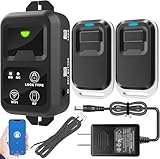
- ✅ The main feature of this kit is that it allows you to open the door simply by pressing the wireless RF remote instead of moving to the door physically when someone visits. The remote communicates with the wireless receiver, which can program up to 40 remotes, and it has a range of 160 feet.
- ✅ EASY USE: Transmits data to a cloud platform through the Wi-Fi Router, which enables you to remotely control the connected appliances via free Tuya Smart App. You can download the iOS version in App Store and the Android version in Google Play.
- ✅ SHARE CONTROL: Share control with your family and friends. Also you can DIY set this by yourself easy handling and can be activated immediately and stably.
- ✅ TIMING FUNCTION: Another feature available if to set timing schedules for the appliances, which can include countdown, scheduled on/off. It’s simple, giving you one less thing to worry about in your busy life.
- ✅ Attention: Specialized for the electric access control lock
What to consider when planning a NAC deployment
A NAC system is not created simply by installing a managed switch. A working deployment depends on compatible access devices, authentication infrastructure, server-side policy, network configuration, and operational procedures.
- Access points to control: identify whether policy must cover wired, wireless, VPN, or remote connections.
- Identity and authentication: verify which identity sources and authentication methods the design needs to support.
- Endpoint coverage: decide whether posture checks are required, and how to handle unmanaged, guest, IoT, or medical devices that may not support the same checks as managed computers.
- Enforcement and recovery: establish which outcomes are needed—full access, restricted resources, isolation, remediation, or denial—and how staff will respond to exceptions and incidents.
- Compatibility: confirm support across switches, wireless access points, RADIUS services, and identity systems. Microsoft identifies compatible 802.1X-capable access devices and authentication infrastructure as deployment components.
- Operations: plan how policies, guest access, exceptions, and incident response will be maintained.
Capabilities such as profiling, posture assessment, guest management, incident response, and integrations may be offered by NAC products, but their presence and behavior vary. Confirm requirements against the specific equipment, software, and policies in the intended environment.
Quick Recap
Best Value

- HARDWARE PLUS SECURITY SERVICES: FortiGate-60F Firewall Appliance bundled with 1 year of FortiCare Premium and FortiGuard Unified Threat Protection.
- UNIFIED THREAT PROTECTION (UTP): Secures against advanced online threats with comprehensive web filtering and anti-botnet technologies.
- OPTIMIZED FOR MEDIUM-SIZED BUSINESSES: Tailored for businesses needing robust security without the infrastructure of larger enterprises.
- RELIABLE CUSTOMER SUPPORT: FortiCare Premium ensures high-quality support and service continuity.
- EFFECTIVE PROTECTION: Employs advanced filtering technologies to safeguard against sophisticated threats.
Rank #4

- 𝐄𝐱𝐭𝐞𝐧𝐝 𝐘𝐨𝐮𝐫 𝐄𝐭𝐡𝐞𝐫𝐧𝐞𝐭 𝐂𝐨𝐧𝐧𝐞𝐜𝐭𝐢𝐨𝐧 𝐓𝐡𝐫𝐨𝐮𝐠𝐡 𝐘𝐨𝐮𝐫 𝐄𝐥𝐞𝐜𝐭𝐫𝐢𝐜𝐚𝐥 𝐒𝐲𝐬𝐭𝐞𝐦 - This device is meant for for areas where thick walls block Ethernet connections, where routers or range extenders do not work. Compatible with all TP-Link powerline adapters.
- 𝐀𝐕𝟏𝟎𝟎𝟎 𝐒𝐩𝐞𝐞𝐝𝐬 𝐔𝐩 𝐭𝐨 𝟕𝟓𝟎 𝐅𝐞𝐞𝐭 - Powered by HomePlug AV2, delivers AV1000 powerline speeds through existing electrical wiring. Speeds cannot exceed your internet plan's limit and may be lower due to wiring quality, distance, and interference.
- Ideal for multi-story homes, basements, attics, and garages.
- 𝐂𝐡𝐞𝐜𝐤 𝐛𝐞𝐟𝐨𝐫𝐞 𝐲𝐨𝐮 𝐛𝐮𝐲 - Adapters must be plugged directly into wall outlets on the same electrical circuit. Does not work with power strips, surge protectors, or extension cords. Place away from large appliances, such as washing machines, refrigerators, and air conditioners.
- 𝐀𝐝𝐯𝐢𝐬𝐨𝐫𝐲 - Performance may be limited or blocked in homes with AFCI breakers, which are standard in many homes built after 2000. Powerline may also not work with routers or gateways using modified, open-source (e.g., DD-WRT), or non-standard firmware.
Product prices and availability are accurate as of the date/time indicated and are subject to change. Any price and availability information displayed on Amazon at the time of purchase will apply.




