Do these 3 things before closing this tab:
1Scan for outdated or missing drivers - takes under a minute2Clear out junk files and repair common Windows errors3Fix the driver behind crashes, sound loss and screen glitchesA personal identification number (PIN) is a secret, usually numeric code that you memorize and enter to prove you are authorized to access an account, device, or service. It is an authentication secret—not simply a number that identifies you.
What does PIN stand for?
PIN stands for personal identification number. In everyday use, the term refers to a memorized secret that a system checks during an authentication process.
As an Amazon Associate I earn from qualifying purchases.
The name can be confusing: the digits do not, by themselves, identify a person. A service may ask for an account, card, or user identifier alongside the PIN. The identifier tells the system which account or card is involved; the PIN helps verify that the person entering it is authorized.
Quick wins for a faster PC:
Clear out junk files and repair common Windows errorsFree Scan →Scan for outdated or missing drivers - takes under a minuteDriver Scan →What is a PIN used for?
A PIN is used to authenticate a person or authorize an action. For example, a cardholder may enter one at an ATM or payment terminal, or a device may request one before allowing access. The exact role depends on the system: a PIN may be one part of authentication rather than the only check.
#1 Best Overall
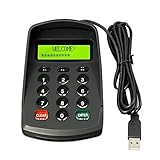
- USB interface , Plug and play ,NO Sound! Ciphertext version: It displayed asterisk ****** on the LCD screen when you press the number keys!
- Sturdy and Safely , It attaches a protect case .
- Application : Bank / telecom / mobile / Truck Access/ Unicom business hall counter, financial payment system, financial social security system, or POS terminal equipment that needs to provide password input.
- LCD tip: supports dual line character LCD ,Input keyboard: 10 numeric keys, 2 function keys, F1-F3 custom buttons (you need contact us before you order).
- Cryptographic algorithms: DES and Triple DES.Customizable of Keyboard . Pls contact me before order
For card-based systems, PIN handling has a dedicated standards context. ISO 9564-1:2017 covers cardholder PIN management and security in retail banking settings, including ATMs, point-of-sale terminals, automated fuel dispensers, vending machines, banking kiosks, and PIN selection or change systems. The ISO page says a fifth-edition committee draft is in development to replace the 2017 edition; that draft is not a published replacement standard: ISO 9564-1:2017.
Is a PIN the same as a password?
In security terminology, a PIN is a kind of memorized secret—often described as a password that typically consists only of decimal digits. NIST uses that wording in its SP 800-63-4 glossary: NIST SP 800-63-4 glossary.
Rank #2
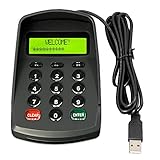
- USB interface , Plug and play , Ciphertext version: It displayed asterisk ****** on the LCD screen when you press the number keys!
- NOTE: It has voice when you press the keys! If you don't need voice. Please contact to our before you order! Sturdy and Safely , It attaches a protect case .
- Application : Bank / telecom / mobile / Truck Access/ Unicom business hall counter, financial payment system, financial social security system, or POS terminal equipment that needs to provide password input.
- LCD tip: supports dual line character LCD ,Input keyboard: 10 numeric keys, 2 function keys, F1-F3 custom buttons.
- Cryptographic algorithms: DES and Triple DES.Customizable of Keyboard . Pls contact me before order
“Typically” is important. It describes the usual form, not a rule that every system must use digits. A PIN is commonly numeric, while the word password often suggests a broader mix of characters, but both can serve as secrets a person knows and presents to authenticate.
How many digits does a PIN have?
There is no universal digit count established by the general definition. A particular bank, device, or service sets its own PIN requirements, so follow the instructions for that system rather than assuming one length applies everywhere.
Rank #3

- 【Wired 17 Keys for Accounting & Financial Work】 This mechanical number pad connects via USB C to USB A, working seamlessly with Windows, Mac, and Android. Its compact size (4.41"×3.39"×1.38") takes up minimal desk space – perfect for accountants, financial analysts, and anyone who spends hours in Excel. It’s a dedicated shortcut input device for daily data entry & spreadsheet work. Place it beside your TKL keyboard or on the left hand side
- 【Productivity Macro Numpad】With QMK and VIA support, you can easily program each key on the MF17 numeric keypad. The open-source firmware means endless possibilities for key remapping, macro editing, RGB effects and more. It functions as a standard number pad or a fully custom macropad for shortcuts, gaming commands, or creative workflows. Please download the keymap file (guide in the manual) to use VIA
- 【PBT Dye-Sub Keycaps & RGB Backlighting】Featuring durable PBT Dye Sublimation keycaps known for their premium texture and long-lasting legends that resist wear over time. RGB backlights shine around the PBT keycaps and edges, creating a customizable ambiance that complements most keyboards beautifully. Easily adjust lighting effects and brightness through the shortcut keys or VIA software
- 【Hot-Swap to Match Your Ideal Typing Rhythm】Compatible with 3/5-pin switches – easily swap tactile or clicky switches without any soldering. Match the typing feel of your numpad to your main keyboard or work environment
- 【Better Sound & Feel】The combination of five layers of sound-dampening foam, silicone plate dampener, and the pre-lubed Bsun linear switches(45-50gf actuation), produces a consistent creamy keystroke without tactile bumps or audible clicks. Deep, resonant create an engaging typing experience -Ideal for long-hour typists including programmers, designers, bussiness students and excel heavy users
How do PINs differ from identifiers?
An identifier, such as an account number or card number, points to an account or card. A PIN is meant to remain secret and is used to help authenticate the person presenting it. The distinction matters: knowing an identifier is not the same as proving authorization.
NIST’s glossary includes a cardholder-focused definition: a PIN is “a numeric secret that a cardholder memorizes and uses as part of authenticating their identity.” It also includes broader definitions of a memorized secret: NIST glossary: personal identification number and NIST FIPS 201 glossary.
Quick Recap
Best Value

- PIN Pad keypad protector fits the PAX Q30 PIN Pad; protective spill cover fits the keypad like a glove; securely covers the keys; enhance customer experience with our easy-to-clean protective spill cover for keypad
- Our spill cover protector is custom designed to cover the PIN Pad keypad including all around the edges to protect your payment terminal from liquid spills, food, dust, moisture, oil, grease, and dirt; spill cover makes it easy to wipe down and clean your PIN Pad keypad
- Eliminate expensive repairs with a protective overlay that is easy to install, flexible, translucent, and durable; custom fitted to the keypad; made with ultra-thin, high quality polyurethane that is protective and long-lasting
- Protect your customers with our easy-to-clean cover; the cover prevents fingerprint and grease build up without sacrificing customer experience or ease of keypad use; protective cover extends the life of your PIN Pad keypad by protecting against scratches and other dangers
- PIN Pad accessory is extremely easy to install and remove; protective spill cover is custom designed to cover the entire PAX Q30 PIN Pad keypad; PAX Q30 PIN Pad device not included
Rank #4

- Easy to Use - Our USB wired numpad does not require any driver or battery; easy to install, plug and play, gives you a stable connection.
- Quiet & Soft Touch - Integrated ergonomic tilt provides comfortable typing, helps reduce the wrist strain. Low noise of the 19-key USB numeric keypad gives you a quiet and soft touch.
- USB Wired Number Pad - Full-size 19mm keys improve speed and accuracy by making it easier to locate and press the numbers you are looking for. Numeric keypad supports NumLock.
- Lightweight & Portable - The black numeric keypads are perfect for working on spreadsheet, you can works household, school, business trips, or daily use, very convenient number use.
- Wide Compatibility - Compatible for Windows 2000, XP, Vista, or Windows 7/8/10, Android operating systems. Works with PC, desktop, notebook and other devices with USB ports.
Product prices and availability are accurate as of the date/time indicated and are subject to change. Any price and availability information displayed on Amazon at the time of purchase will apply.
Recommended Free Tools




