Do these 3 things before closing this tab:
1Scan for outdated or missing drivers - takes under a minute2Repair Windows errors before they cause bigger problems3Fix the driver behind crashes, sound loss and screen glitchesA data-center CPU is a general-purpose server processor. It runs the operating system, databases, virtual machines and applications, prepares data, coordinates other components and handles the varied tasks a server must perform. A data-center GPU is a specialized accelerator: it executes large numbers of suitable operations in parallel, making it useful for selected artificial-intelligence and high-performance-computing workloads.
Most modern AI servers use both. The CPU acts as the host and traffic controller; the GPU accelerates the parts of a workload that can be parallelized. Whether you need only CPUs, GPUs or a combination depends on the model or application, latency target, request volume, memory, software and total system cost—not on a universal rule about processor type.

As an Amazon Associate I earn from qualifying purchases.
What a data-center CPU does
A data-center CPU is the central processor built for continuous server, cloud and enterprise operation. Server CPU families such as AMD EPYC are designed to run many kinds of work at once, often for multiple users or virtual machines. Unlike a purpose-built accelerator, a CPU must remain useful when the workload changes from one moment to the next.
Free tools Windows power users keep installed
One-click scans. No signup required.
The CPU normally performs several jobs:
- Operating-system and application execution: It runs the host operating system, control services, APIs, databases and business applications.
- Virtualization: It schedules virtual machines and containers, isolates tenants and assigns compute resources.
- Data preparation: It decodes, filters, transforms and batches data before an accelerator receives it.
- System coordination: It manages storage, networking, security checks, queues and device drivers.
- Result handling: It receives accelerator output, applies business logic and returns responses to users or other services.
Server CPUs are optimized as complete platform components rather than as drop-in desktop upgrades. The processor, motherboard, memory, firmware, cooling, storage and network interfaces must be compatible. A data-center CPU can therefore be the right choice even when no AI accelerator is installed, because most server duties still require flexible, general-purpose processing.
#1 Best Overall

- For AMD EPYC 9754 128 Core Bergamo 2.25GHz (100-000001234) EPYC 9004 Series Socket SP5 ZEN4 256MB L3 Bulk / Tray Pack (Unlocked) Server Processor
What a data-center GPU does
A data-center GPU is an accelerator for workloads that can divide the same kind of operation across many data elements. Instead of replacing the host processor, it takes on compute-intensive sections that benefit from parallel execution. Training larger AI models and serving inference for large-scale or latency-sensitive deployments are common examples.
The GPU is most effective when software can keep its parallel execution units supplied with work. That requires suitable algorithms, frameworks, memory and data-transfer paths. A GPU can sit idle if the CPU cannot prepare batches quickly enough, if data must be processed sequentially, or if requests are too small and irregular to occupy the accelerator efficiently.
An AMD Instinct data-center accelerator is an example of this specialist category. Such hardware is intended for validated server platforms and managed data-center environments, not as an ordinary consumer-PC replacement. Exact compatibility depends on the accelerator model, host server, interconnect, memory and software stack.
CPU versus GPU in a data center
| Comparison axis | Data-center CPU | Data-center GPU |
|---|---|---|
| Primary role | General-purpose processing for server applications and system tasks | Accelerator for selected compute-intensive workloads |
| Typical AI use | Some inference workloads, especially where requirements are modest; data preparation and host-side work | Training larger models and inference for large-scale or latency-sensitive deployments |
| Execution pattern | Flexible handling of varied, branching and sequential tasks | High-throughput parallel execution when the workload maps well to it |
| System relationship | Prepares and supplies work, coordinates devices and processes results | Performs accelerated computation assigned by the host |
| Main sizing questions | Workload mix, core count and frequency, memory, virtualization and general-purpose capacity | Parallelism, model size, deployment scale, latency target, accelerator memory and data movement |
The table describes workload roles, not a universal speed ranking. A particular CPU can outperform a particular GPU on a task that is small, sequential or poorly optimized for parallel execution. Conversely, a suitable GPU can deliver much higher throughput for a large parallel job. Software, processor and accelerator models, memory, system configuration and the benchmark determine the result.
How CPUs and GPUs work together
In a hybrid server, the CPU remains responsible for the parts of the pipeline that surround accelerated computation. A typical request follows this sequence:
Rank #2

- The processor features Socket AM5 socket for installation on the PCB
- EPYC product line processor for better usability and increased efficiency
- Dodeca-core (12 Core) processor core allows multitasking with great reliability and fast processing speed
- 64 MB of L3 cache memory provides excellent hit rate in short access time enabling improved system performance
- Processor with 3.40 GHz clock speed for reliable and fast execution of instructions to ensure maximum convenience and feasibility
- Receive and validate: The CPU accepts input from an application or network service, checks permissions and validates the request.
- Prepare data: CPU threads decode records, tokenize text, resize images, normalize values or assemble a batch in the format expected by the model.
- Move work to the accelerator: The host schedules a kernel or inference operation and transfers the required data to GPU memory through the server’s supported path.
- Compute in parallel: The GPU executes the arithmetic-heavy portion of training or inference.
- Collect and finish: The CPU retrieves results, applies business rules, writes logs or database updates, and sends the response.
- Manage the service: The CPU continues monitoring queues, storage, networking, failures and other tenants while the accelerator works.
This division explains why buying a faster accelerator alone may not improve an application. If input preparation, storage reads, network transfers or result processing are the bottleneck, the host CPU, memory or I/O path must also be sized appropriately.
When a CPU-only server may be enough
General-purpose and mixed enterprise workloads
Databases, web services, virtualization, file services, control planes and data-processing pipelines all require flexible execution. A CPU-only server avoids accelerator-specific software and leaves its capacity available to many unrelated applications.
Smaller or less demanding inference
Many inference workloads can run on CPUs without special accelerator hardware, according to AMD’s vendor guidance. That statement is guidance rather than an unconditional rule: adequacy depends on the model, the required response time and the number of simultaneous queries.
Low or unpredictable utilization
If requests arrive sporadically, a GPU may spend much of its time waiting. CPU capacity can be easier to share among services whose peaks occur at different times. A CPU-only design can also simplify operations when the model changes frequently or the software does not support the chosen accelerator.
When GPU acceleration is justified
Training larger models
Training repeatedly applies large numbers of mathematical operations to substantial data sets. A GPU is a candidate when the algorithm and framework can exploit parallel execution and the training run is large enough for the accelerator to remain busy.
Rank #3
Large-scale inference
Dedicated AI services processing many requests may benefit from GPU throughput, especially when batching and parallel execution improve utilization. The decision still depends on the model and service design; a GPU is not automatically cheaper or faster for every request pattern.
Strict latency targets
An application with a demanding response-time objective may use an accelerator to shorten the compute portion of inference. Measure the complete path, including queueing, preprocessing, data transfers and postprocessing, rather than looking only at accelerator arithmetic time.
There is no universal GPU cutoff
Model-parameter count alone cannot tell you when a GPU becomes necessary. Two models with similar sizes can have different operators, memory behavior and software support. Likewise, the same model can have different requirements at one request per second and at a much higher query volume.
Evaluate at least these variables together:
- Model size and memory footprint: Include weights, runtime state, intermediate activations and the memory needed for batching.
- Latency objective: Define whether the target is an average response, a tail percentile or a hard deadline.
- Query volume: Record concurrent users, peak requests and whether requests can be batched.
- Workload mix: Account for databases, virtualization, ETL, networking and other CPU duties sharing the server.
- Software support: Confirm that the framework, drivers and libraries support the selected CPU, GPU and operating system.
- Data movement: Determine whether storage, network or host-to-device transfers will limit throughput.
- Power and cost: Compare the complete server, electricity, cooling, licensing, operations and utilization—not only the processor price.
A practical decision process
- Describe the workload: Separate general server tasks, data preparation, training, inference and background jobs.
- Set service targets: Write down throughput, concurrency, latency and availability requirements for normal and peak periods.
- Measure the CPU baseline: Test the actual model or application on the intended server CPU while recording utilization, memory use and response-time distribution.
- Find the bottleneck: Check whether compute, memory bandwidth, storage, networking, preprocessing or queueing limits the result.
- Test a representative accelerator: If the bottleneck is parallel compute, benchmark a supported GPU with realistic batch sizes and production software.
- Include host overhead: Count CPU time for input preparation, transfers, scheduling and postprocessing in the end-to-end measurement.
- Compare total ownership: Evaluate acquisition or cloud rental, power, cooling, maintenance, software, capacity headroom and utilization.
- Choose an operating model: Select CPU-only, GPU-accelerated or a hybrid design based on measured requirements and expected growth.
Three common deployment patterns
CPU-only deployment
All application and AI work runs on server CPUs. This pattern is straightforward and flexible, and it can be appropriate for general-purpose services, modest inference or workloads whose parallel sections are too small to keep a GPU busy.
GPU-focused deployment
A host CPU runs the operating system and service layer while one or more GPUs perform most of the expensive model computation. This arrangement suits dedicated training or high-volume inference, provided the host can feed the accelerator and the software stack is supported.
What’s actually slowing this PC down?
Pick the symptom - the matching free tool is one click away.
Rank #4

- Media streaming
- Medium capacity data managementSpecifications
- No of CPU Cores: 32
- Base Clock: 2.4GHz
- Max Boost Clock: Up to 3.3GHz
Hybrid shared deployment
CPU resources handle databases, virtualization, preprocessing and orchestration while a GPU accelerates selected jobs. Capacity planning must prevent unrelated CPU workloads from starving the accelerator or competing for memory and I/O.
Independent reader supportYour contribution helps us test, update, and keep practical guides available for everyone.Can you run AI on a server CPU?
Yes. Server CPUs can run AI inference and the surrounding preparation and serving software. AMD explicitly states that many inference workloads run on CPUs and do not need special accelerator hardware. Treat that as vendor guidance, not as an independent benchmark or a guarantee for every model.
CPU inference is most plausible when the model fits available memory, the latency target is achievable, query volume is manageable and the server also has to perform substantial non-AI work. As model size, concurrency or latency pressure increases, benchmark a GPU-accelerated configuration rather than assuming a fixed parameter threshold.
Common mistakes and how to avoid them
Choosing from a headline specification
Core count, frequency or theoretical accelerator throughput cannot predict the performance of an entire service. Use the real model, data, batch size and production software in testing.
Ignoring the host CPU
A high-end GPU still depends on the CPU for scheduling, preparation, transfers and results. Insufficient host capacity can turn an expensive accelerator into an underused device.
Best Value
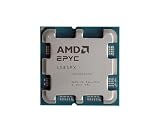
- The processor features Socket AM5 socket for installation on the PCB
- EPYC product line processor for your convenience and optimal usage
- Hexadeca-core (16 Core) processor core helps processor process data in a dependable and timely manner with maximum productivity
- 128 MB of L3 cache memory offers great system performance and avoids interruptions while executing complex and critical tasks
- Processor with 4.30 GHz clock speed for quick and dependable processing of data to ensure maximum productivity
Assuming a GPU is always faster or cheaper
Sequential work, small requests and low utilization may favor CPUs. Include power, cooling, software and idle capacity when comparing total cost.
Buying before checking platform compatibility
Verify the exact CPU or accelerator model, server chassis, motherboard, firmware, memory configuration, cooling, power delivery, interconnect, operating system and driver support. Specialist server components are not ordinary desktop upgrades.
Buying hardware or using cloud capacity
Organizations can purchase a validated server containing a data-center CPU and, when needed, an accelerator. Confirm the exact model and complete system configuration before ordering; product-family names alone do not establish compatibility or performance.
The Tool Desk
Outbyte PC Repair FREERepair Windows errors before they cause bigger problemsFix Now →Outbyte Driver Updater FREEFix the driver behind crashes, sound loss and screen glitchesFind Drivers →Cloud CPU and GPU instances are another way to test workloads without buying hardware. Availability, memory, accelerator type, region, billing and performance vary by provider and instance, so compare the specific configuration and measure an end-to-end workload before committing.
What vendor performance claims mean
Manufacturers publish useful workload guidance and benchmark results, but a vendor-reported comparison is not a universal CPU-versus-GPU ranking. Any quoted result should retain its named benchmark, processor models, system configuration and vendor attribution. Do not transfer a result from one workload or platform to unrelated hardware.
The most defensible comparison is your own representative test: the same model, software version, input data, concurrency, latency metric and power or cost assumptions on each candidate system.
Bottom line
A data-center CPU is the flexible foundation of a server; a GPU is a parallel accelerator for workloads that can use it efficiently. CPUs remain essential for operating systems, applications, databases, virtualization, data preparation and coordination. GPUs can accelerate larger-model training and high-scale or latency-sensitive inference, but only when the workload, software and system feeding the accelerator justify it. Choose by measured workload requirements and total system economics, and use a CPU-plus-GPU design when acceleration is needed for only part of the service.
Quick Recap
Product prices and availability are accurate as of the date/time indicated and are subject to change. Any price and availability information displayed on Amazon at the time of purchase will apply.




