What’s actually slowing this PC down?
Pick the symptom - the matching free tool is one click away.
A charge-coupled device (CCD) is a semiconductor image sensor that turns incoming light into electrical charge, then transfers that charge through the sensor to be measured. The measurements represent the brightness at individual pixel locations and can be assembled into an image. “Charge-coupled device” is the standard technical name; “charged coupled device” is a common search phrasing.
What does CCD stand for?
CCD stands for charge-coupled device. In a camera or imaging instrument, it usually refers to the sensor that detects light—not to the complete camera. A camera system also needs optics to focus an image onto the sensor and electronics to read its measurements and produce image data. NASA’s overview of CCD and CMOS image sensors describes this sensor role.
As an Amazon Associate I earn from qualifying purchases.
How does a CCD sensor work?
- Light reaches the sensor. Optics focus the scene onto photosensitive regions associated with the sensor’s pixels.
- The sensor collects charge. When light is absorbed in the semiconductor, it creates electrical charge carriers. The charge accumulated at each pixel during exposure corresponds to the light received there.
- Charge moves toward the output. During readout, controlled electrical signals shift each pixel’s charge packet through the array toward an output register and amplifier.
- Electronics measure the charge. The output circuit converts the charge into an electrical signal corresponding to pixel brightness. Those measurements can then be assembled into an image.
The transfer is sometimes compared to a bucket brigade: each pixel passes its charge along until it reaches the readout electronics. The analogy is about the sequence of transfer; inside the device, controlled voltages move electrical charge. NASA/JPL explains the bucket-brigade analogy, while a NASA technical report describes CCD structure and operation.
How is a CCD different from CMOS?
The main architectural difference is how each sensor reads pixel signals. A CCD transfers accumulated pixel charge to an output amplifier. In a CMOS active-pixel sensor, amplification and readout are associated with individual pixels, allowing pixels to be read directly. NASA notes that CCDs can provide image quality suited to scientific use, while their charge transfer requires power and efficient operation; its comparison describes CMOS as reducing power needs and charge-transfer concerns. These are architectural trade-offs, not a universal ranking: performance depends on the application, sensor design, and generation. NASA’s CCD-versus-CMOS explanation covers the comparison.
#1 Best Overall

- High-Speed Global Shutter 800p USB Webcam: Capture ultra-fast moving objects without motion blur or rolling artifacts. This 1MP 800p webcam adopts the OV9281 global shutter monochrome sensor, delivering up to 120fps@1280×800 via USB 2.0. Perfect for precision motion analysis, 3D printer monitoring, and industrial inspection
- Crisp Monochrome Imaging with 130° Wide-Angle Lens: Equipped with a 130° (D) wide-angle M12 lens, this USB camera module offers enhanced light sensitivity. The monochrome CMOS design improves contrast and detail capture in low-light environments, ensuring clear, accurate imaging for engineering and research tasks
- External Trigger & Low-Light Compensation: Designed for machine vision applications, the camera supports external trigger control for precise frame synchronization. Note: Low-light compensation only works when the external trigger function is enabled and a valid trigger signal is detected—otherwise, the camera will pause output to ensure stable performance
- Plug & Play Multi-System USB Compatibility: This UVC-compliant USB webcam for PC requires no additional drivers. Simply connect it via USB to your Windows, Linux, macOS, Android, or Raspberry Pi device and start streaming or capturing instantly. Ideal as a pc webcam, web camera for laptop, or mini USB camera for embedded systems
- Versatile Applications for High-Speed Capture: A powerful high-speed capture camera for barcode scanning, gesture and eye tracking, Lightburn laser engraving, robotics, and industrial automation. Also serves as a Lightburn camera for laser engraver, 3D printer camera, or USB security camera, making it an all-around solution for motion and vision analysis
Where are CCDs used?
CCDs are used in scientific imaging, including astronomy and spacecraft instruments. They can be made as two-dimensional arrays or as a single line of detector pixels. A line detector can build a two-dimensional image as the scene moves past it—for example, as a spacecraft travels over a planetary surface. The exact arrangement depends on the imaging instrument. NASA’s spacecraft-detector chapter describes these detector forms and uses.
Quick Recap
Rank #4

- Versatile Power Range: Operates efficiently between 3.3-5V, ensuring compatibility with various power sources for your DIY robot.
- Easy Integration: Comes with a 5PIn-XH2.54 interface and STM32 driver codes, simplifying integration with your car project.
- Ambient Light Resilience: Designed to perform well in both indoor and outdoor settings, the module is less affected by ambient light.
- Advanced Signal Processing: Single-chip microcomputer enables efficient electrical signal processing for car path recognition.
- High-Resolution CCD Sensor: Equipped with a 128-pixel linear CCD, the module delivers , detailed images for precise line following.
Rank #3

- 640x480 VGA Resolution – 1/6" CMOS sensor with 300k-pixel array for real-time imaging and embedded vision applications.
- Low-Power Operation – 60mW at 15fps (VGA/YUV) with 2.5-3.0V I/O voltage and integrated 1.8V LDO core regulation.
- Auto-Image Optimization – AE (exposure), AGC (gain), AWB (balance), anti-bloom, and black-level calibration for adaptive lighting conditions.
- Programmable Image Parameters – Adjustable color saturation, hue, gamma correction, and edge sharpness via SCCB/I²C interface.
- Multi-Format Output – Raw RGB, RGB565/555/444, YUV 4:2:2, and YCbCr 4:2:2 via 8-bit parallel data port (D0-D7).
Rank #2
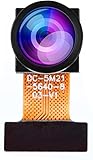
- Chip Model: OV5640
- Pixels: 5 million
- CCD Size: 1/4", Size Length: 21mm
- Perspective angle (diagonal line): 160°
- The OV5640 camera module can be used in security surveillance, industrial equipment, driving recorders, POS machines
Product prices and availability are accurate as of the date/time indicated and are subject to change. Any price and availability information displayed on Amazon at the time of purchase will apply.




