Free tools Windows power users keep installed
One-click scans. No signup required.
When an Android phone runs out of storage, it may stop saving photos, videos, downloads, or app data, and app installs can fail. Android may remove some temporary cache files, but there is no universal rule that every phone reaches a single failure point or behaves the same way at “100%.” The displayed figure is a storage indicator, not a guarantee of a specific sequence of events.
What happens if you fill your Android phone’s storage to 100%?
The most direct problems are failed writes: a camera may be unable to save a new photo or video, a download may not finish, and an app may be unable to store data or install. Android apps are expected to account for available space when writing; if a write fails, the app should handle that failure. The result can vary by app and device.

As an Amazon Associate I earn from qualifying purchases.
Android may delete cache files to recover space. Cache is temporary data that apps can generally recreate. This does not mean Android will always clear cache first, or that it will free enough room to prevent other failures. Official Android documentation says that when internal storage is low, Android “may delete these cache files to recover space” (Android Developers).
PC Slower Than It Used to Be?
A free scan shows the junk files, broken settings and background clutter dragging Windows down - then fixes them in one click.Free scan · Windows 10 & 11Crashes, No Sound, or Screen Glitches?
Random freezes, missing sound and display glitches usually trace back to one bad driver. Find and replace yours safely.Free scan · under a minuteA full storage indicator does not, by itself, predict that the phone will become slow, freeze, crash, or restart. Those symptoms can have other causes. Storage is where apps and files are kept; RAM is working memory used while Android and apps run. They are different resources.
#1 Best Overall

- Compatible with Nintendo-Switch (NOT Nintendo-Switch 2)
- Expand your storage in a flash: ideal for Android smartphones and tablets, Chromebooks, and Windows laptops.
- Increase your TV show, movie, and Full HD video[4] recording collections dramatically with up to a massive 1.5TB[1].
- Transfer files fast with up to 150MB/s[2] read speeds and SanDisk MobileMate USB micro 3.0 microSD card reader[6].
- Load apps faster with A1-rated performance[3].
How to free space without deleting something important
Start with files and downloads you recognize, then consider less obvious options such as cache. Menu names differ by manufacturer and Android version; Google’s general starting point is Settings > Storage. Google notes that “Settings can vary by phone” (Google Android Help).
- Check what is using storage. Open Settings > Storage and review the categories. On Pixel phones, one documented route is Settings > Storage > Free up space > Browse; this is not a universal Android path (Google Pixel Help).
- Remove offline downloads from the app that saved them. For example, Google documents deleting downloaded content in Google TV and YouTube Music. For other offline media, remove it from the app that stored it rather than looking only in the general file list (Google Android Help).
- Copy important files to a computer before deleting them. Google recommends transferring files by USB as one way to make room. Open the copied files on the computer before removing the phone’s originals if you need to confirm the transfer succeeded (Google Android Help).
- Delete files you recognize and no longer need. Check that documents, recordings, and other personal files are disposable before removing them. If you plan to delete local photos because they are backed up, first verify that the photos are available in the backup account or service you use (Google Android Help).
- Clear cache selectively. This removes temporary files, but an app may take longer to load the next time while it recreates them. Avoid choosing Clear storage (or an equivalent label) unless you intend to remove that app’s saved data; clearing storage is more destructive than clearing cache (Google Android Help).
- Uninstall apps you no longer use, or archive them if your phone offers that option. Archiving removes the app while retaining its personal app data and icon; the app may need to be downloaded again, and it must remain available on Google Play for recovery (Google Play Help).
Which cleanup option should you choose?
| Option | What it can free | Main risk or trade-off | Good fit |
|---|---|---|---|
| Remove offline downloads | Space used by the downloaded media | You may need to download the content again to use it offline. | Media you can stream or re-download later. |
| Delete recognized files | Space used by the selected files | Deleted files may be difficult or impossible to recover if they are not backed up. | Files you have checked and no longer need. |
| Clear an app’s cache | Temporary app files; the amount varies by app and device. | The app may load more slowly while recreating cache. | When you need a lower-risk cleanup and can accept that temporary inconvenience. |
| Clear an app’s storage | The app’s stored data | Can permanently delete the app’s data, such as local settings or files. | Only when you understand what that app will lose and are prepared to set it up again if needed. |
| Uninstall or archive an app | The installed app; archiving also keeps personal app data and its icon. | An archived app may need to be downloaded again and must still be available on Google Play. | Apps you rarely use and can reinstall when needed. |
| Transfer files to a computer | Space used by files you later remove from the phone | A transfer is not a backup until the copied files are accessible and intact. | Personal files you want to keep but do not need stored on the phone. |
Can a USB drive help?
A USB-C OTG flash drive can be a transfer aid if the phone supports USB host/OTG and the drive’s connector is compatible. Use the phone’s file manager to copy files, then check that the copies are accessible before deleting the originals. A USB drive does not increase the phone’s internal storage; it helps only when files are moved off the phone. Support depends on device hardware, so check the phone maker’s specifications or help guidance first (Android Developers).
Rank #2

- Expansion For Android Devices: Provides reliable storage expansion for smartphones and tablets, supporting app installations and multimedia file storage on compatible Android devices
- High Speed And Large Capacity: Offers read speeds up to 90 MB/s and 32 GB of storage for efficient HD video recording and file transfers. Your results will vary based on host device, file attributes, and other factors
- A1 Rated App Performance: Meets A1 performance standards with fifteen hundred read IOPS and five hundred write IOPS for faster app loading and smoother operation on mobile devices
- Full HD Video Recording Support: Complies with Class 10 speed rating requirements, enabling stable full HD video recording and playback in devices like action cameras and dash cams
- Wide Compatibility: 32GB SD card works with Android phones, tablets, cameras, gaming consoles, dashcams.(Note: May not suit high-speed write scenarios.)
Why the exact result varies by Android phone
Android devices differ in their storage menus, file managers, and available cleanup features. Some steps in Google’s storage guidance require Android 14 or later, and app access to files also depends on Android’s storage rules and the app’s purpose. For this reason, use the menu labels on your own device rather than assuming that a path or automatic response applies to every Android phone (Google Android Help; Android Developers).
Recommended Free Tools
Quick Recap
Rank #4
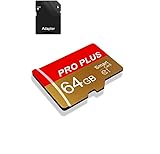
- 【Single Pack】: Each purchase includes a TF card and an adapter, allowing users to flexibly expand storage capacity and seamlessly manage data on multiple devices.
- 【Versatile Compatibility】: 8GB, 16GB, 32GB, 64GB, 128GB multiple capacity Micro TF card options, Designed to work flawlessly with a wide range of devices including mobile phones, computers, game consoles, cameras, drones, surveillance equipment, and car recorders, ensuring hassle-free usage without worrying about compatibility issuesv
- 【Rapid Data Transfer】: The high speed TF card Experience blazing-fast data transfer speeds of , ensuring swift and efficient transfer of photos, videos, files, and data. (Note:TF cards transfer speed may vary depending on capacity, test platform hardware, test software, and operating system)
- 【Reliable Stability】: Utilizing high-speed C10, A1 grade chips, our TF cards offer exceptional stability, providing robust protection for your valuable data, and ensuring peace of mind in various scenarios
- 【Bonus Adapter】: Each TF card includes a adapter, expanding compatibility and enhancing convenience for accessing and transferring data across a broader range of devices
Rank #3
Product prices and availability are accurate as of the date/time indicated and are subject to change. Any price and availability information displayed on Amazon at the time of purchase will apply.




