Free tools Windows power users keep installed
One-click scans. No signup required.
Google currently presents Reader Revenue Manager as a publisher engagement and monetization service—not just a paywall. Its homepage describes tools for registration, newsletters, surveys, subscriptions, contributions and rewarded ads, alongside connections to other Google products. The available official material does not establish when the homepage changed or which elements are new, so this is a guide to what Google presents now, not a verified changelog.
What is Google Reader Revenue Manager?
Reader Revenue Manager is Google’s set of tools for helping publishers engage readers and earn revenue. Google for Developers groups its functions across the reader lifecycle: registration walls and newsletter sign-ups for engagement; subscriptions and contributions for revenue; and surveys and rewarded ads for advertising monetization. The product homepage also describes payment modules and connections with Site Kit, Google Ad Manager, Google Analytics, Google AdSense and Google One Tap.
One feature, Subscription Linking, can connect a publisher’s subscription to a reader’s Google Account. Google says this can result in a “Subscribed” label appearing on Google surfaces. Google reports that early testing found users significantly more likely to click links labeled as their subscriptions, but does not provide a numerical estimate in the cited description. Google for Developers: Reader Revenue Manager

As an Amazon Associate I earn from qualifying purchases.
The current homepage lists Standard and Enterprise tiers, but the available product description does not fully map features, pricing or implementation requirements to each tier. Check Google’s current tier documentation before choosing between them. The homepage’s statement that “No coding experience is necessary” is product marketing, not a guarantee that every publisher’s setup will require no technical work. Google Reader Revenue Manager homepage
What changed on the homepage?
The official homepage and documentation describe the product’s current positioning, but do not provide a dated changelog or a prior version for comparison. That means the specific update date and the elements that may have been added or revised are not established. The safest conclusion is that Google now presents Reader Revenue Manager as a broader suite for reader engagement and monetization; its current appearance alone does not prove that any particular capability was newly launched.
#1 Best Overall

- 6” B/W E Ink 300 ppi: Experience eye-comfort like paper & glare-free touchscreen. Fast page turns, brightness/color temperature adjustment - perfect for comics, manga, books, & magazines.
- Powerful Performance: Quad-core processor (2.0GHz) with 2GB RAM + 64GB storage, running Android for seamless multitasking.
- Read Anywhere, Anytime: The glare-free display and auto-adjusting front light adapt seamlessly for comfortable reading, whether in bright sunlight or dim nighttime conditions.
- Supported formats: image format: jpg,jpeg,png Book format: txt,epub,pdf,umd,mobi ,ebk2,ebk3,azw3 Font format: ttf,otf,ttc Audio format: mp3,flac,wav,m4a,aac Office documents: xls,xlsx,ppt,pptx .doc, docx
- Supported the Bluetooth connect,Wifi connect,USB connect .Supports 3rd-Party apps.To use Google Play, navigate to :click “Settings,” select “System & Update,” then select “Google settings,” and turn on GMS.
How do I set up Reader Revenue Manager?
Google’s setup guidance requires a Google Account and a publication added in Publisher Center. To receive payments, publishers also need a payments profile and must add bank details. Google says it needs those bank details before it can pay a publisher. Google Publisher Center Help: Get started with Reader Revenue Manager
For paid features, check country availability before building an offer. Google lists Reader Revenue Manager as available in over 40 countries, but payment features are supported only in a subset; other markets may have engagement features such as registration, newsletters and surveys without subscription or contribution payments. The country list is market-specific and can change, so confirm that the exact payment feature you intend to use is supported in your market in Google’s current Help Center guidance.
Recommended Free Tools
Rank #2

- 【Android Tablet】Equipped with the latest Android system, it has stronger compatibility, faster response speed and smoother operation. It is GMS certified, pre-installed with Google Play, and supports social applications such as Facebook, Twitter, YouTube, and TikTok. It is very suitable for watching videos, online chatting, reading e-books, etc.
- 【Smooth Performance】This tablet is equipped with a 1024x600 IPS touch screen, Unisoc SC7731E quad-core processor, 6GB memory (2GB + 4GB virtual memory), 32GB ROM, and the tablet storage space can be expanded to 1TB using an SD card, which can store everything you need.
- 【Powerful Function】This is a cost-effective tablet. Affordable price and excellent configuration. Equipped with 2MP+5MP dual cameras, Bluetooth, 5G/2.4G dual-band WiFi, FM radio, speakers, 3.5mm headphone jack, etc. Suitable for reading, photography, video, music, etc., meeting most of your daily needs.
- 【Child-friendly functions and parental control】Pre-installed Google Kids Space application, providing rich content suitable for different age groups. Equipped with a parental control mode, it allows you to filter content, set educational goals, and manage screen time limits based on your child's age, providing a safe use environment that does not require constant supervision.
- 【Portable & Lightweight & Protective Case】- The tablet body is slim and lightweight, easy to carry. It can be easily put into a bag, backpack or even back pocket. In addition, the durable and environmentally friendly protective case can effectively protect your tablet from drops, scratches and dust. You can use it anywhere you want.
In Google’s pricing guidance, a plan combines a price with a recurrence period. The listed billing periods are monthly, quarterly, half-yearly and annual. A created plan starts as Draft; it must be switched to Live before it appears on a site. Google Publisher Center Help: Create and manage Reader Revenue Manager pricing plans
Does Reader Revenue Manager charge a fee?
Google Publisher Center Help states a fee of 5% per transaction, including credit-card fees. Google’s wording is: “It’s just 5% per transaction, including credit card fees.” The retrieved Help Center page does not state a publication date; verify the current terms before relying on the rate. Google Publisher Center Help: Get started with Reader Revenue Manager
Rank #3

- Discover the ultimate reading experience with the OBOOK 6 eReader, designed for avid readers who crave both functionality and comfort. Featuring a state-of-the-art 6 " glare-free display, this ebook reader ensures that your eyes stay relaxed, whether you're reading during the day or in dim lighting.
- The 6 inch 300PPI glare-free e-paper ultra HD screen technology provides crisp, clear text and images, replicating the feeling of reading a traditional book.
- Customize your reading environment with the adjustable front light, allowing you to effortlessly switch between bright and soft light settings according to your preference and surroundings.
- This Android ereader allows you to download your favorite reading apps easily. Stay connected with WiFi and take advantage of Bluetooth capabilities, making it simple to pair with headphones or speakers for your ebook reader.
- Charging is a breeze with the USB-C port, ensuring that you'll be back to reading in no time. Elevate your reading journey with the OBOOK 6 e-reader — a perfect blend of modern technology and timeless literature. Grab yours today and redefine what it means to read on the go!
How are subscriptions, contributions and donations different?
Subscriptions are recurring paid access or support plans. Google defines a plan by its price and billing recurrence. Contributions are also paid transactions, and Google’s guidance distinguishes them from voluntary donations by noting that contributions typically involve an exchange of value.
Reader Revenue Manager does not support voluntary donations as a payment type. Google says eligible nonprofit organizations can instead use custom calls to action that send readers to their existing donation platform. Nonprofits cannot use the standard subscription and contribution calls to action in the Reader Revenue Manager interface. Google Publisher Center Help: Get started with Reader Revenue Manager
Windows Errors? Fix Them Before They Spread
Repair common Windows errors and clear accumulated junk for a smoother, more stable PC - no reinstall needed.Free scan · no reinstallOutdated Drivers Are Slowing You Down
One free scan finds every outdated or missing driver and matches the right update for your exact hardware.Free scan · exact hardware matchRank #4
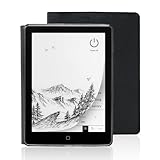
- 【6-inch Smart Eye Protection E-ink Screen】Featuring a 758×1024 ultra-high-definition (212DPI) electronic ink display, it delivers sharp and clear text rendering, rivaling the reading experience of printed materials. With adjustable brightness and customizable color temperature, it offers cool light for daytime clarity and warm light for nighttime eye protection, meeting all-day reading needs. The screen surface undergoes anti-glare treatment, free from blue light and flickering, ensuring long-term reading comfort without eye strain. Whether under indoor lighting or outdoor sunlight, it provides a pleasant reading experience.
- 【3000mAh Long Battery Life】 Built in 3000mAh large capacity battery, combined with the ultra-low power consumption characteristics of electronic ink screen, can support several weeks of continuous reading after charging once through Type-C fast charging interface, completely bidding farewell to battery anxiety. Make reading more focused and free. (Battery life may vary depending on actual use)
- 【32GB Enjoy Memory】 With 32GB of storage space, you can carry your entire library with you wherever you go, with all the books and notes you want. You can store thousands of e-books or connect to Wi Fi and download the reading software you want through the Google Play store, with millions of e-books and audiobooks for you to choose from.
- 【Professional protective cover】 Paired with high-quality PU protective cover, it provides 360 ° comprehensive protection. The lightweight protective case allows you to enjoy a comfortable reading experience for a long time. When the protective cover is closed, it will make your reader stop working; And when the protective cover is opened, it will wake up the reader again, allowing you to continue reading from where you stopped last time. The anti slip pattern design provides a comfortable grip and is the perfect companion for reading and learning.
- 【Slim Portable Design + Smart Reading System】With a slim 7mm body and a weight of approximately 153g, it is easy to hold with one hand without any burden. Supports multiple mainstream formats such as EPUB, PDF, MOBI, etc., with an intelligent layout engine optimized for display effects. Built in multi-level reading lights and color temperature adjustment, suitable for various lighting environments, it is a mobile library that you carry with you, making reading ubiquitous.
Can I use Reader Revenue Manager with WordPress?
Yes. Google documented a WordPress integration through Site Kit. In an announcement dated April 9, 2025, Google Product Manager Mariya Moeva said that, as of Site Kit version 1.150.0, publishers could connect Reader Revenue Manager to place calls to action for subscriptions or one-off contributions. The announcement also describes non-monetary prompts for surveys and newsletter sign-ups, automatic placement of required code snippets, and controls for choosing where prompts appear by content type or individual post. Google Site Kit: Reader Revenue Manager
This is a documented WordPress route, not a requirement to use WordPress. Publishers on other platforms should consult Google’s implementation documentation for the setup applicable to their site.
What do Google’s reported results mean for publishers?
Google’s overview of its work with the news industry says Search and News send publishers more than 24 billion click-throughs per month. The same page says Reader Revenue Manager has generated more than 650,000 new paid subscribers since launching in 2018, and that publishers keep 85% to 95% of revenue. These are Google’s aggregate claims; the retrieved page does not show a publication date or methodology. They describe Google’s reported totals, not a forecast of results for an individual publisher. Google: How Google supports the news industry
Quick Recap
Product prices and availability are accurate as of the date/time indicated and are subject to change. Any price and availability information displayed on Amazon at the time of purchase will apply.




