Free tools Windows power users keep installed
One-click scans. No signup required.
An NPU (neural processing unit) is a block inside some modern processors that is designed to run certain AI model operations efficiently. It does not speed up a laptop in general. It helps only when the app or operating-system feature you use has been written or configured to send work to it. For most buyers, an NPU is a reason to check whether a specific feature needs one, not a reason to replace a working laptop or pay extra for an “AI PC” label.
Microsoft says many newer Copilot+ PC features require an NPU capable of at least 40 TOPS. That is Microsoft’s threshold for those features. It is not a requirement for all AI software or for ordinary computer use.
As an Amazon Associate I earn from qualifying purchases.
What an NPU does
A modern laptop processor package usually contains several kinds of computing engines, and each one has a different job. Microsoft’s Copilot+ PCs developer guide, dated 2025-02-10, describes the NPU as “a new hardware resource.” It sits alongside the CPU and GPU rather than replacing them.
| Engine | Main job | What uses it in practice |
|---|---|---|
| CPU | General-purpose work, application logic, and most of the operating system | Nearly every program |
| GPU | Graphics and highly parallel workloads | Games, video and graphics editing, and some AI applications |
| NPU | Specific AI model operations (inference), designed for efficient execution | Apps and Windows features that are built to target it |
The key point is that hardware alone does not do the work. Microsoft states that NPUs need software specifically programmed to use them. Its developer guidance points to ONNX Runtime as a way to run models across the NPU, GPU, or CPU, and says Windows 11 assigns processing tasks to the appropriate hardware resource. An AI app that has not been built or configured for the NPU will not gain anything from it, and a laptop with an NPU can run the same app on the CPU or GPU.
#1 Best Overall

- It's possible on your Intel AI PC - Equipped with an Intel Core Ultra 7 processor (Series 2), the Aspire 14 Al brings new AI experiences in productivity, creativity and security through a combination of CPU, GPU and NPU. This combo delivers the speed and responsiveness to handle any task with ease -along with all-day battery life of up to 22 hours and smooth multitasking performance. (Battery life was measured under specific test settings pursuant to video playback scenarios)
- New AI Superpowers - Discover the power of Recall (preview), improved Windows search, and Click to Do (preview) on Copilot plus PCs. Effortlessly locate past content, perform natural searches, and interact with text and images – all while ensuring your data remains private and you stay productive. ( Copilot plus PC experiences vary by device and market and may require updates continuing to roll out through 2025; Recall and Click to Do will be coming to European Economic Area later in 2025; timing varies. See aka.ms/copilotpluspcs)
- Indulge Your Eyes - Immerse yourself in a world of vibrant detail with a breathtaking 14" WUXGA 1920 x 1200 ultra high-resolution display. This expansive, panoramic screen is your canvas for entertainment, artistic creativity, and captivating AI experiences that will leave you in awe.
- Smart and Effortless AI - Intelligent AI solutions are at your fingertips with AcerSense. Streamline settings, optimize your video presence, and elevate communication - all with intuitive AI that’s easy to use and enhances productivity seamlessly. Just press the AcerSense key on the backlit keyboard for instant access and experience the magic of AI
- Style and Substance - The Aspire 14 Al boasts a sleek, durable, and lightweight aluminum chassis, with an ultra-modern design and a 180° lie-flat hinge for versatile and convenient use on the go. Ideal for work, study, or creative pursuits wherever you are.
AMD describes its Ryzen AI platform the same way: a combination of NPU, GPU, and CPU accelerators, with the software choosing among them. Vendor claims about lower power use or faster AI inference refer to workloads designed for the NPU. They do not describe every application on every device.
Does your laptop need one?
Work through the question in this order. It takes a few minutes and avoids paying for hardware you will not use.
Rank #2

- Step Up to Next-Level Performance - Redefine your laptop experience with the Acer Aspire 16 AI. Powered by the Snapdragon X X1-26-100, a premium integrated GPU with up to 1.7 TFLOPs and NPU with 45 TOPs for optimized processing across CPU, GPU, and NPU workloads and delivering best-in-class performance and power efficiency.
- New AI Superpowers - Discover the power of Recall (preview), improved Windows search, and Click to Do (preview) on Copilot+ PCs. Effortlessly locate past content, perform natural searches, and interact with text and images – all while ensuring your data remains private and you stay productive*.
- Built on Brilliant AI Foundations - The Acer Aspire 16 AI harnesses the industry-leading Qualcomm AI Engine with an integrated Qualcomm Hexagon NPU, delivering transformative experiences for creativity, video conferencing, security, and productivity assistants. The Qualcomm AI Engine supports Windows Studio Effects and many other AI-accelerated applications and experiences, to make possibilities endless.
- Screens that Speak to Your Senses - Immerse yourself in a world of vibrant visuals. Enjoy stunning clarity, rich 100% sRGB colors, and sharp detail on the 16" 120Hz WUXGA ultra-high-resolution touchscreen display – acting as a panoramic playground for entertainment, artistic expression, and engaging AI experiences that dazzle the eye.
- Streamline Your Settings with AcerSense - Intelligent Acer AI solutions are at your fingertips. Effortlessly get answers, streamline settings, optimize your video presence, and elevate communication. Experience intuitive AI that’s easy to use and seamlessly enhances your productivity.
- List the AI features you actually plan to use. Examples named in Microsoft’s Copilot+ PC material include real-time translation, image generation, Windows Studio Effects, and Live Captions.
- Check each feature’s requirements for your exact device. Microsoft says Copilot+ features are designed to use the NPU, and that availability varies by device, market, language, Windows release, or other requirement. Check Microsoft’s current pages for the Windows version and region you use.
- Compare the NPU against the stated threshold. If the feature requires 40+ TOPS and the laptop’s NPU is below that, the feature is not a fit for that machine, regardless of the laptop’s other strengths.
- If you do not plan to use NPU-targeted features, judge the laptop on everything else. That means CPU and GPU performance for your normal work, memory, storage, battery life, price, and how long the manufacturer will support it.
Local processing can reduce dependence on cloud execution for supported features. That is a real benefit for some users, but it is not an absolute privacy guarantee, and it applies only to the features that actually run on the device.
What’s actually slowing this PC down?
Pick the symptom - the matching free tool is one click away.
What TOPS means and why the numbers don’t line up
TOPS stands for trillion operations per second. It is a throughput specification. It does not directly tell you how fast a particular application will finish a task, or how long a battery will last. Every TOPS figure depends on which engine or combination of engines it measures, the numeric precision used, and the product generation it describes. The three figures most often quoted are not like-for-like:
Rank #3

- 【AMD Ryzen 7: Fast & Efficient Multitasking】 Powered by the AMD Ryzen 7 7730U processor, this HP 15.6 laptop features 8 cores and 16 threads with a max boost clock of 4.5 GHz. Integrated AMD Radeon Graphics delivers smooth performance for media streaming and content creation, effortlessly handling demanding multitasking. With the HP laptop touchscreen, switch between Excel spreadsheets, video meetings, research tabs, cloud-based applications, and everyday browsing—without the slowdowns typical of entry-level laptops.
- 【15.6" Full HD IPS Touchscreen】 The Full HD (1920×1080) IPS touchscreen on this HP 15 laptop delivers clear visuals and responsive touch control, whether you're reviewing presentations, attending online classes, streaming content, or managing daily tasks. Wide viewing angles and sharp detail help make long work sessions more comfortable, while the laptop touchscreen design keeps everyday navigation intuitive.
- 【Pro-Performance 32GB RAM & Enhanced 1TB PCIe SSD】 With 32GB RAM and a high-speed 1TB SSD, this HP touchscreen laptop lets you keep multiple applications open, switch between projects quickly, and store important documents, photos, and files without sacrificing responsiveness. Ideal for students, professionals, and remote workers who rely on a touch screen laptop throughout the day, it is also a dependable choice among business laptops.
- 【Windows 11 Pro & Hardware Support】 This HP laptop 15 runs on Windows 11 Pro, delivering enterprise-level security. As a Windows 11 Pro laptop, it brings business-ready protection, while the anti-glare coating reduces eye strain during long working hours. The 720p HD camera with dual-array microphones provides clear video conferencing. Stay connected with ultra-fast Wi-Fi 6 and Bluetooth 5.3, and a full-size keyboard with a numeric keypad lets you work comfortably throughout the day.
- 【Versatile Connectivity】 1x USB-C, 2x USB-A, and HDMI 1.4b ports to support various peripherals. Supports fast charging, reaching 50% power in approximately 45 minutes for on-the-go use. The HP Windows laptop 3.52-lb design and up to 10-hour battery life make it easy to stay productive whether you're working from home, commuting, or moving between classes. HP laptops touchscreen functionality adds convenient touch interaction for everyday tasks.
| Figure | Source and date | What it describes | Caveat |
|---|---|---|---|
| 40+ TOPS | Microsoft, Copilot+ PC developer guide, dated 2025-02-10 | NPU capability required for many newer Windows AI features | A threshold for those Microsoft features, not for all AI software |
| 45 TOPS | Qualcomm, “Enterprise and SMB On-Device AI Laptops” page, accessed 2026-10-07 | Vendor-stated figure for the Hexagon NPU in Snapdragon X Elite and X Plus | A vendor specification, not an independent measurement |
| Up to 39 trillion operations per second | AMD, Ryzen AI Quick Reference Guide, February 2024 | Combined NPU, GPU, and CPU throughput for the Ryzen 8040 generation the guide covers | Not an NPU-only score, so it cannot be compared directly with the two figures above |
When you compare two laptops, check which engine each number describes. A combined figure and an NPU-only figure answer different questions, and treating them as equivalent is the most common way buyers misread the spec sheet.
Independent reader supportYour contribution helps us test, update, and keep practical guides available for everyone.Features that use NPU processing
Microsoft’s Copilot+ PC guidance connects NPUs with on-device AI experiences such as real-time translation and image generation. Its product information also lists Windows Studio Effects and Live Captions among Copilot+ experiences. Which of these you get depends on the device, the market, the language, and the Windows release, so treat any list as a starting point and confirm it against Microsoft’s current requirements before you buy.
Rank #4
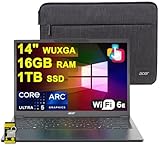
- 16GB RAM | 1TB SSD
- Equipped With The Most Powerful and Fast Intel Octa-core Ultra 5 226V Processor
- 14" WUXGA (1920 x 1200) IPS ComfyView Matte Touchscreen, Integrated Intel Arc 130V GPU
- 2 x USB-A 3.2, 1 x USB-C 4, 1 x HDMI
- Microsoft Windows 11 Home, Backlit Keyboard, Wi-Fi 6E, Bluetooth 5.3, FHD Webcam, Auth USB-C Hub
Checking an NPU on a laptop you already own
Microsoft’s developer guidance says users can view NPU resource usage in Task Manager. Open it while you run the AI feature you care about. If NPU usage does not change, the feature is not using the NPU on that machine, whatever the marketing says. This is a practical way to test a claim rather than assume it.
Do these 3 things before closing this tab:
1Repair Windows errors before they cause bigger problems2Scan for outdated or missing drivers - takes under a minute3Clear out junk files and repair common Windows errorsA current Copilot+ example
Microsoft’s Windows shopping page lists the Microsoft Surface Laptop (13.8 inch) among Copilot+ PCs, as of its access date of 2026-10-07. That listing is useful for identifying a category example. It is not an independent review or a recommendation. Microsoft’s page itself warns that availability, specifications, prices, and feature support can change, so confirm the processor configuration and current requirements on the Microsoft Windows shop page before buying.
Quick Recap
How to compare laptops on the factors that matter
- Feature fit: whether the feature you want runs on the device, and whether it is available in your region and language.
- NPU capability: the exact figure, checked against the stated requirement and the engine it describes.
- Everyday performance: CPU and GPU performance for the work you do most, which matters more for most buyers than the NPU.
- Battery life: compare published figures only where the tests were run under comparable conditions.
- Memory, storage, and compatibility: the specs you need for your software and peripherals.
- Price and support: the price you would pay and how long the manufacturer will provide updates.
What the evidence does not establish
- No independent comparative benchmark of current NPU-equipped laptops was located, so no claim here establishes which vendor is fastest, which has the best battery life, or which offers the best value.
- The TOPS figures above are vendor or Microsoft specifications. The AMD figure is a combined throughput claim from a February 2024 guide for a specific product generation.
- Microsoft’s 40+ TOPS threshold applies to the Windows features its 2025 guide covers. Requirements for future features may change.
- No independent industry survey or market statistic on NPU adoption was identified, so none is cited.
Product prices and availability are accurate as of the date/time indicated and are subject to change. Any price and availability information displayed on Amazon at the time of purchase will apply.




