Quick wins for a faster PC:
Repair Windows errors before they cause bigger problemsFix Now →Fix the driver behind crashes, sound loss and screen glitchesFind Drivers →Clear out junk files and repair common Windows errorsFree Scan →An AI agent is a system that can decide how to pursue a task and use tools along the way, rather than simply returning one answer. That independence makes agents useful for multi-step work—but it also means mistakes or misleading instructions can shape what they do next, especially when they have access to files, accounts, or applications.
What makes an AI system an agent?
Anthropic defines an agent as “an AI model that directs its own processes and tool use when accomplishing a task”—deciding how to achieve what a user wants rather than following a fixed script. In practice, an agent may plan a step, take an action, inspect the result, adjust its approach, and repeat until it finishes or needs human input. Anthropic describes this approach to trustworthy agents.
As an Amazon Associate I earn from qualifying purchases.
The distinction is not whether a system sounds conversational. A chatbot can answer a question without acting beyond its reply; an agent can use tools to carry out parts of a task. Its actual capabilities depend on more than the underlying AI model: software scaffolding, available tools, permissions, and the environment all shape what it can do. NIST describes contemporary agent systems as models embedded in software that enables tool use and actions beyond text output. NIST’s summary of tool-use agent systems also discusses autonomy and monitoring as important dimensions.
Do these 3 things before closing this tab:
1Repair Windows errors before they cause bigger problems2Fix the driver behind crashes, sound loss and screen glitches3Clear out junk files and repair common Windows errorsWhy can agents be hard to control?
They make a chain of decisions
A broad request can require an agent to interpret the goal, choose steps, and decide what to do with the results. Each choice creates another opportunity to misunderstand the user’s intent or make an error. If an early step produces a faulty observation, later steps may build on it. With less human oversight between steps, an unintended action can occur before anyone notices. Anthropic notes that reduced oversight can leave more room for misread intent and unintended consequences.
#1 Best Overall

- Arduino Programming, Open Source: miniArm is built on the Atmega328 platform and is compatible with Arduino programming. The programs for miniArm are open-source, and learning tutorials and secondary development examples are available, making it easier for you to develop your robotic hand.
- High-Performance Hardware, Support Sensor Expansion: miniArm is equipped with a 6-channel knob controller, Bluetooth module, high-precision digital servos, and other high-performance hardware. Moreover, it provides multiple expansion ports for sensor integration, including ESP32 Cam, accelerometer, touch sensor, glowy ultrasonic sensor, etc., empowering users to engage in secondary development for sonic ranging and pose control capabilities.
- Versatile Control Options: miniArm supports app control, and users can utilize knob potentiometers for real-time knob control and offline action editing.
- Spark Your Creativity with miniArm: Expand the capabilities of miniArm with various sensors and unlock endless possibilities for your project.
- Starter Kit NO Glowing ultrasonic sensor, Touch sensor, Acceleration sensor, ESP32Cam Module.
Tools turn decisions into actions
Access determines the possible consequences. An agent that can read a webpage has a different risk profile from one that can also access private files, send email, change business records, or make purchases. A model may be capable of suggesting an action without having permission to perform it; connecting tools and granting permissions can close that gap. NIST’s discussion of agent identity and authority highlights the importance of access to datasets, tools, and applications, as well as identification, authorization, and auditing. NIST’s concept-paper announcement outlines these security concerns.
Untrusted content can try to redirect them
Indirect prompt injection is an attack in which third-party instructions are placed in material an agent reads—such as a webpage, document, or email. The instructions may try to divert the agent from the user’s request. If the agent can also reach sensitive data or take direct actions, successful manipulation could have greater consequences. This describes a risk pathway, not a claim that every agent is vulnerable in the same way or that every attack succeeds. OpenAI explains prompt injection and related safeguards.
Rank #2

- 【End-to-End Imitation Learning】Hiwonder SO-ARM101 robot arm is an embodied intelligent hardware platform compatible with the Lerobot open-source framework. It provides developers with streamlined access to shared code, templates, and pre-trained models to explore the latest advancements in AI research.
- 【Dual-Camera Vision System】Equipped with both a gripper-mounted camera and an external camera, the system supports both precise manipulation and environmental awareness for accurate imitation learning.
- 【Hiwonder High-Performance Bus Servos】Featuring 12 high-torque bus servo motors with magnetic feedback, the Hiwonder SO-Arm101 robotic arm delivers smooth, stable motion, eliminating issues like power deficiency and jitter.
- 【Professional Control & Debugging】Integrated with the Hiwonder BusLinker V3.0 debugging board, the system supports servo scanning, real-time status monitoring, and trajectory control. The professional PC software simplifies device calibration and debugging, making it accessible for both researchers and hobbyists.
- 【Open-Source Compatibility】The SO-ARM101 robotic arm is designed to be fully compatible with the LeRobot open-source project. We acknowledge the contributions of the open-source community; all trademarks and copyrights belong to their respective owners.
How to assess an agent’s risk
Two systems both called “agents” may have very different levels of autonomy and access. When evaluating one, look at these practical dimensions:
What’s actually slowing this PC down?
Pick the symptom - the matching free tool is one click away.
- Autonomy: How many decisions can it make before checking back with a person?
- Access: Which files, accounts, websites, APIs, or other systems can it read or change?
- Action impact: Can it only draft or recommend, or can it send, purchase, publish, execute, or alter records?
- Observability: Can you see what it did, and are its actions logged?
- Human control: Can you pause it, take over, reject an action, or require approval first?
These factors are more informative than the label “agent” alone: a low-impact research assistant and an agent empowered to change records should not be treated as equivalent.
Quick Recap
Best Value
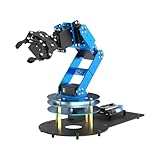
- ESP32 Controller & Arduino Programming. LeArm Open Source AI robotic arm powered by ESP32 and fully compatible with Arduino programming. It features built-in Bluetooth and multiple expansion ports, making it ideal for function upgrades and secondary development.
- Smart Digital Servos & Inverse Kinematics. Equipped with 6 smart PWM servos and an advanced inverse kinematics algorithm, LeArm Open Source delivers precise path planning and smooth, efficient movements—perfect for tackling complex tasks.
- Multiple Control Options. LeArm Open Source can be controlled by App, PC software, and wireless controller. It's beginner-friendly and easy to get started, even with no prior experience.
- Versatile Sensor Expansion. LeArm Open Source supports a wide range of sensors, including AI vision, voice module, ultrasonic, and acceleration sensors. It enables creative applications like color recognition, target tracking, face detection, voice control, and distance measurement.
- Enjoy Robotic Arm Making with Comprehensive Learning Resources. Enjoy the robot assembly process. LeArm is great for learning and building robot structures! Designed for students, engineers, university courses, and robot lovers. Comes with 200+ tutorials, sample experiments, open-source code, circuit schematics, and extensive programs—helping users dive into AI and programming while sparking endless creativity.
Rank #4

- Optimized AI Arm Kit for LeRobot & Hugging Face Projects – The SO-ARM101 is an upgraded low-cost robotic arm servo motor kit designed for AI robotics enthusiasts and developers. Fully compatible with LeRobot and Hugging Face frameworks, it supports imitation learning and reinforcement learning, making it ideal for real-world robotics applications. (3D-printed parts not included.)
- Enhanced Wiring & Performance – Compared to the SO-ARM100, the SO-ARM101 features improved wiring to prevent disconnection at joint 3 and eliminates range-of-motion limitations. The leader arm uses optimized gear ratio motors for smoother performance—no external gearboxes required.
- Real-Time Leader-Follower Functionality – New real-time tracking allows the leader arm to follow the follower arm, enabling human intervention and correction during reinforcement learning (RL) training. Perfect for hands-on AI robotics development and research.
- Open-Source, DIY-Friendly & Nvidia-Compatible – Developed by TheRobotStudio, this open-source AI Arm kit integrates seamlessly with the LeRobot platform, offering PyTorch-based datasets, simulation, training, and deployment tools. Fully compatible with Nvidia Jetson edge devices, including reComputer Mini J4012 Orin NX 16 GB.
- Comprehensive Learning Resources – Includes detailed open-source assembly and calibration guides, testing tutorials, and deployment instructions. From wiring to AI training, get everything you need to start building, teaching, and optimizing your robotic arm for grasping and placing tasks.
Rank #3

- AI-Powered Raspberry Pi Smart Car — PiCar-X: PiCar-X brings AI learning to life — powered by Openclaw and multi-LLMs including ChatGPT, Gemini, Grok, DeepSeek, Qwen, Doubao, Ollama (Local LLMs), and compatible with many more AI platforms. Featuring OpenCV, MediaPipe, TTS & STT, PiCar-X enables true AI vision and voice interaction — it can see, listen, talk, drive and think like an intelligent companion. Ideal for students (10+), educators, and engineers, PiCar-X is the perfect gateway to explore AI, robotics, and machine learning on Raspberry Pi 5/4/3B+/3B/Zero 2W (Raspberry Pi not included)
- Engaging Interactions with Multi-LLMs: PiCar-X, powered by Openclaw and multi-LLMs — including ChatGPT, Gemini, Grok, DeepSeek, Qwen, Doubao, and Ollama (Local LLMs) — and compatible with many other AI platforms, supports voice interaction and visual recognition to make the robot smarter and more responsive. Users can enjoy natural AI conversations, solve math problems through the camera, and interpret gestures, unlocking a world of diverse and fun AI-driven interactions
- Feature-rich and Adaptable: PiCar-X offers engaging applications like line following and obstacle avoidance, supports TTS (Text-to-Speech) and STT (Speech-to-Text) for interactive voice control, and includes a camera for video and vision recognition. It also comes with various sensors, while its customizable design enables a wide range of creative AI and robotics projects
- Versatile Programming Options: Catering to users of all skill levels, PiCar-X supports both Python and Scratch programming languages, allowing for flexible learning and skill development
- Simplified Assembly & Support: PiCar-X is perfect for beginners, yet learning with experienced users is recommended for best results. It comes with easy assembly instructions and forum support for smooth project completion
Ways to reduce risk
For people using an agent
- Grant only the access needed for the task. For research, do not connect sensitive accounts unless they are necessary.
- Give a specific, bounded instruction instead of an open-ended request that leaves “whatever is needed” to the agent’s interpretation.
- Review consequential actions before confirming them. For example, check an email before it is sent or a purchase before it is completed. OpenAI describes controls that can pause for confirmation before such actions. OpenAI’s introduction to ChatGPT agent discusses user controls and confirmation.
For organizations and developers
- Limit permissions to what each task requires, and make the agent’s identity and authority clear.
- Log and audit actions, and monitor for risky behavior so that activity can be reviewed.
- Set a human escalation point for actions with significant consequences.
- Use multiple safeguards rather than relying on a single prompt filter. OpenAI describes layered model, monitoring, security, red-team, and user-control measures; none should be treated as a guarantee that errors or prompt injections will be stopped. OpenAI’s prompt-injection guidance discusses this layered approach.
Product prices and availability are accurate as of the date/time indicated and are subject to change. Any price and availability information displayed on Amazon at the time of purchase will apply.




