AMD-powered enterprise servers are complete systems built around AMD EPYC processors, not interchangeable CPUs in otherwise identical boxes. The right choice depends on the workload and the server’s memory, expansion, accelerators, firmware, power, software support and service—not core count alone. Evaluate a specific, supported OEM configuration against your requirements and measured workload before comparing its price or performance claims.
What an AMD-powered enterprise server offers
AMD positions EPYC servers for general-purpose enterprise computing, cloud, telecom, small and midsize businesses, high-performance computing, and emerging AI workloads. Those settings make different demands: a virtualization host may prioritize core density and licensing economics, while a database server may depend more on memory capacity, storage behavior and latency. An AI system may be defined as much by its accelerator and network configuration as by its CPU.
As an Amazon Associate I earn from qualifying purchases.
Think of a server as a platform: processor and socket count, memory channels and population, PCIe connectivity, storage, network interfaces, accelerators, BIOS and firmware, cooling, power supplies, and the chassis all shape what the delivered system can do. An EPYC specification describes processor capabilities; it does not guarantee that a particular OEM system exposes every capability or supports every possible component combination.
How the EPYC generations and examples differ
AMD’s generations describe different platform capabilities, not a simple ladder where every newer system is automatically the better fit. The following figures are vendor-published specifications or claims, with availability and support dependent on the exact SKU and OEM design.
#1 Best Overall
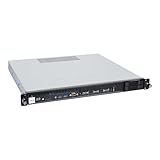
- Powered by AMD EPYC 4000 series processors up to maximum 120W TDP: Delivers exceptional performance and reliability, with DDR5 5600MHz ECC/non-ECC UDIMM memory.
- Graphics Support: Supports one NVIDIA RTX A1000/A400 GPU, ideal for rendering and AI workloads.
- Storage Options: Supports two hot-swappable 2.5" SATA drive bays, and additional two internal 2.5" SATA or NVMe U.2 drive tray, enhancing storage flexibility and performance.
- Network Connectivity: Dual 2.5Gb LAN ports for fast, high-bandwidth, and low-latency connections.
- I/O Options: 10Gbps USB Type-C, USB Type-A, and an internal Type-A port (for security kits), providing versatile connectivity for various needs.
| Platform or example | What AMD describes | How to interpret it |
|---|---|---|
| EPYC 9006, sixth-generation family | Up to 512 threads, up to 16 memory channels supporting 12.8 GT/s MRDIMM, PCIe Gen 6, and select SKUs with boost frequencies up to 5 GHz. | These are AMD-published family claims, not specifications for every SKU or proof that a particular server implements every feature. Confirm the model, memory type and speed, chassis support, and regional OEM availability. |
| EPYC 8005, edge-oriented family | AMD’s May 2026 white paper describes 8–84-core SKUs, PCIe Gen 5, CXL 2.0 memory expansion, configurable power of 70–225 W, and single-socket designs. | This is AMD’s description of an edge-oriented option. The processor’s stated power range does not establish a server’s wall power, environmental suitability, lifecycle, or service availability; verify the OEM system. |
| EPYC 9534, a fifth-generation-era example | AMD lists 64 cores, one- or two-socket configurations, 12 memory channels, DDR5 up to 4800 MT/s, and 128 PCIe 5.0 lanes. AMD gives a launch date of November 10, 2022. | This older SKU illustrates why specifications must be checked by model and generation; it is not a recommendation or a proxy for current EPYC systems. |
AMD’s EPYC 9006 page characterizes its family as “best” based on the company’s assessment across evaluated criteria as of July 23, 2026. That is AMD’s assessment, not a claim of leadership in every application. Its agentic-AI comparisons are modeled estimates using proxy workloads; AMD says actual outcomes vary by workload, model, software and system configuration. Treat these as vendor claims rather than independent results.
Benchmark figures for other EPYC generations also depend on the tested processor, server, memory, operating system, BIOS, accelerator configuration and test date. AMD cautions that results vary with system configuration, software and BIOS settings. A published result is useful only when its setup resembles the system and software you intend to deploy.
What AMD reports for EPYC 8005
In its May 2026 white paper, AMD reports that the 84-core EPYC 8005 has 40% higher integer performance and 9.5% better performance per watt than the prior 64-core EPYC 8004 server CPU in the paper’s specified comparison. AMD also reports that its same-64-core comparison shows 30% higher integer performance and 6.4% better performance per watt. These are AMD-reported comparisons under the paper’s conditions, not independently verified results or guarantees for every system.
Do these 3 things before closing this tab:
1Scan for outdated or missing drivers - takes under a minute2Clear out junk files and repair common Windows errors3Fix the driver behind crashes, sound loss and screen glitchesEvaluate a system against your workload
1. Define the service objective
Write down what the server must deliver before comparing processor names. Capture:
- Application and software versions, workload mix, concurrency, and expected growth.
- Throughput and latency targets, including peak and sustained requirements.
- Working-set size, memory capacity needs, and storage and network traffic patterns.
- Accelerator requirements, if any, including the intended model or workload, training versus inference, and software stack.
- Availability, recovery, and consolidation goals. For virtualization, include the intended VM density and software licensing model.
A core-count comparison cannot answer whether a configured server meets those requirements. For databases and analytics, test the working set and storage and network behavior; for AI, test the intended accelerator topology and software stack as well as the host CPU.
2. Match the processor to the complete platform
Compare exact processor SKUs for core count, clock behavior, supported socket count, memory channels and speeds, PCIe generation and lane count, security features, power specification, and required capabilities. Then obtain the OEM’s supported bill of materials and firmware baseline. Check how the proposed chassis handles:
Rank #2

- HPE ProLiant DL145 Gen11 – P87460-005 – SMART CHOICE MODEL – COMPACT EDGE SOLUTION: Preconfigured and factory-tested for fast deployment and cost efficiency. Includes AMD EPYC 8024P (8 cores, 2.40 GHz), 16GB DDR5 ECC SmartMemory, 2 SFF chassis, 480GB SATA 6G Read Intensive SSD, Broadcom 1GbE OCP NIC, and single 700W Platinum PSU—ideal for IoT gateways, retail POS, and light virtualization.
- PERFORMANCE AND MEMORY – EFFICIENT FOR LIGHT WORKLOADS: The AMD EPYC 8024P delivers 8 cores at 2.40 GHz for edge compute tasks. Includes 16GB DDR5 RDIMM ECC (1x16GB) and supports up to 768GB across six DIMM slots—ideal for small-scale virtualization and real-time analytics.
- STORAGE – READY FOR OS AND DATA Includes one HPE 480GB SATA 6G Read Intensive SSD for quick deployment. Supports additional SFF drives for storage flexibility—perfect for edge workloads and local data storage.
- ENTERPRISE DESIGN – POWER AND CONNECTIVITY: Single 700W Platinum hot-plug power supply ensures reliable power delivery. Broadcom BCM5719 OCP NIC offers four 1GbE ports for edge networking and connectivity.
- SECURITY AND MANAGEMENT – BUILT-IN PROTECTION: HPE iLO6 with Intelligent Provisioning, TPM 2.0, Silicon Root of Trust, and secure boot protect against threats. Compatible with HPE OneView and Compute Ops Management for simplified lifecycle management.
- Memory capacity, supported DIMM types, population rules, and the resulting bandwidth configuration.
- PCIe slot wiring and the placement, dimensions, and power requirements of GPUs or other accelerators.
- Storage bays, drive interfaces, network adapters, and management-controller features.
- Cooling, redundant power, rack integration, and firmware settings for the selected parts.
A CPU’s maximum lane or channel count is not the same thing as usable connectivity in a particular server. Ask the OEM to confirm which features the proposed configuration supports, rather than inferring them from the processor family page.
The Tool Desk
Outbyte PC Repair FREERepair Windows errors before they cause bigger problemsFix Now →Outbyte Driver Updater FREEFix the driver behind crashes, sound loss and screen glitchesFind Drivers →3. Confirm OS, hypervisor, and application support
AMD’s minimum operating-system requirements document, dated May 2025, provides a processor-series matrix covering Linux distributions, Windows Server, VMware, Nutanix, Citrix and other products. It is a dated minimum-support reference—not a promise of current vendor lifecycle, certification of a particular server, or support for every release.
For the exact CPU and server model, confirm the intended OS or hypervisor release, application certification, driver and firmware dependencies, and support lifecycle with AMD, the OEM, and the software vendor. Make this a purchase requirement rather than relying on a general family-level compatibility statement.
4. Map security features to the implementation
AMD’s Infinity Guard materials list Secure Boot, Transparent Secure Memory Encryption, and Secure Encrypted Virtualization across several EPYC series. Other capabilities—including Encrypted State, Secure Nested Paging, CXL memory encryption, and Trusted I/O—depend on generation. A feature’s presence on a family page does not establish support on a particular SKU or its implementation in the server.
Ask the OEM and security team to verify processor, motherboard, BIOS and firmware support; hypervisor configuration; attestation workflow; and key-management responsibilities. These capabilities can support a security design, but they do not by themselves constitute a complete security posture. AMD’s October 2024 Enterprise Portfolio Guide also notes that no technology or product can be completely secure.
5. Test representative performance and power
Run the intended workload on each proposed, fully configured system where practical, or use independent test results that disclose the material setup. Keep software versions, memory capacity, security mitigations, BIOS tuning, and device configuration consistent. Record:
Rank #3

- Powerful AMD EPYC Performance – Powered by AMD EPYC 4244P processor with up to 6 cores, delivering exceptional performance for virtualization, business applications, databases, and growing workloads.
- Memory – Supports DDR5 ECC UDIMM memory for higher bandwidth, improved efficiency, and automatic error correction to help maximize system reliability and reduce data corruption. This build comes with 16GB DDR5 RAM.
- Scalability and Flexibility – Tower servers are designed for easy upgrades and expansion, making them an ideal choice for development teams and growing businesses. They provide a dedicated environment for software development, testing, and deployment. This server is sold without an operating system, allowing you to select and install the OS and software that best fit your specific needs during setup.
- Designed for Small Business and Remote Offices – Quiet tower design with enterprise-grade reliability makes it ideal for file sharing, collaboration, backup, virtualization, and office applications without requiring a dedicated server room.
- Easy to Manage – Features multiple networking options and room for future upgrades, helping protect your investment as your business grows. This server is designed to run 24 hours a day, 7 days a week.
- Completed work per unit of time and latency, including relevant tail latency.
- CPU utilization, memory bandwidth, and accelerator utilization where applicable.
- Whole-system wall power and ambient conditions during the test.
- Software, BIOS, firmware, and device versions, plus the test configuration.
Compare performance per watt and cost per completed unit of work, not processor power specifications in isolation. CPU power does not establish rack power, cooling requirements, or total cost of ownership.
6. Compare complete cost and operational support
Ask for comparable written quotes for the same class of configuration and service. Include acquisition, software licensing, support, electricity, cooling, migration, and expected utilization over the period you are evaluating. No buyer-specific system price or total-cost result follows from processor specifications alone: region, OEM configuration, service contract, energy costs, and workload utilization all matter.
Confirm warranty terms and response times, replacement-part availability, firmware-update policy, validated OS and hypervisor list, remote-management features, and expected platform lifecycle. These practical system-level commitments come from the OEM and service provider, not simply from the processor’s feature list.
Use a like-for-like comparison
When there are several real server options, compare them under the same workload and boundary conditions. A useful shortlist should cover:
- Workload throughput, latency, and performance per watt.
- Core, thread, and socket density.
- Memory capacity, bandwidth, population options, and cost.
- PCIe and expansion support for accelerators, storage, and networking.
- Security capabilities and how they are implemented and operated.
- System power, cooling, OS and hypervisor support, and application certification.
- Upfront and operating cost, warranty, service, and lifecycle commitments.
Keep the comparison at the server-configuration level. A processor-family specification can narrow the candidates, but the supported OEM configuration and its measured results determine whether a system fits the job.
Quick Recap
Product prices and availability are accurate as of the date/time indicated and are subject to change. Any price and availability information displayed on Amazon at the time of purchase will apply.




