The Tool Desk
Outbyte PC Repair FREEClear out junk files and repair common Windows errorsFree Scan →Outbyte Driver Updater FREEScan for outdated or missing drivers - takes under a minuteDriver Scan →A device search engine indexes information about internet-connected devices and the services they expose. It does not search the private contents of your phone. The term can also mean a phone feature for finding local files, apps, or settings; this article uses the internet-security meaning.
What is a device search engine?
In internet security, a device search engine is a specialized scanning service that probes internet-visible hosts, identifies responding services, and makes observations about them searchable. The authors of a peer-reviewed paper presented at NDSS 2025 define these engines as “specialized scanning tools that index information about internet-connected devices.” Examples named in the study include Censys, Shodan, FOFA, and ZoomEye.
As an Amazon Associate I earn from qualifying purchases.
These services help users find exposed systems and understand what appears to be running on them. They are not general web search engines: their records describe network-connected devices, hosts, and services rather than webpages.
How does a device search engine find devices?
- Probe reachable hosts. The service sends network requests to internet addresses, often checking ports associated with known services.
- Interpret responses. A responding service may reveal a banner or other details that help identify its protocol, software, or version.
- Store an observation. The engine can associate information such as an IP address, port, timestamp, geographic location, and service banner with the result.
- Make records searchable. A website or API lets users query collected observations using that engine’s own search syntax.
The NDSS 2025 study describes probes of default service ports as well as some neighboring ports, and fallback probes when a protocol is not immediately identified. Those are observations from the researchers’ dataset, not universal or current specifications for every service.
#1 Best Overall

- UPGRADED SECURITY & FIRMWARE SUPPORT: New LK301E comes with an updated firmware version, with security improvements optimized through firmware enhancements to ensure stable and secure operation for office use.
- LAN USB DEVICE SHARING: Easily share up to 3 USB 3.0 devices over your Local Area Network via a stable wired Ethernet connection. With the Xiiaozet Virtual USB Tool, connected peripherals can be accessed by any computer within the same LAN as if they were locally connected. Note: Works only within the same subnet; not supported over VPN or the internet.
- GIGABIT NETWORK & USB 3.0 PERFORMANCE: Built with a high-performance 880MHz Dual-Core CPU and 4Gbit DDR RAM to ensure smooth, low-latency USB over IP transmission. Combined with a Gigabit Ethernet port and USB 3.1 Gen 1 support (up to 5Gbps), it delivers reliable performance for data-intensive tasks such as scanning and large file transfers.
- EXCLUSIVE ONE-TO-ONE CONNECTION: Features a secure single-user access system to ensure data integrity and stable performance. While devices are visible to multiple users on the network, only one computer can connect and control a specific device at a time, preventing data conflicts. Ideal for sensitive hardware like license dongles and security keys.
- WIDE COMPATIBILITY WITH CLEAR LIMITATIONS: Supports standard USB peripherals including printers, scanners, flash drives, and software dongles. Backward compatible with USB 2.0/1.1. Please Note: Not compatible with protocol-converting devices (e.g., USB-to-Serial, CAN adapters) or wireless USB receivers. Not recommended for real-time isochronous devices such as webcams or audio equipment.
What can a search result tell you?
A record can point to an internet-visible address and describe a service that responded when the engine observed it. It may include a port, timestamp, location estimate, and service banner. The available fields depend on the engine and the observation.
- It is a snapshot, not a live guarantee. A host may have changed or gone offline since it was observed.
- It may be incomplete. A record does not establish that every relevant service or field has been found.
- It does not prove ownership or permission. An apparent owner or location in a record is not confirmation that you are authorized to access the system.
How is this different from searching on a phone?
“Device search” is ambiguous. On a phone, on-device search generally means finding local content such as contacts, apps, settings, or files. An internet-security device search engine instead indexes observations about services exposed by internet-connected hosts. A 2021 Android Authority report uses the phone-search sense; the NDSS paper uses the network-scanning sense.
Independent reader supportYour contribution helps us test, update, and keep practical guides available for everyone.Why are device search engines useful—and sensitive?
Defenders can use indexed results as leads when building an inventory of their organization’s internet-facing systems or investigating an exposed service. Security researchers can also use them to study what is visible online. The same information may help malicious actors identify systems to target, so treat results as leads for authorized investigation, not as permission to probe or access a system.
Recommended Free Tools
Rank #2

- Large format scanner - Helps improve access to and management of all your large files
- Has a color depth of 32-bit
Scanning and publishing records also raise privacy and ethics questions. A 2025 NDSS study collected 106,132 mirror services and 1,407 scanner IPs across four engines from March 2023 through March 2024. It also observed 7.4 million requests from 839 scanner IPs across 28 honeypots during that period. These figures describe the study’s collection and deployment, not current totals for all engines, services, or scanners.
Quick Recap
Best Value

- FAST BUSINESS PRINTING AND COPYING: The Brother MFC-L5915DW business monochrome laser all-in-one printer delivers high-quality output and print and copy speeds of up to 50ppm(1) to help boost productivity and ensure fast, professional quality documents for busy offices.
- LOW-COST OUTPUT: Help reduce operating costs by using the Brother Genuine TN920UXXL ultra high-yield 18,000-page replacement toner cartridge. Includes a Brother Genuine 3,000-page toner cartridge(2).
- FAST, HIGH-VOLUME SCANNING: The 70-page capacity(3) auto document feeder offers single-pass, two-sided scanning up to 56ipm(4). Features a large document glass for up to legal-sized documents.
- FLEXIBLE CONNECTIVITY OPTIONS: Features built‐in Gigabit Ethernet and dual band wireless networking to seamlessly set up and share on your wired.
Rank #4

- Easy to Use: Designed with usability in mind, the scanner features a large 4.3-inch color touchscreen that allows users to easily select scan destinations, shortcuts, and device settings
- Flexible Connectivity: Built-in SuperSpeed plus USB and Wi-Fi, allowing local and networked use, and sharing among multiple users
- Fast and Efficient: Scans both sides of a document at the same time, in color, at up to 40 pages-per-minute, with a 60 sheet automatic feeder (ADF)
- High Quality Imaging: Can automatically adjust output resolution to improve image quality and reduce file size for easier mixed batch document scanning
- Broad Compatibility: Supports Windows and Mac operating systems; TWAIN driver also included
Rank #3
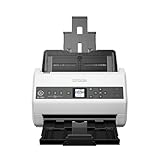
- Item Package Quantity - 1
- Product Type - SCANNER
- Made in INDONESIA
What should you check before relying on a result?
- Confirm the address and service through an authorized inventory or another approved source.
- Check the record’s timestamp and validate whether the service is still exposed.
- Use the engine’s own documentation to understand its fields, query syntax, coverage, and update cadence; these vary and can change.
- Do not attempt to log in, exploit, or otherwise interact with a system unless you have explicit authorization.
Product prices and availability are accurate as of the date/time indicated and are subject to change. Any price and availability information displayed on Amazon at the time of purchase will apply.




