Do these 3 things before closing this tab:
1Scan for outdated or missing drivers - takes under a minute2Clear out junk files and repair common Windows errors3Fix the driver behind crashes, sound loss and screen glitchesVoIPCall is a developer proof of concept for placing and receiving ordinary PSTN calls from a native Android app through Vobiz. Its call path combines an Android app, a SIP endpoint registered for that device, a Vobiz phone number and voice application, plus a backend and Firebase push handling for incoming calls. It is not presented as a replacement for Android’s default dialer, and the reviewed material does not establish a public Google Play release.
What VoIPCall does—and what it does not
The project’s keypad starts outbound calls through a device-specific Vobiz SIP endpoint and caller ID. For inbound calls, Vobiz routes calls to the registered endpoint; a backend and Firebase push path are intended to wake the app when it is not in the foreground. The app also surfaces SIP registration status and backend/Firebase health.
As an Amazon Associate I earn from qualifying purchases.
VoIPCall does not claim the Android system’s default-dialer role. Other apps can invoke it with Android’s ACTION_DIAL intent, or users can use its own call action. The walkthrough also describes a call-history content provider protected by a permission check, with a URI for reading records. These are integration features, not evidence that the app takes over all phone calls or call history on a device.
The Tool Desk
Outbyte PC Repair FREEClear out junk files and repair common Windows errorsFree Scan →Outbyte Driver Updater FREEScan for outdated or missing drivers - takes under a minuteDriver Scan →Components and prerequisites
The walkthrough lists the following requirements for trying the proof. They are the author’s stated prerequisites and workflow, not independently reproduced test results.
#1 Best Overall
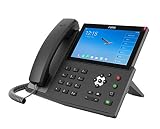
- 20 SIP lines, hotspot
- 7-inch color touch screen with 112 one-touch DSS keys
- External Fanvil USB camera (optional)
- Built-in 2.4G/5G WiFi & Bluetooth
- Support EHS headset
- JDK 17 and Android SDK 36.
- A physical Android 12 or later phone for testing.
- Node.js 22 or later and a publicly reachable tunnel for the backend.
- A Vobiz number and one SIP endpoint for the Android device.
- A Firebase project configured for the app’s package identifier.
The system is composed of several separate pieces: the native Android client, its per-device SIP login, Vobiz’s SIP registrar and voice routing, a backend that receives Vobiz voice-application webhooks, and Firebase messaging for incoming-call wake-up behavior. The tunnel exposes the backend over HTTPS during development; a temporary tunnel address must be reflected wherever the app or service expects the backend URL.
How the SIP endpoint is registered
The setup described by the project uses the device’s SIP username and password, Vobiz’s registrar, and the SIP domain. The registrar URL is wss://registrar.vobiz.ai:5063/; the domain is registrar.vobiz.ai. The app also needs the public HTTPS backend URL, a device token, a Vobiz caller ID in E.164 format, and a default country for number entry when the phone has no SIM.
Rank #2

- Item Package Quantity - 1
- Product Type - LANDLINE PHONE
- Memory - 0. GB
- Accessories may not be original, but will be compatible and fully functional. Product may come in generic box.
The Android client encrypts SIP credentials with an AES-GCM key held in Android Keystore, according to the walkthrough. That does not mean all Vobiz secrets belong in the app: Vobiz Auth ID/Auth Token and webhook secrets are backend credentials and should remain on the backend, separate from device-facing SIP credentials.
The setup sequence described in the walkthrough is to configure those values, build the Android app with Gradle, install it on a connected device using ADB, and check that SIP registration succeeds before placing test calls. Exact Gradle task names and project-specific configuration-file paths are not established in the cited walkthrough summary, so use the commands and filenames in the project’s own instructions rather than assuming a universal command line.
Rank #3

- 16 lines with up to 16 SIP accounts
- Built-in 2 mega-pixel CMOS camera for video calling with privacy shutter
- Runs on the Android 11 operating system
- Built-in Bluetooth 5.0 for syncing with mobile devices and connecting Bluetooth headsets
- Dual-switched auto-sensing 10/100/1000Mbps network ports
How calls travel
Outbound PSTN calls
A user enters or selects a number in the app’s keypad and places the call using the device’s registered Vobiz endpoint and configured caller ID. The call is bridged onward to the telephone network through Vobiz. The project’s description does not establish measured call quality, latency, or reliability figures.
Inbound calls while the app is open
Vobiz routes an incoming call to the SIP endpoint registered by the handset. When the app is active, that registered client can handle the call in its foreground flow.
Rank #4

- Fanvil V67 Flagship Smart Android Video IP Phone
- The 7-Inch touch color screen with high resolution (1024x600) can be adjusted according o the needs of environments an angles of the scene, bringing the ultimate visual experience.
- Inspired by the interior of high-end cars, the keypad features RGB LED lights that can be personalized. V67 makes us work pleasanly and greatly improves our work efficiency.
- V67 supports wideband audio codec Opu and G.722, and it is coupled with the Noise Reduction technologies and Full-duplex AEC, which brings an immersive listening experience.
- V67 supports 10-party audio conferences or 3-party video conferencing. Built-in 2.4G/5G Wi-Fi and Bluetooth 4.2, it brings a wireless office experience.
Inbound calls while the app is backgrounded
The described design pairs Vobiz routing with backend webhook handling and Firebase push notifications so the app can be awakened to present an incoming call. This depends on more than SIP registration: Firebase must be configured and the service-account key loaded by the backend, while Android must permit the notification and full-screen incoming-call experience. The walkthrough also calls for unrestricted battery settings to avoid background restrictions preventing timely wake-up.
Quick wins for a faster PC:
Scan for outdated or missing drivers - takes under a minuteDriver Scan →Clear out junk files and repair common Windows errorsFree Scan →Why each phone needs its own endpoint
The walkthrough recommends one SIP endpoint and DID assignment per handset. Reusing a single endpoint across phones can create registration conflicts: a later registration may displace or interfere with the earlier device, making incoming-call delivery unreliable. Register each handset independently and associate the intended DID with the handset that should receive that line.
Best Value

- 16 lines with up to 16 SIP accounts
- Built-in 2 MP CMOS camera for video calling with privacy shutter
- Runs on Android 11 OS
- Built-in Bluetooth 5.0
- Integrated dual- band Wi-Fi 5 (2.4GHz & 5GHz)
Permissions and Android behavior
The project lists microphone, notifications, contacts, phone state, and nearby-devices/Bluetooth permissions. Their relevance depends on enabled features—for example, microphone access is needed for voice, notifications for call alerts, and contacts for address-book integration. Inbound background handling additionally relies on Firebase configuration, full-screen incoming-call handling, and battery settings that do not restrict the app.
Android’s battery management and notification controls vary by device and system configuration. If foreground calls work but background calls do not ring, check the app’s notification permissions and battery restrictions on that handset, as well as Firebase and backend health; do not assume that a successful SIP registration proves the push-wakeup path is working.
Independent reader supportYour contribution helps us test, update, and keep practical guides available for everyone.Common setup failures and practical checks
- SIP remains disconnected: verify the SIP username and password, registrar URL, and domain. Confirm that the handset is using its own endpoint rather than credentials also registered on another phone.
- The backend appears offline: check that the tunnel is running, its current public HTTPS URL matches the configured backend URL, and the backend is healthy. Tunnel URLs can change, invalidating an older app configuration.
- Inbound calls do not ring in the background: verify that the backend loaded the Firebase service-account key, that the app’s Firebase project and package identifier match, and that Android notification, full-screen-call, and background settings permit delivery.
- The wrong handset rings or no intended handset rings: check that the DID is registered or assigned to the intended device’s endpoint, and that each handset has its own SIP endpoint.
- Media fails on some networks: the walkthrough warns that STUN alone may not traverse restrictive NAT. It calls for TURN for production media where networks block or impede direct media paths.
VoIPCall’s SIP approach versus Vobiz WebRTC
VoIPCall’s described implementation is a particular SIP-based Android proof. Vobiz’s separate WebRTC offering is framed as an SDK for browser and mobile apps that embed voice inside a product, with PSTN bridging and managed infrastructure including STUN/TURN and codec translation between Opus and G.711. These are different implementation models, not two names for the same VoIPCall architecture.
| Question | VoIPCall Android proof | Vobiz WebRTC offering |
|---|---|---|
| Implementation model | Native Android app using a SIP endpoint registered for the handset. Project walkthrough | Vobiz SDK approach for browser and mobile apps embedding voice in a product. Vobiz WebRTC |
| Calling context | A native dialer-style keypad, with support for Android’s ACTION_DIAL integration. |
Voice calling integrated into a browser or mobile product experience. |
| Network traversal and media | The walkthrough warns that STUN alone may fail on restrictive networks and says production media needs TURN in those cases. | Vobiz describes managed STUN/TURN infrastructure and Opus/G.711 codec translation. |
| Published price example | Not stated as a distinct VoIPCall price; applicable Vobiz telephony charges depend on the services and destination used. | Vobiz’s pricing page displayed US WebRTC pricing of $0.0034 per minute when accessed October 7, 2026; this is a vendor-listed rate, not an independent estimate. Vobiz pricing |
Vobiz’s pricing page also displayed US local outbound voice at $0.0115 per minute, inbound voice at $0.0055 per minute, and local number rental at $1.00 per month, with a one-time new-number activation fee equal to one month’s rental. These are vendor-listed US prices shown on October 7, 2026, and may change; check the current Vobiz pricing page for applicable rates. A WebRTC rate should not be mistaken for the full cost of PSTN calling, number rental, or any other service involved in a deployment.
The choice depends on the product being built: a native Android client with a device SIP registration follows the VoIPCall model, while voice embedded directly into a browser or mobile product follows the WebRTC model. The cited material does not establish that either is universally better.
Quick Recap
Product prices and availability are accurate as of the date/time indicated and are subject to change. Any price and availability information displayed on Amazon at the time of purchase will apply.




