Free tools Windows power users keep installed
One-click scans. No signup required.
Unified facility management connects operational records and workflows—such as service requests, work orders, assets, maintenance, space, and building performance—so teams can act on more consistent information. It may use an integrated platform, links between existing systems, or both; it does not necessarily mean replacing everything with one product.
What does unified facility management connect?
Facility operations often span multiple teams and tools. A connected approach can link the records that describe a building with the work people perform there, including:


As an Amazon Associate I earn from qualifying purchases.
- Service requests and work orders: capture reported issues, assign work, and record completion.
- Assets and maintenance: associate equipment records with preventive-maintenance schedules, inspections, and repair history.
- Space and property information: give facilities and real-estate teams a shared view of buildings, locations, and portfolio data.
- Building performance: bring energy and equipment information from building-management systems into operational reporting.
These functions may be delivered through an integrated workplace management system (IWMS), computer-aided facility management (CAFM) software, a computerized maintenance management system (CMMS), building analytics, or integrations among existing tools. “Unified” describes how workflows and data connect, not a guarantee that every function sits in one module.
What problems can connected systems address?
Paper-based or disconnected work
Digitized requests and mobile task management can make operational work easier to record and follow. IBM says Royal Melbourne Hospital used mobile digital task management and digitized service requests across hospital operations. IBM reports that the hospital’s CAFM-TRIRIGA solution had processed more than 1.5 million tasks as of mid-2023; the figure describes that specific implementation, not a typical deployment result. IBM’s Royal Melbourne Hospital case study also says the project’s business case was approved in November 2018 and a CAFM project team was established in 2019.
#1 Best Overall
Inconsistent records across teams or locations
Disconnected facility and real-estate systems can leave teams working with different records or naming conventions. JLL describes a global technology company whose real-estate, facilities, and energy teams had disconnected systems and inconsistent building names. JLL says it helped implement an IWMS and integrate portfolio data, improving data alignment and centralized visibility in that client project. JLL’s account is a provider’s description of a particular client engagement, not an independent evaluation.
Duplicated systems and maintenance processes
A shared national system can standardize records for multiple maintenance activities. ICF describes developing and deploying a cloud-based facilities system for the U.S. General Services Administration (GSA), covering service requests, work orders, analytics, preventive maintenance, and inspections. ICF reports an estimated $2 million in annual savings from retiring redundant IT systems and processes. The estimate is specific to the GSA deployment as described by ICF; the page does not state a publication year. Read ICF’s account of the GSA system.
Rank #2

- Church Management Software
- Church Facilities, Office, Bookkeeping and Finances Administration One purchase equals lifetime use. NO monthly fees Manage, Track and print member details including Personal information, member status, age group, address/email phone number, photo, member Manage, Track and print member attendance
- Scheduling and calendaring features included: Schedule client work to exact days, color code by day and hour. Get organized and avoid schedule conflicts.
Building data spread across platforms
Building analytics can connect information that originates in separate building-management systems and other data sources. Johnson Controls describes a real-estate group combining data from 12 building-management platforms with equipment and CCTV information. The company says the deployment reduced energy use by 15% against baseline and avoided about $500,000 in energy costs during the initial deployment period. It also projects more than $5 million in savings over five years; that is a projection, not realized savings. Johnson Controls does not state a publication year on the cited page. See Johnson Controls’ case account.
How do organizations approach implementation?
Connecting software is only part of the work. Organizations also need to align records, processes, and responsibilities across teams and locations.
Rank #3
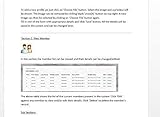
- Track and print various Custom letters for members Manage, Track and print calender with events
- Track and print multiple Church Bank Accounts and transactions
- Church Finances
- Church Event Calenders
- Track and print members contribution
- Map the work and its records. Identify how requests become work orders, which assets and spaces they relate to, and where maintenance, inspection, energy, or property information currently lives.
- Set common data conventions. Agree on consistent building, space, and asset names so that records can be compared and reports do not fragment across teams.
- Decide what to integrate or consolidate. Consider links to legacy facility systems, building-management systems, finance, and existing records. Replacing a tool and connecting it to other tools are different choices; a deployment may do one or both.
- Plan rollout by scope. Define the initial locations, users, workflows, and data to bring together. JLL describes cross-team data integration for a client portfolio, while eFACiLiTY describes a phased rollout across a property portfolio.
- Check whether reporting reflects the intended work. Confirm that requests, work orders, asset records, and building data can be followed through the process and reported consistently across the selected scope.
In the eFACiLiTY Prestige Group case, the vendor describes integrating its system with MyGate, ADDA, and SAP, with deployment planned across 110 properties. It reports more than 11,000 tickets and work orders generated across 45 completed sites in six months, with further phases planned. This is a vendor-reported deployment result, and the cited page does not state a publication year. See eFACiLiTY’s case study.
How should you interpret published results?
Case studies can show what a particular deployment consolidated or connected, but their reported outcomes are not a forecast for another organization. The figures above come from the named providers’ accounts, and the available pages do not establish a common measurement method across cases.
| Deployment | What the source reports | How to read the figure |
|---|---|---|
| Royal Melbourne Hospital, IBM | More than 1.5 million tasks processed | IBM’s figure as of mid-2023 for this hospital implementation. |
| GSA facilities system, ICF | Estimated $2 million in annual savings | ICF’s estimate tied to retiring redundant IT systems and processes; page publication year not stated. |
| Real-estate group, Johnson Controls | 15% lower energy use against baseline; about $500,000 in initial-period energy cost avoidance; more than $5 million projected over five years | Company-reported early outcomes and a separate five-year projection; page publication year not stated. |
| Prestige Group, eFACiLiTY | More than 11,000 tickets and work orders across 45 sites in six months | Vendor-reported result during a phased project planned for 110 properties; page publication year not stated. |
The measures are not interchangeable: task volume, estimated IT savings, energy use, cost avoidance, projected savings, and tickets generated describe different outcomes. To assess a proposed project, establish your own baseline, scope, time period, and definitions before comparing results.
What should you compare when choosing an approach?
There is no evidence here establishing one best platform. Compare approaches against your organization’s operational scope and existing environment rather than assuming that a broader feature list or a single-system label means better integration.
Best Value
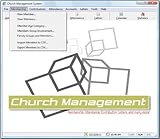
- Church Management All in One Software
- Church Management Membership Management
- Church Management Finance Management
- Operational scope: Does the project need to handle requests and work orders only, or also assets, space, maintenance, projects, and energy?
- Integration requirements: Which legacy facility tools, building-management systems, finance records, or other data sources need to connect?
- Scale and rollout: How many sites and users are in scope, and can the work be phased?
- Data consistency and reporting: Can teams use common building and asset records and produce reporting across the intended scope?
Product names and portfolios can change. IBM says TRIRIGA has evolved into IBM Maximo Real Estate and Facilities; verify current product naming, scope, and availability directly with the provider before making a selection. The cited cases do not provide independent pricing, implementation-cost comparisons, or product tests.
Quick Recap
Product prices and availability are accurate as of the date/time indicated and are subject to change. Any price and availability information displayed on Amazon at the time of purchase will apply.




