The Tool Desk
Outbyte Driver Updater FREEScan for outdated or missing drivers - takes under a minuteDriver Scan →Outbyte PC Repair FREERepair Windows errors before they cause bigger problemsFix Now →You can add funds to a UAE PlayStation Store wallet with a supported bank card, PayPal, mobile payment, Apple Pay, or a PlayStation Store voucher. To redeem a voucher, sign in to the UAE account that should receive the funds and enter its 12-digit code through the Store on the web, console, or PlayStation App. The code’s region must match the account.
Currency note: Sony scheduled UAE Store maintenance for October 5–8, 2026, to move prices and wallet balances from U.S. dollars to UAE dirhams. Sony’s notice says purchases are unavailable while the Store is offline. The announced window is still underway as of October 7, 2026, so check Sony’s currency-change guide for current status before buying or redeeming a code.
| # | Preview | Product | Price | |
|---|---|---|---|---|
| 1 |
|
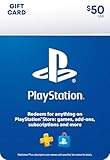
PlayStation Physical Gift Card | $50.00 | Buy on Amazon |
| 2 |

|
PlayStation Physical Gift Card | $25.00 | Buy on Amazon |
| 3 |

|
GameStop Physical Gift Card | $25.00 | Buy on Amazon |
| 4 |

|
Under Armour eGift Card | $15.00 | Buy on Amazon |
| 5 |

|
Google Play gift code | $200.00 | Buy on Amazon |
As an Amazon Associate I earn from qualifying purchases.
Which payment methods can you use in the UAE?
Sony’s UAE payment page lists American Express, Visa, Mastercard, PayPal, Du, Etisalat, and Apple Pay for PlayStation Store purchases and wallet top-ups. Whether a method appears for your account or a particular checkout can vary, so confirm the available options in the Store before relying on one. Sony says an account can save up to three credit or debit cards, one payment service, and one mobile-payment number. See Sony’s accepted-methods guidance.
Do these 3 things before closing this tab:
1Clear out junk files and repair common Windows errors2Fix the driver behind crashes, sound loss and screen glitches3Repair Windows errors before they cause bigger problems- Card: American Express, Visa, and Mastercard appear on Sony’s accepted-method list. The card-setup guidance also mentions Maestro; check its eligibility and whether it is accepted at your checkout.
- PayPal: Listed by Sony for the UAE. A specific account or transaction can still fail; check the linked payment details or try another method.
- Mobile payment: Sony identifies Du and Etisalat. The SIM and PlayStation account must be registered in the same country or region, and the provider may impose spending limits.
- Apple Pay: Listed by Sony; verify that it is available in your current account and checkout flow.
- Voucher: A PlayStation Store gift card or wallet top-up voucher adds funds after its code is redeemed. The voucher’s region must match the account region.
Sony’s pages describe payment options and steps for adding funds at its wallet top-up guide and its mobile-payment guide.
#1 Best Overall
- Redeem for anything on PlayStationStore: games, add-ons, PlayStationPlus and more.
- Everything you want to play. Choose from the largest library of PlayStation content.
- Use gift card funds to contribute towards PlayStationPlus memberships.
- Redemption: Online
- No Returns and or refunds on gift cards
How to add funds directly to your wallet
Use the route for the device or service you have. Menu labels can differ slightly by system software or Store layout.
On the web
- Sign in to PlayStation Store with the account you want to fund.
- Select your profile icon and open Payment Management > Add Funds.
- Choose a payment method and amount, then confirm.
On PS5
- Open Settings > Users and Accounts > Account > Payment and Subscriptions > Add Funds.
- Choose a payment method and amount, then confirm.
On PS4
- Open Settings > Account Management > Account Information > Wallet > Add Funds.
- Choose a payment method and amount, then confirm.
These steps follow Sony’s wallet funding instructions.
Rank #2
- Redeem for anything on PlayStationStore: games, add-ons, PlayStationPlus and more.
- Everything you want to play. Choose from the largest library of PlayStation content.
- Use gift card funds to contribute towards PlayStationPlus memberships.
- Redemption: Online
- No Returns and or refunds on gift cards
How to pay by mobile
Mobile payment is available through Du or Etisalat according to Sony’s UAE guidance. Your SIM and PlayStation account must be registered in the same country or region; your carrier may also set spending limits. Sony’s mobile-payment guide provides the corresponding device routes.
Web
- Sign in to PlayStation Store and open Payment Management > Add Funds.
- Select a mobile number or add a mobile account, choose an amount, and enter the phone number as prompted.
PS5 or PS4
Open the console’s Add Funds flow and choose Pay by Mobile, then follow the prompts to select or add the number and confirm the amount.
Rank #3
- Redeemable at US GameStop, EB Games, Babbage's, Electronic Boutique, EBX, Planet X, and Software Etc. stores. Also redeemable online at and GameStop.com and EBGames.com.
- Over 6,100 stores located throughout the United States.
- GameStop. Power to the Players.
- Redemption: Instore and Online
- No returns and no refunds on gift cards.
How to redeem a 12-digit voucher code
Standard PlayStation Store voucher codes have 12 digits. Before entering one, check that you are signed in to the account that should receive the funds or content: a code can be used once, and funds or content cannot be transferred to another account. Sony’s redemption guide lists these routes:
Web
- Sign in to PlayStation Store and select your profile at the top of the screen.
- Choose Redeem Code, enter the 12-digit code, and select Continue.
PS5
- Open PlayStation Store and press Triangle to open its menu.
- Select More > Redeem Code, enter the code, and select Redeem.
PS4
- Open PlayStation Store and scroll to the bottom of the sidebar.
- Select Redeem Codes, enter the code, then select Continue > Confirm/Yes.
PlayStation App
- Select the PS Store icon and open its menu.
- Choose Redeem Code, enter the code, and continue.
Voucher region, age, and child-account rules
A voucher must match the country or region of the PlayStation account that redeems it. A code bought for another region, such as a U.S. code for a UAE account, should not be assumed to work. Check the region label and seller details before purchase. Voucher codes are one-time use. Under the UAE voucher terms, wallet top-up vouchers may be redeemed only by account holders aged 18 or older.
Rank #4
- Redemption: Instore & Online
- No returns and no refunds on gift cards.
A child account does not have its own wallet and cannot add wallet funds. A wallet top-up voucher intended for a child must be redeemed by the family manager on the manager’s account; the manager can then set the child’s monthly spending limit. Sony says the default limit is zero. Its currency-change notice also says child-account monthly limits set previously will need to be set again after the announced maintenance. Wallet guidance and the currency-change notice explain these conditions.
PC Slower Than It Used to Be?
A free scan shows the junk files, broken settings and background clutter dragging Windows down - then fixes them in one click.Free scan · Windows 10 & 11Outdated Drivers Are Slowing You Down
One free scan finds every outdated or missing driver and matches the right update for your exact hardware.Free scan · exact hardware matchWallet funds, subscriptions, and refunds
Wallet funds are used first at checkout; another payment method can cover any remainder. Sony says wallet funds cannot be refunded. Buying a subscription with wallet funds may still require a payment method on the account. A subscription bought using a voucher is not necessarily a one-time purchase: under the UAE voucher terms, renewal continues until canceled, and later fees are charged at the Store price applicable after the voucher’s initial period. Review the renewal details before confirming. Sony wallet guidance and the UAE voucher terms set out these rules.
Best Value
- No returns and no refunds on gift cards. Good for use on the US Google Play Store only. Terms apply - see below.
- Google Play gift codes can be used on the Google Play Store, the official app store for Android, to purchase apps, games, and more.
- To redeem, enter code in the Play Store app or play.google.com.
- Endless games to explore: Find and play old and new favorites – from mind-bending puzzles to epic quests and more.
- Just the app you’re looking for: Millions of apps means millions of ways to get things done, learn something new, and maybe even meet someone special.
UAE currency change: what to know about USD gift cards
Sony’s official notice scheduled maintenance from October 5 through October 8, 2026, to change the UAE PlayStation Store from U.S. dollars to UAE dirhams. As of October 7, 2026, that announced period is still underway; do not treat the change as complete without checking the notice. Sony says the Store is temporarily offline during maintenance and purchases cannot be made while it is unavailable. Check the official status and terms here.
Sony states a UAE wallet conversion rate of 1 USD = 4.00 AED. This is the conversion formula in Sony Interactive Entertainment’s 2026 notice, not an independently verified market exchange rate. Sony says existing U.S.-dollar PlayStation gift cards remain valid; after maintenance, their redemptions are to be converted to local currency using the same formula as wallet funds. Existing wallet balances are to be converted and rounded to the nearest decimal value supported in the country.
If a top-up or code does not work
- Payment declined: Confirm the accepted methods for your account’s region, check saved payment details, or try another method or a PlayStation Store voucher.
- Mobile payment unavailable: Check that the SIM and account share a country or region and that the number is with Du or Etisalat. Carrier spending limits may also apply.
- Code rejected: Check the code digits, the voucher’s region, and the account currently signed in. If it has already been redeemed, it cannot be used a second time.
- Store unavailable: Check PlayStation service status and retry when the service is available; the scheduled currency maintenance also makes purchases unavailable while the Store is offline.
- Funds or content missing: Review transaction history. For suspected duplicate funding, compare Store transaction history with your bank statement; contact PlayStation Support about an accidental transaction.
Sony’s UAE wallet troubleshooting guide covers funding errors and missing transactions.
What’s actually slowing this PC down?
Pick the symptom - the matching free tool is one click away.
Quick Recap
Product prices and availability are accurate as of the date/time indicated and are subject to change. Any price and availability information displayed on Amazon at the time of purchase will apply.




