What’s actually slowing this PC down?
Pick the symptom - the matching free tool is one click away.
To activate a hotspot on Consumer Cellular, turn on your phone’s hotspot setting, then connect your laptop or tablet to the phone’s Wi-Fi network using its password. Consumer Cellular says its plans support hotspot use when the phone is hotspot-capable; the hotspot shares your cellular data rather than adding data to your plan.
Turn on hotspot on an iPhone
-
Open Settings.
-
Tap Personal Hotspot.
-
Turn on Allow Others to Join.
-
Check the Wi-Fi password on that screen, or set a new one.
As an Amazon Associate I earn from qualifying purchases.
-
On the laptop or tablet, open Wi-Fi settings, select the iPhone’s hotspot network, and enter the password.
Quick wins for a faster PC:
Repair Windows errors before they cause bigger problemsFix Now →Fix the driver behind crashes, sound loss and screen glitchesFind Drivers →Clear out junk files and repair common Windows errorsFree Scan →Special offer. See more information about Outbyte and uninstall instructions. Please review EULA and Privacy policy.
Turn on hotspot on an Android phone
-
Open Settings.
-
Tap Network & Internet or Connections. The label depends on the phone.
#1 Best Overall
Sale Global Pocket WiFi Hotspot - No SIM,Works in 140+ Countries, 10GB Preloaded, Connect 8 Devices, Portable Internet Devices, Mobile Pocket Hotspot Ultra Portable 4G LTE Travel Router
- 【Instant Global Internet, Right Out of The Box】Start browsing the moment you arrive. Unlike other devices that require complicated setup, the T8 comes with 10GB of preloaded US data ready to use immediately. Simply unbox, power on, and connect. No waiting, no initial top-up needed.
- 【True Global Connectivity, No SIM Hassle】Forget about buying local SIM cards or paying outrageous roaming fees. The T8 uses advanced eSIM (vSIM) technology to give you instant, seamless internet access in over 140 countries and regions. Simply turn on the device, and it automatically connects to the best available local network. It's truly plug-and-play global internet.
- 【High-Speed 4G LTE for All Your Devices】Stay productive and entertained with reliable 4G LTE speeds. The T8 supports multiple global bands, ensuring a fast and stable connection for video calls, streaming, and browsing. Best of all, you can connect up to 8 devices simultaneously—smartphones, laptops, tablets, and more—making it perfect for family trips or business travel.
- 【All-Day Power in Your Pocket】The high-capacity 3500mAh battery provides up to 15 hours of continuous use on a single charge, easily powering through a full day. Its ultra-compact and lightweight design (only 100g) makes it as easy to carry as your phone. Slip it in your pocket and go.
- 【Smart App for Easy Management】Take full control with the intuitive app. After using the preloaded data, you can instantly purchase flexible data plans, monitor usage in real-time, and manage your network settings—all from your phone.
-
Tap Hotspot & Tethering.
-
Turn on Wi-Fi Hotspot.
-
Check the hotspot name and password, then select that network in the other device’s Wi-Fi settings and enter the password.
Samsung Galaxy S23 FE menu path
On a Samsung Galaxy S23 FE, open Settings > Connections > Mobile hotspot and tethering > Mobile hotspot. On the other device, enable Wi-Fi, select the phone’s mobile hotspot, and enter its password. Samsung’s manual notes that tethering options may vary by service provider. Samsung Galaxy S23 FE manual
Rank #2

- 2-in-1 Solution: The SIMO Pro features a next gen 5G hotspot device (Wi-Fi 6E) along with a 8000mAH power bank built-in
- Optimized to Share WiFi: Confidently connect up to 20 devices simultaneously.
- SignalScan AI: Easily find the strongest signal across multiple mobile carriers – No SIM and No Locked-In Contracts Needed.
- Global Coverage: SIMO delivers WiFi in 140 countries with 300+ carriers worldwide, offering a reliable signal with high-speed data wherever you go.
- Two Data Packs Included: Each SIMO device comes bundled with 1GB of Free Data every month, forever (12GB Yearly) along with a one-time 30GB pack of Global Data
If the hotspot setting is missing or will not turn on
-
Confirm the phone supports hotspot and has cellular data service available.
The Tool Desk
Outbyte Driver Updater FREEFix the driver behind crashes, sound loss and screen glitchesFind Drivers →Outbyte PC Repair FREERepair Windows errors before they cause bigger problemsFix Now →Special offer. See more information about Outbyte and uninstall instructions. Please review EULA and Privacy policy. -
Check that the phone’s software and settings are current.
Rank #3
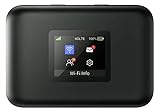 AT&T Turbo Hotspot 3: 256 MB, Black - Prepaid Hotspot (Unlocked), Connects Up to 16 Devices, Dual Band Wi-Fi, Long Lasting Battery
- AT&T Turbo Hotspot 3: Pocket sized device connects up to 16 Wi Fi enabled devices simultaneously
- 1.77” LCD color screen conveniently displays important device information and features
- Long lasting 3000 mAh battery for over 15 hours or usage on a single charge
- Dual band Wi Fi support for fast speeds and reduced network congestion
- Convenient online WebUI Manager to view and adjust network settings, features and security
-
If the setting is absent, disabled, or shows an account-setup error, contact Consumer Cellular support and ask them to confirm hotspot eligibility and account configuration for your specific phone. The carrier’s current guide does not give a universal account-side activation sequence.
Older carrier support responses from 2020 mentioned carrier-side enabling, but they do not establish the current activation process or a current support number. Consumer Cellular’s current hotspot guide
Rank #4

- GLOBAL COVERAGE: Connect anywhere on the planet with reliable satellite based voice, messaging, GPS tracking and e-mail for your Apple iOS and Android devices using the Iridium Approved GO! Apps. (Web browsing is limited)
- EVERYTHING INCLUDED: Iridium GO! Satellite Hotspot, Battery, USB Cable, Auto Charger, Wall Charger with Int'l Plugs, Protective Cover, BlueCosmo Quick Start Quide, BlueCosmo Prepaid SIM Card
- BLUECOSMO PREPAID: SIM Card included for easy online purchase and activation of BlueCosmo's many Iridium prepaid options. Device comes with a blank prepaid SIM card so AIRTIME PURCHASE REQUIRED
- GPS Tracking and SOS - Send your current location automatically or with the push of a button
- Military-grade ruggedness (MIL-STD 810F) and Ingress Protection (IP65)
What hotspot use means for data and battery
A hotspot shares the phone’s cellular connection with connected devices; all of that use counts toward the phone’s mobile data plan. Consumer Cellular’s plan page, accessed in 2026, stated that high-speed data access on single-line unlimited plans is reduced after 35 GB, and on multi-line unlimited plans after 50 GB. Those are plan thresholds, not additional hotspot allowances; check the current terms and your account usage because plan details can change. Consumer Cellular plans
Free tools Windows power users keep installed
One-click scans. No signup required.
Hotspot use can drain the phone battery faster, especially when several devices are connected. For a long session, a power bank is an optional way to keep the phone charged. Use a password to limit access, and turn the hotspot off when you are finished. Consumer Cellular’s hotspot guidance
Quick Recap
Best Value

- 【Travel Hotspot Device】Enjoy seamless connectivity with this portable hotspot—your perfect pocket-sized companion for travel across 160+ countries. Featuring an upgraded, stylish and sleek design, this fashion pocket WiFi is ultra-compact and easy to carry in your pocket or bag, ideal for on-the-go use. As a dependable hot spot WiFi portable, it keeps you connected during vacations or business trips. Benefit from a lifetime data plan with 1GB of global data per month, making this mobile hotspot device an essential travel must-have
- 【Prepaid Flex】This prepaid hotspot saves you the hassle of SIM cards—just select a data package that suits your needs. With no contracts (cancel anytime), this is a completely trouble-free wifi hotspot. Covering major local carrier networks, this portable WiFi let you stay connected for work, study, or entertainment with this versatile hotspot device. (Note: Poor local signal may prevent the product from registering on the network.)
- 【US Unlimited Data】We now offer daily and monthly unlimited data plans for the US region—no more worrying about data running out during long stays or heavy use. Our MiFi hotspot is ideal for diverse US scenarios: city tours, cross-state road trips, business trips (remote meetings, on-site work), and daily life (commuting, outdoor gatherings, campus use)
- 【Seamless Device Connectivity】This portable WiFi hotspot can connect up to 10 devices at the same time—great for home party and study group. Choose flexible data plans (by day, week, or month) for use in different countries, including options for hotspot unlimited data. Check the product description for details on this user-friendly WiFi hotspot devices for travel
- 【Secure & Private Connection】This hotspot delivers safe, private WiFi for up to 10 devices, ideal for on-the-go work or entertainment. Equipped with advanced security protocols, it eliminates public WiFi risks—keeping your data protected. Trust this hot spots for WiFi to keep you securely connected wherever you go
Product prices and availability are accurate as of the date/time indicated and are subject to change. Any price and availability information displayed on Amazon at the time of purchase will apply.




