If you’ve been looking at Tomb Raider and the Tomb Raider Definitive Edition listings, you’ve probably noticed it isn’t just a different price tag. It’s a different bundle of content and (depending on platform) a real step up in presentation.
This guide breaks down what’s different in a practical, buyer-friendly way—what changes in the story package, what DLC you get (and where it lives in the menus), what graphical/technical upgrades to expect, and how to verify you’re installing the version you think you are.
As an Amazon Associate I earn from qualifying purchases.
What the Tomb Raider vs Definitive Edition comparison actually means
The original Tomb Raider (2013) launched on last-gen hardware and set up Lara’s origin story with then-current tech. The Definitive Edition is essentially the “expanded + improved” release for newer platforms, bundling the complete post-launch single-player DLC content and applying a graphics/quality uplift where the target hardware could handle it.
Free tools Windows power users keep installed
One-click scans. No signup required.
So the real question isn’t “Is Definitive Edition a separate story?” It’s “Is it the full, upgraded package—and does it include every single-player add-on?”
#1 Best Overall
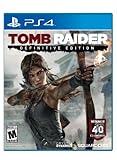
- Live the critically acclaimed, cinematic action adventure, re built specifically for next gen consoles
- Survive high octane combat, customize Lara's weapons and gear, and overcome grueling environments to uncover the island's deadly secret
- See Lara Croft like never before, with every bead of sweat, strand of hair, and article of clothing delivered in obsessive detail
- Endure a stunningly re imagined island, fraught with new, unforgiving storms, and alive with motion
- Own the complete Tomb Raider experience with all of the DLC, including the Tomb of the Lost Adventurer, six outfits for Lara, a digital mini art book, and the digital comic " The Beginning
Quick differences at a glance
| Category | Tomb Raider (2013) | Tomb Raider Definitive Edition |
|---|---|---|
| Base campaign | Yes | Yes |
| Single-player DLC bundle | Not included by default (often sold separately) | Included: full single-player DLC set (not just one add-on) |
| Graphics/quality | Original release look | Improved textures, lighting/material quality, higher-fidelity effects (varies by platform) |
| Extra modes and unlocks | Depends on what DLC you bought | Includes the Definitive edition content set, including the extra story content |
| Best value if you want everything | Only if you’re buying DLC separately anyway | Usually the best choice for collectors and first-timers |
If your priority is “I want the complete experience with the best-looking version the edition supports,” Definitive Edition is typically the straightforward buy.
Content differences (campaign, DLC, extras)
The biggest practical difference is content completeness. The Definitive Edition packages the base campaign plus the major single-player DLC releases that landed after launch.
DLC included in Definitive Edition
On the Definitive Edition, you should expect access to the full single-player expansions commonly associated with the upgraded release—most notably the story add-ons grouped under the post-launch DLC lineup.
What’s actually slowing this PC down?
Pick the symptom - the matching free tool is one click away.
In practice, that means when you start the game, you’ll see additional download content available from the main menu, typically under modes like challenge/extra content, and you won’t need to hunt down separate codes or packs.
What you may have to add manually on the original
With the standard Tomb Raider (2013), the base campaign is complete, but additional content—especially the post-launch single-player DLC—often requires separate purchase/download. If you bought only the base game, you’ll miss those extra chapters/missions until you add them.
Multiplayer modes (where applicable)
Tomb Raider’s multiplayer ecosystem changed over time and varies by platform and storefront. Definitive Edition is mainly about the single-player uplift and DLC bundling, so if you care heavily about multiplayer, check the exact listing details for player modes on your platform.
Rank #2

- Full game with 7 bonus missions
- 5 co-op challenge tombs
- Digital copy of original soundtrack
- All previously released outfits and skills
- New “Croft Fitness” outfit for the Tomb Raider in training
Visual and technical differences (graphics, effects, world detail)
Definitive Edition is built to look better on supported hardware. That typically means improved character/texture fidelity, more detailed environments, and enhanced lighting/material response.
The Tool Desk
Outbyte PC Repair FREEClear out junk files and repair common Windows errorsFree Scan →Outbyte Driver Updater FREEFix the driver behind crashes, sound loss and screen glitchesFind Drivers →What typically gets upgraded
- Texture and model quality: Higher fidelity assets and cleaner surfaces, especially noticeable in close-up shots and during environmental traversal.
- Lighting and materials: More convincing reflections/shading and better-looking shadow/ambient response.
- Visual effects: Improved particle quality and post-processing that makes fire, smoke, fog, and foliage read more clearly.
- Overall presentation: Scenes generally feel less “compressed” than the original build.
What may still look similar
Despite improvements, Definitive Edition isn’t a totally different game engine experience—you’ll still recognize the same core animations, level design, and gameplay systems. Think “enhanced version,” not “remake.”
Performance and versioning differences (where it matters)
Performance depends on platform and the specific version you’re running. On newer hardware, Definitive Edition commonly targets a smoother, more stable frame rate and improved draw distance/quality settings.
Why platform version matters more than the name
Even if both say “Definitive Edition,” differences in patch level and platform implementation can affect performance (load times, texture streaming behavior, and overall smoothness).
If you want the best experience, check the version number in your game’s in-game menu or platform details page and make sure it’s fully updated.
Platform-by-platform availability
Definitive Edition is associated with the newer-gen era and PC releases. The standard Tomb Raider (2013) is tied to original-gen builds.
Rank #3

- Live the critically acclaimed, cinematic action-adventure, re-built specifically for next gen consoles
- Survive high-octane combat, customize Lara's weapons and gear, and overcome grueling environments to uncover the island's deadly secret
- See Lara Croft like never before, with every bead of sweat, strand of hair, and article of clothing delivered in obsessive detail
- Endure a stunningly re-imagined island, fraught with new, unforgiving storms, and alive with motion
- Own the complete Tomb Raider experience with all of the DLC, including the Tomb of the Lost Adventurer, six outfits for Lara, a digital mini art book, and the digital comic "The Beginning
PlayStation
On PlayStation, Definitive Edition is the upgraded package intended for newer consoles, while the base game aligns with the original release generation.
- Verify whether you’re downloading “Definitive Edition” by name, not just an app icon.
- Check the “Add-ons” or “DLC” area in the store for included items.
- Confirm the installed version is updated before judging visuals/performance.
Xbox
On Xbox, the Definitive Edition is typically offered as a standalone enhanced edition with the content bundle included, while the original may require separate DLC purchases.
- Check the Microsoft Store listing for “Definitive Edition” wording.
- If you own the original, look for an upgrade path (some storefronts treat these as separate entitlements).
- Open the game and scan the menus for unlocked extra modes/content.
PC (Windows)
On PC, the key differences come from which executable/publisher package you install, plus whether DLC is already attached to your account/library.
Quick wins for a faster PC:
Fix the driver behind crashes, sound loss and screen glitchesFind Drivers →Clear out junk files and repair common Windows errorsFree Scan →Scan for outdated or missing drivers - takes under a minuteDriver Scan →- Confirm the package name in your launcher (often Steam/Epic listing names are explicit).
- Check installed DLC checkboxes/ownership in your store client.
- Update the game to the latest patch level before comparing.
Upgrading: what you can and can’t expect
Many players assume “I bought Tomb Raider once, so I automatically get Definitive Edition.” That’s rarely how game store entitlements work.
What you typically can expect: Definitive Edition is treated as a distinct SKU. What you might not: a free “visual pack” swap that upgrades your existing install without reinstalling.
Common upgrade realities
- Standalone purchase: Definitive Edition is usually purchased separately.
- DLC carryover: If you already own the DLC separately for the original, you may already have most of the content differences—then the main remaining benefit is the visual/quality uplift.
- Mixed library ownership: You may own the base game but not the DLC; the Definitive Edition will bundle the missing pieces.
Buying checklist: how to confirm you’re getting the right version
Before you buy, do two quick checks. It takes less than a minute and prevents the most common “why don’t I have the DLC?” problem.
Rank #4

- Tomb Raider Definitive Ed. XBO
- Read the edition name carefully: make sure it literally says Definitive Edition on the store listing (not “remastered,” not “collection,” not “bonus content” unless it explicitly matches).
- Confirm the DLC terms: look for wording like “includes all DLC” or an add-ons list that matches the known post-launch single-player content.
- Check your platform’s add-on section after purchase: open the game’s in-store add-on list or library add-ons and verify the items are installed.
Common confusion and gotchas
These are the issues that repeatedly show up when people compare Tomb Raider and Definitive Edition.
Do these 3 things before closing this tab:
1Scan for outdated or missing drivers - takes under a minute2Repair Windows errors before they cause bigger problems3Fix the driver behind crashes, sound loss and screen glitchesGotcha 1: “I bought it but I still only see the base campaign”
This usually means the DLC wasn’t included (or wasn’t installed), or you bought the original Tomb Raider and not the Definitive Edition package.
Gotcha 2: “The graphics didn’t change much”
If you’re comparing screenshots from different platforms/patch levels, you can get misleading results. Also, if you’re on a weaker configuration (PC settings, console mode, or a non-Definitive build), the quality changes may be subtle.
Gotcha 3: “My friend has Definitive Edition but it looks different”
That can happen when different patches are installed, or when they’re on a different platform generation. Edition naming doesn’t guarantee identical performance behavior across devices.
Troubleshooting if your main method fails
If you expected Definitive Edition extras (or you expected them to look upgraded) and they didn’t show up, use this sequence.
Step 1: Verify installed version and patch state
Check the game’s version number in the main menu or in the launcher (platform details page). Then update fully. An outdated install can mask improvements.
Best Value
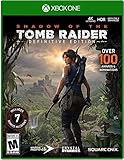
- Full game with 7 bonus missions
- 5 co-op challenge tombs
- Digital copy of original soundtrack
- All previously released outfits and skills
Step 2: Check DLC ownership and installation
On your platform’s library or add-ons page, confirm that DLC items are marked as installed. If they’re only owned, you may still need to install them.
Step 3: Re-check which edition you actually installed
Some stores list multiple Tomb Raider entries that look similar. Confirm you selected the correct “Definitive Edition” build, not a related bundle or a different region package.
Step 4: Reset expectations when comparing across platforms
Don’t compare a PC max-settings run to a console performance mode screenshot, or a base-game last-gen build to a newer-gen Definitive build. For a fair comparison, match platform generation and quality settings as closely as possible.
Which one should you play?
If you’re new to Lara’s origin story, the Definitive Edition is usually the safer choice: more content included by default and a noticeable quality uplift on supported hardware.
If you already own the base game and you’ve bought all the single-player DLC separately, your decision mostly comes down to whether the visual upgrades are worth the repurchase for your platform. On a budget, that can be a smart way to avoid paying twice for the same story content.
Bottom Line
Tomb Raider (2013) gives you the core campaign. Tomb Raider Definitive Edition bundles the full post-launch single-player DLC set and targets a higher visual/quality presentation on supported platforms.
Pick Definitive Edition when you want the complete, upgraded package without hunting for missing DLC. Pick the original when price matters and you’re confident you’ll add the DLC you care about—or you’ve already done so.
Quick Recap
Product prices and availability are accurate as of the date/time indicated and are subject to change. Any price and availability information displayed on Amazon at the time of purchase will apply.




