What’s actually slowing this PC down?
Pick the symptom - the matching free tool is one click away.
A third-party script can slow a website, but the tag alone does not prove it is the cause. It may download more code, make additional network requests, or use the browser’s main thread; a synchronously loaded script can also pause HTML parsing. The actual effect depends on what the script does, when it runs, the page, and visitors’ devices and connections.
Why a third-party script can slow a page
A script tag may look like one small addition, but it can load a larger dependency tree and trigger requests to several hosts. The browser must download and process that code, and JavaScript execution can compete with rendering and user interactions for main-thread time. A synchronous script can stop HTML parsing while it downloads and runs. Loading asynchronously or deferring execution changes when work happens; it does not eliminate the work.


As an Amazon Associate I earn from qualifying purchases.
Third-party code also depends on systems the site owner does not fully control, including the provider’s delivery and updates. That makes reliability, privacy, and security part of the decision—not just speed. Google’s web.dev authors Addy Osmani and Arthur Evans offer a useful framing: “If you’ve optimized your code, but your site still loads too slowly, it’s probably the fault of third-party scripts.” Treat that as a reason to investigate, not a diagnosis for every slow site. Google’s guidance on third-party JavaScript explains the performance trade-offs.
What population-level data can—and cannot—tell you
The HTTP Archive’s 2024 Web Almanac JavaScript chapter measured first- and third-party JavaScript bytes by host. At the mobile 50th percentile, the figures were 168 KB first-party and 375 KB third-party; at the 90th percentile, they were 904 KB and 1,292 KB, respectively. The same chapter reports that third-party JavaScript requests at the 90th percentile rose from 34 in 2022 to 36 in 2024. The 2024 Third Parties chapter reports that nearly all websites contain at least one third party.
#1 Best Overall

- EXPAND YOUR HORIZONS: 3440 x1440 UltraWide QHD (WQHD) resolution with 21:9 aspect ratio for efficient productivity
- CURVED IMMERSION: The 1500R radius curved VA panel allows for more immersion and better color accuracy. It can also help alleviate eye strain during long hours of working
- RICH COLORS FOR WORK AND PLAY: Ultra Wide-Color technology produces true-to-life images and a wider spectrum of colors with sRBG 123.24 percent , NTSC 99.25 percent color gamut area coverage
- WINDOWS HELLO WEBCAM WITH NOISE-CANCELING MIC: Comes with built-in 5MP webcam, noise canceling microphone, and speakers, perfect for remote working. The webcam is equipped with advanced sensors for Windows Hello facial recognition, which conveniently logs you into your Windows devices in less than 2 seconds
- ONE CABLE IS ALL YOU NEED: USB-C docking transfers high-speed data, high-resolution video signal, and power to your laptop (up to 65W of Power Delivery support) via a single USB-C cable. Play and work in high resolution while simultaneously charging your notebook
These are measurements across websites, not a benchmark for your page and not proof that any individual script caused a particular slowdown. Use them as context for why it is worth auditing what your own site loads.
How to find out whether a script is slowing your website
Measure the page that matters, under conditions that resemble those of your visitors. A script may be costly on one page but absent or harmless on another, and third-party responses can vary from load to load.
Rank #2

- Dell UltraSharp U2410 - LCD display - IPS- 24" - widescreen - 1920 x 1200 / 60 Hz
- Identify the feature and its owner. For each tag, note what it does, which pages need it, who maintains it, and whether another tool already provides the same function. Check tag managers as well as page templates and embedded content.
- Record a baseline. Use Chrome DevTools, PageSpeed Insights, or WebPageTest. In DevTools, inspect the Network view for requests and transferred resources, then use the Performance view to examine script activity and main-thread work. Group requests by provider or product where possible.
- Compare with the suspected script blocked. In DevTools, block the suspected URL or domain and reload the same page. Compare that run with an unblocked run to estimate the script’s contribution. This comparison is informative, but blocking can also disable the feature or change page behavior.
- Repeat under throttling. Apply network and CPU throttling so the comparison reflects slower connections and devices. Run each case at least three times: third-party resources can vary between loads, and a single result can mislead.
- Check both speed and function. Compare request count, bytes, loading order, script execution, and responsiveness, then verify what breaks or changes when the script is unavailable.
Google’s third-party JavaScript guidance describes these tools and recommends testing with throttled network and CPU conditions. A blocked-versus-unblocked comparison estimates a script’s impact; it does not by itself establish that removing it is the right choice.
Should you use async or defer?
Choose based on when the code must run and whether it depends on other scripts. Neither attribute makes execution free, and changing timing without checking dependencies can break functionality.
| Loading choice | What happens | When to consider it |
|---|---|---|
Synchronous script (no async or defer) |
HTML parsing pauses while the browser downloads and executes the script. | Only when the script genuinely requires that immediate, ordered execution. |
async |
The script downloads while HTML parsing continues, then parsing pauses while the script executes. Async scripts do not guarantee execution order. | When the script can run as soon as it is ready and does not rely on a particular order or on parsing having finished. |
defer |
The script downloads while HTML parsing continues and runs after parsing completes. Deferred scripts preserve document order relative to one another. | When the code needs the parsed document and should run after parsing, with ordering between deferred scripts maintained. |
These behaviors follow Google’s explanation of script loading. Before changing an attribute, check the provider’s requirements, dependencies, and the feature’s expected timing.
Remove it, delay it, isolate it, or keep it?
Do not remove a useful feature solely because its tag is third-party. Weigh the feature’s value against its measured cost, when it runs, the control you have over it, its privacy and security implications, and whether its function is duplicated elsewhere.
Rank #4
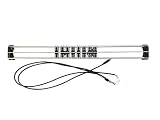
- Exclusively compatible with N scale locomotives, this test stand works with most standard N gauge models, making it a flexible and practical addition to any hobbyist’s collection.
- With a straightforward structure and simple connection design, the rolling test stand can be assembled and put into use quickly without complicated tools or procedures.
- Manufactured from premium metal materials, the test bench offers excellent stability and wear resistance, ensuring reliable performance even with frequent daily use.
- This dedicated test treadmill lets you safely debug, test speed and inspect locomotive performance, greatly upgrading the fun and professionalism of your model train hobby.
- This is not a toy. Not intended for use by children under 14.
- Remove it if the feature is unused, redundant, or not worth its measured cost. Check affected pages and user journeys after removal.
- Load it later if it is useful but not needed for the initial view. For lower-page embeds, ads, and video, lazy loading can postpone work until the visitor is closer to needing it.
- Use an iframe when it suits the feature and you want to keep its JavaScript out of the main page’s execution context. An iframe can still affect the page’s
onloadevent; consider content security policy (CSP) and sandboxing as security controls. - Self-host only with a maintenance plan. Hosting code yourself can give you more control, but makes you responsible for updates and security fixes.
- Keep it and adjust its loading when the feature is important and the measured cost is acceptable. Use
asyncordeferonly when the feature’s dependencies and timing allow it.
Scripts that deserve a separate audit
Tag managers and A/B testing
A tag manager is not costless just because it centralizes tags. Excessive tags and event listeners can add requests and reduce responsiveness, while broad permission to add scripts can create security exposure. Audit tags regularly and limit who can publish them.
Crashes, No Sound, or Screen Glitches?
Random freezes, missing sound and display glitches usually trace back to one bad driver. Find and replace yours safely.Free scan · under a minutePC Slower Than It Used to Be?
A free scan shows the junk files, broken settings and background clutter dragging Windows down - then fixes them in one click.Free scan · Windows 10 & 11A/B testing code can delay rendering, including for visitors who are not actually placed in a test. Include the testing setup in the same performance review rather than counting only the experiment itself.
Best Value
Analytics and measurement
Measurement code also consumes resources. Google recommends asynchronous, non-blocking analytics and avoiding large scripts or long main-thread tasks that harm input responsiveness. A large analytics bundle may hurt Interaction to Next Paint (INP), while blocking analytics can hurt Largest Contentful Paint (LCP). Defer measurement code, use non-blocking APIs for noncritical work where suitable, and collect only data you need. See Google’s guidance on web vitals.
Re-test after every change
After removing a tag or changing its loading strategy, repeat the same page tests under the same throttled conditions. Confirm that the feature still works, that dependent scripts run in the required order, and that the page’s loading and responsiveness have changed as expected. Keep the change only if the performance benefit and feature behavior justify it.
Quick Recap
Product prices and availability are accurate as of the date/time indicated and are subject to change. Any price and availability information displayed on Amazon at the time of purchase will apply.




