If a digital camera lens is stuck, turn the camera off and do not push, pull, twist, or tap the lens. Check whether you have a compact camera with a motorized lens or an interchangeable zoom lens, then follow the instructions for that exact model. A battery reset or zoom-lock check may help in the right case; if the lens is crooked, the camera was dropped or got wet, or it remains stuck after the recommended steps, stop and arrange service.
First, identify the camera and avoid forcing the lens
A compact camera’s built-in lens is usually moved by a motor. An interchangeable-lens camera has a removable lens, and some zoom lenses have a lock that prevents the barrel from moving. The safe checks differ, so start with the camera and lens model rather than applying a fix meant for another device.
As an Amazon Associate I earn from qualifying purchases.
Do not try to push a compact-camera lens back in, pull it out, twist it, or help the motor by hand. Sony warns against manually forcing a lens, and Canon’s PowerShot A450/A460 manual says a lens error can occur if the lens is held while moving. These are manufacturer instructions for the cited products, not a guarantee that every model behaves identically. See Sony’s compact-camera stuck-lens guidance and the Canon PowerShot A450/A460 manual.
Recommended Free Tools
Try these low-risk checks
For a compact camera with a built-in lens
- Turn the camera off. If it is making repeated grinding or clicking sounds, has a visibly crooked lens barrel, or was dropped or exposed to moisture, leave it off and skip further movement attempts.
- Use the exact model’s support instructions. Sony’s cited compact-camera procedure is to turn the camera off, remove and reinsert the battery, then turn it on to check whether the lens moves. If it still does not move, Sony advises resetting the camera. Reset procedures vary by model; do not assume another model’s button sequence applies. Read Sony’s model/category-specific instructions or your camera manual.
- Stop if the problem persists or returns. If the same error appears again or the lens remains stuck after the manufacturer’s reset procedure, contact the manufacturer or an authorized service center. Do not keep cycling the power in the hope that repeated attempts will free it.
For an interchangeable zoom lens
- Look for a zoom-lock switch on the lens barrel. If the lens has one, set it to the unlocked position as described in that lens’s manual.
- Do not force the zoom ring or barrel. If there is no applicable lock, or unlocking it does not restore normal movement, follow the lens maker’s service guidance. Sony’s guidance applies to its specified E-mount support category, not to every interchangeable lens. See Sony’s zoom-lock instructions.
When dust is involved, clean only what is accessible
Loose dust on an exterior surface is different from debris trapped inside a lens mechanism. If your model’s instructions identify an exterior obstruction, Sony’s general cleaning guidance recommends a plain manual blower for dust and dirt. It does not establish that a blower will free a stuck lens or remove internal debris. Do not aim air into a lens gap or use canned air: Sony warns that an air duster or compressed air may damage the image sensor or cause a malfunction. See Sony’s camera cleaning guidance.
#1 Best Overall

- 16MP Sensor: Captures detailed photos with a CMOS sensor for everyday shooting
- Optical Zoom: 5x optical zoom with a 28mm wide angle lens for flexible framing indoors or outdoors
- Full HD Video: Records 1080p video for travel clips, family moments, or simple vlogging
- Memory Support: Works with Class 10 SD, SDHC, or SDXC cards up to 512GB
- Rechargeable Battery: Included LB-012 lithium-ion battery charges in the camera over USB with the supplied adapter in about 2 hours; charge it for at least 4 hours before first use to maximize battery life
Signs that call for service rather than more troubleshooting
- The camera or lens was dropped, struck, or exposed to moisture.
- The lens barrel looks crooked or visibly misaligned.
- You hear repeated grinding or clicking while the lens is trying to move.
- The model-specific reset or zoom-lock check does not resolve the problem, or the error returns.
Sony’s guidance identifies stress, dust or debris, impact, moisture, and inadequate battery power as possible factors in some stuck-lens cases; these possibilities do not diagnose the cause in an individual camera. Sony and Panasonic direct users to service when their cited troubleshooting does not resolve the issue, and Canon advises contacting customer support if the lens error continues. Panasonic’s instructions apply to its described error situation, while Canon’s cited guidance is for the PowerShot A450/A460. See Sony UK’s applicable stuck-lens guidance, Panasonic’s camera FAQ, and the Canon manual.
Do not open the camera or lens, try to realign internal parts, or use solvents as a general-purpose repair. A technician may need to inspect the device; the symptom alone does not establish whether a motor, gear, or another part has failed.
Rank #2

- 16MP Sensor: Captures detailed photos with a CMOS sensor for everyday shooting
- Optical Zoom: 4x optical zoom with a 27mm wide angle lens for flexible framing indoors or outdoors
- Full HD Video: Records 1080p video for travel clips, family moments, or simple vlogging
- Memory Support: Works with Class 10 SD, SDHC, or SDXC cards up to 512GB
- LCD Screen and Battery: 2.7in LCD screen with 2 AA alkaline batteries for convenient on-the-go use
Manufacturer instructions are model-specific
Sony’s U.S. compact-camera article was last modified September 15, 2021, and covers specified products or categories. Sony UK’s article, last modified July 23, 2025, is also limited to specified products or operating systems. Sony’s zoom-lock article, last modified November 1, 2024, concerns its specified E-mount support category. Canon’s cited A450/A460 manual is an older model-specific example, not current guidance for every Canon camera. Use the support page or manual for your precise model and check that repair service is available in your region before arranging it.
Quick Recap
Rank #4

- 16MP Sensor: Captures detailed photos with a CMOS sensor for everyday shooting
- Optical Zoom: 5x optical zoom with a 28mm wide angle lens for flexible framing indoors or outdoors
- Full HD Video: Records 1080p video for travel clips, family moments, or simple vlogging
- Memory Support: Works with Class 10 SD, SDHC, or SDXC cards up to 512GB
- Rechargeable Battery: Included LB-012 lithium-ion battery charges in the camera over USB with the supplied adapter in about 2 hours; charge it for at least 4 hours before first use to maximize battery life
Rank #3
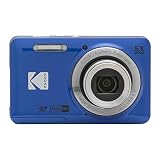
- 16MP Sensor: Captures detailed photos with a CMOS sensor for everyday shooting
- Optical Zoom: 5x optical zoom with a 28mm wide angle lens for flexible framing indoors or outdoors
- Full HD Video: Records 1080p video for travel clips, family moments, or simple vlogging
- Memory Support: Works with Class 10 SD, SDHC, or SDXC cards up to 512GB
- Rechargeable Battery: Included LB-012 lithium-ion battery charges in the camera over USB with the supplied adapter in about 2 hours; charge it for at least 4 hours before first use to maximize battery life
Product prices and availability are accurate as of the date/time indicated and are subject to change. Any price and availability information displayed on Amazon at the time of purchase will apply.




