Recommended Free Tools
Use a schema to define the shape of AI-generated financial-model data before sending it to a spreadsheet, then validate the structure and review the finance separately. Structured Outputs can help require keys and types in a response, but it cannot establish that an assumption is credible, a formula is right, or a workbook is error-free.
What Structured Outputs can—and cannot—guarantee
OpenAI describes Structured Outputs as a way to make a response adhere to a supplied JSON Schema. Its guide says: “Structured Outputs is a feature that ensures the model will always generate responses that adhere to your supplied JSON Schema, so you don’t need to worry about the model omitting a required key, or hallucinating an invalid enum value.” That statement concerns schema adherence; it is not a guarantee that the financial values are accurate.




As an Amazon Associate I earn from qualifying purchases.
Strict Structured Outputs supports a subset of JSON Schema, not every possible schema feature. Check the current supported subset and design to it. If the selected model or schema does not support the feature you need, do not assume the response will meet the intended contract. OpenAI’s Structured Outputs guide documents the feature and its constraints.
The Tool Desk
Outbyte PC Repair FREERepair Windows errors before they cause bigger problemsFix Now →Outbyte Driver Updater FREEFix the driver behind crashes, sound loss and screen glitchesFind Drivers →Structured Outputs is distinct from ordinary JSON mode: OpenAI says the former reliably matches the supplied schema, while JSON mode ensures valid JSON but does not by itself guarantee that the result matches a schema. Valid JSON can still omit an expected field or use an unexpected shape. The guide’s comparison explains this distinction.
#1 Best Overall
How to use structured outputs for financial modeling
- Define a stable representation. Decide which assumptions and outputs the receiving workflow needs. Give them explicit names, and include units, periods, source references, and calculation outputs where appropriate. A value such as revenue is ambiguous without a currency, time period, and definition.
- Make the contract clear. Mark required fields and specify types and allowed values where useful. Write clear key names and descriptions for important fields; OpenAI recommends this, and advises using evals to see which structure works best. Keep the schema within the supported JSON Schema subset. See the Structured Outputs guide.
- Request constrained output. Use Structured Outputs only when the chosen model and schema support it. Treat the result as a payload conforming to the requested shape, not as a reviewed financial model.
- Handle non-payload outcomes. Detect refusals and incomplete or truncated generations before attempting to parse or import data. Do not treat every response as a completed model payload; the API guide identifies refusal and incomplete-output cases that applications need to handle. Consult the guide for response handling.
- Validate in your application. Check that the received object parses, required fields are present, and values have the expected types and usable ranges for the workflow. Test representative inputs, including missing, unusual, and boundary cases. Evals help identify whether the chosen schema and prompting produce useful results; structural validation alone does not assess financial soundness.
- Review the finance and spreadsheet implementation. Compare inputs and assumptions with their cited sources; confirm units and periods align; inspect formulas and check that their outputs have the intended meaning. Only after these reviews should the data be mapped into workbook cells.
What to put in a model-data schema
Design fields around the receiving task rather than trying to encode an entire workbook in one opaque string. A practical representation may include assumption name, value, unit, period, source, and a calculation result or output label. The appropriate fields depend on the model: a forecast, for example, may require period-by-period assumptions, while a valuation may need clearly identified inputs and outputs.
Include provenance deliberately. A schema does not automatically make a source trustworthy or prove that a generated value came from it. If traceability matters, represent the source reference alongside the relevant value and check that the reference supports it. Where a value is later written to a workbook, maintain a traceable route from source to generated field to workbook cell.
Prefer descriptive keys and field descriptions over cryptic abbreviations. Then test candidate structures against realistic cases: required fields should be useful to the downstream task, and the schema should not make distinct concepts indistinguishable. OpenAI recommends evals for assessing schema choices rather than assuming one design is best. Its schema guidance covers naming and evaluation considerations.
Do these 3 things before closing this tab:
1Fix the driver behind crashes, sound loss and screen glitches2Clear out junk files and repair common Windows errors3Scan for outdated or missing drivers - takes under a minuteStructural validation is not financial validation
| Review stage | What it checks | What it does not establish |
|---|---|---|
| Schema and payload validation | Expected shape, required keys, types, and any encoded constraints | Whether sources are authoritative, assumptions are reasonable, or calculations make economic sense |
| Financial and workbook review | Source support, units, periods, assumptions, formulas, and the interpretation of outputs | Schema conformance unless the payload is separately validated against the schema |
This separation follows from the documented scope of Structured Outputs: it constrains response format, not the truth or suitability of financial content. A response can be perfectly shaped and still contain an unsupported input, mismatched unit, inappropriate formula, or misleading result. Conversely, a sound calculation can be difficult to use safely if its fields are inconsistent or incomplete.
Rank #3
Can AI generate a financial model in Excel?
AI can produce structured model data intended for a spreadsheet workflow, but schema adherence alone does not create or validate a complete Excel model. The workbook still needs an explicit mapping from fields to cells, appropriate formulas, and review of the resulting calculations. OpenAI describes ChatGPT for Excel and Google Sheets as supporting review of assumptions and key formulas and updating models when inputs change. That is a product description, not independent evidence that a model or its updates are correct. OpenAI Help Center: ChatGPT for Excel and Google Sheets.
OpenAI reported that its internal investment banking benchmark rose from 43.7% with GPT‑5 to 87.3% with GPT‑5.4 Thinking for workflows that include building a three-statement model with proper formatting and citations. These are vendor-reported results on an internal benchmark, not a universal accuracy rate, an independent audit, or a guarantee for a particular user or workbook. OpenAI’s announcement describes the benchmark and its scope.
Rank #4
A safe handoff into a workbook
- Reject or route refusals and incomplete responses instead of importing them as model data.
- Validate the payload against the intended schema and application-level rules before mapping fields.
- Check the source and meaning of each material assumption, including its unit and period.
- Inspect formulas and workbook outputs independently; do not infer their correctness from successful parsing.
- Preserve enough source-to-field-to-cell traceability for the model’s use and review needs.
Schema-first work is most useful as a controlled handoff: it reduces uncertainty about data shape before spreadsheet integration, while leaving financial judgment and formula review where they belong—with a separate validation process.
Quick wins for a faster PC:
Repair Windows errors before they cause bigger problemsFix Now →Scan for outdated or missing drivers - takes under a minuteDriver Scan →Quick Recap
Best Value
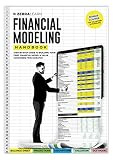
- Complete Handbook: Explore financial modeling essentials with our comprehensive guide, covering investment banking, analytics, and Excel skills for success.
- Advanced Financial Modeling Techniques: Master advanced financial modeling for precise analysis and confident decision-making in investment banking and analytics.
- Excel Skills Proficiency Enhancement: Enhance Excel skills for efficient financial analysis, with tailored tips and tricks for modeling accuracy and proficiency.
- Practical Real-World Examples Exploration: Explore practical case studies demonstrating financial modeling applications across industries, offering valuable insights and hands-on experience.
- Strategic Business Analytics Insights: Gain valuable insights into business analytics and investment banking practices for informed decision-making and strategic planning.
Product prices and availability are accurate as of the date/time indicated and are subject to change. Any price and availability information displayed on Amazon at the time of purchase will apply.




