If your Samsung tablet goes black after a pause, its Screen timeout setting is the most likely explanation—not necessarily a fault. If it goes black while you are looking at it, check the viewing-detection feature and any connected case or accessory. If the picture stays visible but gets darker, check Adaptive brightness instead. Settings and available features vary by model, region, and software version, so searching Settings for the feature name is often the quickest route.
First, tell whether the screen is off or just dim
When the display changes, check whether the image disappears completely or remains visible at lower brightness. A black screen after inactivity points first to Screen timeout. A visible but darker image points to brightness controls or Adaptive brightness, which adjusts brightness according to lighting conditions. These are separate behaviors, according to Samsung Support.
As an Amazon Associate I earn from qualifying purchases.
If the screen goes black after a pause
Screen timeout turns off the display after a period of inactivity to save power. Samsung US describes a selectable range of 15 seconds to 10 minutes in its troubleshooting guidance; the options on your tablet may differ. A separate Samsung US article identifies 30 seconds as the default, but that should not be assumed for every model or software version.
Do these 3 things before closing this tab:
1Scan for outdated or missing drivers - takes under a minute2Repair Windows errors before they cause bigger problems3Fix the driver behind crashes, sound loss and screen glitches- Open Settings and search for Screen timeout. If your menu has the path, open Settings > Display > Screen timeout.
- Choose a longer interval from the options shown on your tablet.
- Use the tablet normally and see whether the screen now stays on for the time you expect.
A longer timeout keeps the display on for longer when idle and uses more battery. Samsung Canada lists 15 seconds to 10 minutes for Galaxy devices sold in Canada; its guidance was last updated October 25, 2025. Menu names and choices can vary by model and country. See Samsung Canada’s Screen timeout guidance.
#1 Best Overall

- Compatibility: Exclusively designed for Samsung Galaxy Tab A11 Plus (A11+) 2026 11inch. (Model: SM-X230/X236/X238) / Tab A11+ 5G 11". NOTE: Not for A9 Plus (A9+) !!!
- With Screen Protector: This galaxy tab a11 + 5g case with screen protector which is made of durable hard pc & upgraded thickened soft silicone to protect against the impact of accidental drop)s. 3-layer shockproof design provides full protection from daily bumps and scratches with a comfortable non-slip grip.
- Rotating Stand & Pencil Holder: The tab a11 plus tablet case built-in Apple Pencil holder makes it easy to carry or store your pen wherever you go. (Apple Pencil not included!) . 360 rotating stand provides multiple viewing angles for more comfortable typing, drawing or watching videos.
- Adjustable Shoulder Strap: The detachable and adjustable shoulder strap allows you to carry your case for samsung galaxy tablet a11+ 5g more comfortably or hang it securely wherever you need it-ideal for work, school, or travel.
- Precise Cutouts: The galaxy a11+5g tablet case allows easy access-to all buttons, controls and ports without taking your tablet out of the case. It's also a nice and practical gift for your kids, elder & friends.
If it goes black while you are looking at it
Look for Keep screen on while viewing by searching for that phrase in Settings. If your tablet offers the feature, turn it on and check whether the screen remains on while you look at it. Samsung says it uses the front camera to detect whether someone is viewing the display. Low light or a face that is not clearly visible can make detection less effective. Some older software may call this feature Smart stay; it is not available on every device or software version.
If a case or accessory seems to trigger it
Some Samsung tablets show an automatic screen control for compatible cases or accessories. Search Settings for Auto screen on and off, or check Settings > Advanced features > Accessories if that path appears. Temporarily turn the option off and observe whether the behavior changes. Samsung says the setting is available only with certain cases or accessories, so it may not appear on your tablet. Its support guidance does not make a case purchase a general fix for ordinary timeout behavior.
Rank #2

- Compatibility: Only designed exclusively for Samsung Galaxy Tab A11 Plus 11-Inch 2026 Release (Model: SM-X230/SM-X236/SM-X238), Samsung Galaxy Tab A9 Plus 11-Inch 2024 Release (Model: SM-X210/SM-X216/SM-X218). Access to all features and controls. NOTE: DO NOT fit Galaxy Tab A11 8.7 inch / S10 10.9". Please check your size and model before purchase
- Adjustable Angles: The Samsung Galaxy Tab A11 Plus/A9 Plus Case provides two angles for satisfying your viewing and typing needs. Avoid any joint pain, and free your hands for other entertainments
- Excellent Quality: The Galaxy Tab A11+/A9+ 11 Inch Case (2026/2024) is Made of premium PU leather exterior, soft microfiber lining and hard PC, the case provides full protection against fingerprints, shocks, scratches and dust
- Auto Wake/Sleep: Built-in magnetic strip, automatically wakes or puts your tablet to sleep when the lid is opened and closed. This Galaxy Tab A11+/A9+ Case Protects and extends battery life
- Simple Fashion Design: Slim and lightweight hard back design adds minimal bulk while protecting your precious device. The Samsung A11/A9 Plus Tablet Case translucent frosted back cover allows you to see the icon through the back directly
If the picture stays visible but gets darker
Check the brightness slider and search Settings for Adaptive brightness. This setting adjusts display brightness in response to lighting; it does not turn the screen off after inactivity. If the image remains visible, changing Screen timeout is unlikely to address the dimming itself.
The Tool Desk
Outbyte PC Repair FREEClear out junk files and repair common Windows errorsFree Scan →Outbyte Driver Updater FREEScan for outdated or missing drivers - takes under a minuteDriver Scan →If the settings do not solve it
Try the relevant checks above and note when the screen changes: after inactivity, while you are viewing it, or when a case or accessory moves or closes. The Samsung guidance cited here covers timeout, viewing detection, brightness, and accessory settings; it does not establish that a particular tablet has a failed screen or battery. If the behavior continues, use Samsung’s support options for your region and provide your tablet model, software version, and the circumstances in which the display turns off. Samsung notes that available settings and menus vary by device and software version.
Quick Recap
Best Value

- [Compatibility] Designed for Samsung Galaxy Tab S10 Lite / S10 FE / S9 FE 10.9 inch. Please double check the model number before purchasing
- [Slim yet Shockproof] Provide enhanced drop protection with a premium PU leather exterior and a soft TPU inner back. Add minimal bulk and make it feel more comfortable in your hand. Slim, sleek and ensure a secure grip
- [S Pen Holder] The inside pen slot for your S Pen to store safely. Easy to carry and use your pen whenever you want. Also support stylus magnetic wireless charging on the back of the case (S Pen Not Included)
- [Multi Standing Positions] The two anti-slip grooves of the front cover can prop up your device in different viewing angles. Moreover, wider cutouts make it easier to use the camera, speaker, buttons and other features
- [Auto Wake/Sleep] Built-in strong magnet automatically wakes up your tablet and puts it to sleep just by a flip like a book. In addition, allow easy open and secure close
Rank #4

- Fit: Perfect cutout and shape, specially designed for Newest Samsung Galaxy Tab A11+ Plus 11" 2025 Released.
- AUTO WAKE/SLEEP: With the built-in smart cover,your tablet will be woke up or put to sleep seamlessly. Magnetic Closure: The magnetic design helps the tablet cover close securely, providing a 360 degree protection for your device.
- MATERIAL: Features the premium waterproof PU leather exterior, Special anti slip material interior and 100% TPU case. This will definitely be a perfect choice of Samsung Galaxy Tab A11 + case for you.
- Lightweight and Travel-friendly:Lightweight case gives your device maximum protection without adding extra bulk.Put it in your bag and you can enjoy reading anytime and anywhere.
- Reliable and Durable: Meticulously constructed with top-tier quality materials, our product exudes reliability and durability, ensuring your purchase is a confident choice.
Rank #3
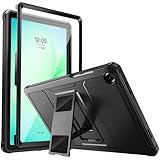
- Compatibility: ONLY Fit Samsung Galaxy Tab A11 Plus 11-Inch 2026 Release (Model: SM-X230/SM-X236/SM-X238),Galaxy Tab A9 Plus 11-Inch 2024 Release (Model: SM-X210/SM-X216/SM-X218) Tablet. Easy to install and remove without abrasing the edge of your devices. Please check your size and model before purchase
- Premium Quality: This Samsung Galaxy Tab A11 Plus/A9 Plus Case is equipped with advanced dual-layer design with PC hard shell and flexible TPU exterior, which efficiently helps to absorb and withstand drops, bumps, and shock
- Anti Scratch & Dust Proof: Built-in Full-coverage HD PET screen protector for Galaxy Tab A11+/A9+ 11 Inch (2026/2024) tablet can prevents scratches and dust. Featured with High-Transparency and high sensitivity
- Rugged & Dual Layer Structure: 2 layers protective case with rugged design helps to protect camera lens, buttons and all corners by avoiding direct hit. Ideal case for Galaxy Tab A11+/A9+ 11-Inch tablet
- 2 Viewing Angles with Kickstand: 2 standing angles suitable for watching, reading or typing. This case for Samsung A11/A9 Plus Tablet can free your hands for face-time/ video conference and other entertainments
Product prices and availability are accurate as of the date/time indicated and are subject to change. Any price and availability information displayed on Amazon at the time of purchase will apply.




