If Dell Client Management Service is installed but stopped, open Windows Services, start it, and check its Startup Type. If it is disabled or missing, take a different route: Dell’s older Dell Command | Update Version 3.1.1 guide treats those as separate conditions with different remedies. The steps below explain how to identify which state applies without assuming one setting works for every Dell PC.
Check the service in Windows
- Search Windows for Services and open the Services management app.
- Find Dell Client Management Service. Check whether its Status is Running and note its Startup Type.
- If it is present but stopped, select Start, or open its Properties and start it there. A Dell Community reply recommends setting Startup Type to Automatic (Delayed Start); on some systems the displayed choice may be Automatic (Delayed Start, Trigger Start). Apply any change and restart Windows, then return to Services to check the status again. This is community troubleshooting advice, not a verified universal setting for every model or software version. Dell Community guidance.
Identify whether it is stopped, disabled, or missing
These states are not interchangeable. Dell’s older Dell Command | Update Version 3.1.1 User’s Guide associates error code 3000 with the service not running, 3001 with it not being installed, and 3002 with it being disabled. The guide’s remedies are to start, install, or enable the service, respectively. Those codes and remedies are documented for that guide’s version; they do not establish current behavior across all Dell models and Windows releases. Dell Command | Update Version 3.1.1 User’s Guide.
As an Amazon Associate I earn from qualifying purchases.
If the service is disabled
Inspect its Properties in Services and determine whether Windows permits you to change its Startup Type and start it. Dell’s Version 3.1.1 guide lists enabling the service as the remedy for error 3002, but it does not establish a current setting for every system. If the setting is unavailable or the service will not start, note the exact error and check the support information for your specific PC and utility.
Free tools Windows power users keep installed
One-click scans. No signup required.
If the service is not listed
Do not try to start a service that is absent. The older Dell guide directs users to Dell Support to install it when it is not installed. Before choosing an installer, confirm your Dell PC model, Windows edition and version, and the Dell utility affected; verify that the download applies to that system.
#1 Best Overall

- Powerful compatibility: Power essential productivity across the AI PC workplace. The Dell Pro Dock offers enhanced compatibility and drives up to 100W of power to new mainstream Dell AI PCs and non-Dell PCs.
- Modern manageability: The Dell Pro Dock is part of the world’s most manageable commercial docking family, with flexible management capabilities, designed to uplevel IT efficiency and keep users working without disruption.
- Thoughtful design: Configure your workspace with an ambidextrous USB-C cable that can be routed left or right. Features a new robust USB-C connector, designed for enhanced durability.
- A leader in sustainable innovation: Experience up to 72% reduction in power consumption on standby mode. Built with at least 65% postconsumer recycled materials and packaged with 100% recycled or renewable packaging.
- Upgraded for modern work: Expand your views with native support for up to four high-res displays. Keep your PC accessories connected and charged with the latest ports, while staying productive with faster USB and network speeds.
What if the service stops again?
A startup-type change may be a troubleshooting step, not a permanent fix. Dell Community reports describe the service stopping or becoming disabled again, including cases where reinstalling a related utility did not restore it. Those reports do not establish a universal cause or solution. Record the PC model, Windows edition and version, affected Dell utility and version, and any exact error, then use those details to investigate with Dell Support or the utility’s support information. Dell Community reports.
Independent reader supportYour contribution helps us test, update, and keep practical guides available for everyone.Which Dell software uses the service?
A Dell Community response describes Dell Client Management Service as a shared service used by Dell Update for Windows Universal and SupportAssist. Treat that as community-reported context rather than a guarantee about every software release or configuration. If a particular utility reports an error, identify its version and consult support guidance for your PC before installing or removing software.
Quick Recap
Best Value

- USB C Docking Station 8 IN 1: HoDo USB C Docking Station with Dual HDMI 4K (1*60HZ & 1* 30HZ), 1*4K@60HZ DisplayPort, 1*1080P VGA,3* USB 2.0,USB C Power Charging Port (max 100W). Please Note: on MacOS system, the screens of external monitors are the same, no matter they are displayed in mirror mode or extended mode
- Docking Station 4K Display Adapter: The Laptop Docking Station with 4 video output ports: 2 HDMI+DP+VGA, can output up to 4K Dual/Triple Display videos; For quadruple display Dual HDMI, DP, and VGA all are 1080@60Hz. Please make sure your laptop specification support DP1.4 signal output. If the VGA port is connected, it will affect the resolution of all displays up to 1080P only
- 100W USB C PD Charging Port: Computer Docking Station for Dell Hp laptop supports up to 100W input & 87W(safe)output into your laptop. Please Note: please ensure your laptop's USB C port supports power delivery protocol and please use at least 65W power adapter(not included) when charging with this usb c hub,using a lower wattage power charger may cause a system warning. Note: The power cord is not included
- USB C Hub Multiport Adapter: This USB C Dock with 3 usb 2.0 ports, allows your conveniently connect keyboard,mouse, usb flash driver, usb c hard disks, transfer speeds up to 480Mbps, USB 2.0 allows you to connect keyboard or mouse without any lag
- Extensive Compatibility: This USB-C dongle only works with full-featured USB-C ports that support DisplayPort Alternate Mode for video output. It is not compatible with USB-C ports that only support data transfer and charging without video function, such as Dell Gaming Laptop Model, Dell Latitude 3440 / 3340, ThinkPad X1 Carbon Gen 7/ThinkPad X1 Carbon Gen 8, Lenovo Yoga, Support HP EliteBook 855 G8/G7,HP Envy 16 inch Laptop, Surface pro 7 8. If you experience any issues while using this USB C Hub, please reach out to us through the order page and we will solve the problem for you within 24 hours
Rank #4

- [Versatile Connectivity] - The Dell D6000 docking station offers a comprehensive range of connectivity options, including multiple USB ports, HDMI, DisplayPort, and audio jacks, providing users with the flexibility to connect various peripherals and devices.
- [Universal Compatibility] - Designed to be compatible with a wide range of laptops and devices, the D6000 docking station ensures seamless integration with both Dell and non-Dell systems, making it a versatile solution for users with diverse computing needs.
- [High-Resolution Display Support] - With support for dual 4K displays or a single 5K display, the D6000 docking station enables users to experience stunning visuals and increased productivity by expanding their desktop workspace with high-resolution monitors.
- [Powerful Capability] - Equipped with Power Delivery (PD) technology, the docking station not only connects and expands your workspace but also supply energy to your laptop efficiently, eliminating the need for multiple power supply and simplifying cable management.
- [Package Includes] - Dell Dock Station D6000, Original Dell 130, 1x HDMI Cable, Microfiber Cleaning Cloth.
Rank #3

- The Anker Advantage: Join the 50 million+ powered by our leading technology.
- Massive Expansion: Equipped with a USB C PD-IN charging port, 2 USB-A data ports, 2 HDMI ports, an Ethernet port, and a microSD/SD card reader, giving you an incredible range of functions—all from a single USB-C port.
- Dual HDMI Display: Stream or mirror content to a single device in stunning 4K@60Hz, or hook up two displays to both HDMI ports in 4K@30Hz. Note: For macOS, the display on both external monitors will be identical.
- Power Delivery Compatible: Compatible with USB-C Power Delivery to provide high-speed pass-through charging up to 85W. Please note: 100W PD wall charger and USB-C to C cable required.
- Compatibility: Supports USB-C, USB4, and Thunderbolt connections. Compatible with Windows 10 and 11, ChromeOS, and laptops equipped with DP Alt Mode and Power Delivery. Note: This device is not compatible with Linux.
Rank #2
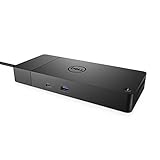
- DELL-WD19S180W
- Built for the future
- Power your connections
- Optimize your workspace
Product prices and availability are accurate as of the date/time indicated and are subject to change. Any price and availability information displayed on Amazon at the time of purchase will apply.




