What’s actually slowing this PC down?
Pick the symptom - the matching free tool is one click away.
A smart TV that keeps disconnecting is usually dealing with weak Wi-Fi, a router or internet-service problem, a network-band mismatch, or a TV-side software issue. First check whether the TV is truly offline or just one app is failing; then compare other devices and test the TV on another network. Those checks help pinpoint the cause before you reset the TV or replace equipment.
First, check whether the TV or just one app is disconnecting
Open the TV’s network status screen and confirm whether it shows a connection to Wi-Fi and the internet. Then try a different streaming app or another internet-connected feature. If the TV remains online but one app will not load, the problem may be with that app rather than the TV’s internet connection. Check for an app update or contact the app provider.
As an Amazon Associate I earn from qualifying purchases.
If several apps stop working and the TV reports that it is offline, continue with the network checks below. Menu names and paths vary by TV brand and model year.
Crashes, No Sound, or Screen Glitches?
Random freezes, missing sound and display glitches usually trace back to one bad driver. Find and replace yours safely.Free scan · under a minutePC Slower Than It Used to Be?
A free scan shows the junk files, broken settings and background clutter dragging Windows down - then fixes them in one click.Free scan · Windows 10 & 11Find out whether other devices are affected
Use a phone or computer on the same Wi-Fi network to see whether it can access the internet. This separates a home-network problem from one that appears limited to the TV.
#1 Best Overall
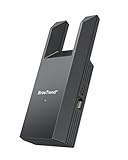
- Connect Your Wired Device to WiFi: This WiFi to Ethernet adapter wirelessly uplinks to your WiFi router and delivers a stable Gigabit Ethernet connection to your wired device, providing high-speed internet access without long or messy cable runs
- Gigabit Ethernet Port: With a 1 Gbps RJ45 Ethernet port, this WiFi to Ethernet adapter avoids the 100 Mbps bottleneck of Fast Ethernet ports—delivering up to 10× faster speeds for smooth streaming, responsive gaming, and quick downloads
- High-Speed AC1200 WiFi: Featuring dual-band AC1200 WiFi (5 GHz up to 867 Mbps + 2.4 GHz up to 300 Mbps), the Wireless Ethernet adapter establishes a reliable wireless uplink and ensures consistent Gigabit Ethernet performance for your wired device
- Works with Any Wired Device: Use this adapter to connect a single wired device to WiFi via Ethernet—such as a smart TV, desktop PC, laptop, printer, game console, Blu-ray player, or VoIP phone. No driver or software installation required
- Quick Setup with WPS or Web UI: Pair the adapter with your WiFi router via the WPS button in seconds, or configure it through the web-based interface using a smartphone, tablet, or computer. Setup is fast, straightforward, and hassle-free
- Other devices also lose internet: Restart the modem and router. If the problem continues, the router or internet service may be at fault; check with your internet provider for an outage or service issue.
- Other devices work normally: Check the TV’s selected network, password, Wi-Fi band compatibility, and signal. Restart the TV, then try the hotspot test below.
On a Samsung TV, the network status test can help identify whether the break is between the TV and router or between the router and the internet. Samsung notes that certain 2018 TV models support only 2.4 GHz Wi-Fi; that limitation does not apply to every Samsung TV. See Samsung’s internet-connection instructions for its network test and model-specific guidance.
Check the Wi-Fi name, password, band, and signal
Confirm the saved network
Make sure the TV is connecting to the intended Wi-Fi network (SSID) and that its saved password is correct. If you recently changed the router name or password, update the TV’s saved network details.
Rank #2

- Connet your wired device to wifi : by using this dual band Ethernet to wireless adapter, your Ethernet-enabled devices can access the Internet via wireless connection, powered by electrical outlet
- Work with any Ethernet enabled devices: This wireless to Ethernet adapter supports smart TV, game console, blu-ray player, network printer, raspberry pi, Ethernet switch or computer etc., no driver installation or update needed
- AC1200 faster wireless speed: up to 867Mbps on 5GHz WiFi or 300Mbps on 2.4GHz WiFi, excellent for online video streaming, gaming, high quality music and facebook by using this 802.11ac WiFi to Ethernet adapter, 4 X speed of N300
- Universal compatibility: This 5GHz universal wireless adapter works with any 802.11ax/ac/a/b/g/n WiFi routers;
- Better WiFi signal: the Ethernet wireless adapter comes with 2X angle adjustable external smart WiFi antennas which pick up stronger WiFi signal than internal ones
Match the TV’s supported Wi-Fi band
Wi-Fi band support differs by TV model. Some Google TV devices require a 5 GHz network, while certain Samsung models support only 2.4 GHz. Check the support information for the exact TV model rather than assuming that either band will work on every TV. Google’s Google TV troubleshooting guide includes Wi-Fi status and network checks.
Recommended Free Tools
Consider the TV’s location
A weak or obstructed signal can make a connection unreliable. If practical, move the router closer to the TV or reduce obstacles between them, then check whether the connection holds.
Rank #3

- Seamless HSeamless HD Wireless Streaming: immersive visuals with our wireless HDMI display dongle adapter, supporting 4K and delivers an impressive 1080P/60Hz Full HD output.
- Plug & Play: No apps, no Bluetooth, no Wifi required, one-click to mirror the screen of mobile phones or laptops to a big screen, with support for privacy mode and one-click disconnect. You can easily switch between landscape and portrait mode.
- Stable Transmission, Low Latency: Featuring 2.4+5GHz dual-band antennas, the wireless HDMI display adapter ensures stable transmission and video decoding. It boasts a transmission distance of up to 16 feet/5 meters and an low latency of only 100ms.
- Cross-Platform Compatibility: This portable Wireless HDMI Dongle Adapter supports Airplay for Apple IOS and MAC systems and Miracast for Android and Windows systems. Its Integrated chipset ensures compatibility with a range of HDMI output devices.
- App Limitations: Please be aware that certain apps with "HDCP" protocol, such as Netflix, Amazon Prime Videos, Hulu, Comcast TV, Xfinity, Vudu, Sky Go, BT Sport, may not be supported due to copyright protection.
Use a phone hotspot to isolate the home network
Temporarily connect the TV to a phone’s Wi-Fi hotspot and see whether it stays online. Keep in mind that hotspot data use may count against your mobile plan.
- The TV works on the hotspot: The TV can connect to Wi-Fi, so focus next on the home router, its settings or signal, and the internet service.
- The TV also disconnects from the hotspot: A TV-side issue becomes more plausible. Check the TV’s network settings and available system updates; if it still fails, consult the manufacturer for the exact model.
LG recommends comparing other devices and trying a phone hotspot as part of its internet-connection troubleshooting steps. Its instructions are dated April 20, 2026, and menu paths differ by webOS version and model year.
Rank #4

- ✅ [ 2.4GHz only to have WiFi Bridge/Repeater ] This small adapter works with 2.4GHz WiFi to act as a WiFi to LAN bridge (WiFi to Ethernet) or repeater, it can function as WiFi to Wired ( WiFi to Ethernet) at maximum speed of 300Mbps while supporting IEEE 802.11b/g/n. Its small built makes it handy for travelling or easy access in small areas. It requires instatllation, please read carefully the instruction and also check the videos in this listing.
- ✅ [ USB port is for power only ] the adapter's USB port is for power only and does not provide data, so please do not use USB port as data port, also we do not recommend to connect it to TV's USB port since some TVs pick it up as data adapter, unless you go to TV setting and make network connection as Wired. The data port is its Ethernet port and you can use it for LAN or wired data connection.
- ✅ Reeception is up to 50m ( 150ft) in OPEN AREA without obstacles, otherwise there will be signal drop per obstacle such as wall depending on the environement. We recommend to install it close by router, then move it and check the connection strength, it will blink in blue if the connection is weak.
- ✅ Since it can transfer WiFi data to its Ethernet ( LAN ) port therefore there are many applications for this adapter, since some devices do not have internal WiFi adapter (or theirs is faulty) therefore you can use this adapter instead.
- ✅ [ Repeater at 2.4Ghz up to 300Mbps speed ] It can work as WiFi Extender/Repeater as well at 2.4Ghz up to 300Mbps. Please note after installation there is no access to its configuration unless resetting it, after reset it goes back to factory setting and it must be reinstalled and configured as per instruction provided along with it, or you can follow the videos provided in this listing.
Try a wired connection or improve Wi-Fi coverage
Test with Ethernet
If both the TV and router have Ethernet ports, connect them with an Ethernet cable. A stable wired connection can bypass Wi-Fi signal problems and help determine whether wireless connectivity is the weak link. If Ethernet also loses internet, investigate the router or internet service rather than Wi-Fi coverage alone.
Quick wins for a faster PC:
Fix the driver behind crashes, sound loss and screen glitchesFind Drivers →Clear out junk files and repair common Windows errorsFree Scan →Scan for outdated or missing drivers - takes under a minuteDriver Scan →Compare the practical options
- Ethernet: A direct cable can provide a reliable connection if routing a cable to the TV is practical and both devices have Ethernet ports.
- Router repositioning: Moving the router closer or reducing obstructions can help when the TV’s Wi-Fi signal is weak.
- Wi-Fi range extender: An extender may improve coverage, but LG warns it can also reduce speed or make the connection less stable. It is not a guaranteed fix.
Try to establish whether the issue is coverage, the router, or the internet service before buying networking equipment.
Best Value

- Wifi 6 High-speed Transmission: The WiFi adapter supports the new generation of WiFi6 technology with transmission speeds of up to 600 Mbps on 5 GHz + 287 Mbps on 2.4 GHz, enabling lightning-fast transmission of video at ultra-high speed and low latency
- Dual-band Connection: The AX900 USB WiFi adapter under the AX standard, the 5G band rate can reach 600Mbps, and the 2.4G band can reach 286Mbps. Note: Use WiFi 6 Router to achieve AX900 speed
- Built-in Drivers for Windows 10/11: The WiFi Adapter for Desktop PC just supports Windows 10/11 which CPU architecture is X86/X64, supports CD-free installation, no need to download drivers, saving time and worry. Please note this Adapter doesn't support MacOS/Linux/Win 8, 8.1, 7, XP
- Receive & Transmit Two in One: A desktop computer can connect to the WiFi wireless Internet by connecting it to a wireless network card. A networked computer can connect to the network card to transmit WiFi and share it with other devices
- Stay Safe Online: The wifi dongle supports WPA-PSK, WPA2-PSK, WPA/WPA2 mixed encryption modes. Note: Make sure that the distance between the adapter and router should be within 30ft
Restart and update before considering a reset
- Restart the TV. Use the TV’s restart option if available, or turn it off and back on according to its instructions.
- Restart the modem and router. Follow the equipment maker’s instructions, then check whether the TV reconnects.
- Install available system updates. Use the TV’s settings menu to check for software updates; exact labels depend on the model.
- Retest the connection. Check the TV’s network status and try more than one app before deciding whether further troubleshooting is needed.
Google TV Help advises, “If a step doesn’t work, then try the next one.” Its troubleshooting sequence includes restarting the device and router, checking Wi-Fi, and updating the system before a factory reset. See Google’s full guide.
Save a factory reset for later
A factory reset erases device data, according to Google. Treat it as a later step, not the first response to a dropping connection. Before resetting, use what you learned: if the TV works on a hotspot, focus on the home network; if only one app fails, address that app; if the TV fails across networks after restarting and updating, contact the manufacturer for model-specific advice.
If the TV repeatedly disconnects after these checks, or cannot find any Wi-Fi networks, follow the manufacturer’s support instructions for the exact model and firmware. LG advises contacting support when no networks appear or the TV alone continues to fail.
Quick Recap
Product prices and availability are accurate as of the date/time indicated and are subject to change. Any price and availability information displayed on Amazon at the time of purchase will apply.




