What’s actually slowing this PC down?
Pick the symptom - the matching free tool is one click away.
Move to Temporal only when a real workflow problem justifies adopting and operating another platform. It merits a pilot when a process has independently failing steps, must preserve progress through failures, or coordinates services and long waits in ways that make recovery and state management costly. For short, straightforward work that already recovers reliably, migration may add more complexity than value.
Does your process have the problems Temporal is designed to address?
Temporal’s core proposition is durable workflow execution: it records progress in Event History so an execution can recover after failures. Its own decision framework asks whether a process has multiple steps that can fail independently, must survive failures, and spans services or time periods of 10 seconds or longer. Temporal recommends continuing evaluation when two or more answers are yes; that is vendor guidance, not an independent comparison of workflow platforms.


As an Amazon Associate I earn from qualifying purchases.
Use those prompts as a screen, then ground the decision in a process your team actually owns. Map it from start to finish and mark the steps that fail separately, external services and APIs, waits for people or events, retry behavior, compensating actions, and state that must survive a crash or deployment.
The Tool Desk
Outbyte Driver Updater FREEScan for outdated or missing drivers - takes under a minuteDriver Scan →Outbyte PC Repair FREERepair Windows errors before they cause bigger problemsFix Now →- Good pilot candidate: The process crosses services or waits for a long time, and your team is rebuilding persistence, retries, timers, recovery, or execution visibility in application code.
- Weak migration case: The work is short and uncomplicated, reliable recovery is already in place, or durable state across time and services is not a requirement.
- Evidence to examine: Incidents, manual recovery work, duplicated coordination logic, and the effort required to understand what happened to an in-progress run.
A task having multiple steps is not enough by itself. The case is stronger when failure or delay between those steps creates material operational or business consequences.
Can your team work safely with Temporal’s programming model?
Temporal replays workflow code against recorded history, so workflow code must be deterministic. That constraint affects how workflows are structured and changed: a code update must remain compatible with executions whose histories were created by earlier code.
Plan for workflow evolution
Temporal recommends Worker Versioning and documents patching as ways to manage code changes. Its safe-deployment guidance includes validating changes by replaying representative histories before deploying changed workflow code. Treat this as production engineering work, not an optional test added after the pilot.
Rank #2
Budget for learning and migration
Assess whether the team can establish a deployment and testing approach for long-running workflows, including ownership of compatibility decisions. Temporal’s documentation does not establish a general learning curve or a fixed migration duration, so estimate both from a bounded pilot rather than assuming a standard timeline.
Who will run the Temporal Service?
A production deployment needs both application components—including workflows, activities, and workers—on infrastructure you control, and a production-ready Temporal Service. You can use Temporal Cloud or self-host the service; either way, your team remains responsible for deploying its workers.
Rank #3

- ACTIVITY LOG NOTEPAD FOR WORK – Structured activity log book and time log designed as a work log and task tracker with expanded tracking space
- TRACK WORK WITHOUT RELYING ON MEMORY – Use this work log, time log, and task tracker to maintain detailed workflow records and accountability
- TIME TRACKING LOG FOR WORK, PROJECTS & CLIENT TASKS – Track workflow and tasks using a structured productivity planner and task tracker format It also works as an activity log notebook, call log notepad, time tracker notebook, and employee activity log for detailed work records.
- ANALOG TIME TRACKING THAT WORKS – Written tracking improves recall, reduces errors, and increases execution accuracy
- STRUCTURED TIME & TASK LOGGING SYSTEM – Organized layout provides clear tracking for workflow, tasks, and time entries
| Choice | Service-operation responsibility | What to assess |
|---|---|---|
| Temporal Cloud | The managed offering operates the Temporal Service; your team deploys and operates its application workers. | Current service charges, feature availability, and whether the managed offering meets your requirements. |
| Self-hosted Temporal | Your organization operates the service as well as deploying its application workers. | Who owns service and database upgrades, security configuration, monitoring, visibility storage, retention, capacity, incident response, and disaster recovery. |
Compare the engineering capacity and infrastructure required for self-hosting with the cost of managed service. The labor and infrastructure cost of self-hosting depends on your organization; it cannot be inferred from the service choice alone.
What happens to workflows already in progress?
Separate the decision about where new workflow executions start from the plan for executions already running. Temporal’s guidance for moving from self-hosted Temporal to Temporal Cloud describes routing new executions to a Cloud namespace after changing client connections. Existing execution histories remain in the service where those workflows ran, so they need a separate strategy.
Rank #4
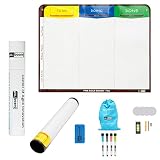
- Visualize work clearly with a 3-column workflow: Designed with a simple 3-column layout to help teams organize tasks by stage, improve visibility, and keep work moving for Kanban, Scrum, Agile planning, daily task tracking, and team workflow management
- Full magnetic dry erase writing surface: Write directly on the board and use magnets across the entire surface. This full magnetic dry erase board gives you a flexible visual workspace for project planning, task organization, and collaboration
- Ultra-thin flexible board for wall-mount use: This lightweight flexible Kanban board is easy to mount and suitable for offices, home offices, classrooms, studios, and team spaces. It delivers the function of a project management whiteboard without the bulk of a traditional board
- Versatile application for Agile, Scrum, projects, and daily planning: Use it as a Scrum board, Kanban board, project planning board, productivity board, or visual task tracker. A practical tool for software teams, operations teams, students, managers, and anyone who benefits from seeing work at a glance
- Includes essential accessories to get started: Comes with 4 dry erase markers, eraser, wall-mount hardware, and accessories shown in the product images. A ready-to-use board solution for creating a visible workflow system right away
Choose a path for in-flight work
- Drain: Let workflows that can finish within an acceptable period complete on the old service before switching.
- Restart with state: For continuously running workflows, Temporal’s guide describes canceling an execution and passing its current state into a new Cloud execution.
- Retain historical access: Keep access to the old service if you still need its execution histories.
The appropriate approach depends on workflow state, lifetime, and continuity requirements. This guidance addresses a move from self-hosted Temporal to Temporal Cloud; it is not a universal migration recipe for other orchestration products or bespoke systems, and it does not establish that arbitrary histories can be transferred unchanged between systems.
Free tools Windows power users keep installed
One-click scans. No signup required.
Do the cost and feature assumptions hold at your scale?
Temporal Cloud pricing is based on Actions and storage. The pricing page listed a Pay-As-You-Go starting price of $50 per million Actions when accessed on October 7, 2026; this is a starting price, not an individualized estimate. Check the live plan and charges before procurement.
Best Value

- VISUAL WORKFLOW: 4-column magnetic board featuring To Do, Doing, Verify, and Done sections for clear task progression and project management
- VERSATILE DESIGN: Magnetic surface allows easy rearrangement of tasks using included cards and markers, perfect for agile project planning
- PROFESSIONAL ORGANIZATION: Streamlined task management system helps teams track project status and workflow efficiency in office settings
- COLLABORATIVE TOOL: Ideal for team meetings, sprint planning, and daily standups with visible project status updates for all team members
- PRACTICAL SETUP: Wall-mountable board with magnetic holders and card system enables quick updates and maintains organized workspace appearance
Build an estimate from expected workflow, activity, timer, signal, query, and schedule operations, along with active and retained history storage. Compare that estimate with self-hosted infrastructure and staffing costs. A meaningful total also depends on workload volume, storage, support, region, and operating costs.
For any feature the design depends on, check its release stage and availability. Temporal’s release-stage guidance distinguishes access, API stability, support, pricing, and regional coverage. Do not make a preview feature an unstated production dependency.
How should you run a pre-migration pilot?
- Select one process. Choose a bounded workflow with visible recovery, long waits, or cross-service coordination pain.
- Record the current baseline. Document failure modes, recovery steps, state requirements, and operational cost before changing the design.
- Exercise failures and code changes. Test worker and service interruption, retries, and changes to workflow code against representative histories. Validate changed code before deploying it.
- Estimate the operating model. For Cloud, estimate Actions and storage using current pricing. For self-hosting, estimate the infrastructure and staff effort needed to operate the service.
- Set migration boundaries. Decide what happens to existing executions and histories, document rollback boundaries, and name the owner of the production service.
Judge the pilot against measures your team defines in advance, such as reduced custom recovery code, clearer execution state, or more manageable operations. These are evaluation criteria, not guaranteed outcomes or published performance statistics.
What should make you proceed—or stop?
Proceed to a broader migration when
- The pilot addresses a documented reliability or coordination burden rather than adding infrastructure without a clear need.
- The team can test workflow changes against representative histories and manage compatibility as code evolves.
- A named owner and realistic operating plan exist for workers and the chosen Temporal Service.
- The cost estimate, feature availability, and treatment of in-flight work fit the workload’s requirements.
Keep the current system when
- The process is simple and existing retries and recovery are dependable.
- The pilot does not demonstrate a meaningful improvement against your own baseline.
- The team cannot yet assign service ownership or safely manage workflow code changes.
- The migration boundary or cost model remains unacceptable for the workload.
There is no established general statistic that predicts Temporal’s migration outcomes, productivity gains, reliability improvement, or total cost of ownership. Make the decision from your process, pilot evidence, and capacity to operate the chosen deployment—not from an assumed benefit of adopting a workflow platform.
Quick Recap
Product prices and availability are accurate as of the date/time indicated and are subject to change. Any price and availability information displayed on Amazon at the time of purchase will apply.




