Recommended Free Tools
There is no universal winner: a character can add a new team option or play style, while a Light Cone improves a character’s equipment. Choose based on what your account needs, whether you can use the featured Cone, your separate pity and guarantee progress, and which future opportunity you are willing to give up.
Start with what the featured item would change for your account
Choose the character when it adds something you need
A featured character may fill a missing role, enable a team, or offer a play style you want. Its value depends on your roster and the teams you actually use; a new character is not automatically useful just because it is new.
As an Amazon Associate I earn from qualifying purchases.
Consider the Light Cone when it upgrades someone you use
A signature Light Cone can be a meaningful upgrade for a favorite or heavily used character, but it is equipment—not a new character or team option. Check whether you own the character it is intended for and whether the Cone is meaningfully better for that character than alternatives you can use.
Outdated Drivers Are Slowing You Down
One free scan finds every outdated or missing driver and matches the right update for your exact hardware.Free scan · exact hardware matchPC Slower Than It Used to Be?
A free scan shows the junk files, broken settings and background clutter dragging Windows down - then fixes them in one click.Free scan · Windows 10 & 11Compare the banner risks and your guarantee state
The rules below are for the Light Cone Event Warp. HoYoverse’s Help Center, updated September 23, 2025, says a 5-star Light Cone is guaranteed within 80 Warps. Each 5-star Light Cone has a 75% chance to be featured; if a 5-star is not featured, the next 5-star is guaranteed to be featured. The 80-Warp counter resets when you obtain any 5-star Light Cone. HoYoverse’s Light Cone guarantee and pity explanation has the full rule details.
Quick Recap
Rank #3
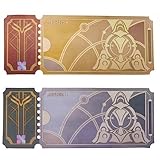
- Size: 15x6cm
- 1 Special Star Rail Ticket Pass
- 1 Normal Star Rail Ticket Pass
Rank #2

- HOYOVERSE Honkai: Star Rail Chibi Plush Series Card Holder - Blade
#1 Best Overall

- Tarot cards featuring Honkai Star Rail Characters
- Light Cone pity carries between Light Cone Event Warps. HoYoverse says accumulated Warp count carries over to subsequent Light Cone Event Warps.
- Banner-type counters are independent. Light Cone Event Warp and Character Event Warp guarantee counts do not affect each other. Do not treat progress on one as progress on the other.
- Check the live banner for character rules. HoYoverse directs players to the current banner’s in-game View Details tab for rates and rules. The support rules cited here were updated September 23, 2025; lineups, event dates, available Warp types, and rules may change.
Before spending, check your Warp history or the in-game banner information to understand your own pity and whether your next 5-star is guaranteed featured. The cited rules cannot reveal your account’s current state. HoYoverse also says rates are equal for all accounts and cannot be changed for an individual account; see its explanation of character Warp outcomes.
Independent reader supportYour contribution helps us test, update, and keep practical guides available for everyone.Use this decision checklist
- Name the benefit you want. For the character, identify the role, team, or play style it would add. For the Light Cone, identify the character who will equip it and the specific improvement you expect over your usable alternatives.
- Check fit with your roster. A Cone has less account value if you do not own or plan to use its intended character. A character has less immediate value if it does not address a roster need or interest you enough to build and play it.
- Review each banner’s resources separately. Count your available passes and assess pity and guarantee status for that Warp type. Do not transfer Light Cone pity or guarantee progress to the character banner, or vice versa.
- Set a stopping point before pulling. Decide how many passes you can spend without undermining a future priority. If you would need to keep pulling after an off-banner 5-star to reach the Light Cone guarantee, consider whether you can accept that resource exposure.
- Include the next opportunity cost. Ask which future character or Light Cone you may be giving up by spending now. If neither current banner offers enough value for your account, saving is also a valid choice.
When neither banner is an obvious choice
Do not pull solely because one banner type is supposedly always better. A character may offer broader roster value, while a Light Cone may be worthwhile for a character you rely on; either can be a poor use of passes if the featured item does not fit your account or if spending would cost you a higher priority. Compare the actual featured items and your own resource limits, rather than deciding by banner label alone.
Product prices and availability are accurate as of the date/time indicated and are subject to change. Any price and availability information displayed on Amazon at the time of purchase will apply.




