What’s actually slowing this PC down?
Pick the symptom - the matching free tool is one click away.
On an iPhone running iOS 18.4 or later, open Settings > Apps > Translate > Default Translation App and choose Google Translate if it appears. The option is available only for apps that support Apple’s default-translation integration.
Set Google Translate as your default
- Update your iPhone to iOS 18.4 or later, and install or update Google Translate.
- Open Settings.
- Tap Apps, then Translate.
- Tap Default Translation App.
- Select Google Translate.
Apple documents this menu path in its iPhone Translate settings guide. The names may vary slightly with language or iOS changes, but use the Translate settings page rather than searching inside Google Translate.
As an Amazon Associate I earn from qualifying purchases.
What the default setting changes
The selection determines which app handles text translation when you translate selected text through iOS. It does not necessarily redirect every translation feature or workflow in every app. Google Translate also has its own tools for translating written text, speech, and images, which remain available in the Google Translate app regardless of this system selection. See Google’s guides for written text, speech, and images.
Do these 3 things before closing this tab:
1Repair Windows errors before they cause bigger problems2Scan for outdated or missing drivers - takes under a minute3Clear out junk files and repair common Windows errorsIf Google Translate does not appear
An app must implement Apple’s provider integration before iOS can list it as a default translation app. Installing a translation app alone does not make it eligible. Apple’s developer documentation specifies support for this feature in iOS and iPadOS 18.4 and later.
#1 Best Overall

- Support 164 Languages Worldwide: These translation earbuds are powered by advanced AI translation technology and support translation in 164 languages in real time, including English, Spanish, German, Italian, French, Japanese, Chinese, etc., covering 98% of the world's common languages. These AI translator earbuds allow you to instantly break language barriers, making them ideal for translation earbuds real time for going abroad, learning languages, international travel, business meetings, exhibitions, emergency translation, etc. Just download the APP and bind the device, and use it forever without subscription.
- Multi Scenario Translation Mode: Easily switch between different translation modes to optimize communication in various settings, ensuring seamless interaction whether you are traveling, meeting or communicating. In addition, you can also enjoy intuitive smart touch control, which allows you to easily manage music, calls, etc. with just one tap. Easily initiate voice and video calls with real-time translation to achieve global connectivity.
- 3-in-1 Real Time Smart Translation Ear Buds: These real-time translation earbuds combine AI real-time translation, video calls, phone calls, and high-quality music in one compact device. You can switch from translating conversations to enjoying music without changing devices, these wireless earbud translation devices are designed for productivity and convenience. High-fidelity music playback Immerse yourself in rich, balanced sound, enjoy deep bass and clear highs, suitable for work, travel, study, entertainment or daily life. Perfect for travelers, professionals and people who love music.
- 50H Playback Time & Gaming Mode: Whether you're listening to music, making calls, or using the translation function, these AI translation earbuds deliver clear audio. A single charge provides up to 50 hours of playback. Equipped with Bluetooth 5.4 audio technology and an ISAR architecture, they achieve high-quality, low-latency, and low-power audio transmission. Activating the gaming mode ensures a smooth, lag-free gaming experience. The low-latency design also optimizes real-time translation, improving its smoothness and eliminating stuttering. These open-back earbuds are suitable for everyday use, including gaming, watching movies, and listening to music.
- Find Earbuds & Touch Controls: These translation earbuds feature a built-in smart positioning chip. With the dedicated app, you can easily find your earbuds with a single tap. Do you often lose your small earbuds while traveling, on business trips, or just going out? You can track their location in real-time on a map and trigger a ringtone for quick location. Clear mobile navigation guidance is also provided (No monthly fees or subscriptions are required) You can customize the touch controls to your liking, You can independently edit the functions of each button, including volume adjustment, track switching, play/pause, and mode switching.
- Check that the iPhone is running iOS 18.4 or later.
- Update Google Translate from the App Store, then return to Settings > Apps > Translate > Default Translation App.
- If it is still missing, the app may not currently be available as a supported provider on your device. Apple says the app developer must support the feature for an app to be selectable.
Google’s support community reported on May 22, 2025, that a basic iOS integration was rolling out with Google Translate version 9.8. That is historical rollout context, not a current version requirement or a guarantee that the app will appear on every device. The available choices in your iPhone’s selector are the practical check.
Independent reader supportYour contribution helps us test, update, and keep practical guides available for everyone.Choose the provider that fits your selected-text workflow
The setting offers Apple Translate and any other providers supported on your device. Choose Google Translate if you want it to handle iOS selected-text translation and it appears in the list; otherwise, select a provider that is available. The setting alone does not establish differences in translation accuracy or language coverage.
Quick Recap
Rank #3
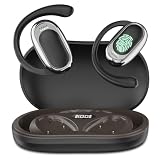
- [144 global languages supported] ANVOSED translation earbuds deliver bidirectional translation—covering 144 languages (Spanish, English, German, etc.) and diverse accents. Download the iOS/Android app for AI real-time translation—perfect for multilingual meetings, language classes, global travel, socializing & more.
- [Multiple translation modes] Fits business talks, classes, community interactions, global travel, and more—for professionals, students, travelers, and beyond. Best of all: free AI real-time translation, no subscriptions required.
- [HD Sound Quality] These translation earbuds serve up crisp, high-def audio—so every word comes through clearly, critical for accurate real-time translation. They pair automatically in seconds, with ultra-low latency to keep translation smooth and in sync.
- [Long Battery Life & Ergonomic Comfort] Designed for all-day wear, these over ear earbuds provide 24 hours of continuous use with audífonos traductores en tiempo real and a fast-charging case for extended battery life, The earbuds have touch control, supporting play/pause, song switching, volume adjustment, etc. The battery box has a power display, which is more convenient to use
- [AI Translation App] We have integrated multiple AI functions into this app, so its features are not limited to just the translation section. The app also includes functions such as converting meeting voice to text, recording and integrating these records. Our technical department is listening to the needs of users and continuously updating the app to add more features. All the above functions are completely free once you purchase this earbuds. Whether you purchase the earbuds or not, feel free to contact us directly—our customer service is available 24/7 to address your inquiries.
Rank #2

- Supports 159 Languages Worldwide: Powered by cutting-edge AI translation technology, these AI powered translation earbuds allow you to break language barriers instantly. These translation earbuds real time support translation in 159 languages including English, Spanish, Tagalog (Philipino), Vietnamese, Korean, German, Italian, French, Japanese, Chinese (Mandarin, Traditional), and more, making them ideal translating earbuds real time for going abroad, learning language, international travel, business meeting, exhibitions, emergency translation etc.
- AI CHAT MODE: These AI powered translation earbuds real time are perfect for students, travelers, and professionals. These bluetooth translation headphones feature a multilingual AI assistant that answers your questions, offers tips, and helps with language practice. Whether you’re studying, traveling or working, these audifonos traductores inglés español keep you fluent.
- ULTRA-LOW LATENCY TECH: Engineered for business negotiations, our translator earbuds delivers near-instant audio conversion. These translator headphones minimise delays, making them a vital tool for any professional requiring high-speed accuracy.
- DUAL-MIC AUDIO & POWER: Equipped with 2 microphones for clear music playback and calls. The sleek charging case supports a 60H playtime, perfect for sports, driving or long-distance flights without losing power.
- SLEEK & PERSONALIZED STYLE WITH COLORS MATCHING YOUR TASTE: Express your unique taste with four premium finishes: Classic Black, Elegant White, Natural Cream, and Vibrant Purple. These sleek translating earbuds combine fashion with function for a tailored look.
Product prices and availability are accurate as of the date/time indicated and are subject to change. Any price and availability information displayed on Amazon at the time of purchase will apply.




