For a Node.js screenshot service, choose Puppeteer when its browser and protocol support fit your requirements: it has direct methods for capturing pages and elements. Choose Selenium when you need its broader language bindings, specific browser coverage, or existing WebDriver and Grid infrastructure. Both can take screenshots; the available evidence does not establish a universal winner for speed or reliability.
What each tool offers for screenshots
Puppeteer is a Node.js library with JavaScript and TypeScript APIs. Its screenshot guide documents Page.screenshot() for a page and ElementHandle.screenshot() for an element. The API can return binary or base64 data; options include full-page capture, clipping, output path, image type, and quality settings. See the Puppeteer screenshot guide and screenshot options.

As an Amazon Associate I earn from qualifying purchases.
Selenium provides screenshot capture through WebDriver for the current browsing context and for elements. The documented WebDriver screenshot endpoint returns Base64-encoded image data. Its example appears in the windows-and-tabs guide; consult the documentation for the language binding you use. See Selenium’s windows and tabs guide.
Neither tool has a monopoly on screenshot capture. The practical difference is how the screenshot API fits into your code, browser requirements, and automation setup.
#1 Best Overall

- Comprehensive Password Storage: Keep all your account details and passwords securely organized in one place with our password book, ensuring you never forget a password again.
- Easy Organization with A-Z Tabs: Featuring alphabetical A-Z tabs, our password organizer allows you to quickly locate the information you need without hassle.
- Stay Updated with Regular Password Changes: The book includes multiple lines per website entry, enabling easy tracking of password updates to enhance security.
- Ample Space for Comprehensive Management: Each tab provides space for 32 website entries, plus additional sections for important details like ISP info, email configurations, and software licenses.
- Durable & Practical Design: Made with a sturdy plastic cover and 100gsm thick paper, our password book is designed to resist tearing and ink bleed-through. The compact A6 size and double-wire binding ensure it’s portable, durable, and lays flat for ease of use.
How to choose between Puppeteer and Selenium
| Decision | Puppeteer | Selenium |
|---|---|---|
| Screenshot workflow | Dedicated page and element screenshot methods, with options such as full-page capture, clipping, output path, and image settings. | WebDriver can capture the current browsing context and elements. |
| Language and existing code | Node.js library with JavaScript and TypeScript APIs. | Multiple language bindings; Selenium describes broader language support than Puppeteer. |
| Browser and protocol | The official FAQ documents Chrome and Firefox. Chrome uses CDP by default; Firefox uses WebDriver BiDi by default. | Official browser documentation has sections for Chrome, Edge, Firefox, Safari, and Internet Explorer. Verify the exact browser and feature combination you need. |
| Orchestration | Fits a direct, library-controlled browser lifecycle. | Selenium Grid provides distributed execution infrastructure, which may suit teams already organized around it. |
| Infrastructure | You run and maintain compatible browser binaries and the capture environment. | You manage browser drivers and the execution environment. |
Puppeteer’s FAQ asks, “Is Puppeteer a replacement for Selenium?” Its answer points to Selenium’s broader scope, including more language bindings and orchestration tools such as Selenium Grid; this is a difference in project scope, not a categorical quality ranking. Read the Puppeteer FAQ.
Choose Puppeteer when
- Your screenshot service is in Node.js and a direct page- or element-capture API is a good fit.
- The browsers and protocols documented for your intended Puppeteer version meet your requirements.
- You want to control a browser from application code without adopting a broader WebDriver setup.
Choose Selenium when
- Your team needs a language binding outside Puppeteer’s JavaScript and TypeScript APIs.
- Your required browser coverage or existing WebDriver workflows point to Selenium.
- Your organization already uses Selenium Grid or benefits from distributed test orchestration.
Make captures comparable and visually useful
A resolved navigation promise alone does not show that the page is in the state you want to capture. Decide what “ready” means for your page, then wait for that condition: for example, a particular element, application state, or content update. Account for animations and lazy-loaded material when they affect the image.
When evaluating the tools against each other, hold the browser build, session state, viewport, page state, wait conditions, and image options constant. Otherwise, differences in setup can look like differences between automation libraries. The cited documentation describes capture controls, but does not establish a universal speed or fidelity ranking.
Quick wins for a faster PC:
Repair Windows errors before they cause bigger problemsFix Now →Fix the driver behind crashes, sound loss and screen glitchesFind Drivers →For performance or reliability decisions, benchmark representative pages at your expected concurrency in the environment where the service will run. Do not assume Puppeteer is always faster or Selenium is inherently more reliable; the reviewed sources provide no controlled, general-purpose head-to-head result.
Rank #3
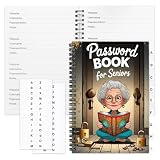
- Designed Specifically for Seniors: This password book is tailored to the needs of older adults, with clear, easy-to-read layouts and ample writing space to avoid eye strain, making it simple to record and retrieve website logins, emails, and software license information.
- Sturdy Spiral Bound Design: The durable spiral binding allows the book to lay completely flat while writing, offering effortless page turning and preventing pages from tearing, ideal for seniors with limited dexterity.
- Ample Storage & Versatile Tracking Pages: With 70 pages (35 sheets), it includes dedicated sections for passwords, internet service provider details, software licenses, and personal/work email information, keeping all critical digital data organized in one secure place.
- Perfect Portable Size: Measuring 5.63" x 8.19" (14.3cm x 20.8cm), this password notebook is compact enough to fit in a purse, bag, or desk drawer while still providing large, readable fields for easy data entry.
- Cute & Practical Gift for Elderly: The charming grandma-themed cover adds a warm touch, making it a thoughtful gift for grandparents, parents, or any senior in your life who struggles to remember multiple online passwords.
Operational tradeoffs: self-managed browser or hosted capture
With either library, your team is responsible for a compatible browser environment and the surrounding capture service. That can be worthwhile when you need direct browser control, but it brings browser and driver maintenance with it. A hosted screenshot API is a separate operating model: it can reduce browser-infrastructure work, at the cost of less direct control over the capture environment. A third-party comparison describes this category-level tradeoff; it does not establish a universal provider ranking. See the comparison.
Or skip the browser setup
If your goal is to get a screenshot rather than maintain browser automation, ScreenshotNeo is a website screenshot API and MCP server. A single GET request can return an image or PDF; its options include full-page and element captures, viewport and device settings, waits, and custom CSS or JavaScript. Cookie banners are accepted and removed before capture, along with known consent platforms, newsletter popups, and chat widgets; each of those steps can be turned off. Bot checks, blank pages, timeouts, failed loads, and cache hits are not billed, and response headers identify the page verdict and billing status. AI agents can use its MCP tools, including take_screenshot, get_page_info, and capture_pdf.
For example, using cURL:
curl -G "https://api.screenshotneo.com/v1/shot" -d access_key=YOUR_API_KEY --data-urlencode url=https://stripe.com -o shot.webpSee the ScreenshotNeo API documentation for parameters and output options. The Free plan includes 1,000 shots per month without a card; paid plans start at $5 for 3,000 shots. Sign up for ScreenshotNeo’s free plan.
Rank #4
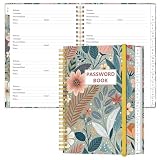
- NEVER FORGET YOUR PASSWORDS AGAIN - Store your passwords & online login details safely in this password notebook. Quick & easy to use, you'll never have to reset forgotten passwords again.
- ALPHABETICAL A-Z TABS - Password book with alphabetical tab system for easy to record the passwords you need
- LOADS OF SPACE FOR MULTIPLE LOGINS - The password journal with 128 pages total, 3 entries per page. The Logbook also has space to write 2 pages important data,2 internet service provider, 2 pages wireless & email settings, 2 pages software license information & 5 pages notes
- HIGH QUALITY & MEASURE - The password keeper book is used to high quality 120gsm pure white acid-free paper that won't bleed through.Password notebook size of 6.4" x 8.5". Pick the size best suited for your needs!
- CHANGE YOUR PASSWORD REGULARLY - New password? No Problem! Keep your account safe by updating your password frequently, Password books for seniors, Each website has 4 password lines, and you can easily update your new password
Frequently Asked Questions
Can both Puppeteer and Selenium capture an individual element?
Yes. Puppeteer documents ElementHandle.screenshot(); Selenium documents WebDriver element screenshots. Check the relevant API documentation for the binding and version you use.
Does Puppeteer replace Selenium?
Not universally. Puppeteer suits direct Node.js browser automation; Selenium serves a broader range of languages and includes orchestration such as Grid.
Best Value

- Used Book in Good Condition
Which tool produces screenshots faster?
There is no established universal speed winner in the cited material. Compare equivalent runs using the same browser build, page state, viewport, and wait conditions.
Quick Recap
Product prices and availability are accurate as of the date/time indicated and are subject to change. Any price and availability information displayed on Amazon at the time of purchase will apply.
Free tools Windows power users keep installed
One-click scans. No signup required.




