Quick wins for a faster PC:
Scan for outdated or missing drivers - takes under a minuteDriver Scan →Clear out junk files and repair common Windows errorsFree Scan →Samsung Flex Mode lets a compatible Galaxy Z Flip or Z Fold stay partly open on a steady surface, with a supported app’s content in one screen area and controls or a Flex mode panel in the other. It can help with hands-free camera use, video calls, media controls, and selected multitasking—but availability and behavior depend on the phone model, software, app, and region.
What is Samsung Flex Mode?
Flex Mode is a feature for compatible Samsung Galaxy Z foldable phones. When the phone is partly folded, certain apps can adjust to the device’s shape. The app may show its main content in the upper area and controls or a panel in the lower area, so the phone can be used while propped up rather than held flat in your hands.
As an Amazon Associate I earn from qualifying purchases.
It is not a general Android feature or a setting that makes an ordinary Samsung phone fold. It relies on the hardware and software of a compatible Galaxy Z model.
Free tools Windows power users keep installed
One-click scans. No signup required.
How the folded layout works
The hinge lets a compatible Galaxy Z phone remain partly open while an app is running. Samsung’s UK consumer guide describes Flex Mode at an angle between 75° and 115°. That is Samsung’s guide description, not a guarantee of an exact angle for every model.
#1 Best Overall

- Full Body Hinge Protection: Equipped with an innovative, smooth-gliding semi-automatic hinge cover that protects the most fragile part of your Samsung Z Fold 8. It offers continuous 360° coverage during every fold and unfold, shielding against dust, scratches, and impacts without adding awkward bulk
- Screen & Camera Raised Edges: Features an integrated premium front screen protector that saves you the hassle of buying extra tempered glass. It defends your outer display from scratches, cracks, and daily wear while maintaining flawless touch response and crystal-clear clarity. The tiny design of 2.5 mm lips over the camera, 1.5 mm bezels over the screen, and 0.5 mm raised corner lips on the back provides extra and comprehensive protection, can minimize and reduce scratches
- Strong Magnetic Attraction: This Galaxy Z Fold 8 case has built-in 38 super N52 magnets, Its magnetic attraction reaches 2400 gf, it won't come off no matter how it shakes while charging. Suitable for wireless chargers, car mounts, etc
- 10FT Military Grade Protection: Passed Military Drop Tested up to 10FT. This case is made with rigid polycarbonate and flexible shockproof TPU around the edge and features built-in corner Airbags, keeps the phone safe from bumps and scratches
- Compatibility & Professional Support: Only compatible for Samsung Galaxy Z Fold 8 Phones(7.6 inch). We have enough confidence to provide you with quality products and services. Any concerns or questions about Samsung Galaxy Z Fold 8 Phone Case, please feel free to contact us
Depending on the device and app, the lower area can show app-specific controls, touchpad behavior, or the Flex mode panel. Some apps use their own layout; others may not support Flex Mode at all. Samsung says compatibility varies by app and device.
How to turn on the Flex mode panel
Samsung’s US support instructions use this path. Menu names and availability can differ with model and software version.
- Open Settings.
- Tap Advanced features.
- Tap Flex mode panel.
- Turn the panel on. From its settings, you can choose which apps open it automatically and adjust options such as the scroll wheel position.
Then open a compatible app, partly fold the phone, and set it on a steady surface or hold it upright. If the app supports the layout, its content and controls may move into the Flex Mode arrangement. Unfold the phone or use the panel’s close control to leave the layout.
Rank #2

- [Exclusively Designed] Only compatible with Samsung Galaxy Z Flip 5 2023. Snug-fit protective case snaps your phone tightly, no worry about slipping off. No fingerprints and no oil smudges with matte finish design
- [Highly Drop-Proof] Made of a super hard main PC case with hinge cover and a separate front frame, perfectly protect your device from daily severe drops and bumps, also promise its seamless fold and unfold experiences
- [Hinge Protection] The spring-loaded hinge cover keeps your phone's hinge away from scratches. And its special texture design offers extra grip for your phone
- [Perfectly Aligned Cutouts] Precise cutouts allow you to fully access the speaker, camera, fingerprint sensor, charging port and so on. Particularly come with button covers against wear in daily use
- [Raised Lips Safeguard] There are raised bezels around the screen and camera, which means the case will protect the screen and camera lens from surface scratches when being faced down
Samsung’s instructions and available settings are specific to the devices and software covered on its US support page.
What you can do with Flex Mode
Use the camera hands-free
With a supported camera layout, the partly folded phone can stand on a flat surface while you frame a shot and use on-screen controls. Samsung also describes viewing recent photos as a camera-related use. The exact controls depend on the phone and software.
Make video calls or watch video
A compatible video-call or video-player app may place the content above controls, making the folded phone easier to use without holding it. This behavior is app-specific; the feature does not guarantee the same layout in every calling or video app.
Rank #3

- Compatibility: This case Fit for Z Fold 8 (7.6 Inch, 2026). Please confirm your phone moderl before purchasing
- Installation Guide: Follow the video guide, install the "Phone Case" first, then apply the "Screen Protector" – ensures a flush fit, prevents edge‑lifting and misalignment, for a flawless screen
- Strong Magnetic Charging: This Galaxy Z Fold 8 Case has built with 38 super-strong N52 magnets, delivering 2400 gf magnetic attraction—over 7× stronger than standard cases. Ensures a secure, stable connection to Magnetic chargers, car mounts, and wireless charging stands. Perfectly aligned for fast, stable charging every time
- Hinge & Screen Protector: The Fold 8 Phone Case features an innovative protective hinge cover designed to safeguard the fragile inner-screen hinge, preventing accidental shifts or misalignment. Combined with its high-quality screen protector, it offers exceptional protection against scratches and drops while fully preserving the screen's original touch sensitivity and HD clarity
- Translucent Matte Back: This Phone Case Z Fold 8 crafted from high-quality matte TPU and translucent PC, this case reveals the phone logo with an elegant, refined finish. The frosted texture delivers a comfortable, non-slip grip, while the nano antioxidant layer effectively resists stains, sweat, and minor scratches—keeping your case clean and clear longer
Navigate with the lower area
Samsung describes touchpad-style navigation on supported newer devices. Whether it appears depends on the particular model and app.
Use multitasking features where available
Flex Mode is distinct from Samsung’s Multi window features, which can show apps in split-screen or pop-up views. Samsung’s US support page says certain Z Fold models can handle up to five apps at once; that maximum should not be assumed for every Galaxy Z model.
Which apps work?
Samsung’s UK guide gives examples of apps optimized for Flex Mode, including Calculator, Calendar, Camera, Clock, Gallery, Google Meet, Samsung Health, Samsung TV Plus, the video player, web browsing, YouTube, and Zoom. These are examples, not a promise that every app will show the same controls on every phone or in every region.
Rank #4

- [Compatible Model] Hard PC Slim Case Compatible with Galaxy Z Fold 4 5G (2022 Released). Support wireless charging without taking off your Galaxy Z Fold 4 case.
- [Built-in Privacy Screen Protector] Samsung Galaxy Z Fold 4 Case Polycarbonate front cover includes built-in privacy screen protector, making the screen only visible to people directly in front of the screen. The Z Fold 4 privacy screen will keep all your personal information out of sight of strangers around you, while preventing scratches and cracks on the screen.
- [Full-Body Protection] Four reinforced corners with raised edge, which could protect your Galaxy Z Fold 4 and Lens against scratches, and drops. Provides supreme protection for your Galaxy Z Fold 4.
- [Comfortable Grip Experience] Adopt ultra thin cover and back to keep the original shape. Real phone to open mold design is easier to dissipate heat. Lightweight give you no bulky.
- [Precise Design] Accurate precision can perfectly fits the position of buttons that is for easy access to all ports and buttons. We provide Lifetime Friendly Customer Service. Please feel free to contact with us if any problem or suggestions.
There are several kinds of compatibility to keep in mind:
- Flex Mode layout: An app may adapt its interface to the partly folded position.
- Flex mode panel: The panel may be available for selected apps, depending on settings and software.
- Multi window and App Pair: Support for these multitasking features varies; Samsung notes that some apps do not support them.
- Custom app layouts: Some apps use their own interface rather than the Flex panel.
For a specific app, check how it behaves on your exact Galaxy Z model and software version. A list of optimized apps is not a guarantee of identical support across devices.
Do these 3 things before closing this tab:
1Scan for outdated or missing drivers - takes under a minute2Repair Windows errors before they cause bigger problems3Fix the driver behind crashes, sound loss and screen glitchesWhich Galaxy Z phones support Flex Mode?
Support is model-specific, so verify the feature for the exact Galaxy Z Flip or Z Fold you own or plan to use. Samsung’s US support page contains an apparent inconsistency: its model information includes a Z Fold8 while also stating that Flex Mode is not supported on the Z Fold8. Because that page does not resolve the conflict, it should not be used to make a blanket claim about current-generation compatibility. Check Samsung’s live, device-specific support information before relying on the feature for a particular model.
Best Value
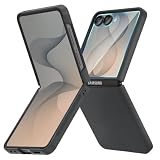
- [Compatible Model] Hard PC Slim Case Compatible with Galaxy Z Flip 8 5G(2026 New Released). Support wireless charging without taking off your Samsung Galaxy Z Flip 8 case.Not compatible with Z Flip 7 / Flip 7 FE / Flip 6 / Flip 5 / Flip 4 / Flip 3 / Flip 2.
- [Full-Body Protection] Four reinforced corners with raised edge, which could protect your Samsung Galaxy Z Flip 8 and Lens against scratches, and drops. Provides supreme protection for your Galaxy Z Flip 8.
- [Precise Design] Accurate precision can perfectly fits the position of buttons that is for easy access to all ports and buttons. Raised lip to protect the screen and camera from scratches when you put your Samsung Galaxy Z Flip 8 face down.
- [Comfortable Grip Experience] Adopt ultra thin cover and back to keep the original shape. Real phone to open mold design is easier to dissipate heat. Lightweight give you no bulky.
- [Ruky Customer Service] We provide Lifetime Friendly Customer Service. Please feel free to contact with us if any problem or suggestions.
Samsung’s July 17, 2026 newsroom guide says the Galaxy Z series had reached its seventh generation. That is manufacturer product-history context, not evidence that every generation or model supports every Flex Mode function.
Is Flex Mode worth looking for?
Flex Mode is most useful if you want a compatible foldable to stand partly open for hands-free use or want an app to rearrange its controls around the fold. Before choosing a phone for that purpose, check the model’s support information and the apps you rely on. This feature guide does not establish a price comparison or independently measured durability results.
Samsung describes the broader appeal of foldables as “connecting user needs with technologies that deliver tangible benefits in everyday life.” That is the view of Sunghoon Moon, EVP and Senior Executive, Mobile R&D Office – H/W, Samsung Electronics, as quoted by Samsung Newsroom; it is a manufacturer executive’s perspective, not independent validation.
PC Slower Than It Used to Be?
A free scan shows the junk files, broken settings and background clutter dragging Windows down - then fixes them in one click.Free scan · Windows 10 & 11Outdated Drivers Are Slowing You Down
One free scan finds every outdated or missing driver and matches the right update for your exact hardware.Free scan · exact hardware matchQuick Recap
Sources
- Samsung US Support: Use Flex mode and view apps on Galaxy foldable phones
- Samsung UK: What Is Flex Mode & How To Use It
- Samsung Newsroom: How Do Foldable Phones Work? A Guide to the Galaxy Z Series, July 17, 2026
Product prices and availability are accurate as of the date/time indicated and are subject to change. Any price and availability information displayed on Amazon at the time of purchase will apply.




