The Tool Desk
Outbyte Driver Updater FREEFix the driver behind crashes, sound loss and screen glitchesFind Drivers →Outbyte PC Repair FREERepair Windows errors before they cause bigger problemsFix Now →A useful post-event survey asks only questions that could change what you do next time. Start with a short core questionnaire, then add questions about content, logistics, networking, or accessibility only when you can act on the answers.
A ready-to-use post-event attendee survey
Use this five-question core for a general event. Adapt terms such as “session,” “speaker,” or “event” to fit your format. These questions are a practical synthesis of university and vendor question banks, not a validated universal survey instrument.


As an Amazon Associate I earn from qualifying purchases.
-
Overall, how satisfied were you with the event?
- Very satisfied
- Somewhat satisfied
- Neither satisfied nor dissatisfied
- Somewhat dissatisfied
- Very dissatisfied
-
Did the event meet your expectations or the goal you had for attending?
Special offer. See more information about Outbyte and uninstall instructions. Please review EULA and Privacy policy.- Exceeded my expectations
- Met my expectations
- Partly met my expectations
- Did not meet my expectations
- I did not have a specific expectation or goal
-
Which part of the event was most valuable to you?
[Optional open response]
-
What is one thing we could improve for next time?
[Optional open response]
-
How likely are you to attend a future event like this or recommend this event to a colleague?
#1 Best Overall
Consider splitting this into two questions if you need to distinguish repeat attendance from recommendation. They measure related but different intentions.
The University at Buffalo’s question bank includes topics such as satisfaction, expectations, improvement, future attendance, reason for attending, content, logistics, cost, and event length. Cvent’s examples also cover likes and dislikes, recommendation, return intent, and open comments. Avoid asking attendees for information already available in registration or attendance records.
Choose optional questions based on the decisions you need to make
Do not add a question merely because it is easy to ask. The University of Wisconsin–Madison’s event-evaluation guidance puts the principle plainly: “However, don’t collect feedback just to collect feedback. You should collect information that will be useful and actionable for you.” Choose a module only if its answers can guide a change.
Content and speakers
- How relevant and useful was the content for you?
- Which session or speaker was most valuable?
- What topic would you like us to cover at a future event?
Use these when you can adjust the agenda, speaker mix, or subject matter. For multi-session events, ask about individual sessions only if you will use those results to shape future programming.
Rank #2

- ★ A PROVEN SYSTEM FOR SELF-FULFILLMENT AND PRODUCTIVITY – Using simple and proven strategies, The Phoenix Journal is designed to dramatically increase your passion, engagement, and effectiveness in life.
- ★ MAKE THE MOST OUT OF LIFE - The Phoenix Journal is a personal day planner designed to actualize your potential. Instead of just randomly setting goals, we help you understand exactly what you want and why! This leads to transformative clarity and motivation.
- ★ EXPERIENCE ULTIMATE FREEDOM - When you commit, this productivity planner and daily journal will help ignite the passion and mastery needed to fully control your life with our hourly schedule, daily notes, and journaling prompts.
- ★ FOCUS ON WHAT MATTERS - Unlike other organizers, this isn't just a work journal, but a system for action and progress in fitness, business, and relationships. Whatever the goal is, with The Phoenix Journal, you can crush it!
- ★ BE YOUR BEST SELF - With a full page for journaling and note-taking, every day, and specialized templates like our routine builder and habit tracker, you'll look back with joy and look forward with excitement.
Venue and logistics
- How satisfied were you with the venue?
- How did the event date and time work for you?
- How satisfied were you with the food or refreshments?
- How easy was it to find the event and complete the arrival process?
- Was the event the right length?
Keep each question focused on one part of the experience. If you ask about the venue, date, and food in one rating, a low score will not show you what to fix.
Networking and activities
- Which networking opportunity or activity was most useful?
- What would make it easier for you to connect with other attendees?
These questions help when you can change the format, timing, or structure of activities. Cvent and SurveyMonkey question guidance both include prompts about event activities and attendee experience.
Accessibility and participation
- Were you able to access and participate in the event?
- Did anything make it harder for you to take part or stay engaged?
Use post-event answers to identify barriers to address at future events. If you need to arrange accommodations for a specific event, ask about needs during planning or registration rather than relying on a later survey to provide them in time.
Crashes, No Sound, or Screen Glitches?
Random freezes, missing sound and display glitches usually trace back to one bad driver. Find and replace yours safely.Free scan · under a minuteWindows Errors? Fix Them Before They Spread
Repair common Windows errors and clear accumulated junk for a smoother, more stable PC - no reinstall needed.Free scan · no reinstallRepeat attendance and recommendation
Ask whether attendees are likely to return and whether they would recommend the event when both answers inform a decision. Return intent can guide future programming; recommendation can offer a separate view of advocacy. Do not treat one as a substitute for the other.
Rank #3

- CREATE THE LIFE YOU'VE ALWAYS WANTED – This Legend Planner undated hourly planner 2025-2026 will help you figure out what you want in life, define your goals, and incorporate them into your agenda. This way, you can make the most of your time every day.
- STAY ORGANIZED & BOOST PRODUCTIVITY – Use spacious monthly calendars and weekly pages to set goals, tasks, deadlines, and appointments. Easily manage your schedule with convenient 6 AM to 9 PM time slots.
- IMPROVE WORK-LIFE BALANCE & REFLECT REGULARLY – This life planner prompts you to plan monthly activities in 6 life areas and reflect on your progress regularly to see where your life might be lacking.
- UNDATED PAGES, A5 FORMAT & STICKERS – This daily planner measures 5.8 x 8.3 inches, has undated pages, eco-leather hardcover, thick 120gsm paper, lay-flat binding, pen loop, elastic, 3 bookmarks, planning stickers, and user guide.
- 60-DAY MONEY-BACK GUARANTEE - We will exchange or refund your appointment book 2025-2026 if you aren’t satisfied with your business and personal planner and organizer for any reason. Reach out to us via message to refund your daily schedule planner.
Pick formats and length that make answers useful
Rating and multiple-choice questions are quick to answer and straightforward to compare. Open-ended questions let people explain what mattered or point out a problem you did not anticipate. Cvent describes multiple-choice, open-ended, and two-choice formats as useful for different information needs; SurveyMonkey likewise recommends mixing ratings or multiple choice with a few open-response prompts.
- Ask one thing at a time. A question about both the venue and the schedule makes a response hard to interpret.
- Use simple wording. Prefer familiar terms over internal event jargon.
- Offer balanced choices. Include positive, neutral, and negative options where they fit, as well as a relevant “not applicable” or “no specific expectation” option when needed.
- Keep rating scales consistent when you want to compare answers across questions or events. The reviewed guidance does not establish one scale as best for every event.
- Make written comments optional if your survey form allows it, so attendees can skip them while still providing other feedback.
- Remove questions without a planned use. SurveyMonkey recommends 10 questions or fewer and gives about three minutes as a suggested completion time. Treat that as vendor guidance, not a universal rule or a guaranteed response-rate result.
Send the survey while the event is still fresh
Send an email survey soon after the event, while attendees can still recall details. SurveyMonkey recommends sending within one to two business days; Cvent advises sending as soon as possible. These are practical recommendations, not proof of a universally optimal time.
- Capture reactions on site: offer a short link or QR code at the end of a session for immediate feedback.
- Follow up after attendees leave: email can reach people who did not respond in person.
- Ask about a particular session: an event app can collect session-specific feedback where one is available.
- Use reminders sparingly: allow a few days before a reminder and limit the number of messages so follow-up does not become a burden.
Thank respondents and, where useful, share a relevant next step such as slides, recordings, or information about a future event. A thank-you page can provide those links.
What’s actually slowing this PC down?
Pick the symptom - the matching free tool is one click away.
Review results without overreading them
Compare like with like
Compare results across events or attendee groups only when question wording, audience, and answer scale are sufficiently consistent. A changed question or a different mix of respondents can make scores difficult to interpret.
Read comments for patterns and examples
Look for recurring themes and actionable examples in open responses. Keep the context of each comment, and do not treat a handful of comments as representative of everyone who attended.
Ask different audiences different questions
Attendees, sponsors, and speakers have different perspectives and knowledge. Ask each group questions suited to its experience rather than using attendee feedback to stand in for sponsor outcomes or staff process review. Cvent publishes separate question sets for attendees, sponsors, and speakers.
Do not assume a universal response-rate target
SurveyMonkey notes that response rates vary by audience and event type and does not endorse one correct target in its reviewed guidance. Use the responses to understand the feedback you received; do not present them as a complete picture of attendees unless you have evidence to support that conclusion.
Tools for building the questionnaire
You do not need a particular paid service to choose good questions. The University of Wisconsin–Madison points to a Qualtrics event-evaluation template, and SurveyMonkey offers event-survey creation tools. Cvent also describes survey software and event apps for collecting event and session feedback. Choose a tool based on practical needs such as distributing the form, collecting responses, and reviewing results.
Best Value
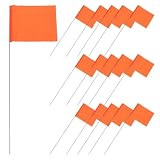
- Bright and visible: the marker flags feature bright colors and clear markings, making them easily visible from a distance and helping users quickly locate target positions,survey flags,survey marking flags
- Easy installation: designed for simplicity, these marker flags can be quickly and easily installed without the need for professional knowledge, saving time and labor costs,landscape marking flags,bike flag
- Quick and easy setup: the simple design of these marker flags allows for fast and easy installation, requiring no skills, thus saving time and effort,yard flags for outside,small flags
- High visibility: the marker flags feature bright colors and clear markings, ensuring they can be easily spotted from a distance, helping users quickly locate target positions,yard signs,measuring marker flags
- Enhanced visibility: with bright colors and clear markings, these marker flags are easily visible from a distance, aiding in the quick identification of target locations,lawn marking flags,utility flags for yard
Keep an event’s YouTube stream running after the event
If your event recording is part of an ongoing YouTube channel, StreamNeo can loop uploaded videos or playlists as a 24/7 YouTube live stream. Upload your recording or build a playlist, add your YouTube stream key, and go live; StreamNeo runs it in the cloud, so your computer and home connection do not have to stay on. Each slot streams what you upload, up to 4K 60fps, at one flat price per slot, with automatic recovery if YouTube drops the stream. The first day is free with no card required.
After the free first day, billing options are: Daily $0.99 per day · Weekly $2.99 per week · Monthly $9.99 per month · 6 months $49.99 for 6 months · Yearly $89.99 a year. The same product is on every plan; only the billing period changes. Each slot includes one always-on stream, 10 GB storage pooled across active slots, 24/7 looping and playlists, automatic recovery, and StreamNeo team support. You can cancel any time. UPI and cards are accepted in India; card checkout is available worldwide. For five or more slots, contact support. StreamNeo plays uploaded videos; it does not broadcast a live camera feed.
Start the free first day without a card at StreamNeo registration.
Quick Recap
Product prices and availability are accurate as of the date/time indicated and are subject to change. Any price and availability information displayed on Amazon at the time of purchase will apply.




