A desktop browser can make five Google Maps tasks easier to work through: editing a multi-stop route, inspecting a destination, measuring an area, organizing saved places, and preparing a link for another device. That is a practical convenience, not proof that a PC is universally better than a phone. Google documents the features, but not a comparative usability test.
1. Build and adjust a multi-stop route before you leave
Google Maps directions are useful for getting a route. For a route you want to customize and keep as part of a map, Google My Maps on a computer supports directions layers for driving, bicycling, or walking. You can add destinations, inspect step-by-step directions, and drag the route to change its path. Each directions set appears on its own layer.

As an Amazon Associate I earn from qualifying purchases.
- Sign in to Google My Maps and create a map or open one you have already made.
- Select Add directions to create a directions layer.
- Enter the starting point and destination, then add stops as needed.
- Choose driving, bicycling, or walking, review the step-by-step directions, and drag the route if you want to adjust its path.
This workflow is for planning and editing; it does not replace following turn-by-turn navigation on a phone while travelling. See Google’s My Maps directions instructions.
2. Use Street View to inspect a destination and nearby places
Before committing to a destination, use Street View to examine available street-level imagery and explore the surrounding area. A large desktop map makes it convenient to keep several candidate locations in view while you compare their settings. That is an inference from the layout, not a measured advantage established by Google.
#1 Best Overall
Street View imagery is available only where Google provides it, so a location may not have the view you want. Google’s help page on Maps features describes Street View and other ways to explore places.
3. Measure distance between points or outline an area
My Maps on a computer can measure a line or a shape. Click successive points to trace a route or boundary; finish the line to see its distance, or close the shape to see its area. The displayed result is a map measurement based on scale and country, not a survey or legal measurement of land.
Rank #2
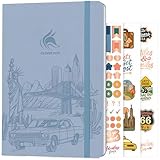
- ALL-IN-ONE UNITED STATES TRAVEL PLANNER – This US Travel Journal helps you plan and document trips across all 50 states with structured bucket lists, state highlights, capital city checklists, and National Parks tracking—all in one place.
- BUCKET LISTS & VISUAL MAPS THAT DRIVE ACTION – This travel planner includes thematic 50 states bucket lists, a full U.S. National Parks map, and dedicated pages to check off visited states, capitals, and National Parks.
- DETAILED TRIP PLANNING & MEMORY KEEPING – Go beyond planning with in-depth trip itineraries, trip budgets, travel expense trackers, goals, and journaling pages, designed to help you stay organized and get more value out of every journey.
- MADE-TO-LAST & COMES WITH STICKERS – This 50 states book comes in A5 format (5.8x8.3 inches) with eco-leather hardcover, thick 120gsm paper, pen loop, elastic band, lay-flat binding, 3 bookmarks, stickers, and user guide.
- 60-DAY SATISFACTION GUARANTEE - We will exchange or refund your 50 states travel journal if you aren’t satisfied with it for any reason. Reach out to us via message to refund your USA travel journal.
For the drawing steps and measurement details, use Google’s My Maps computer instructions.
4. Organize locations with saved-place lists
Google Maps lets you save places to lists, which is useful for keeping potential stops, restaurants, or other locations together for later reference. On a computer, you can use the map and place details while deciding what belongs on a list.
Rank #3

- KEEP YOUR TRAVEL ORGANIZED - This travel notebook will help you to plan your itinerary before start your trip, record trip journal and plan for your next travel. It can help you plan your trip effectively and maximize your time at each destination. By making a travel packing list, you've got all the important details sorted out. This trip organizer will help you relax and enjoy your trip, saving you a lot of time.
- FULFILL YOUR TRAVEL DREAMS - If you dream of seeing the world,but are worried about the difficulties and lack of planning during the trip, this travel planner organizer is for you! Use this travel log book to build your travel bucket list and start fulfilling it, explore new places, and plan exciting and safe trips
- RECORD THE GOOD MOMENTS - This travel journal for couples and includes safety tips, helpful travel info, common phrase translations, and a packing list to ensure you have everything you need while traveling. And keep track of travel important details: like flight and hotel reservations, packing list, budget, trip itinerary and lots of space for the daily adventures.
- HIGH QUALITY - This travel planner size of 5.8" x 8.5", just the perfectly size to fit in your backpack, purse or laptop case. Is used to high quality 100gsm pure white paper, elastic band and a back pocket for extra space.
- THE PERFECT GIFT - Travel Journal for kids daily tracking, give it to your children, friends, family as a gift for Birthday| Easter|Children's Day|Halloween|Thanksgiving|Christmas|Back to school and New Year's Day.
Google announced a desktop Recents tab in 2023 that grouped searched places by city and let users share places or save them to a new list. Because that was a dated rollout announcement, do not assume the tab or its exact layout is present in every account or in the current interface. The feature overview is in Google Maps Help; the original announcement is Google’s April 3, 2023 blog post.
5. Prepare directions or a place link for another device
A Google Maps URL can open a search, directions, a map view, or a Street View panorama on different device types. That makes a link a straightforward handoff from desktop planning to a phone or another device. It does not establish that every saved map or measurement can be shared in the same way.
Rank #4

- KEEP YOUR TRAVEL ORGANIZED - This travel notebook will help you to plan your itinerary before start your trip, record trip journal and plan for your next travel. It can help you plan your trip effectively and maximize your time at each destination. By making a travel packing list, you've got all the important details sorted out. This trip organizer will help you relax and enjoy your trip, saving you a lot of time.
- FULFILL YOUR TRAVEL DREAMS - If you dream of seeing the world,but are worried about the difficulties and lack of planning during the trip, this travel planner organizer is for you! Use this travel log book to build your travel bucket list and start fulfilling it, explore new places, and plan exciting and safe trips
- RECORD THE GOOD MOMENTS - This travel journal for couples and includes safety tips, helpful travel info, common phrase translations, and a packing list to ensure you have everything you need while traveling. And keep track of travel important details: like flight and hotel reservations, packing list, budget, trip itinerary and lots of space for the daily adventures.
- HIGH QUALITY - This travel planner size of 5.8" x 8.5", just the perfectly size to fit in your backpack, purse or laptop case. Is used to high quality 100gsm pure white paper, elastic band and a back pocket for extra space.
- THE PERFECT GIFT - Travel Journal for kids daily tracking, give it to your children, friends, family as a gift for Birthday| Easter|Children's Day|Halloween|Thanksgiving|Christmas|Back to school and New Year's Day.
For developers or anyone assembling a link, Google’s Maps URLs documentation says to include the api=1 parameter; Maps URLs do not require an API key. The supported actions and URL formats are documented in Google’s Maps URLs guide.
The Tool Desk
Outbyte Driver Updater FREEFix the driver behind crashes, sound loss and screen glitchesFind Drivers →Outbyte PC Repair FREERepair Windows errors before they cause bigger problemsFix Now →When the PC advantage matters
These tasks suit a computer when you want more room to see several locations, use a pointer to adjust a route, or draw a measurement carefully. A phone remains useful for mobile navigation and checking directions while travelling. Google’s documentation establishes the features on these workflows; it does not rank desktop and mobile performance overall.
Quick Recap
Product prices and availability are accurate as of the date/time indicated and are subject to change. Any price and availability information displayed on Amazon at the time of purchase will apply.




