The Tool Desk
Outbyte Driver Updater FREEScan for outdated or missing drivers - takes under a minuteDriver Scan →Outbyte PC Repair FREERepair Windows errors before they cause bigger problemsFix Now →Some Pixel 8 and Pixel 8 Pro owners have reported the rear camera-cover glass cracking after minor incidents, in a pocket, or with no remembered impact. That makes the failure pattern worth documenting, but the public evidence does not establish a defect rate, a faulty production batch, a recall, or a Google-confirmed quality-control problem. Treat the crack as real physical damage, protect the phone from contamination, and pursue an inspection rather than assuming either warranty coverage or accidental damage.
What is actually cracking?
“Rear camera glass” can describe different parts:
- External camera-cover glass: the protective pane over the camera openings in the rear camera bar. Most owner reports concern this part.
- Rear cover or enclosure: the larger back assembly surrounding the camera bar, wireless-charging hardware and other components.
- Camera module optics: the sensor’s own lens or optical element inside the phone.
An external cover can crack while the cameras still operate. Fractures can nevertheless cause flare, haze, dust entry, moisture exposure or loose shards that later damage the optical surface. A broken camera module is a separate, generally more expensive failure.
Pixel 8 and Pixel 8 Pro are not interchangeable evidence
Reports mention both Pixel 8 and Pixel 8 Pro. Posts also mix in Pixel 7 models, so community discussions cannot establish one shared defect or a prevalence figure for the Pixel 8 generation.
Crashes, No Sound, or Screen Glitches?
Random freezes, missing sound and display glitches usually trace back to one bad driver. Find and replace yours safely.Free scan · under a minuteWindows Errors? Fix Them Before They Spread
Repair common Windows errors and clear accumulated junk for a smoother, more stable PC - no reinstall needed.Free scan · no reinstall#1 Best Overall
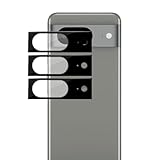
- Device Compatibility: Designed specifically for Google Pixel 8 (5G)
- 9H Hardness Scratch Resistant: 9H scratch-resistant tempered glass effectively shields camera lenses from daily abrasions caused by keys, coins and sand, avoiding permanent lens scratches that blur photos.
- Crystal Clear Display: High-transmittance optical glass with anti-reflective coating reduces lens flare and ghosting, restores original photo color and clarity without darkening shooting effect day or night.
- Oil & Smudge-Resistant: Premium oleophobic oil & smudge-resistant coating repels hand grease, sweat and dust; fingerprint marks wipe off easily to keep lenses clear all the time.
- Shock-Proof and Case Friendly: Shock-proof buffer layer cushions drop impact; tear-resistant anti-shatter substrate locks glass fragments if cracked. Ultra-thin design fits most phone cases without lifting edges.
What owners have reported—and what that proves
Google’s Pixel community includes accounts of camera glass breaking “randomly,” including a phone only days old and a Pixel 8 Pro that reportedly cracked in a jacket pocket: Google Pixel Community reports. Reddit posts describe glass shattering on a wireless-charging pad or after an apparently minor event: report 1, report 2 and report 3.
These are firsthand accounts, not controlled failure data. No public source identified here provides the number of affected units, a batch comparison, service-return statistics, a verified engineering cause, or a Pixel 8 camera-glass recall. The reports show that this failure mode occurs; they do not show how often it occurs or why a particular phone cracked.
Has Google confirmed a Pixel 8 camera-glass defect?
Not in the published material available for this issue. A community post calling something a “known issue,” a support representative’s comment, or a repair-shop policy is not the same as an official defect acknowledgment, service bulletin or recall.
Google’s Pixel 8 Extended Repair Program addresses certain display problems. It is not a named rear-camera-glass program, and the page says cracked display or cover glass and other physical damage can make a device ineligible. Google’s general repair guidance says eligibility depends on warranty status, country, inspection and the damage found.
Do these 3 things before closing this tab:
1Repair Windows errors before they cause bigger problems2Fix the driver behind crashes, sound loss and screen glitches3Clear out junk files and repair common Windows errorsRank #2

- [Compatible & Cost-Effective] LK Google Pixel 8 Screen Protector and Camera Lens Protector are specially designed for Google Pixel 8. LK is Committed to providing a one-stop purchase experience. The Package comes with 2 Pack Google Pixel 8 tempered glass screen protectors & 2 pack camera lens protectors and full accessories for installation.
- [Zero-Lag Touch Sensitivity] Our screen protector for Google Pixel 8 is 1:1 precisely cut and fits seamlessly to your screen, retaining the smooth sliding and fast response of the bare Phone, bring you a pleasant experience.
- [All-Round Protection] We provide screen protection and camera lens protection at the same time for your Google Pixel 8 - The screen protector provides strong protection for your Google Pixel 8. The camera lens protector is made from superior 9H tempered glass that is scratch and shatterproof protecting your camera from scratches and high impact drops.
- [Ultra-Clear] Accurate color reproduction and pixel-level clarity. The tempered glass screen protector Pixel 8 is made of optical-grade glass and provides factory-calibrated color reproduction. Advanced anti-reflective coating eliminates haze and distortion, giving you pristine clarity and HD visuals like a naked eye.
- [Bubble-Free Installation & Case-Friendly] Designed for beginners, this screen protector Pixel 8 features electrostatic cling technology and an included precision frame for easy installation in seconds, minimizing air bubbles. Its slim edge design allows it to fit smoothly over most phone cases.
Therefore, a phone can be within its normal limited-warranty period yet have a camera-cover crack classified as accidental or physical damage. A report that the owner remembers no drop does not automatically change that classification.
Can it crack without a visible drop?
It is possible for an owner to notice a crack without recalling an impact, but the cause of any individual break requires evidence that is normally unavailable after the event. Possible mechanisms include:
- a minor contact with a hard edge;
- microfractures that spread later;
- localized stress around an opening or edge;
- pressure from a pocket, case or object;
- thermal expansion and contraction; or
- manufacturing or assembly variation.
These are possible explanations, not verified Pixel 8 causes. One report timed a break to wireless charging, but timing alone does not establish that charging caused it. Wireless charging can generate heat in general; no Pixel 8-specific causal link is established by the reports.
What to do immediately
1. Prevent contamination and further damage
- Keep the phone away from water, steam, sand and dust; do not rinse it.
- Do not press on or pry out loose shards, and do not use compressed air near the crack.
- As a temporary contamination barrier, place clean, clear tape over the affected area. Tape is not a waterproof repair.
- If glass is loose, keep the phone in a clean sleeve or container until inspection.
Do not rely on the phone’s original water-resistance rating after camera-cover or rear-housing damage. Liquid intrusion and damage to sealing can affect repair eligibility under Google’s published guidance.
Quick wins for a faster PC:
Repair Windows errors before they cause bigger problemsFix Now →Fix the driver behind crashes, sound loss and screen glitchesFind Drivers →Rank #3

- Compatible Models: Designed for Google Pixel 8 screen protector, not fit for other models; Package includes 3 pcs tempered glass screen protectors and 3 pcs camera lens protectors, 3 wet & dry wipes, 3 dust stickers
- Scratch Resistant: Pixel 8 screen protector made of Premium 9H Hardness tempered glass, which makes the phone more effectively withstand external scratches and impact force, providing comprehensive protection around the screen and camera
- HD Clear: The transparency of the Pixel 8 tempered glass screen protector preserves the original high resolution of pictures and videos, providing an original viewing experience with HD clarity
- Easy Installation: Before installing the screen protector and camera protector, remove dust and align them properly; With professional electrostatic adsorption technology, no worrying about bubbles
- Touch Sensitivity: The ultra-thin glass maintains the touch of the original screen, ensuring fast and responsive performance; Hydrophobic and oleophobic coating to reduce sweat and fingerprints
2. Record evidence before service
- Photograph the entire rear, a close-up of the fracture, the frame and corners, and the case.
- Capture the phone powered on and the camera functioning, without publicly posting the full IMEI or serial number.
- Write down the purchase date, retailer, country, case use, any known impact, pressure, heat or charging event, and when the crack was first noticed.
- Test every rear camera at several zoom levels. Photograph a plain wall or sky to reveal flare, haze, dust spots and focus errors.
If the image is fogged, persistently distorted or cannot focus, stop using the camera until it is inspected.
3. Back up your data
Back up the phone before sending it for service, as Google recommends in its repair information: Pixel repair-program guidance.
Warranty, insurance and consumer remedies
Start with Google’s repair portal and enter the device details to see mail-in or walk-in options available in your country: Google repair options. Ask support in writing:
“Is the cracked external rear-camera cover being treated as accidental damage, or will Google inspect it as a possible manufacturing defect?”
Recommended Free Tools
Special offer. See more information about Outbyte and uninstall instructions. Please review EULA and Privacy policy.Rank #4
![Ringke for Google Pixel 8 Camera Lens Protector [Camera Glass, 3 Pack]](https://m.media-amazon.com/images/I/31D6uVBfq9L._SL160_.jpg) Ringke for Google Pixel 8 Camera Lens Protector [Camera Glass, 3 Pack]
Ringke for Google Pixel 8 Camera Lens Protector [Camera Glass, 3 Pack]
- Full-coverage tempered glass protector
- Multi-layer design enhances the efficiency and usability of your camera
- Take high-quality pictures and videos through the fingerprint-resistant tempered glass
- install without the dangers of bubbles or lifting
- Case-friendly design
Request the written estimate, the exact part to be replaced, whether unrelated damage changes eligibility, what happens if inspection rejects the claim, and what sealing expectations apply after repair.
Also check a carrier or retailer protection plan, credit-card purchase protection, and homeowners or renters insurance. Eligibility and consumer-law remedies depend on the country, seller, purchase date and actual policy terms; a one-year warranty period or lack of a remembered drop is not itself a coverage promise.
Independent reader supportYour contribution helps us test, update, and keep practical guides available for everyone.Choosing a repair route
Google or an authorized provider
This is the strongest route for a warranty dispute and documented service. Google describes mail-in and walk-in providers and its repair partnerships: Google’s repair update. A provider may replace a larger enclosure rather than a thin camera pane. Availability, inspection results and prices vary by market.
Independent repair shop
A reputable shop may offer a camera-cover-only job and avoid a full housing replacement. Before authorizing work, ask whether it replaces only the external cover or also the rear housing, camera module, wireless-charging assembly, adhesive and seals. Get the part source, written warranty and a clear statement that factory water resistance cannot be guaranteed. An unqualified shop may affect later warranty or insurance claims.
What’s actually slowing this PC down?
Pick the symptom - the matching free tool is one click away.
Best Value
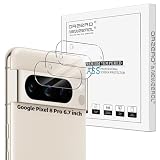
- Compatibility: Specially Designed Camera Lens Protector for Google Pixel 8 Pro 6.7 inch. Perfect fit for your camera lens to protect your lens from scratches or damage (Does not affect the temperature sensor readings)
- Premium Material: The camera protector is made of high quality glass material. Hydrophobic and Oleo-phobic coatingss protects against sweat and oil residue from fingerprint
- Ultra Thin HD: 99% HD with clarity and transparency, restores the phone's original pixels and preserves the original photo quality
- Easy Installation: Our camera protector comes with dust remover, screen wipe and lint-free dry cloth. Ensure no air bubbles and easy installation
- Orzero Customer Service: Protected by Orzero Service. If there are any quality problems, please feel free to contact us
DIY repair
iFixit lists genuine parts and Pixel 8 guides, including the genuine rear case, Pixel 8 repair hub and ultrawide-camera guide. Its repair discussion notes that strongly adhered back glass and nearby wireless-charging components make the job difficult: iFixit repair discussion. The Pixel 8 service manual is available at this PDF.
DIY risks include damaging the charging coil, flex cables, antennas, camera or frame; misaligning glass; leaving adhesive gaps; and losing sealing. It is appropriate mainly for experienced phone technicians, not as a simple lens swap.
Typical commercial choices and price signals
| Option | What it may involve | Published signal or qualification |
|---|---|---|
| Pixel Care+ | Future accidental-damage protection if enrollment is allowed | Google’s page listed Pixel 8 at $8/month or $159 for two years, with a $0 service fee for cracked front screen and back-glass repairs when eligible; prices and terms can change. Terms |
| uBreakiFix by Asurion | Professional back-glass, camera or housing service | More than 700 locations are advertised; a generic Pixel back-glass sheet listed $119.99 non-member and $80 Home+ pricing, not a guaranteed Pixel 8 camera-bar quote. Pixel 8 services · Back-glass page · Pricing sheet |
| iFixit parts | Rear-case or camera-component replacement by an experienced technician | A repair discussion listed a genuine rear case at $142.99 when crawled; inventory and price are volatile. |
Protection plans generally do not cover a crack that already exists. Verify enrollment and pre-existing-damage rules before buying coverage.
Decision tree
- Crack present? Keep the phone dry, photograph it and back up data.
- Camera artifacts or loose shards? Stop camera use and arrange prompt inspection.
- Possible warranty claim? Submit the documented case to Google before opening the phone or using an independent shop.
- Claim denied or phone out of warranty? Compare an authorized quote with a reputable independent shop’s glass-only or housing repair.
- Considering DIY? Proceed only if you already have the tools and experience to remove adhered back glass without damaging charging and camera components.
How to reduce future risk
After repair, a case with a raised camera-bar rim can reduce exposure to edge impacts. It cannot prove what caused an earlier crack and cannot restore damaged sealing. Keep the phone away from water until a technician has confirmed the repair is complete and the device’s post-repair limitations.
The Bottom Line
Pixel 8 rear camera-cover cracking is a recurring owner-reported failure pattern, not a publicly confirmed Google quality-control defect or recall. Document the damage, protect the phone from liquid and contamination, check Google and insurance coverage before third-party work, and choose an enclosure or glass-only repair based on the inspection and your tolerance for sealing and component risk.
Quick Recap
Product prices and availability are accurate as of the date/time indicated and are subject to change. Any price and availability information displayed on Amazon at the time of purchase will apply.



