Recommended Free Tools
When the Outlook Home menu seems to vanish, you’re usually not dealing with a “missing feature.” More often, the ribbon has been minimized/hidden, the UI is stuck in a bad state, or an add-in broke the command surface.
This guide covers the most reliable fixes for Outlook on Windows (desktop), Outlook for Mac, and Outlook on the web, with step-by-step actions that match the real UI you’ll see.
As an Amazon Associate I earn from qualifying purchases.
Use the section that matches your device and Outlook version first.
Free tools Windows power users keep installed
One-click scans. No signup required.
What You Mean by Outlook Home Menu
People use “Home menu” to describe different UI elements. In most cases, you mean the Outlook ribbon tab labeled Home (with actions like New Email, Reply, Delete, Rules, and formatting tools).
#1 Best Overall

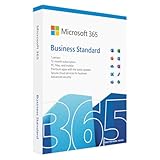
- Designed for Your Windows and Apple Devices | Install premium Office apps on your Windows laptop, desktop, MacBook or iMac. Works seamlessly across your devices for home, school, or personal productivity.
- Includes Word, Excel, PowerPoint & Outlook | Get premium versions of the essential Office apps that help you work, study, create, and stay organized.
- 1 TB Secure Cloud Storage | Store and access your documents, photos, and files from your Windows, Mac or mobile devices.
- Premium Tools Across Your Devices | Your subscription lets you work across all of your Windows, Mac, iPhone, iPad, and Android devices with apps that sync instantly through the cloud.
- Easy Digital Download with Microsoft Account | Product delivered electronically for quick setup. Sign in with your Microsoft account, redeem your code, and download your apps instantly to your Windows, Mac, iPhone, iPad, and Android devices.
If you’re seeing no ribbon at all, or the ribbon collapses into a thin strip, you’ll want the ribbon-focused steps. If you’re using a browser (Outlook on the web), the fix looks different.
Common Causes
- Ribbon minimized or hidden (common after certain window size changes or UI glitches).
- Add-ins that fail to load or crash the ribbon.
- Corrupt Office/Outlook install or a damaged configuration.
- Profile or mailbox issues (especially when only one account behaves differently).
- Outlook web browser caching/extensions interfering with the UI.
- macOS Outlook UI glitches (toolbar/ribbon visibility or database state).
Before You Change Anything (Fast Checks)
These checks cost seconds and often fix the problem immediately.
- Maximize the Outlook window (top-right button) and try again.
- Check whether the ribbon collapses when you click a message list vs. an open email.
- Restart Outlook (fully close it first): on Windows, use File > Exit; on Mac, quit Outlook from the Dock or Apple menu.
If the Home tab still doesn’t show, move to the platform-specific fixes below.
Fix on Outlook for Windows (Desktop App)
On Windows desktop Outlook, the Home menu is the ribbon. Your goal is to restore the ribbon tabs and commands.
1) Reset the Ribbon Display to Show Tabs
In many cases, the ribbon is set to hide or minimize.
- Open Outlook.
- Right-click any empty area of the ribbon (or near the top toolbar area).
- Select Show Tabs.
If you see Show Tabs already selected, try toggling to a different ribbon mode and back.
2) Turn Off Minimized Ribbon
If you only see a slim bar with icons and no tab labels, the ribbon is minimized.
Quick wins for a faster PC:
Repair Windows errors before they cause bigger problemsFix Now →Scan for outdated or missing drivers - takes under a minuteDriver Scan →Clear out junk files and repair common Windows errorsFree Scan →- Look for a small arrow or a ribbon collapse state at the top.
- Click the ribbon tab label area so the full ribbon expands.
- Then check whether the ribbon stays expanded after you switch to another mailbox folder.
If it re-minimizes immediately, skip to add-ins and repair steps—something is likely forcing it.
3) Check Add-ins and Start in Safe Mode
Add-ins are a top cause of broken ribbons. Safe Mode helps you confirm the culprit.
- Close Outlook.
- Press Win + R.
- Type:
outlook.exe /safeand press Enter.
If Home tools appear correctly in Safe Mode, the fix is to disable add-ins.
- In Safe Mode, go to File > Options.
- Select Add-ins.
- At the bottom, next to Manage, choose COM Add-ins and click Go.
- Uncheck add-ins one by one (or disable all), restart Outlook normally, and re-check the Home tab.
Common offenders include third-party antivirus add-ons, CRM add-ins, and document signing tools.
What’s actually slowing this PC down?
Pick the symptom - the matching free tool is one click away.
4) Repair Office/Outlook
If Safe Mode still shows the Home menu missing, repair the Office installation.
- Close Outlook.
- Open Settings > Apps > Installed apps.
- Find your Office version (e.g., Microsoft 365 Apps).
- Choose Modify.
- Select Quick Repair. If that fails, use Online Repair.
- Reboot and open Outlook.
Online Repair is slower, but it’s the more thorough option.
5) Verify Outlook is Using the Correct Mail Profile
In rare cases, a damaged or mismatched profile causes UI oddities. You’re looking for profile corruption, not mailbox content.
- Close Outlook.
- Press Win + R.
- Type:
controland press Enter. - Go to Mail (choose Mail (Microsoft Outlook)).
- Click Show Profiles.
- Select a working profile and set it as Always use this profile.
If you suspect the profile is broken, create a new one using Mail > Show Profiles > Add, then test whether Home returns.
6) Update Office and Windows
UI ribbon bugs can be version-specific. Updates often fix command rendering and ribbon state.
- In Outlook, go to File > Office Account.
- Select Update Options > Update Now.
- Then update Windows via Settings > Windows Update.
Restart Outlook after updates.
Fix on Outlook for Mac
Outlook for Mac uses a different UI model than Windows, but the Home tools typically depend on the toolbar visibility and app state.
1) Restore the Toolbar/Ribbon Area
If the toolbar/controls are hidden, you may think the Home menu is gone.
- Open Outlook.
- Use the menu bar: look for View.
- Toggle toolbar-related items (commonly Show Toolbar).
If you can’t find the exact label in your version, use macOS menu search and confirm whether View options show toolbar controls.
2) Disable Problematic Add-ins
macOS Outlook also supports add-ins that can interfere with UI.
- Open Outlook.
- Go to Tools > Permissions or Add-ins (name varies by macOS/Outlook version).
- Disable non-essential add-ins.
- Quit and relaunch Outlook.
3) Rebuild the Outlook Database
If the UI behaves inconsistently (missing controls, broken views), a database rebuild can help.
- Quit Outlook.
- Open the Outlook database utility/rebuild process from Outlook’s troubleshooting path for your version.
- Follow the prompts to rebuild.
- Restart and check whether the Home tools/toolbar returns.
Rebuilding can take time depending on mailbox size and indexing state.
Fix on Outlook on the Web (OWA)
If you’re using Outlook in a browser and the Home commands don’t appear, the issue is often browser cache, cookies, or an extension blocking scripts.
Outdated Drivers Are Slowing You Down
One free scan finds every outdated or missing driver and matches the right update for your exact hardware.Free scan · exact hardware matchPC Slower Than It Used to Be?
A free scan shows the junk files, broken settings and background clutter dragging Windows down - then fixes them in one click.Free scan · Windows 10 & 111) Hard Refresh and Clear Site Data
- Open Outlook on the web.
- Hard refresh:
- Chrome/Edge: press Ctrl + F5
- macOS Chrome/Safari: refresh while holding Shift (browser-dependent)
- If it doesn’t fix, clear site data for Microsoft domains.
- Delete cookies and cached files for outlook.office.com and related Microsoft sign-in pages.
2) Disable Browser Extensions
Ad blockers, privacy tools, and script blockers can break Outlook’s command rendering.
- Open your browser’s extension manager.
- Disable extensions temporarily (especially content blockers and “anti-tracking”).
- Reload Outlook on the web and verify the Home ribbon/buttons.
3) Try Another Browser
To isolate browser-specific issues, test in a second browser.
- Try Chrome or Microsoft Edge if you started in Firefox or Safari.
- Confirm the issue persists after a clean sign-in.
When the Menu Is Not Missing, It’s Hidden
Some users only lose the Home tab when they open a message read view, switch to a calendar view, or shrink the window until the ribbon collapses.
Try maximizing the window, then click within the main message list. If Home appears only for certain contexts, check whether you’re in a different Outlook surface (Mail vs. Calendar vs. Tasks) and compare behavior across accounts.
Troubleshooting by Symptom
Use these scenarios to narrow the cause faster.
Ribbon shows a single tab only
This often points to ribbon mode corruption or an add-in interfering with the command bar.
- Right-click the ribbon area and set Show Tabs.
- If it stays broken, run
outlook.exe /safeand disable COM add-ins.
Menus disappear only after switching folders
That behavior frequently indicates a UI rendering glitch tied to a specific mailbox, view, or cached state.
- Test another mailbox (if you have more than one) to isolate the account.
- Start Outlook in Safe Mode to confirm add-in involvement.
Only one mailbox/account is affected
If the Home menu works for one profile but not another, focus on the mailbox/profile state.
- Verify you didn’t accidentally switch profiles.
- Create a test profile and add only the affected mailbox.
- If the UI breaks in the test profile too, repair Office and consider add-ins.
Search works but Home tools do not
When search still works, Outlook’s core engine often loads, and the problem is typically ribbon/command rendering.
The Tool Desk
Outbyte Driver Updater FREEFix the driver behind crashes, sound loss and screen glitchesFind Drivers →Outbyte PC Repair FREERepair Windows errors before they cause bigger problemsFix Now →- Try ribbon toggles (Show Tabs and un-minimize).
- Then run Safe Mode and remove add-ins.
Common Mistakes That Make It Worse
- Resetting random settings before you isolate whether it’s ribbon state vs. add-ins.
- Installing multiple “fix” add-ons to compensate for missing commands.
- Ignoring Safe Mode results—it’s the quickest confirmation of add-in vs. core installation.
- Clearing everything on the system when the issue is browser-specific (for OWA, stick to site data and extensions first).
FAQs
How do I restore the Outlook ribbon to show the Home tab?
On Outlook for Windows, right-click the ribbon area and choose Show Tabs. If you still can’t see it, start Outlook with outlook.exe /safe and disable add-ins.
Why does my Outlook Home menu disappear after an update?
Sometimes an Office update triggers a ribbon state or add-in compatibility issue. First try ribbon toggles, then test Safe Mode, and finally run Online Repair if Safe Mode doesn’t help.
Does Outlook on the web have a Home menu like desktop Outlook?
It doesn’t use the same Windows ribbon, but the Home commands (mail actions) should render reliably. If they don’t, clear site data for Microsoft domains and disable extensions blocking scripts.
Will repairing Office remove my emails?
Office repair typically affects the application installation, not your mailbox data. Still, confirm you’re signed into the correct account and that Outlook sync is functioning normally after the repair.
Bottom Line
If the Outlook Home menu is missing, start with the ribbon state fixes (Show Tabs / un-minimize). When that fails, Safe Mode plus add-in isolation is the fastest path to a durable solution.
If you’re on Outlook on the web, focus on caching and extensions. For Outlook for Mac, restore toolbar visibility and rebuild the database only after confirming it’s not a UI display toggle issue.
Quick Recap
Product prices and availability are accurate as of the date/time indicated and are subject to change. Any price and availability information displayed on Amazon at the time of purchase will apply.




