Outdated Drivers Are Slowing You Down
One free scan finds every outdated or missing driver and matches the right update for your exact hardware.Free scan · exact hardware matchPC Slower Than It Used to Be?
A free scan shows the junk files, broken settings and background clutter dragging Windows down - then fixes them in one click.Free scan · Windows 10 & 11OpenNVR is self-hosted software for recording IP-camera video and running AI analysis on footage using hardware you control. Its appeal is local operation and an extensible platform; the trade-off is that you provide and maintain the cameras, host, storage, access controls, updates, and AI models. The project’s installation guide calls for Docker with Compose v2 and recommends planning for about 8 GB of RAM and 20 GB of free disk—project guidance, not independently measured minimums.
What OpenNVR does
The OpenNVR project describes the platform this way: “OpenNVR records your IP cameras and runs AI over the footage, on hardware you own.” In practice, it is an NVR (network video recorder) for recording and reviewing IP-camera footage, with an AI adapter platform layered on top. The project presents camera isolation, operator choice of AI models, and an extensible app and adapter system as design principles. These are descriptions from the project, not independently audited security or performance findings. OpenNVR introduction
As an Amazon Associate I earn from qualifying purchases.
“Open source” here describes the software and its licensing, while “self-hosted” describes where the operator runs it. Neither term means that a deployment is automatic or maintenance-free: the operator remains responsible for the machine and the footage stored on it.
What you need before installing
OpenNVR’s installation guide lists these prerequisites and planning figures. They are the project’s recommendations, not tested minimums or a promise of a particular camera count or AI performance. OpenNVR installation guide
#1 Best Overall

- 【300 Degree Pan /90 Degree Tilt & Auto Human Tracking】 Panl 300 Degree Tilt 90 Degree Captures every details without blind zone. More than that, AI Auto tracking function can track down suspicious human when enter surveillance area (Set preset point 21 on local NVR)
- 【3TB HDD+ 7/24/365 Record+ Smart Playback】We have Various Record Modes like ①Regular 7/24/365 ②Motion Detection Record . AI Algorithm Tech allow you to select a certain period to playback the videos you want
- 【4K 8MP 8 Ports PoE NVR16CH Expandable】This NVR Built-in 8 PoE Ports (4K 8MP), can power on 8 PoE cameras at the same time, with an extra PoE switch(not included) can extend up to 16 Channels, Max can take up to 16Pcs 4K 8MP Cameras
- 【Real-Time 2 Way Audio & Audio Recording】 User can talk directly on phone app(No fees)for asking courier to put package to a certain place you point, and hear sound from Free App or TV monitor connected to NVR
- 【Intruder Alarm lights and push alerts on Free APP】We could be alerted any time a person enter your property by receiving push notification from free phone APP, and alarm light will be triggered to drive away the suspicious objects ( Note: APP has No Monthly Fees)
- Compatible cameras: The guide asks for IP cameras supporting ONVIF or RTSP. Existing cameras may work if their exact models and configurations provide one of those protocols; no specific camera model is verified here.
- A Docker host: Docker with Compose v2 is required. The guide lists Docker Desktop for Windows and macOS, and Docker Engine 24+ with Compose v2 for Linux.
- Memory and disk: Budget about 8 GB of RAM and 20 GB of free disk, according to the project. The guide notes that much of the disk space is associated with AI model weights; it does not establish this as a universal minimum.
- Recording capacity: The configuration documentation sets recordings to
./recordingsby default, relative to the Compose file. That identifies a default directory, not a recommended retention period, capacity target, drive type, or NAS compatibility. OpenNVR configuration documentation
The homepage says OpenNVR can run on a Raspberry Pi 5, laptop, or server. That broad project claim does not establish equal performance across those hosts: camera count, resolution, retention, and AI workload can all affect what a particular system can handle. OpenNVR homepage
How the documented quick start works
The project describes a launcher-based setup that clones the repository, pulls prebuilt images, and performs setup. The documented commands differ by operating system:
Rank #2
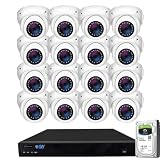
- Max 12.0 Megapixel Full HD Realtime Recording 16 Channel 6K NVR with (16) 5MP 1920P Weatherproof POE H.265++ IP Dome Cameras (Built-in 2.8mm megapixel HD Lens for wide view angle and 48Pcs Infrared LED, View up to 130ft IR Distance)
- Face Recognition/Human/Vehicle Smart AI Detection - Our AI Camera's built-in intelligent facial recognition and Human/Vehicle detection software automatically recognizes familiar faces or people or car to maximize security and eliminate false alarms. You'll instantly know if unknown faces or persons or vehicle arrives on your property with advanced AI motion detection technology
- The Newest AcuSearch Technology - With our AcuSearch, finding target is made incredibly efficient. Users simply need to frame the target on the live or playback interface, click "search," and within seconds, they obtain results. This process, which used to take hours with traditional methods, is now reduced to mere seconds, greatly accelerating investigations.
- View and Record in Widescreen with Remote Viewing on PC, Mac, iPhone, iPad, and Android devices. Setting up is so easy! Simply download the smartphone App and scan the NVR QR code
- Power over Ethernet setup is clean and simple with a single network cable. Features Wide Dynamic Range & 3D DNR giving you ability to see clearly in contrast lighting environment and sharper monitoring and playback. Advanced H.265+ Video Encoding Supported.
- Linux or macOS:
./start.sh - Windows:
start.ps1
The guide also describes a manual Docker Compose route. Follow the current installation instructions for the full sequence and configuration; no installation was independently performed for this article. OpenNVR installation guide
What’s actually slowing this PC down?
Pick the symptom - the matching free tool is one click away.
What self-hosting changes—and what it does not
Running the NVR on hardware you manage gives you control over the host and local recording directory. It also moves ordinary system responsibilities to you. You need to configure cameras, choose and maintain storage, manage access, apply updates, and handle any AI models used by the deployment. Local operation should not be mistaken for a security guarantee: the project’s description of its architecture is not an independent security audit.
Rank #3

- 𝐁𝐮𝐥𝐥𝐞𝐭-𝐏𝐓𝐙 𝐃𝐮𝐚𝐥-𝐋𝐞𝐧𝐬 2-in-1 𝐂𝐚𝐦 | The upper 2K fixed lens (115°) continuously monitors your entire property, while the lower 4K PTZ lens provides 360° tracking with 5× digital zoom to capture details up to 65 ft (20 m) away. Achieve the view of fixed and auto tracking 2-In-1, without the need to switch screens.
- 𝐞𝐮𝐟𝐲 𝐎𝐦𝐧𝐢𝐓𝐫𝐚𝐜𝐤 𝐅𝐨𝐜𝐮𝐬𝐞𝐬 𝐨𝐧 𝐖𝐡𝐚𝐭 𝐌𝐚𝐭𝐭𝐞𝐫𝐬 | Once the wide-angle lens detects activity, the PTZ lens automatically locks on and tracks subjects using intelligent auto-framing to keep the action perfectly centered.
- 𝐔𝐩 𝐭𝐨 𝟏𝟔𝐂𝐇, 𝐋𝐢𝐯𝐞 𝐂𝐫𝐨𝐬𝐬-𝐂𝐚𝐦 𝐓𝐫𝐚𝐜𝐤𝐢𝐧𝐠 | When one camera detects motion, other cameras automatically adjust to track the subject, providing seamless coverage across your property or bussiness. The NVR supports 8 cams, expandable to 16 channels via a PoE switch.
- 𝐄𝐧𝐣𝐨𝐲 𝐥𝐨𝐜𝐚𝐥 𝐀𝐈 𝐀𝐠𝐞𝐧𝐭,𝐏𝐫𝐨𝐭𝐞𝐜𝐭 𝐲𝐨𝐮𝐫 𝐏𝐫𝐢𝐯𝐚𝐜𝐲 | All AI processing, including facial recognition, Smart Video Search, and cross-camera tracking, is done on-device to protect your privacy—no cloud dependency or monthly fees. Customize activity zones and alerts for instant intelligent threat identification.
- 𝟐𝟒/𝟕 𝐑𝐞𝐜𝐨𝐫𝐝𝐢𝐧𝐠, 𝐍𝐨 𝐏𝐨𝐰𝐞𝐫 𝐚𝐧𝐝 𝐍𝐞𝐭𝐰𝐨𝐫𝐤 𝐎𝐮𝐭𝐚𝐠𝐞𝐬 | PoE Wired and pre-installed 2TB HDD (expandable to 16TB) truly enable 24/7 recording, allowing you to completely bid farewell to the predicament of power failure or network disconnection in traditional Wifi or Battery Cam systems。
The published setup information does not establish a retention recommendation, a storage sizing formula, compatibility for every ONVIF- or RTSP-capable camera, or benchmark results for particular hardware and workloads. Plan those details around your own cameras and recording needs rather than treating the general requirements as a capacity or performance guarantee.
Open-source licenses and commercial use
OpenNVR says its platform core is licensed under AGPL-3.0, while its app and adapter SDKs use Apache-2.0. The project says people self-hosting the software owe no license fee, but identifies some business uses—such as embedding it in proprietary software, selling branded hardware with it preinstalled under particular conditions, or hosting a modified closed service—as cases where its Commercial License may matter. This is the project’s summary, not legal advice or an independent interpretation of the license terms. Check the applicable license text and the facts of your use before deployment. OpenNVR licensing explanation OpenNVR homepage
Rank #4

- PREMIUM QUALITY, DIY SETUP: ONLY compatible with Defender Empower app. Can not be used with other Defender apps. Professional grade metal-encased NVR with IP66 rated cameras that are designed to withstand extreme weather-conditions.
- AI-POWERED SMART HUMAN DETECTION: Sentinel’s advanced AI-powered human detection system quickly identifies human movement within its field of view and immediately alerts you via your preferred notification method. This sophisticated technology ensures maximum security for your home or business with the security camera system wired setup while significantly reducing the likelihood of false alarms, giving you peace of mind with every alert.
- FLASHING BLUE-RED LIGHT DETERRENCE: The moment motion is detected, Sentinel activates a powerful deterrent with high-intensity blue and red flashing lights. This combination of bright LEDs and attention-grabbing colors serves as an effective and immediate deterrent to potential intruders, helping to prevent criminal activity. The flashing light acts as both a warning and an active security camera measure, ensuring your property remains safe with its poe security camera system.
- 4K CLEARVU WITH COLOR NIGHT VISION: Experience stunning 4K Ultra HD resolution with Sentinel’s ClearVu technology, offering exceptional clarity and detail in every frame. Equipped with vibrant color night vision, it captures high-quality footage even in low light conditions, allowing you to see up to 100 feet away with incredible precision. The built-in LED spotlight enhances visibility further, providing unparalleled image quality around the clock for maximum security coverage.
- PREMIUM QUALITY, DIY SETUP: Sentinel’s professional-grade NVR (Network Video Recorder) and IP66-rated cameras are designed to endure extreme weather conditions and harsh environments, perfect for security cameras wired outdoor.s Built with durable metal casing and cutting-edge technology, this NVR security camera system offers long-lasting performance. The easy-to-install, DIY setup means you can have your PoE camera system up and running quickly without the need for professional installation.
Who should consider it
OpenNVR is worth investigating if you already have ONVIF- or RTSP-capable IP cameras, want an NVR running on hardware you control, and are comfortable administering a Docker-based service. It is a less straightforward fit if you expect a managed, hands-off system or want guarantees about specific camera models, storage capacity, AI accuracy, or performance: the project’s cited setup guidance does not establish those outcomes.
Recommended Free Tools
Quick Recap
Best Value

- INCREDIBLE 12MP UHD IMAGE -- Mind-blowing 12MP PoE home security camera system becomes affordable for your home and business security. Subtle details are recorded to ensure your peace of mind.
- FULL COLOR NIGHT VISION -- The Spotlight of the 12MP outdoor surveillance cameras enables a full color night vision. You can schedule it to work at a time period and switch to IR LED mode other time flexibly. The spotlight can also be Motion-activated to deter intruders working with the siren.
- SMART HUMAN/VEHICLE/PET DETECTION -- Reolink latest smart cameras can now identify people, vehicles, and pets according to their shapes and minimize unwanted alerts.
- TWO-WAY TALK -- The 12MP camera of this home security system has a speaker built-in for two-way communication with your family as well as threat deterrence. Simply press a button on Reolink App or Client to talk.
- 16 POE PORTS, EXPANDABLE TO 24 CHANNELS -- The NVR with hardware version N6MB01 offers 24 channels for Reolink PoE, plug-in Wi-Fi cameras, and specific battery-powered Wi-Fi cameras (Argus PT Ultra, Argus Eco Ultra & Argus 3 Ultra for now, with more supported models in the future) with the latest firmware. Ensure battery cameras and Reolink App are updated. Supports a maximum of 16 PoE/plug-in Wi-Fi cameras.
Product prices and availability are accurate as of the date/time indicated and are subject to change. Any price and availability information displayed on Amazon at the time of purchase will apply.




