To move a non-player character (NPC), give it usable navigation data, ask its navigation system for a route to a reachable target, and make its controller move the character along that route. Then coordinate movement with animation. The exact division of work depends on the game engine: Unity’s NavMesh Agent handles pathfinding and movement control, Unreal Engine uses its Navigation System with AI movement requests, and Godot’s NavigationAgent3D calculates a next path position that the character must use to move.
What makes an NPC move?
NPC navigation is a chain of related jobs, not a single destination command:


As an Amazon Associate I earn from qualifying purchases.
- Represent traversable space. A navigation mesh, grid, or other navigation data tells the game which parts of the environment an NPC can use.
- Find a route. Pathfinding selects a route through that data from the NPC to its target.
- Move the character. A controller or character script applies movement along the route, subject to the game’s movement and collision rules.
- Coordinate animation. The character’s pose and locomotion animation should reflect its actual movement.
These responsibilities may be bundled into an engine component or split between navigation and character code. A navigation request cannot make an NPC walk through space that is not navigable, and calculating a route does not automatically mean every engine will move the character for you.
Recommended Free Tools
Choose navigation data to match the game
A navigation mesh is a natural fit for many ground-based characters moving over walkable level geometry. It is not a universal answer for every movement model. Flying, swimming, grid-based movement, highly destructible environments, and unrestricted three-dimensional travel may call for different navigation data or movement logic. Choose based on the spaces and actions the NPC must actually use.
What does the scene need before an NPC can follow a target?
- Navigation data that covers the route. Make sure the walkable area is represented and that the relevant navigation system is active.
- A correctly sized agent. The agent’s dimensions and permitted areas affect whether it can use a passage or traverse a route. If its dimensions do not match the character, it may select routes the NPC cannot physically fit through, or fail to use routes that should be open.
- A reachable destination. A point outside navigable space, or disconnected from the NPC’s current area, may not have a usable route. Check that target positions lie within the intended navigable region and that connections exist where needed.
- A movement owner. Know whether the navigation component moves the character or only provides path information. The controller and character body still need to work together according to the engine’s model.
These checks are more useful than starting with avoidance settings: local avoidance cannot create missing navigation data or connect a target to a route.
How do the main engines handle NPC navigation?
| Engine and documented version | Navigation and movement split | Useful documented features |
|---|---|---|
| Unreal Engine 5.8 | The Navigation System builds a tiled mesh from level collision geometry; AI movement requests such as AI Move To send a pawn toward a destination. | Polygon traversal costs; static, dynamic, and dynamic-modifiers-only generation modes; navigation modifiers and links; RVO and Detour Crowd Manager avoidance. Epic’s Navigation System documentation |
| Unity 6.0 and AI Navigation package documentation 1.1.5 | The NavMesh Agent component navigates using a NavMesh and exposes pathfinding and movement controls, including destination-setting. | Agent size, speed, area mask, automatic repathing, and off-mesh-link traversal; AI Navigation supports NavMeshes, dynamic obstacles, and links. Check compatibility between the editor and package documentation. Unity 6.0 NavMeshAgent reference · AI Navigation 1.1.5 NavMesh Agent reference |
| Godot, current master API reference | NavigationAgent3D calculates paths and supplies a next path position; the parent character must use that result to move. | Set target_position, then call get_next_path_position once per physics frame and use the returned vector in the character’s movement logic. Check the API against the Godot version in your project. Godot NavigationAgent3D documentation |
The table describes different workflows, not interchangeable components. Follow the documentation for the engine and version you are using.
How do I make an NPC move to a destination?
- Prepare the route space. Build or enable the navigation data for the level. In Unreal’s documented basic example, this includes adding a Navigation Mesh Bounds Volume. In other engines, use the matching navigation workflow for the editor and package version.
- Check the agent against the character. Set the agent’s size and traversable areas so they reflect the character and the routes it should be allowed to take.
- Choose a reachable target. The target should sit on the intended navigation area, with a continuous route from the NPC. If it is on an unreachable island of navigation, add an appropriate connection or choose another target.
- Issue the movement request using the engine’s model. Unreal’s documented example uses AI Move To. Unity’s NavMesh Agent exposes destination-setting and movement controls. In Godot, setting target_position requests navigation, but the parent character must still use get_next_path_position each physics frame to move.
- Connect movement to animation. Drive locomotion animation from the character’s movement state or velocity rather than assuming that a calculated path means the character has moved.
- Test corners, narrow passages, and arrival behavior. Confirm that the NPC can follow the route, stop or transition behavior at the destination, and respond correctly when the request cannot be completed.
For Unreal’s basic roaming demonstration, Epic selects a random reachable location near the agent and sends the pawn there with AI Move To, then repeats after arrival or failure. That is a useful demonstration of repeating movement requests, not a rule that every NPC should roam randomly. Epic’s Basic Navigation guide
The Tool Desk
Outbyte Driver Updater FREEScan for outdated or missing drivers - takes under a minuteDriver Scan →Outbyte PC Repair FREERepair Windows errors before they cause bigger problemsFix Now →How can I make an NPC patrol or roam?
Patrol a planned route
Represent the patrol as a sequence of reachable targets. When the NPC reaches one, request the next; define whether the sequence loops, reverses direction, or ends. Keep patrol points on connected navigation space, and decide what the NPC should do if a route request fails. This makes the behavior predictable and easier to test than choosing arbitrary destinations.
Rank #3
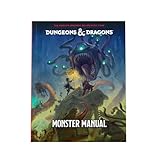
- MONSTERS GALORE—Venture into the mightiest Monster Manual yet! In addition to iconic D&D favorites like dragons and mind flayers, this monstrous menagerie introduces over 75 brand-new monsters and contains over 500 unique creatures in total.
- INTRIGUING NEW ENCOUNTERS—Inject more variety into your games with unique encounters! Raise the stakes with terrifying new monsters for higher level play, such as the arch-hag and blob of annihilation. Craft unusual and memorable NPC encounters by using over 40 humanoid stat blocks as inspiration.
- STUNNING ARTWORK—Gaze upon the legendary D&D dragons in all their splendor. In this book of majestic beasts, we’ve created stunning redesigns of the chromatic and metallic dragons, and over 300 pieces of breathtaking new artwork for almost every monster.
- DESIGNED JUST FOR YOU—Easily locate whatever monster you’re looking for and save prep time with revised, easy-to-use stat blocks. We’ve categorized all monsters by creature type and have redesigned their stat blocks to be easier to use and understand. Running encounters has never been easier!
- PART OF THE 2024 CORE COLLECTION—1 of 3 revised Dungeons & Dragons core rulebooks, the 2024 Monster Manual is designed for use with the fifth edition 2024 Player’s Handbook and 2024 Dungeon Master’s Guide
Roam among reachable locations
For less predictable movement, choose a new reachable location near the NPC after it arrives or a movement request fails. Unreal’s basic navigation example demonstrates this pattern. Set a sensible roaming area and avoid repeatedly selecting locations the NPC cannot reach; otherwise it may appear idle or retry without making progress.
Separate navigation from behavior
Patrolling, chasing, following, and roaming all use movement requests, but the behavior logic decides which target to pursue and when to change it. Keep that decision separate from the system that follows the route. This makes it easier to handle changes such as a patrol interrupted by a chase without confusing the route planner with the NPC’s priorities.
Rank #4
How should NPCs handle obstacles, crowds, and special traversal?
Static geometry and moving obstacles are different problems
Pathfinding finds a route through the navigation representation of the world. Local avoidance responds to moving obstacles and nearby agents as the NPC follows that route. A character that routes around a wall represented in navigation data may still need avoidance to respond to a moving player or another NPC. Avoidance does not replace long-range pathfinding.
Free tools Windows power users keep installed
One-click scans. No signup required.
Unreal documents RVO and Detour Crowd Manager as options for dynamic-obstacle and agent avoidance. Unity’s NavMesh Agent and AI Navigation documentation cover controls and features such as obstacles and links. The appropriate option depends on crowd density, desired behavior, and the engine’s version and setup. Epic’s avoidance guide
Best Value
Connect gaps and define special actions
If two walkable regions are not continuously connected, add a navigation link or its engine equivalent where the NPC is allowed to cross. Links can represent actions such as jumping. They can also define transitions between otherwise separate navigable areas, but the game still needs to implement the character action associated with the connection.
Update changing environments deliberately
Use navigation updates when gameplay changes traversable space, but avoid regenerating more than the game needs. Unreal documents static, dynamic, and dynamic-modifiers-only generation modes, along with modifiers that change traversal costs or make areas unavailable. Its runtime-modification example warns that constant mesh regeneration has high computational cost, without giving a universal benchmark. Treat update frequency and affected areas as project-specific choices, then measure them in the target scene. Epic’s navigation mesh modification overview
Why is my NPC not moving?
| Symptom | What to check |
|---|---|
| The NPC does not start moving. | Confirm navigation data exists under the NPC and along the intended route, and that the movement request is being issued by the correct controller or character logic. |
| The destination request fails or the NPC stops short. | Check whether the target lies on reachable navigation space and whether a gap between navigation areas needs a link. |
| The route goes through a passage the character cannot fit through. | Compare agent dimensions with the character and the passage. Also check which areas the agent is permitted to traverse. |
| The route exists, but the character does not follow it. | Check how the engine divides path calculation and movement. In Godot, for example, the parent must use get_next_path_position each physics frame to move the character. |
| The NPC collides with moving actors or bunches up. | Distinguish local avoidance from route planning. Configure the engine’s dynamic-obstacle or agent-avoidance behavior for the situation, then test it with the actual number and movement of characters. |
| NPCs fail to use a jump or cross a disconnected area. | Check for a navigation link or equivalent connection and implement the associated traversal action in the character behavior. |
| Navigation updates cause performance concerns. | Review how often and how much navigation data changes. Profile the actual level and update only the portions and times gameplay requires. |
How do I choose a movement approach?
Before choosing components or tuning values, answer these design questions:
Quick wins for a faster PC:
Fix the driver behind crashes, sound loss and screen glitchesFind Drivers →Clear out junk files and repair common Windows errorsFree Scan →Quick Recap
- What space does the NPC move through? Ground surfaces, a grid, and free three-dimensional space need not use the same navigation representation.
- How often does the environment change? Mostly fixed levels and destructible or frequently changing levels have different update requirements.
- What behavior is required? Patrol, chase, follow, and roaming differ mainly in how targets are selected and when movement requests change.
- What must the NPC avoid? Static geometry belongs in route planning; moving obstacles and nearby agents call for local response as well.
- Does the route include a transition? Stairs, jumps, doors, drops, or disconnected areas may require links or custom movement actions.
- Who owns movement and animation? Confirm whether the navigation component moves the character or returns information for a separate controller to apply.
- What is the runtime cost in this game? Profile with the project’s real level, NPC count, and update pattern rather than relying on a universal performance assumption.
Product prices and availability are accurate as of the date/time indicated and are subject to change. Any price and availability information displayed on Amazon at the time of purchase will apply.




