Free tools Windows power users keep installed
One-click scans. No signup required.
The Microsoft Lumia 950 was an ambitious Windows 10 Mobile flagship released in November 2015. Its 5.2-inch Quad HD AMOLED screen, excellent-for-its-era PureView camera, removable battery, microSD slot, wireless charging and Continuum feature made it unusually capable. In 2026, however, it is best treated as a collector’s phone, offline camera or media player, and experimentation platform—not as a dependable modern smartphone.
What the Lumia 950 was
Microsoft launched Lumia 950 sales in the United States through AT&T on November 20, 2015, with a historical subsidized starting price of $149 under a two-year agreement. That price describes the original launch offer, not what a used phone should cost today. Microsoft’s launch announcement positioned the 950 as a Windows 10 device that could extend beyond the phone through Continuum.

The Lumia 950 was the smaller model in a two-phone flagship range. The Lumia 950 XL had a larger display, a Snapdragon 810 processor and a larger battery; it is a separate model rather than merely a bigger version of the same handset.
| Model | Display | Processor | Battery | Positioning |
|---|---|---|---|---|
| Lumia 950 | 5.2 inches | Snapdragon 808 | 3,000 mAh | Smaller flagship |
| Lumia 950 XL | 5.7 inches | Snapdragon 810 | 3,340 mAh | Larger flagship |
Lumia 950 specifications
| Specification | Lumia 950 |
|---|---|
| Launch operating system | Windows 10 Mobile |
| Processor | Qualcomm Snapdragon 808, hexa-core, 64-bit |
| Display | 5.2-inch Quad HD AMOLED, 2560 × 1440, 564 ppi |
| Memory and storage | 3 GB RAM; 32 GB internal storage |
| Expansion | microSD/SDXC; Microsoft’s launch-era datasheet documented cards up to 200 GB |
| Rear camera | 20 MP PureView sensor, Zeiss optics, fifth-generation optical image stabilization, triple LED flash |
| Rear video | 4K recording |
| Front camera | 5 MP wide-angle camera with Full HD video |
| Battery | Removable 3,000 mAh |
| Charging | USB-C fast charging and Qi wireless charging |
| Wireless connectivity | 802.11ac Wi-Fi and Bluetooth 4.1 |
| Dimensions and weight | 145 × 73.2 × 8.25 mm; 150 g |
| Body | Polycarbonate |
| Security | Iris scanner with Windows Hello for Lumia |
| Desktop feature | Continuum for Phones |
These figures come from Microsoft’s Lumia 950 datasheet. Cellular bands, SIM configuration and regional model numbers differ, so they cannot be used to assume compatibility with every network.
Recommended Free Tools
#1 Best Overall

- Display: 4.5-inches
- Camera: 5-MP
- Processor Speed: 1.2 GHz
- OS: Windows Phone 8.1
Design and display
The 950’s 5.2-inch 2560 × 1440 AMOLED panel was flagship-class in 2015. Its 564 ppi density produces very sharp text and images, while the Glance feature can show selected information with the screen otherwise asleep.
The polycarbonate body is practical rather than luxurious. At 150 g it is light, and the removable back exposes the SIM, microSD card and battery. Plastic is less brittle than an all-glass design, but the back can show wear and feels less premium than contemporary metal-and-glass rivals. A used display may have scratches, dead pixels or AMOLED burn-in; inspect it against a white and a dark background before buying.
The PureView camera
The 20-megapixel rear camera combines Zeiss optics, fifth-generation optical stabilization, a triple LED flash, ISO up to 12,800 and 4K video. Rich Capture processing and the Lumia Camera experience also offered manual controls that appealed to photography enthusiasts. Contemporary reviewers regarded it as one of the strongest smartphone cameras of its generation. Windows Central’s period review praised the camera among the phone’s main strengths.
Rank #2

- This refurbished product is tested and certified to look and work like new. The refurbishing process includes functionality testing, basic cleaning, inspection, and repackaging. The product ships with all relevant accessories, and may arrive in a generic box
That praise needs a date qualifier. In good light and some low-light scenes, the 950 can still produce impressive files for a 2015 phone, and its manual controls remain enjoyable. Newer phones are generally faster to focus and offer more advanced HDR, portrait processing, computational night photography, stabilization and zoom. The aging operating system also lacks a modern photo-app ecosystem. During 4K recording, storage capacity, battery condition and heat become practical limits.
Quick wins for a faster PC:
Fix the driver behind crashes, sound loss and screen glitchesFind Drivers →Repair Windows errors before they cause bigger problemsFix Now →Windows 10 Mobile: the original experience versus 2026
At launch, the phone offered Live Tiles, Microsoft account integration, Edge, Office, OneDrive, Outlook, Xbox-related services, Windows Hello iris authentication and Microsoft’s Universal Windows Platform ambitions. Windows 10 Mobile was not desktop Windows 10: it had a separate mobile operating system and application ecosystem.
Windows 10 Mobile support ended on January 14, 2020. The platform no longer receives normal security updates, and its Store and third-party ecosystem are effectively frozen or degraded. Current banking, authentication, messaging, navigation, streaming and social applications may be unavailable, may stop signing in, or may fail because the browser and operating system lack current web-platform support.
Rank #3
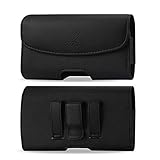
- STRONG BELT CLIP - AGOZ Premium Leather Case with an integrated durable leather-wrapped metal belt clip. It is for Microsoft Lumia 950, *it will NOT fit 950 XL*.
- BELT LOOPS - Two secure belt loops. Fits belts up to 1.5 inches wide.
- SMARTPHONE SAFE MAGNETIC CLOSURE - Front magnetic closure. Don’t worry, does not damage cell phone.
- SOFT INTERIOR - Soft inner lining, protects your phone from nicks, dirt and scratches.
- DAILY PROTECTION & EASY USE - Excellent protection for daily use. Access your phone easily, and keep it exactly where you need it.
Basic calls and SMS, the camera, local files, offline music and video, Wi-Fi, Bluetooth and some legacy applications can still work on a healthy device. That is limited compatibility, not a reliable modern smartphone platform. Do not use one for banking, sensitive work, two-factor authentication you cannot replace, or as your only emergency phone.
Continuum for Phones
Continuum was the Lumia 950’s defining idea. With a compatible external display and input devices, the phone presented a desktop-style interface while remaining usable for calls and texts. Microsoft described this as an external-display productivity experience, not a full desktop installation.
Typical wired setup
- Lumia 950 with a functioning USB-C port.
- Microsoft Display Dock or a compatible USB-C display solution.
- Monitor or television accepting HDMI, DisplayPort or the adapter’s output.
- Keyboard and mouse.
- Power supply and a USB-C cable capable of the required data or display function.
Microsoft’s Continuum hardware guidance describes USB dual-role support, compatible displays, Miracast for wireless configurations and memory requirements. USB peripheral support on Windows 10 Mobile was limited.
What Continuum could and could not do
- It could provide a useful large-screen environment for compatible mobile or Universal Windows apps and Office-style work.
- It did not run ordinary desktop Windows applications directly on the phone.
- App availability, multitasking, peripherals, performance and modern web compatibility remained constraints.
- The dock and other accessories were separate purchases, and a used dock may be missing, faulty or more expensive than the handset.
In 2026, a Continuum setup can fail because of a defective dock, unsuitable cable, incompatible HDMI adapter, display-mode mismatch, unrecognized keyboard or mouse, degraded battery, overheating or unsupported services. It is worthwhile as a hobby project, not as a replacement for a current laptop.
Battery, charging and repairability
The removable 3,000 mAh battery supports USB-C fast charging and Qi wireless charging. Microsoft claimed approximately 10% to 50% charging in 30 minutes with its charger under specified conditions; actual results varied. The original specification says little about a used unit a decade later.
Before relying on a second-hand 950, check for sudden percentage drops, shutdowns under load, excessive heat, poor standby time, refusal to charge and swelling. A swollen cell is a safety hazard and should not be used or shipped casually. A replacement battery can restore the phone, but quality and availability vary. Include the cost of a battery, charger and cable when judging a listing rather than looking only at the handset price.
Best Value
- Package includes: Tempered Glass Screen Protector Film X 1
- Compatible with: Microsoft Lumia 950( AT&T )
- Accessory only, Cellphone not included.
Network and carrier compatibility
Never assume that an “unlocked” Lumia 950 will work on a particular carrier. Microsoft documented separate North American single-SIM, dual-SIM and China configurations, with different bands and model numbers.
- Read the exact model number and regional variant from the phone or listing.
- Compare its LTE bands with the carrier’s current requirements.
- Ask the carrier whether the model can register for voice and data, including required VoLTE support.
- Confirm that it is actually unlocked and that the SIM size and activation process are supported.
- During the return period, test calls, SMS, LTE data, Wi-Fi, GPS, Bluetooth and hotspot functions.
Network shutdowns and carrier policies change by country, so a historical LTE specification is not a guarantee of service in 2026.
Lumia 950 versus Lumia 950 XL
The standard 950 makes more sense when a lighter, smaller phone is preferred. The XL offers a 5.7-inch display, Snapdragon 810 and a 3,340 mAh battery, but it is physically larger and can have different heat and battery trade-offs. Choose based on condition, accessories and intended use rather than assuming the XL is automatically superior.
LumiaWOA and Windows-on-ARM experimentation
The community LumiaWOA project documents installing Windows 10 or Windows 11 ARM64 on Lumia 950-family hardware. It can support ARM64 applications and some x86/x64 applications through emulation according to its documentation.
Do these 3 things before closing this tab:
1Fix the driver behind crashes, sound loss and screen glitches2Clear out junk files and repair common Windows errors3Scan for outdated or missing drivers - takes under a minuteThis is unofficial experimentation, not a Microsoft-supported consumer configuration. Installation can involve bootloader and deployment procedures, data loss, driver limitations and incomplete phone, camera, cellular, sleep or power-management support. It may also leave you needing recovery work without a normal warranty. Attempt it only if you are comfortable following technical documentation and accepting the possibility of a partially working device.
Should you buy a Lumia 950 in 2026?
| Use case | Recommendation | Why |
|---|---|---|
| Windows Phone collector | Yes, if condition is good | Historically important hardware with distinctive software and design. |
| Offline camera or media player | Possibly | Strong camera hardware, microSD expansion and removable battery remain useful. |
| Continuum hobbyist | Possibly | Buy only with compatible accessories or a realistic plan to source them. |
| LumiaWOA experimenter | Possibly | Interesting project, but technically demanding and unsupported. |
| Daily smartphone | No | No current security support and unreliable modern app compatibility. |
| Banking, secure work or authentication device | No | The obsolete platform cannot provide dependable current security or app support. |
| Child’s emergency phone | Generally no | Carrier registration and emergency reliability must be proven for the exact model and network. |
Calculate the complete setup cost: handset, replacement battery, charger and data-capable cable, microSD card, Display Dock or adapter, keyboard and mouse, shipping, possible repair and—if necessary—a separate modern phone for unsupported apps. A cheap listing can become poor value once those items are included.
Quick Recap
Used-buying checklist
- Verify the exact model, region, SIM type and carrier-lock status.
- Check battery health, swelling, heat and charging behavior.
- Inspect the AMOLED panel for burn-in, cracks and dead pixels.
- Test both cameras, autofocus, flash, 4K recording and microphones.
- Inspect the USB-C port and test charging, data and wireless charging.
- Test the microSD slot, buttons, speakers, vibration, GPS, Wi-Fi and Bluetooth.
- Confirm LTE registration, calls, SMS, data and hotspot with your intended SIM.
- Ask whether a dock, charger, cable or spare battery is included and working.
- Buy with a return period; legacy services and carrier activation can fail after purchase.
- Do not use or transport a phone with a swollen battery.
Product prices and availability are accurate as of the date/time indicated and are subject to change. Any price and availability information displayed on Amazon at the time of purchase will apply.




