Crashes, No Sound, or Screen Glitches?
Random freezes, missing sound and display glitches usually trace back to one bad driver. Find and replace yours safely.Free scan · under a minutePC Slower Than It Used to Be?
A free scan shows the junk files, broken settings and background clutter dragging Windows down - then fixes them in one click.Free scan · Windows 10 & 11Use this printable Mac keyboard shortcut sheet for common editing, app, Finder, search, screenshot, and accessibility tasks. It is labeled for macOS 27 Golden Gate; shortcuts can vary by app, language, and keyboard layout, so check the relevant app menu when a combination does not work.
Version: macOS 27 Golden Gate. Checked: October 7, 2026.
As an Amazon Associate I earn from qualifying purchases.
Key: ⌘ = Command; ⇧ = Shift; ⌥ = Option; ⌃ = Control. Press the modifier key or keys together with the final key. On most Mac keyboards, Command (⌘) is beside the Space bar.
Editing and clipboard
| Action | Shortcut |
|---|---|
| Copy | ⌘C |
| Paste | ⌘V |
| Cut | ⌘X |
| Undo | ⌘Z |
| Redo | ⇧⌘Z |
| Select all | ⌘A |
| Save | ⌘S |
Windows and apps
| Action | Shortcut |
|---|---|
| Switch to the next open app | ⌘Tab |
| Close the front window | ⌘W |
| Quit the current app | ⌘Q |
Finder and navigation
Finder commands and navigation shortcuts depend on context. For the exact combination available on your Mac, open Finder’s menus and look beside the command. Apple’s full shortcut reference includes Finder and system actions: Mac keyboard shortcuts.
#1 Best Overall

- Package Includes: you will get 240pcs PC Shortcuts approx 3.5 x 2.24 inches, no waterproof.
- EDUCATIONAL TOOL: Helps students learn and memorize essential computer keyboard shortcuts in a fun, visual way.
- BULLY FREE ZONE: Features Types of Bullying cutouts to promote a positive, bully-free computer lab environment.
- CLASSROOM READY: Ideal teacher supplies for middle or high school computer science classrooms and computer labs.
- GREAT GIFT: Perfect classroom gifts for students and teachers to encourage digital literacy and kindness.
Search and screenshots
| Action | Shortcut |
|---|---|
| Open Spotlight search | ⌘Space bar |
| Take a screenshot of the screen | ⇧⌘3 |
| Capture a selected portion of the screen | ⇧⌘4 |
Accessibility and system controls
Apple’s official shortcut article lists additional accessibility and system commands. Their availability and behavior depend on the feature and setup. Use Apple’s complete shortcut reference for those combinations rather than assuming every command is enabled on every Mac.
macOS 27 Golden Gate: Siri AI (Beta) shortcuts
These two shortcuts are conditional: Apple lists them for macOS 27 Golden Gate or later only when Siri AI (Beta) is turned on.
Rank #2

- 💻 ❌ Not for MacBook Neo or 11", 12" macbooks (see our "universal" version - it is smaller). Fit is perfect for any MacBooks Air and Pro, iMacs, and Mac Minis—regardless of CPU type or macOS version.
- 💻 ✔️ EVERY ESSENTIAL SHORTCUT - With the SYNERLOGIC Mac OS Reference Keyboard Shortcut Sticker, you have the most important shortcuts conveniently placed right in front of you. Easily learn new shortcuts and always be able to quickly lookup commands without the need to “Google” it.
- 💻 ✔️ Work FASTER and SMARTER - Quick tips at your fingertips! This tool makes it easy to learn how to use your computer much faster and makes your workflow increase exponentially. It’s perfect for any age or skill level, students or seniors, at home, or in the office.
- 💻 ✔️ New adhesive – stronger hold. It may leave a light residue when removed, but this wipes off easily with a soft cloth and warm, soapy water. Fewer air bubbles – for the smoothest finish, don’t peel off the entire backing at once. Instead, fold back a small section, line it up, and press gradually as you peel more. The “peel-and-stick-all-at-once” method only works for thin decals, not for stickers like ours.
- 💻 Made in the USA – Trusted Quality – Designed, printed, and packaged in the USA. Backed by responsive customer support and a satisfaction guarantee.
| Action | Shortcut | Condition |
|---|---|---|
| Ask Siri about the selected area | ⇧⌘6 | macOS 27 Golden Gate or later; Siri AI (Beta) turned on |
| Ask Siri about the active window | ⇧⌘Space bar | macOS 27 Golden Gate or later; Siri AI (Beta) turned on |
When a shortcut does not work
- Check the app menu. Shortcuts are shown beside menu commands, and an app may use different combinations from another app.
- Check your input source. Language and keyboard layout can affect shortcuts. Apple recommends using Keyboard Viewer to inspect the current input source.
- Review shortcut settings. You can change or disable some shortcuts in System Settings > Keyboard > Keyboard Shortcuts.
Create an app shortcut for an existing menu command
- Open Apple menu > System Settings > Keyboard > Keyboard Shortcuts.
- Select App Shortcuts, then choose an application or All Applications.
- Add a shortcut for an existing menu command. Enter the command name exactly as it appears in the app menu, including punctuation, then assign a key combination.
- If the combination conflicts with another shortcut, change or disable the conflicting shortcut; the custom combination will not work until the conflict is resolved.
Custom app shortcuts apply to existing menu commands, not arbitrary actions. See Apple’s instructions for creating keyboard shortcuts for apps and its guide to using macOS keyboard shortcuts.
Free tools Windows power users keep installed
One-click scans. No signup required.
Print and use this reference
For a quick paper reference, print this page and keep the key to the symbols visible. Treat it as a compact starting point, not a guarantee that every shortcut works in every app or configuration. For app-specific commands or changes in a later macOS version, check Apple’s live shortcut article. Apple’s concise essential Mac shortcut guide is another option when you want a shorter list.
Quick Recap
Best Value

- 💻 ❌ Not for MacBook Neo or 11", 12" macbooks (see our "universal" version - it is smaller). Fit is perfect for any MacBooks Air and Pro, iMacs, and Mac Minis—regardless of CPU type or macOS version.
- 💻 Master Mac Shortcuts Instantly – Learn and use essential Mac commands without searching online. This sticker keeps the most important keyboard shortcuts visible on your device, making it easy to boost your skills and speed up everyday tasks. ⚠️ Note: The “⇧” symbol stands for the Shift key.
- 💻 Perfect for Beginners and Power Users – Whether you're new to Mac or a seasoned user, this tool helps you work faster, learn smarter, and avoid frustration. Ideal for students, professionals, creatives, and seniors alike.
- 💻 New adhesive – stronger hold. It may leave a light residue when removed, but this wipes off easily with a soft cloth and warm, soapy water. Fewer air bubbles – for the smoothest finish, don’t peel off the entire backing at once. Instead, fold back a small section, line it up, and press gradually as you peel more. The “peel-and-stick-all-at-once” method does NOT work for stickers like ours.
- 💻 Made in the USA – Trusted Quality – Designed, printed, and packaged in the USA. Backed by responsive customer support and a satisfaction guarantee.
Rank #4

- We have reserved a 0.6in (1.5cm) white margin for you, which is convenient for you to frame with a photo frame
- Canvas posters are different from paper posters in that they will not deteriorate due to environmental factors such as humidity.
- Because everyone's monitor is different, the poster may have a slight color difference
- Let it enhance your art space and decorate your home
- If you like the same series of posters, welcome to click on my shop to buy
Rank #3
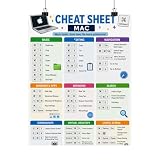
- Mac Keyboard Shortcuts Cheat Sheet Poster
Product prices and availability are accurate as of the date/time indicated and are subject to change. Any price and availability information displayed on Amazon at the time of purchase will apply.




