Quick wins for a faster PC:
Fix the driver behind crashes, sound loss and screen glitchesFind Drivers →Clear out junk files and repair common Windows errorsFree Scan →Scan for outdated or missing drivers - takes under a minuteDriver Scan →Logitech’s Zone Vibe Pro is a new headset with one practical ownership advantage: Logitech says its earpads, headstrap and battery are replaceable. That could let owners address wear without discarding the whole headset, although spare parts may not be available in every region. The claim is a useful design choice, not proof that all modern headsets are difficult to repair—or that this model is uniquely repairable.
What is the Logitech Zone Vibe Pro?
Announced on September 30, 2026, the Logitech Zone Vibe Pro headphones are an over-ear headset aimed at work and everyday listening. Logitech describes the consumer model as having a boomless design, adaptive active noise cancellation (ANC), AI-powered voice isolation and 40 mm drivers. These are manufacturer descriptions; they are not independent findings about sound, call quality or noise cancellation.
As an Amazon Associate I earn from qualifying purchases.
Logitech’s launch announcement cites a 2026 DHR Global Report for the statistic that 79% of employees work in hybrid arrangements. The announcement does not provide the report’s methodology or a link to the report, so that figure should be understood as Logitech’s citation rather than an independently verified measure.
Do these 3 things before closing this tab:
1Clear out junk files and repair common Windows errors2Fix the driver behind crashes, sound loss and screen glitches3Repair Windows errors before they cause bigger problemsCan you replace the battery and ear pads?
Logitech says the earpads, headstrap and battery are replaceable. Those are the components it identifies; the announcement does not establish that every component can be repaired or replaced by the owner, nor does it provide repair instructions. Logitech also cautions that spare parts may not be available in all areas. Check local parts availability and the replacement procedure before buying on the assumption that a worn part can be readily obtained or changed.
#1 Best Overall

- Pure sound, pro performance: These wireless headphones are designed to move with you throughout the day—from your morning commute to midday meetings to relaxing evenings at home
- Communicate with confidence: the headphone's adaptive noise cancellation (ANC) creates a “sound bubble” around you that helps you hear and be heard more clearly
- Premium audio: Your music, movies, and podcasts come to life with 40 mm speaker drivers engineered to deliver high-quality audio and strong bass with lower distortion
- Listen in bliss: Flexible headset strap distributes pressure across your head while the dual-layer earpads gently cushion your ears for hours of comfort
- Long battery life: Enjoy battery life that outlasts your playlist with up to 30 hours of play time (ANC on)(1); plug in the USB-C cable and keep listening while you charge
The practical benefit is that wear to a cushion, strap or battery need not automatically mean replacing the entire headset—if the correct part is available and the repair is feasible. No independent repairability assessment is established in the available sources.
How long does the battery last with ANC on?
Logitech’s launch announcement claims up to 30 hours of listening or 18 hours of call time with ANC enabled. With ANC off, Logitech claims up to 66 hours. It also says a five-minute USB-C charge can provide up to one hour of call time. These are maximum manufacturer claims, not guaranteed runtimes; Logitech says battery life varies with user and computing conditions.
Rank #2

- Work. Play. Vibe: Made for the way you work and play, Zone Vibe 100 is professional enough for the office, casual enough for home, and available in three modern colors
- Easy video meetings from home: Compatibility with popular video platforms like Microsoft Teams, Google Meet, and Zoom makes it simple and easy to join any meeting
- Noise-canceling technology: With beamforming technology and digital signal processing (DSP), Zone Vibe 100 captures your voice clearly while eliminating background sound
- Great audio: Immerse yourself in the sonic pleasure of 40 mm speakers driving full, rich audio. Bring music and meetings to life with deep bass, crisp highs, and low distortion
- Wireless freedom: Seamlessly switch between your devices with multipoint Bluetooth and enjoy long battery life lets you talk up to 18 hours on one charge, cable not included
| Use or setting | Logitech’s stated figure |
|---|---|
| Listening, ANC enabled | Up to 30 hours |
| Call time, ANC enabled | Up to 18 hours |
| ANC disabled | Up to 66 hours |
| Five-minute USB-C charge | Up to one hour of call time |
Logitech also reports a 93% reduction in noticeable background noise in its 2026 acoustic lab test using simulated noise types. That result describes the manufacturer’s test, not a general real-world guarantee across rooms, noise sources or users. Its comfort evidence is similarly limited: a 2026 lab study of 30 people measured 29% lower highest pressure points during a 90-second test with the strap compared with without it. That short test does not establish all-day comfort or predict how every wearer will find the headset.
Is Zone Vibe Pro for Business different?
Logitech announced a consumer Zone Vibe Pro and a Zone Vibe Pro for Business. The business edition is described as certified for Microsoft Teams (Premium Microphone for Open Office), Zoom and Google Meet, and manageable through Logitech Sync. Those certifications and fleet-management details should not be assumed to apply to every consumer configuration. Logitech also says business versions differ by receiver and configuration.
Rank #3

- Certified for business: Zone Vibe Pro (native Bluetooth(1), Premium Microphone for Open Office) is certified for Microsoft Teams; enjoy a full Teams experience without a dongle
- Over-ear, boomless design: Give employees what they want — while offering IT a budget-friendly native bluetooth headset for wide deployment
- Built for open offices: Stay focused on this wireless headset and be heard with proprietary ANC and AI-powered noise-canceling mics, which create a “sound bubble” that insulates you from distractions
- Stay in the zone: This noise cancelling headset with adaptive hybrid ANC dynamically adjusts in real time to the level of noise around you(2), helping you stay focused when it matters
- Premium audio: Custom acoustic design with 40 mm drivers engineered to enhance ANC performance and deliver vivid, true-to-life audio
What does Zone Vibe Pro cost?
Logitech’s US product page lists the consumer headset at $259.99. The September 30, 2026 announcement gives launch prices of $259.99 in the Americas (AMR), €259.99 in Europe, the Middle East and Africa (EMEA), and $289.99 in Asia-Pacific (APJC). Business configurations may differ. Prices and stock can change, so check Logitech’s local listing for the current price and whether the edition you want is available.
Independent reader supportYour contribution helps us test, update, and keep practical guides available for everyone.What is—and isn’t—established about the headset?
The evidence available here consists of Logitech’s launch announcement and product page; Windows Central’s coverage supplies the replaceable-parts framing but is not an independent product test. No independent hands-on review or comparative test is established. That means there is not enough evidence here to rank Zone Vibe Pro against competing headsets or to give an independent verdict on sound, ANC, voice isolation, comfort or battery performance.
Quick Recap
Best Value
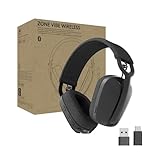
- Built for Business: Certified for Microsoft Teams; works seamlessly with other popular video conferencing applications
- Work in Comfort and Style: This stylish office headset is lightweight enough for all-day wear and has an easily adjustable headband for a customizable, comfortable fit
- Noise Canceling Mic: Uses beamforming technology and digital signal processing to elevate the user’s voice and reduce background noise that could be distracting for others
- Flip-to-Mute: Provides immediate privacy anytime and on a moment’s notice; when not needed, the microphone conveniently tucks away for a clean look
- Immersive audio: 40 mm speaker drivers deliver full-bodied bass, crisp higher frequencies, and low distortion, whether employees are on a video call or in the zone
Rank #4
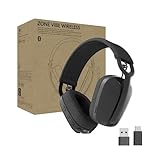
- Built for Business: Certified for Google Meet, Google Voice, and Zoom. Supports call controls over native Bluetooth for Google Meet (1)
- Work in Comfort and Style: This stylish office headset is lightweight enough for all-day wear and has an easily adjustable headband for a customizable, comfortable fit
- Noise Canceling Mic: Uses beamforming technology and digital signal processing to elevate the user’s voice and reduce background noise that could be distracting for others
- Flip-to-Mute: Provides immediate privacy anytime and on a moment’s notice; when not needed, the microphone conveniently tucks away for a clean look
- Immersive Audio: 40 mm speaker drivers deliver full-bodied bass, crisp higher frequencies and low distortion, whether you're on a video call or in the zone
Product prices and availability are accurate as of the date/time indicated and are subject to change. Any price and availability information displayed on Amazon at the time of purchase will apply.




