Do these 3 things before closing this tab:
1Scan for outdated or missing drivers - takes under a minute2Clear out junk files and repair common Windows errors3Fix the driver behind crashes, sound loss and screen glitchesThe Lenovo Tab Plus Gen 2 is an entertainment-first Android tablet with a nine-unit JBL speaker system, Dolby Atmos tuning and a built-in stand. Independent reviewers praise its sound and video-watching experience, but its roughly 775 g weight and thick speaker bump make it less appealing for long handheld sessions. The sound may be exceptional for a tablet, but available reviews do not establish it as the best through a standardized comparison with every recent tablet.
What makes the Tab Plus Gen 2 different?
Its defining feature is the audio hardware. Lenovo specifies nine JBL speaker units—four tweeters, three woofers and two passive radiators—with Dolby Atmos tuning. The tablet can also operate in Bluetooth speaker mode, so it can play audio from another device. See Lenovo’s Tab Plus Gen 2 specifications for the speaker configuration.
As an Amazon Associate I earn from qualifying purchases.
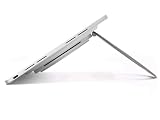
That setup is paired with a built-in stand, making the tablet easier to prop up for video or music without holding it. Notebookcheck praised the sound and stand, while Tom’s Guide called the speaker the standout feature after three weeks of use. Those are reviewers’ listening impressions, not results from a standardized speaker test across tablets.
Free tools Windows power users keep installed
One-click scans. No signup required.
How good is the screen for entertainment?
Lenovo lists a 12.1-inch LCD with 2560 × 1600 resolution, a 120 Hz refresh rate, Dolby Vision and HDR10 support. Its launch announcement claims brightness of up to 800 nits in High Brightness Mode. Notebookcheck measured up to 680 cd/m² during everyday use; that review measurement uses a different condition and should not be treated as a direct confirmation or contradiction of Lenovo’s peak-mode figure. The specifications and manufacturer claims appear in Lenovo’s launch announcement.
#1 Best Overall

- SMARTER BEATS, GREATER JOY – The Lenovo Tab Plus Gen 2 brings together a pro speaker system, vivid 12.1" 2.5K Dolby Vision display, and AI-powered features like Live Transcript for immersive entertainment you can enjoy anywhere.
- SMOOTH MOTION, MORE ROOM – Games and videos load buttery-smooth thanks to the MediaTek Dimensity 7400 processor and zippy 120Hz refresh rate.
- VISUALS BUILT TO PULL YOU IN – Watch your favorite scenes come to life with sharper detail and brighter contrast. The large 12.1” 2.5K display glitters with 800nits brightness, HDR10 support, and Dolby Vision that enhances media with more highlights and depth.
- FLEXES TO FIT YOUR MOMENT – The Tab Plus Gen 2 has a 360ᵒ spin kickstand that allows you to tilt and rotate freely so you can comfortably watch or scroll.
- SOUND THAT FILLS YOUR SPACE – Experience clearer vocals and cinematic sound with the 9-unit Pro speaker system powered by JBL. Wi-Fi 6 and Bluetooth 5.4 effortlessly connect the tablet to your phone so you can turn every room into a dance party, lecture hall, and everything in between.
The display features and stand suit films, shows and other video viewing. The high refresh rate is also useful for smoother scrolling, but it does not by itself make this a high-performance tablet for demanding games or work.
What are the main trade-offs?
Weight and bulk
Lenovo lists an approximate weight of 775 g, and the tablet reaches 22.7 mm thick at its speaker bump. Notebookcheck likewise describes it as heavy and bulky. The mass and protruding audio section make the integrated stand valuable for desk or tabletop use, but less convenient if you expect to hold the device for long periods.
Rank #2

- BUILT TO THINK FORWARD – The Lenovo Idea Tab Pro Gen 2 is built for smart, focused study with AI-powered tools that help you organize, visualize, and absorb more. It has a vivid 13” 3.5K display and is optimized for powerful performance everywhere you go.
- SMARTER READER, SMARTER NOTES – Read papers, mark notes in the margins, and organize PDFs with Smart Capture to stay ready for meetings and classes alike.
- SHARPER VIEWS AND BRIGHTER FOCUS – The 13” 3.5K LTPS display offers stunning detail and 800 nits brightness for impeccable viewing outside and in. The Idea Tab Pro Gen 2 is certified with TÜV Rheinland Low Blue Light and Flicker Free technology to minimize eye fatigue and maximize visual splendor.
- NOTHING SLIPS, EVERYTHING STICKS – Lenovo AI Live Transcript takes continuous notes for you during meetings and class so you can stay present and study them later. They’re saved automatically to Notepad where you can create summaries and identify key takeaways to create structured notes that actually stick.
- LEARN VISUALLY – Long press on an image to activate Smart Capture and pull key visuals straight into Lenovo Notepad. Clean up hand-drawn ideas with Sketch to Image, or sharpen blurry details when clarity matters. From quick capture to classroom- ready notes, learning becomes easier to understand and simpler to share.
Performance and features
Lenovo lists a MediaTek Dimensity 7400 processor, with memory configurations of 6, 8 or 12 GB and 128 or 256 GB of storage, depending on configuration. It supports microSD expansion up to 2 TB. The published review coverage positions the tablet more strongly for entertainment than demanding work; the available evidence does not establish a comparative benchmark result against competing tablets.
Notebookcheck also notes the absence of a fingerprint sensor and a 5G version, as well as average cameras. These omissions matter more if you want a tablet for frequent travel, biometric unlocking or photography than if it will mostly stay on a stand at home.
Rank #3

- A VIBRANT, SLIMMER BUILD FOR SHARPER MINDS – Engage in AI-powered smart learning on the stylish Lenovo Idea Tab Plus. The svelte tablet packs a powerful punch with quad speakers, sharp graphics, and all-day battery life.
- CARRY LIGHT, FEEL BRIGHT – Weighing just over a pound, the Idea Tab Plus is light enough to carry from morning to night and thin enough to easily slip between your notebooks. The Luna Grey color is soft, fresh, and designed to feel just right anywhere.
- CIRCLE TO SEARCH – Stay focused and use your Lenovo Tab Pen or fingertip to circle items for instant search results or to translate other languages without switching apps. Circle to Search is powered by Google.
- LET YOUR LEARNING CLICK – Write, organize, sketch, and calculate with four learning apps built to match your flow. Lenovo Notepad, Squid, Nebo, and MyScript Calculator help you stay clear, focused, and ready for every study session.
- MORE TO SEE, MORE TO ENJOY – The 12.1″ 2.5K display delivers rich color and sharp detail. With TÜV Rheinland Low Blue Light and up to 800 nits brightness, the display keeps every frame clear in any light.
Software support
Lenovo says the tablet launches with Android 16, will receive two Android OS upgrades through Android 18, and will get security patches for four years, until 2030. This is Lenovo’s stated support commitment in its launch announcement; it is not a promise of Android upgrades beyond version 18.
Battery, charging and accessories
Lenovo specifies a 10,200 mAh typical battery and claims up to 15 hours of YouTube streaming. The 15-hour figure is a manufacturer claim, not an independent runtime measurement in the reviews summarized here. Lenovo also lists 45 W charging and names a 68 W USB-C wall charger as a compatible accessory sold separately.
Rank #4
- 12.1" 2.5K (2560 x 1600), IGZO, Multi-Touch, AF Coating, 800 nits, 120Hz
- 128 GB UFS 3.1
- 8 GB LPDDR5 (Soldered)
- Android 16 or Later
The Lenovo Tab Pen Plus and Wireless Keyboard are also listed as compatible accessories. The pen is not bundled, according to Lenovo’s specifications. Consider them optional additions rather than requirements for the tablet’s main entertainment use; check the regional product listing for what is included with the configuration you are buying.
The Tool Desk
Outbyte Driver Updater FREEScan for outdated or missing drivers - takes under a minuteDriver Scan →Outbyte PC Repair FREERepair Windows errors before they cause bigger problemsFix Now →Who should buy the Lenovo Tab Plus Gen 2?
It makes sense if you want
- Stronger built-in tablet audio for music, video and shared listening.
- A stand-supported device for watching content without holding it.
- A large, high-resolution screen with a 120 Hz refresh rate and HDR formats.
- Expandable storage for a local media library.
Look elsewhere if you need
- A light, slim tablet for extended handheld use.
- A device chosen primarily for demanding productivity or gaming.
- 5G connectivity, a fingerprint reader or stronger camera capability.
- A longer major-Android-upgrade commitment than Lenovo states here.
Buying advice and price
The most relevant choice is whether you will use the speakers and stand often enough to accept the weight and bulk. If audio-first entertainment is the priority, reviewers’ praise makes the Tab Plus Gen 2 a distinctive option. If portability or demanding work matters more, its signature hardware may be less useful than a lighter tablet with a different balance of features.
Best Value

- Quality tempered glass screen protector exclusively designed for 12.1" Lenovo Idea Tab Plus Gen2(2026)/Gen1(2025) / Lenovo Tab K12 (TB361FU/TB361ZU) 2025. Not compatible with any other devices
- 9H hardness surface with Super HD transparency
- True touch sensitivity; Ultra thin (0.33mm thickness); Rounded edge integration
- Bubble-free installation, only take seconds; Advanced silicon adhesive, no residue when removing
- Scratch resistant; Shock-resistant; Anti-oil
Published price snapshots vary: Notebookcheck reported about US$470 on Amazon, while Tom’s Guide listed a typical price of $399 and a Lenovo sale price of $289 at the time of its review. Those are time- and retailer-specific figures, not a current universal price. Check the current price, region, configuration and seller before buying. A case, microSD card or Tab Pen Plus may be useful depending on how you plan to use it, but verify fit, card compatibility and included accessories for your regional model.
Is it really the tablet with the best sound system in years?
That phrase is the headline judgment in Florian Schmitt’s Notebookcheck review, not a proven market-wide ranking. Tom’s Guide also praised the speaker, but the available reviews do not provide a standardized head-to-head test of every tablet over several years. The defensible conclusion is that Lenovo has made sound the Tab Plus Gen 2’s central strength, and independent reviewers found that strength compelling.
Quick Recap
Product prices and availability are accurate as of the date/time indicated and are subject to change. Any price and availability information displayed on Amazon at the time of purchase will apply.




