Do these 3 things before closing this tab:
1Scan for outdated or missing drivers - takes under a minute2Clear out junk files and repair common Windows errors3Fix the driver behind crashes, sound loss and screen glitchesHands-on practice matters because learning AIOps means more than recognizing terms: you need to read operational evidence, form a diagnosis, and test a response. AIOps can refer to operating AI systems, such as machine-learning and generative-AI applications, or to using AI agents to operate cloud services. This article covers both: it explains the shared operational skills, then distinguishes practice options for each scope.
What hands-on AIOps practice teaches
A useful exercise mirrors the work of an incident: observe a system, identify an abnormality, investigate likely causes, and try a mitigation. That sequence connects concepts to tools and evidence, while making consequences visible. Practice is not a substitute for understanding machine learning, software delivery, or infrastructure; it gives learners a place to apply those concepts.
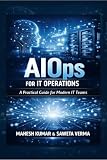

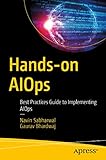


As an Amazon Associate I earn from qualifying purchases.
The two AIOps meanings overlap in their emphasis on deployment, monitoring, quality, and operational response, but they are not interchangeable. Microsoft groups MLOps and generative AI operations (GenAIOps) under AI operations in its Machine Learning Operations Engineer Associate certification guidance. By contrast, Microsoft Research’s AIOpsLab overview focuses on AI agents that handle cloud operations.
Quick wins for a faster PC:
Clear out junk files and repair common Windows errorsFree Scan →Fix the driver behind crashes, sound loss and screen glitchesFind Drivers →Repair Windows errors before they cause bigger problemsFix Now →Practice the whole incident sequence
When learning agent-driven cloud operations, structure practice around the stages that an operational response requires. AIOpsLab documents support for detection, localization, analysis, and mitigation. These stages help learners move from noticing a symptom to taking an informed action:
#1 Best Overall
- Detect: Identify a meaningful anomaly or service problem rather than treating every metric change as an incident.
- Localize: Narrow the issue to a component, service, or part of the system.
- Analyze: Form a root-cause diagnosis from the evidence available.
- Mitigate: Choose and apply a response, then check whether it addresses the problem.
AIOpsLab models problems using an application, an operational task, a fault, a generated workload, and an evaluator. In a practice scenario, a learner or agent can inspect telemetry, investigate a fault, take actions, and use the evaluator’s results to refine a later attempt. This is a documented framework for reproducible operational tasks, not evidence that a specific course of practice produces a measured improvement in human learning.
Use observability as evidence, not decoration
Operational diagnosis often depends on combining evidence sources. The Microsoft Research overview describes a telemetry setup that includes Jaeger traces, application logs handled through Filebeat and Logstash, Prometheus metrics, syscall logs, and cluster information. Together, these illustrate how an investigation can require more than one view of a service: traces can show request flow, logs can record events, and metrics can reveal changes in system behavior. The components described are part of the overview’s framework; do not assume every deployment uses all of them.
Rank #2
For practice to be useful, ask learners to explain how each piece of evidence supports or weakens a diagnosis. A metric spike alone may point to a symptom, while a trace or log may help identify where it began. The goal is not to collect the most telemetry, but to use relevant signals to justify a decision and then evaluate the result.
Choose a practice format that fits your goal
Options differ in how much they guide the learner, what they cover, and what setup they require. The following comparison reflects the providers’ documented descriptions; availability, platform details, and course content can change, so check the linked provider pages before committing.
| Option | What it supports | Guidance and trade-offs |
|---|---|---|
| AIOpsLab open-source environment | Interactive agent development and evaluation, with local simulated Kubernetes and remote-cluster options; tasks include detection, localization, analysis, and mitigation. | Self-directed and technically demanding. The repository lists Python 3.11 or newer, Helm, and Poetry or pip; local setup uses kind, with remote Kubernetes and Azure VM paths also documented. |
| Microsoft certification preparation | Structured MLOps and GenAIOps scope, learning paths, a practice assessment, and an exam sandbox. | Intermediate and Microsoft-platform-specific. Check the live certification page for current assessment access and certification details. |
| HPE AIOps Foundation course | The course sheet describes hands-on exercises and access to virtual lab environments. | Instructor- or course-structured practice. The available course sheet is an older description, so confirm current availability, delivery format, and syllabus with HPE. |
What to practice in each AIOps scope
Operating machine-learning and generative-AI systems
Use practice to connect model or application work with its lifecycle: training or preparation, deployment, evaluation, monitoring, and optimization. Microsoft’s certification guidance expects experience with traditional machine-learning models using Azure Machine Learning, as well as deploying, evaluating, monitoring, and optimizing generative-AI applications and agents using Microsoft Foundry. The certification is one platform-specific route through these topics, not a definition of every AIOps role.
Using agents for cloud operations
Work through a fault scenario that requires interpreting telemetry, localizing a problem, and selecting a mitigation. AIOpsLab offers a documented example of this format, with an evaluator that records outcomes. Its repository is the place to verify current dependencies and environment instructions before setup.
Rank #4
Check prerequisites before you begin
- For AIOpsLab: The repository lists Python 3.11 or newer, Helm, and Poetry or pip. The local simulated-cluster route uses kind and includes configuration examples for x86 and ARM; remote Kubernetes and Azure VM deployment paths are also documented. Consult the current repository instructions because setup depends on the environment you choose.
- For Microsoft’s certification route: The certification page describes an intermediate role and expects a data-science background, Python experience, and entry-level DevOps familiarity, including GitHub Actions and command-line interfaces. Its listed areas include machine-learning lifecycle operations, GenAIOps infrastructure, quality assurance, observability, and performance optimization.
- For a structured course: Confirm that the course is currently offered and that its lab format and syllabus match your goals; the HPE course sheet describes exercises and virtual labs but may not reflect current delivery.
How to make practice useful
- Set a clear task: State what is failing or what outcome the system should meet.
- Inspect evidence before acting: Review relevant metrics, traces, logs, or system information and write down a provisional diagnosis.
- Choose a testable response: Make a change that addresses the suspected cause, rather than changing multiple things without a way to evaluate them.
- Check the outcome: Compare system behavior with the original symptom and use evaluation results to decide what to try next.
- Record the reasoning: Note what evidence mattered, what action was taken, and what result followed. This makes the exercise reviewable instead of a sequence of unexplained tool commands.
This approach reflects the operational task and evaluation loop described by AIOpsLab. It is a sound way to structure practice, but the available sources do not quantify a learning advantage over theory-only study.
The Tool Desk
Outbyte PC Repair FREERepair Windows errors before they cause bigger problemsFix Now →Outbyte Driver Updater FREEScan for outdated or missing drivers - takes under a minuteDriver Scan →Quick Recap
Best Value
Product prices and availability are accurate as of the date/time indicated and are subject to change. Any price and availability information displayed on Amazon at the time of purchase will apply.




