Self-hosting email can give you direct control over your mail system, but it also makes you responsible for getting messages delivered, protecting the server, and keeping it available. That trade-off—not simply installing mail-server software—is what determines whether running your own email is worth it.
Why running an email server is more than installing one
Email has two demanding jobs: accepting incoming messages reliably and sending outgoing messages that recipient systems trust. A server can be configured to send mail and still have messages rejected, delayed, or placed in spam. Google says meeting its sender requirements does not guarantee inbox placement, and it cannot guarantee that mail from a provider will pass spam filters. Its guidance applies to delivery to Gmail personal accounts, not every recipient everywhere. Google’s Gmail sender guidelines cover authentication, DNS, TLS, message formatting, and spam-rate monitoring.
As an Amazon Associate I earn from qualifying purchases.
Do these 3 things before closing this tab:
1Fix the driver behind crashes, sound loss and screen glitches2Clear out junk files and repair common Windows errors3Scan for outdated or missing drivers - takes under a minuteDNS records and authentication
Your domain’s mail configuration typically includes an MX record pointing to the server that receives mail, an A or AAAA record for the mail host, and authentication records. SPF identifies which systems are authorized to send for a domain. DKIM lets receiving systems verify a domain’s signature on a message. DMARC tells receivers how to handle messages that fail SPF or DKIM checks and enables aggregate reporting. Cloudflare’s email-record guide explains these DNS records and notes that its proxy does not carry SMTP traffic on port 25 by default.
For mail sent to Gmail personal accounts, Google’s all-sender guidance requires SPF or DKIM, valid forward and reverse DNS, TLS, and messages formatted to Internet Message Format (RFC 5322). Google recommends that all domains use SPF, DKIM, and DMARC, even though its baseline requirement for all senders says SPF or DKIM. For senders exceeding 5,000 messages per day to Gmail, Google specifies SPF, DKIM, and DMARC, and requires alignment between the visible From domain and SPF or DKIM for direct mail. Google recommends a 2,048-bit DKIM key where the domain provider supports it; it says 1,024 bits or longer is required for sending to personal Gmail accounts.
#1 Best Overall

- 【Exquisitely Crafted Letter Sorter with Labels】This mail holder countertop is made of 100% solid wood for long-lasting durability and years of use. The letter holder is simple to clean with just wipes, saving you time on daily maintenance. We provide free customizable labels for your convenience—you can mark names, departments, or subjects on the 4 slots to avoid misplacing items. With these labels, you'll be able to quickly find the files you need and say goodbye to a cluttered desktop!
- 【Rustic Desk Organizers and Accessories with 4 Slots】This decorative mail organizer for desk features a charming rustic chic style, elevating any home or office. Crafted from sturdy wood with "MAIL" printed on the front, it adds elegance and distinction. The desk mail organizer comes with different-height dividers for a refined look, and each divider is removable to meet your flexible storage needs. This mail basket is both popular and practical, an ideal choice for tidying your desktop.
- 【Sized for Everything Wooden Desk Organizer】Designed to fit your desk or counter without taking too much space, this mail sorter organizer keeps all your essentials in order. It measures 11" long, 4.6" deep, and 8.1" at maximum height, with inner slots of 1.7" x 11" to categorize stationery, bills, letters, documents, notepads, and mails efficiently. Non-slip pads on the base keep the desktop mail organizer stable and protect furniture from scratches. No assembly required, just open and use!
- 【Versatile Wood Desk organizer】Instead of piling up bills, junk mail, and letters, this mail organizer for home lets you file items neatly and easily. It is ideal for bedrooms, home offices, classrooms, and other daily scenes, blending well with any decor. You can place this mail box on the countertop or hang it on the wall to save valuable space, keeping your desk free of messy office accessories and saving time on searching. This letter holder for desk is the perfect solution to end chaos.
- 【Thoughtful Gift Choice for Organizing Lover】This mail storage organizer for home turns messy desk into a practical and beautiful decoration, suitable for people of all ages. Whether for promotion, birthday, housewarming, back-to-school season, or daily gifting, it is an ideal present for family, friends, colleagues, and children. Anyone who receives this cute and functional countertop mail organizer will love its stylish design and great usability.
Google also says senders should keep the spam rate reported in Postmaster Tools below 0.3%, and separately recommends staying below 0.10% and avoiding 0.30% or higher. These are Gmail-specific monitoring figures, not universal deliverability guarantees. The authentication records lower spoofing risk; they do not encrypt message contents. NIST’s SP 800-177 Rev. 1, published February 26, 2019, discusses trustworthy email protections including SPF, DKIM, DMARC, TLS, and certificate authentication. It distinguishes transport security from content security such as S/MIME: ordinary SMTP TLS does not mean a message is encrypted end to end.
Network access and IP reputation
Your server also needs a network path recipients will accept. Google requires the sending IP’s PTR record to resolve to a hostname that resolves forward to that same IP. Microsoft notes that an ISP or firewall may block port 25. In Microsoft’s SMTP relay scenario, port 25 is required, and the sending endpoint needs a certificate or a static public IP; if relying on IP authentication, that address must be static and unshared. Microsoft warns that delivery can be disrupted if the sending IP is blocklisted. Those requirements describe Microsoft’s relay option, not every way to operate a mail server.
Recommended Free Tools
Rank #2
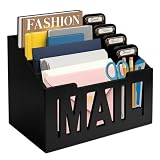
- ORGANIZED & CLUTTER-FREE : Stay on top of bills, envelopes, and letters with this mail organizer countertop. Designed to keep documents tidy, this desktop mail organizer ensures your home or office remains clutter-free.
- 4 COMPARTMENTS WITH LABEL TAGS : This mail organizer for desk includes 4 slots plus customizable name tags for easy sorting. Use labels for departments, family members, or document types to simplify organization.
- VERSATILE PLACEMENT OPTIONS : Can be used as a mail holder for desk, perfect for the entryway, kitchen counter, or receptionist desk accessories in any workspace.
- COMPACT & PRACTICAL SIZE : Measuring 11 x 7 x 8 inches, this countertop mail organizer fits neatly on any desk or table while holding multiple letters, folders, and bills without taking up much space.
- MODERN DECORATIVE STYLE : Crafted with a sleek black finish, the front features a wood-cut “MAIL” design. This three-dimensional detail enhances the decorative mail organizer look, making it both stylish and functional as interior décor.
A hosted mailbox or relay can take some delivery infrastructure out of your hands, but it does not make every dependency disappear. The responsibility depends on the specific arrangement: a relay may handle outbound delivery while you still operate a server, maintain DNS, or manage inbound mail. Check which party handles each part before choosing.
The work does not end when mail starts flowing
Mail-server administration includes security and abuse prevention as well as delivery. Postfix describes a network-facing SMTP server as exposed to junk mail and viruses, and documents access controls to limit what it accepts. Misconfigured access can turn a server into a tool for sending unwanted mail; inadequate maintenance can also leave it vulnerable or unavailable. Postfix’s access-control documentation explains the role of those controls.
Rank #3

- Mail Organizer Wall Mount: The mail holder sits perfectly on your counter or is hung on the wall. Upgrade your home office or entryway with this Farmhouse basket for mail and bills, Its sleek and simple design complements any decor
- Removable Divider: An envelope organizer with a removable divider can keep your mail organized, providing two mail slots for envelopes, this wall-mount mail holder keeps the clutter off your counter, and provides a functional storage solution for your mail
- Handcrafted & Non-slip: Mail sorter holder is handcrafted from solid wood, and the mail holder comes with a non-slip base, This sturdy and lightweight mail holder wall mount is great for any room in the home or as entryway table decor or office desk accessories
- Compact Size: This simple mail organizer for desk securely holds multiple-sized envelopes, and bills, or even be used as a magazine organizer, nice size(11"x4"x4") and keeps envelopes and bills handy, its compact size takes up little space
- Good Gift: DRASTAR indoor mail basket transforms that pile of unsorted mail from an eyesore into a functional decorative feature. Letter holder is suitable as a gift for friends or family for occasions such as housewarming, Thanksgiving, Christmas, etc
In practice, ongoing responsibility can include watching delivery and spam signals, keeping software patched, protecting credentials, maintaining backups, and responding when DNS, certificates, network access, or recipient policies change. Which tasks apply—and how much time they take—depends on your setup. The essential point is that reliable email is an operational service, not a one-time installation.
When self-hosting is worth the trade-off
Self-hosting makes sense when direct control over the configuration and data matters enough to justify taking responsibility for delivery, security, and availability. It is a poor fit if you need email to work with little oversight, cannot tolerate delays or outages, or do not want to handle abuse and troubleshooting. Microsoft makes a similar distinction for one specific method: its Microsoft 365 guidance says, “We recommend Direct Send only for advanced customers willing to take on the responsibilities of email server admins.” That is guidance about Direct Send, not a blanket rule against self-hosting.
Rank #4

- ✉ STURDY & NON-FADED: Wtiujhg mail organizer is made of high-quality metal iron, ensures both aesthetics and durability, able to stand stably on desktop or counter. And appearance is treated with special paint, color is more uniform, higher color fastness, and not easy to fade.
- ✉ CREATIVE CUTOUT DESIGN: The concise "Mail" cut lettering detail and envelope icon makes this mail holder a desktop stylish decor element for your home or office. It can be a housewarming gift, a start-of-term gift, or a wedding gift for your friends and family to add beauty to their home decor.
- ✉ PERFECT SIZE & ANTI-SLIP PAD: This mail holder measures 6.1(L) x 2.3(W) x 3.9(H) inches. This letter holder is large enough to hold approximately 60 thin envelopes. It is a one piece design, portable and easy to use. Moreover, the strong non-slip rubber base also protects your desktop surface.
- ✉ DESK ORGANIZER: Our mail holder organizes your messy files, not only brings you a clean and tidy desktop, but also improves work efficiency; Opening design is convenient for you to find letters and files, and the compact mail letter holder for desk will not take up too much of your desktop space.
- ✉ WIDE USES: Letter sorter is perfect for storing and organizing desk accessories such as cluttered mail, bills, letters, file folders, papers and envelopes in your workspace. This iron mail organizer is functional in use and classic for home or office decor.
| Consideration | Self-hosted mail | Hosted mailbox or relay |
|---|---|---|
| Control | You manage the server and its mail configuration directly. | Control is divided between you and the provider; the exact division depends on the service. |
| Delivery responsibility | You take responsibility for your sending setup and troubleshooting recipient-side rejection or spam placement. | A provider may operate some delivery infrastructure; confirm what it covers, including any relay arrangement. |
| Maintenance | You are responsible for the server’s ongoing administration and safe access rules. | The provider manages its service infrastructure, but your domain and any systems you retain still need attention. |
| Reliability needs | You decide whether you can operate and recover the service to meet your needs. | You depend on the provider for the parts it hosts; the service’s specific availability terms are not stated here. |
| Provider dependence | You rely less on a mailbox host, but may still depend on a VPS, ISP, DNS provider, or outbound relay. | You depend on the mailbox or relay provider for the service it supplies. |
The comparison is not simply “control versus no control.” Self-hosting can reduce dependence on a mailbox provider while increasing dependence on your own operational capacity and on underlying infrastructure. A relay can reduce some outbound-delivery work without replacing the responsibility for every other part of your mail setup.
Independent reader supportYour contribution helps us test, update, and keep practical guides available for everyone.What this means for the one-year verdict
The title describes a year-long personal experience, but no setup details, costs, failures, maintenance hours, or reason for stopping are established here. Those details should come from the author, not be inferred from general mail-server requirements. The broader decision is clear: self-hosting is a trade worth making only when the control you gain matters more to you than the continuing work of delivery, security, and reliability.
Quick Recap
Best Value

- Maximize Space Usage: Say goodbye to a cluttered desk. This literature organizer helps arrange your workspace with ease, offering ample storage for books, documents, magazines, paper, and other materials to keep your office area orderly
- Built-In Side Storage: Designed with a built-in side file holder, the office mailbox provides extra space for folders, mail, and frequently used documents. Keep important papers within easy reach while keeping the main compartments neat and organized
- Stable MDF Structure: This file organizer features a finely finished surface designed for frequent use. Our wood file sorter suits busy environments such as classrooms and offices while maintaining a neat appearance over time
- Multi-Compartment Visible Sorting: Clear sections keep files visible at a glance, making access smoother and more convenient. Less time spent searching supports more efficient daily organization
- Quick Installation: A clear panel-style structure makes assembly intuitive. Follow the included instruction manual to complete setup in about ten minutes and begin using the wood file organizer right away
Product prices and availability are accurate as of the date/time indicated and are subject to change. Any price and availability information displayed on Amazon at the time of purchase will apply.
What’s actually slowing this PC down?
Pick the symptom - the matching free tool is one click away.




