Yes, an iPhone may use more battery for a few days after an iOS 27 update. Apple says update-related tasks can continue in the background and temporarily affect battery life and temperature. That makes short-lived drain plausible, not every case harmless: check what is using power, then reassess after a few days.
iOS 27 became available on September 14, 2026, according to Apple’s announcement. Apple’s battery guidance applies generally to iOS 26 and later; it is not a published iOS 27-specific battery study. It says to wait a few days after an update before judging battery life, because update-related work may still be running in the background.
As an Amazon Associate I earn from qualifying purchases.
Check whether iOS is still finishing update tasks
- Open Settings > Battery.
- Look for a battery suggestion or an Insight such as Ongoing iOS Update. Apple says this can indicate that update work is continuing in the background.
- If the update was recent, give the phone a few days, then compare battery use again.
Apple describes this waiting period as “a few days”; it does not publish a fixed duration or a typical drain figure for iOS 27.
Windows Errors? Fix Them Before They Spread
Repair common Windows errors and clear accumulated junk for a smoother, more stable PC - no reinstall needed.Free scan · no reinstallOutdated Drivers Are Slowing You Down
One free scan finds every outdated or missing driver and matches the right update for your exact hardware.Free scan · exact hardware matchFind what is using battery
In Settings > Battery, compare Daily Usage and open View All Battery Usage. The usage views help distinguish app activity from system activity and show factors that can affect power consumption.
#1 Best Overall

- Compatible with iPhone18 Pro Max/17 Pro Max: Designed for 18 Pro Max/17 Pro Max 6.9-inch models, this 10000mAh battery case combines portable charging and phone protection in one design, providing convenient power support for daily use, travel, and commuting.
- 10000mAh Backup Power: Built-in battery capacity provides extra power when access to an outlet is limited, helping keep your phone charged during busy days, trips, commuting, and outdoor activities.
- USB-C Charging Convenience: Charge for iPhone 18 Pro Max/17 Pro Max directly through the USB-C battery case for a simple and convenient power solution. The integrated design combines phone protection and portable charging in one case.This case supports wired input charging,no wireless charging function.
- All-in-One Protection & Power: Combines a protective case and built-in battery in one convenient design, helping protect for iPhone's screen, camera, and edges while providing portable power wherever you go.
- Portable Travel Companion: Featuring a compact design with 4-level LED battery indicators, this rechargeable battery case makes it easy to check remaining power and stay prepared wherever you go.The case-style design helps protect your phone during daily carrying, commuting, and travel.
- Background activity: An app may use power while you are not actively using it.
- Screen use: High screen activity can account for substantial usage even when no single app is obviously misbehaving.
- Mobile coverage: Low or absent cellular signal can affect battery use.
- Notifications: Notification activity is another factor shown in Apple’s usage information.
Compare those patterns with when the drain occurs and the time since the update. A battery-use screen can show clues, but it does not by itself prove that iOS 27 caused the change.
Check battery health separately from app usage
Battery Health is a separate diagnostic from the usage breakdown. The screen name depends on the iPhone model:
Rank #2

- [Safe charging and protection design] Passed CE, FC, RoHS certification to ensure your charging safety. Use high-quality battery cells to ensure power, safety and reliability, and long-term use will not reduce the health of the battery life.
- [100% or more power] The 12000mAh long-lasting battery can double the daily use time of your iPhone 18 Pro Max and keep the power of iPhone 18 Pro Max longer.Enjoy more talk time, music, movies, and internet surfing. The best choice for travel, camping and work. The portable design, charging anytime and anywhere.
- [Fully compatible with iPhone 18 Pro Max] This is an upgraded version that supports wireless charging.The certified lightning chip ensures 100% compatibility with your iPhone 18 Pro Max.
- [One-piece design, easy to use] The shell adopts ergonomic design and is comfortable to hold. The soft rubber on the curved top makes the installation and disassembly of the mobile phone easier. 4 LED battery power indicators, let you know how much power you have (0--25%--50%--75%--100%).
- [12 months after-sales and technical support] Customer satisfaction is our top priority. If you have any questions, problems or concerns, please send an email to our after-sales team, we will be more than happy to help you to ensure that our products work the way you need.
- iPhone 15 and later: Go to Settings > Battery > Battery Health.
- iPhone 14 and earlier: Go to Settings > Battery > Battery Health & Charging.
If the screen shows Service, Apple advises considering battery replacement. You can seek service through Apple or an Apple Authorized Service Provider. A Service message is different from an app appearing high in the usage list.
Recommended Free Tools
Use Low Power Mode for a short-term boost
If you need your charge to last longer while investigating, turn on Settings > Battery > Low Power Mode. It extends runtime by reducing or disabling some functions, which can include Mail fetch, Hey Siri, Background App Refresh, and some visual effects. This is a power-management measure, not a diagnosis or repair.
Rank #3

- [Safe charging and protection design] Passed CE, FC, RoHS certification to ensure your charging safety. Use high-quality battery cells to ensure power, safety and reliability, and long-term use will not reduce the health of the battery life.
- [100% or more power] The 12000mAh long-lasting battery can double the daily use time of your iPhone 1 Pro Max and keep the power of iPhone 1 Pro Max longer.Enjoy more talk time, music, movies, and internet surfing. The best choice for travel, camping and work. The portable design, charging anytime and anywhere.
- [Fully compatible with iPhone 1 Pro Max] This is an upgraded version that supports wireless charging.The certified lightning chip ensures 100% compatibility with your iPhone 1 Pro Max.
- [One-piece design, easy to use] The shell adopts ergonomic design and is comfortable to hold. The soft rubber on the curved top makes the installation and disassembly of the mobile phone easier. 4 LED battery power indicators, let you know how much power you have (0--25%--50%--75%--100%).
- [12 months after-sales and technical support] Customer satisfaction is our top priority. If you have any questions, problems or concerns, please send an email to our after-sales team, we will be more than happy to help you to ensure that our products work the way you need.
If you need to charge away from an outlet, a compatible USB-C power bank is another option. It can provide extra runtime, but it will not resolve the underlying cause of unusual drain.
Independent reader supportYour contribution helps us test, update, and keep practical guides available for everyone.When to investigate further
If battery life remains unusually poor after a few days, review the usage breakdown and battery health rather than assuming the update is responsible. Persistent drain, a Service status, or usage that does not fit your normal pattern are reasons to investigate further or contact Apple support. The available Apple guidance does not establish how often iOS 27 causes battery problems or how severe they are.
Rank #4

- 【12000mAh High Capacity Last Longer】This for iPhone 18 Pro Max battery case provides 150% extra power with build in 12000mAh lithium Ion. NOTICE : NOT compatible with iPhone 18 or 18 Pro . (USB to Type-C Quick charging cable included)
- 【360°PROTECT YOUR iPhone】The smart charger case is not only a portable charger, but also a protective case for cellphone from scratches and daily wear and tear. Raised bezels help you protect the screen to some extent. And its advanced chips protect your smart phone from overheating, short-circuit and overcharging.
- 【UPGRADED DESIGN And Wireless Charger】: This for iPhone 18 Pro Max battery case is ultra slim design,Uni-body design, easy to install. And support wireless charger. You can charge with a wireless charge quick and convenient wireless charging experience. Elastic soft material and full edge design protect for iPhone 18 Pro Battery case from scratches shock fingerprint and other daily wears and tear. Bring you a unique and comfortable tactile sensation.
- 【Simple To Use】All-in-One charging case makes installation and carry much easier and safer. Equipped with power level indicator LED lights, just press the button for 3 seconds to start or stop charging. 4 LED battery level indicators that let you know how much power you have (0--25%--50%--75%--100%).
- 【12 Months Service】: Customer satisfaction is our primary priority. for any reason makes you unsatisfied issues or concerns please contact us,12 Month after-Sale Technical Support, 30days no-hassle return and 24H customer service.
Apple’s guidance and steps are in If the battery in your iPhone or iPad drains too quickly and the iPhone User Guide’s battery usage and health overview.
Quick wins for a faster PC:
Repair Windows errors before they cause bigger problemsFix Now →Scan for outdated or missing drivers - takes under a minuteDriver Scan →Clear out junk files and repair common Windows errorsFree Scan →Quick Recap
Best Value
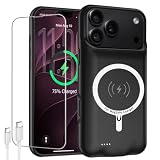
- [Safe charging and protection design] Passed CE, FC, RoHS certification to ensure your charging safety. Use high-quality battery cells to ensure power, safety and reliability, and long-term use will not reduce the health of the battery life.
- [100% or more power] The 12000mAh long-lasting battery can double the daily use time of your iPhone 18 Pro Max and keep the power of iPhone 18 Pro Max longer.Enjoy more talk time, music, movies, and internet surfing. The best choice for travel, camping and work. The portable design, charging anytime and anywhere.
- [Fully compatible with iPhone 18 Pro Max] This is an upgraded version that supports wireless charging.The certified lightning chip ensures 100% compatibility with your iPhone 18 Pro Max.
- [One-piece design, easy to use] The shell adopts ergonomic design and is comfortable to hold. The soft rubber on the curved top makes the installation and disassembly of the mobile phone easier. 4 LED battery power indicators, let you know how much power you have (0--25%--50%--75%--100%).
- [12 months after-sales and technical support] Customer satisfaction is our top priority. If you have any questions, problems or concerns, please send an email to our after-sales team, we will be more than happy to help you to ensure that our products work the way you need.
Product prices and availability are accurate as of the date/time indicated and are subject to change. Any price and availability information displayed on Amazon at the time of purchase will apply.




